
At a glance
Expert’s Rating
Pros
- Compact and pocketable design
- Crisp and detailed prints
- Brilliant peel-and-stick backs
- Quick USB-C charging
- Decent app
Cons
- Battery only lasts around 10 prints per charge
- USB-C cable not included
- Expensive running costs
Our Verdict
The Polaroid Hi-Print Generation 2 is a fun, capable printer that produces better quality prints than you’d expect at this price. The sticky-backed paper is excellent, the app is easy to use, and the design allows it to slip into a pocket. You only get around 10 prints per charge, however, neither a USB-C cable nor the paper cartridge comes in the box, and running costs add up quickly.
Price When Reviewed
This value will show the geolocated pricing text for product undefined
Best Pricing Today
Price When Reviewed
$109.99
Best Prices Today: Polaroid Hi-Print Generation 2

$88.15
Polaroid has been synonymous with instant photography for decades, but the Hi-Print range takes a different approach to what the brand is famous for. Rather than cameras that spit out developing chemical film, which you shake about for a couple of minutes to see how good your shot was, the Hi-Print Generation 2 is just a printer.
It pairs Bluetooth with dye-sublimation technology to turn your smartphone snaps into physical photos. The second generation of the Hi-Print builds on its predecessor by adding USB-C charging, improved Bluetooth connectivity and a casing made partly from recycled materials.
It’s compact, relatively affordable for a portable printer, and its peel-and-stick prints are superb. But does it have what it takes to be your go-to pocketable printer? I’ve spent months testing it to find out.
Design & Build
The Hi-Print 2×3 Generation 2 Pocket Printer (though you might see it called the Hi-Print Gen 2 or Hi-Print 2) is a printer you can slip into a pocket and a follow-up to the original Polaroid Hi-Print, one of our favourites.
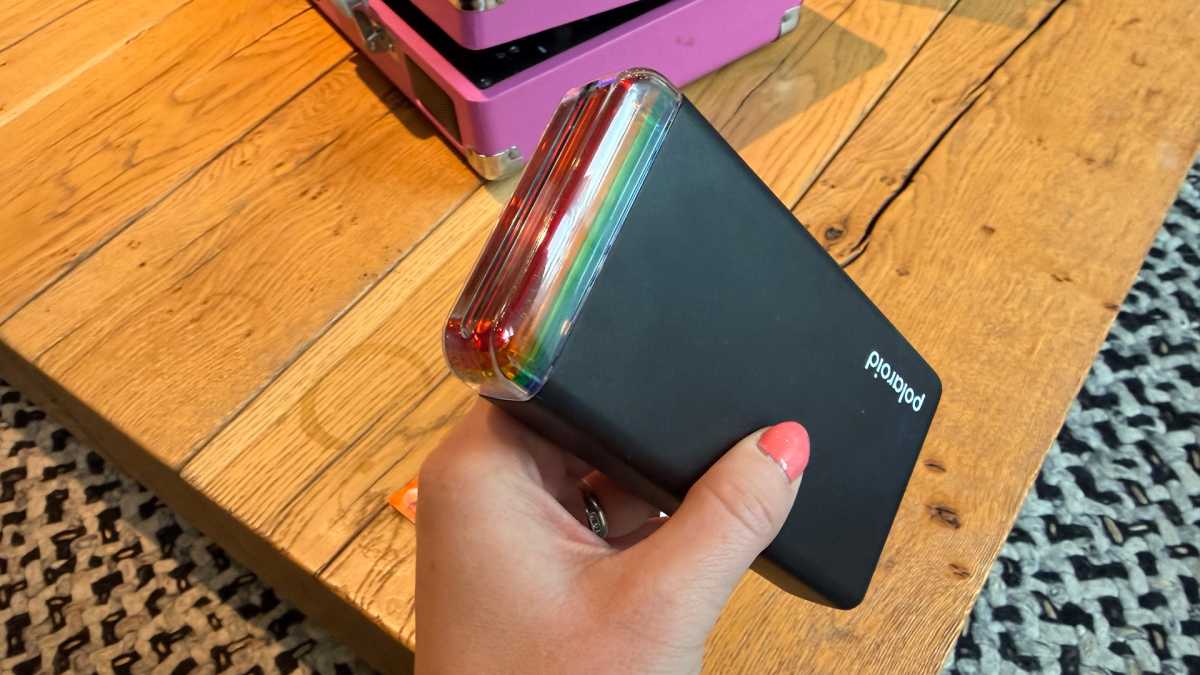
That does somewhat depend on what you are wearing, of course, but with it measuring 149.8 x 79.5 x 26.9mm and weighing 255g without the cartridge, I found it fitted into my jackets and the back pockets of my jeans without an issue.
Britta O’Boyle
It’s a slim flat rectangle rather than a chunky cube – not too dissimilar from a powerbank, and it comes in White or Black colour options (I had the black one for review). The design is clean and fuss-free with Polaroid’s signature colourful stripes at the top, adding a little flair to an otherwise very functional design.
The company has made a point of noting that the outer casing is made from 30 per cent recycled material for this second generation, which gives the shell a slightly utilitarian plastic feel rather than anything premium, but the overall design looks good and feels solid.
Britta O’Boyle
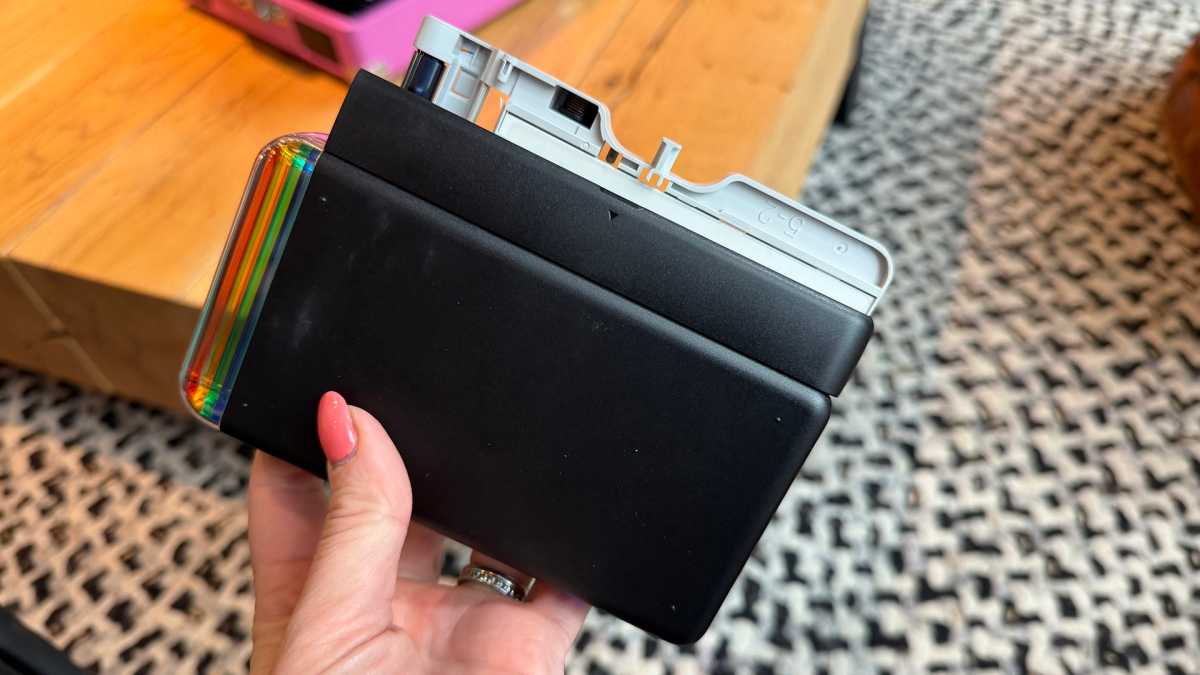
The print slot is located along the top of the device alongside the coloured stripes, and prints feed out smoothly. There’s a USB-C charging port along the bottom edge, but be aware that a cable isn’t included in the box, so you’ll need to source one of those yourself, along with a plug.
The power button is positioned on the right edge, with LED indicators showing charging and pairing status, while a flap on the left edge allows you to easily insert the paper cartridge, though the cartridge is also sold separately.
App & Features
To use the Hi-Print 2×3, you’ll need to buy a pack of Paper Cartridges (around £16/$16 for 20 prints) and download the Polaroid Hi-Print app, which is free and available on both iOS and Android. Compatibility requires iOS 16.0 or newer, or Android 7.0 or newer, so the latest smartphones will be covered.
Pairing via Bluetooth is quick and reliable, with the printer supporting both the older Bluetooth 2.1 + EDR standard and the newer Bluetooth 5.0, so connectivity feels snappy and doesn’t require repairing.
Britta O’Boyle
I had to download a software update straight away, though, and this took at least 15 minutes, so keep that in mind if you’re planning to set this printer up on the move.
The app itself is simple and easy to use. Once you’ve selected a photo from your photo library, you can add frames, text, filters, stickers and emoticons before sending it to print. There is a decent range of templates to choose from, including themed layouts for occasions like Halloween, with more regularly added.
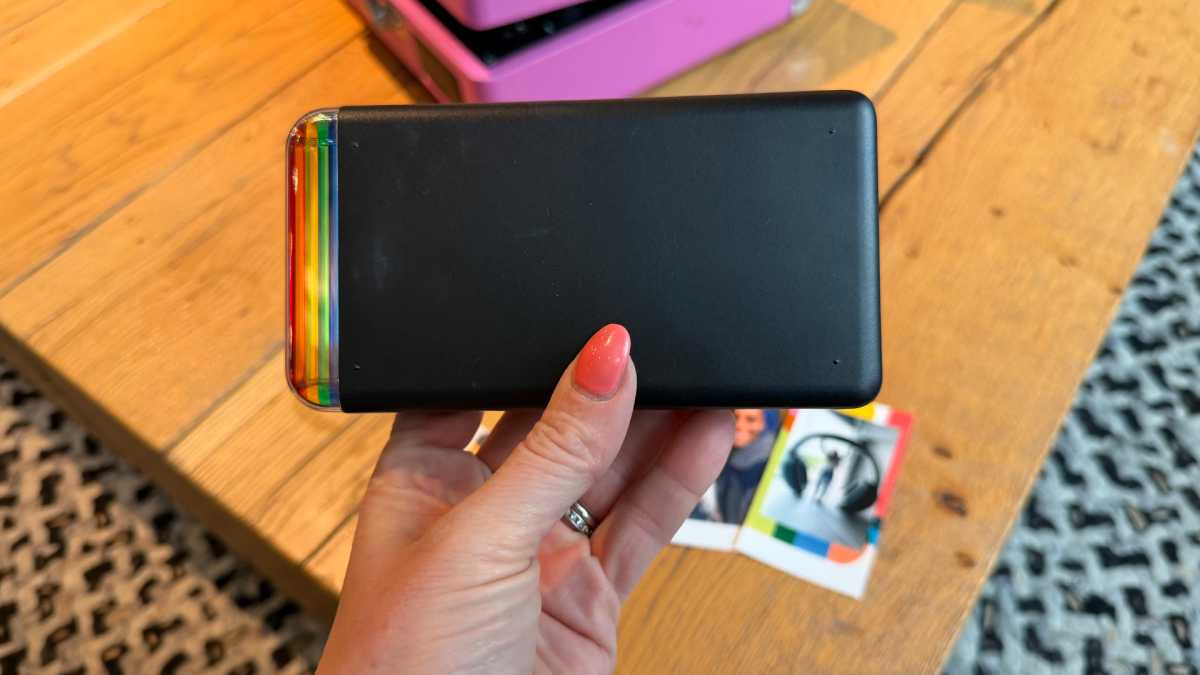
Britta O’Boyle
You can use filters to toggle between colour and black-and-white printing modes within the app, and crop and adjust the composition. You’ll have to tap the crop button to pinch, zoom, and move a picture around, though, and I would rather you could do this from the main screen. Still, navigation is intuitive enough that you don’t have to spend time hunting through menus, which makes for a good overall user experience.
Print Quality
Unlike budget pocket printers that rely on Zink (zero-ink) technology – which transfers colour using heat-sensitive paper and can produce slightly waxy, soft results – the Polaroid Hi-Print Generation 2 uses Dye Diffusion Thermal Transfer, also known as 4PASS dye-sublimation, which makes a noticeable difference in quality.
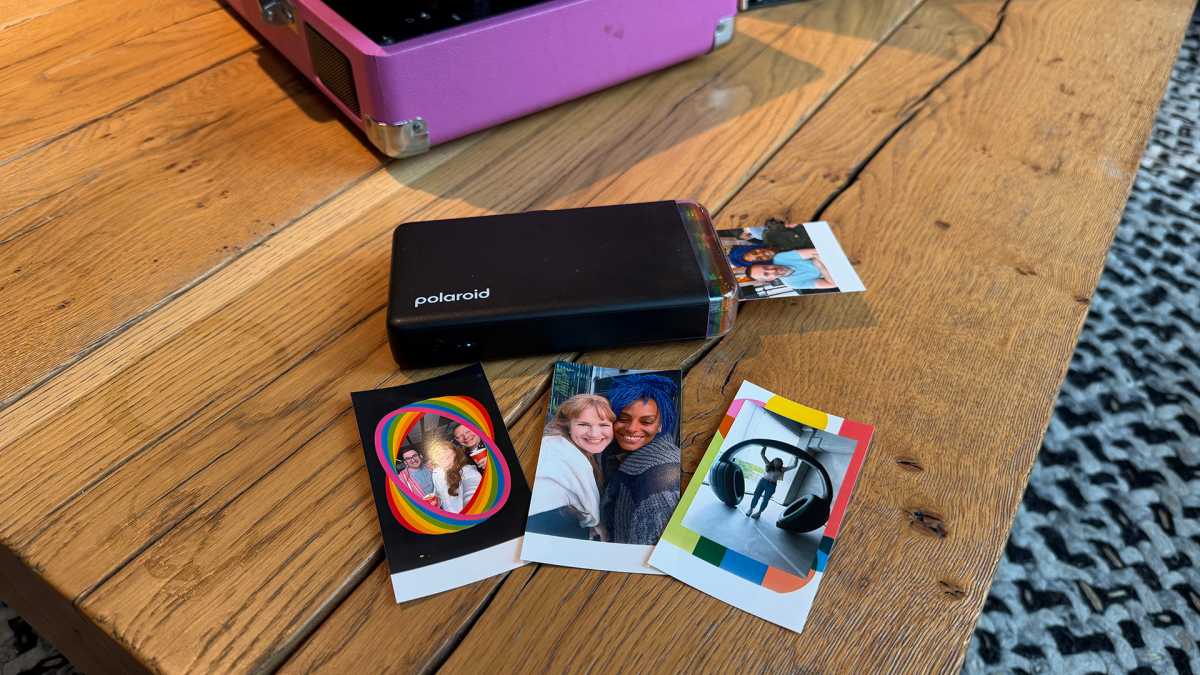
Prints measure 54 x 86mm (roughly 2.1 x 3.4 inches hence the name), which is around the size of a standard business card – perfect for popping into a purse or wallet or sticking in a scrapbook.
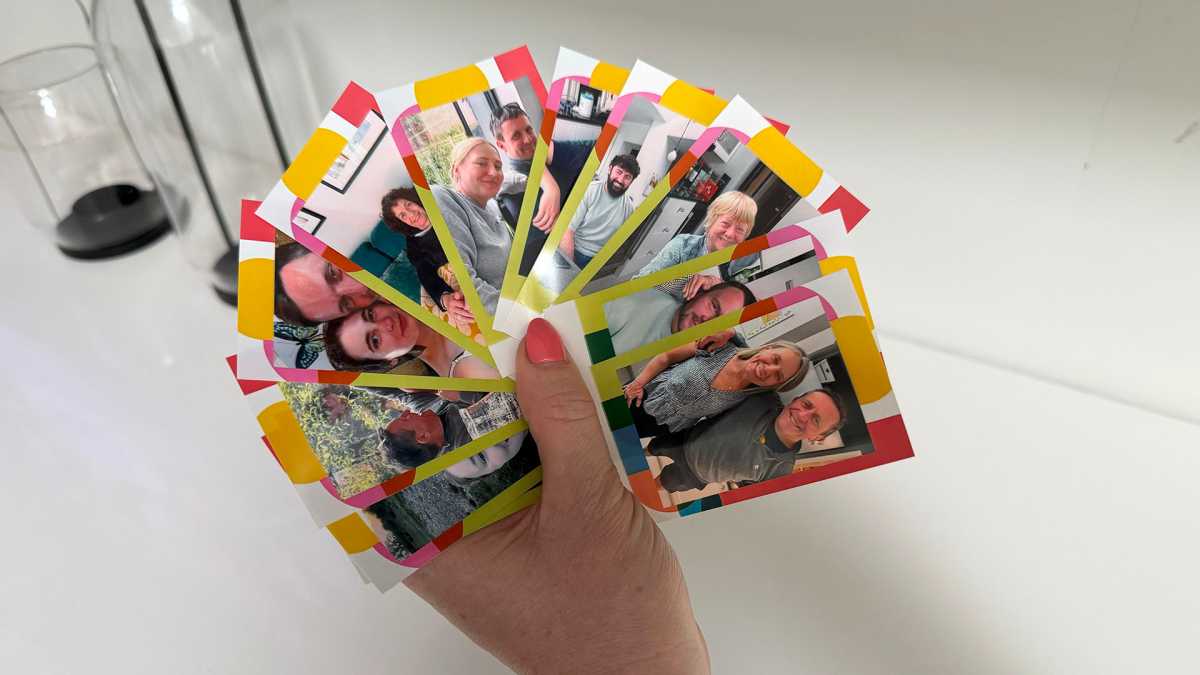
Britta O’Boyle
Colours could be more vibrant, particularly in the frames, but skin tones look natural rather than oversaturated, and darker images retain detail rather than muddying together. Text and fine detail hold up well, too, and black-and-white output is also impressive, with decent tonal range rather than a flat grey wash. Just as the colours could have been punchier, the blacks could have been darker, but overall I was impressed with the results.
Prints come out dry and ready to handle immediately, which was lucky with my keen 6- and 8-year-olds around, and the peel-and-stick backing is a real delight. During a BBQ for my uncle’s birthday, I printed out 10 separate photos of all the family, which he then stuck around their noticeboard.
It allows you to place photos straight onto notebooks, walls, luggage or wherever else takes your fancy, and I love that.
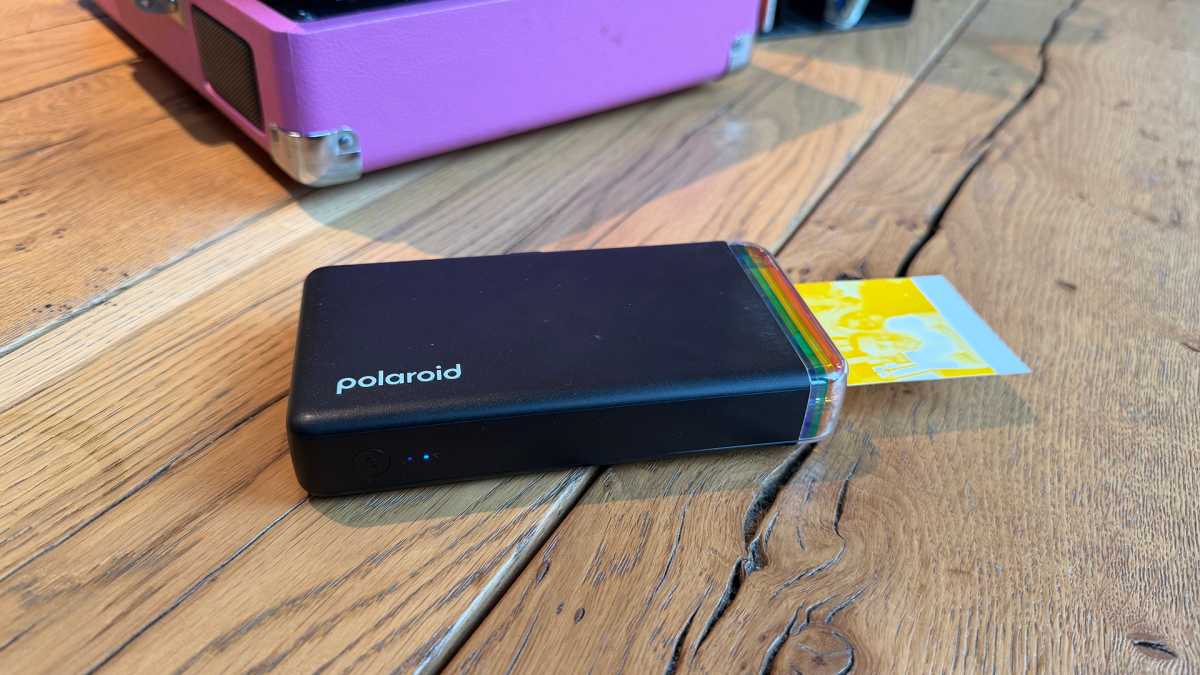
Britta O’Boyle
Each print takes around 1 minute and 20 seconds to produce, which is fast enough to keep things moving when you’re printing for a group, though under a minute would have been preferable. As I mentioned, the paper cartridge isn’t included, not even one, so you’ll need to buy it separately and factor it into your total outlay from day one.
Battery Life & Charging
When it comes to the Hi-Print Generation 2’s battery, you’ll need to manage your expectations. Polaroid claims the battery will deliver around 20 prints on a single charge, but I consistently got just half of that when printing continuously. Given that the Instax Square Link offers 100, this is not an area where the Polaroid alternative excels.
If you’re printing one or two photos here and there rather than keeping it running constantly, you’ll get a few more. But if you’re at a wedding or a birthday party and everyone wants a copy, make sure you’re close to a power outlet. You can at least print while it’s charging, however, so that’s something at least.
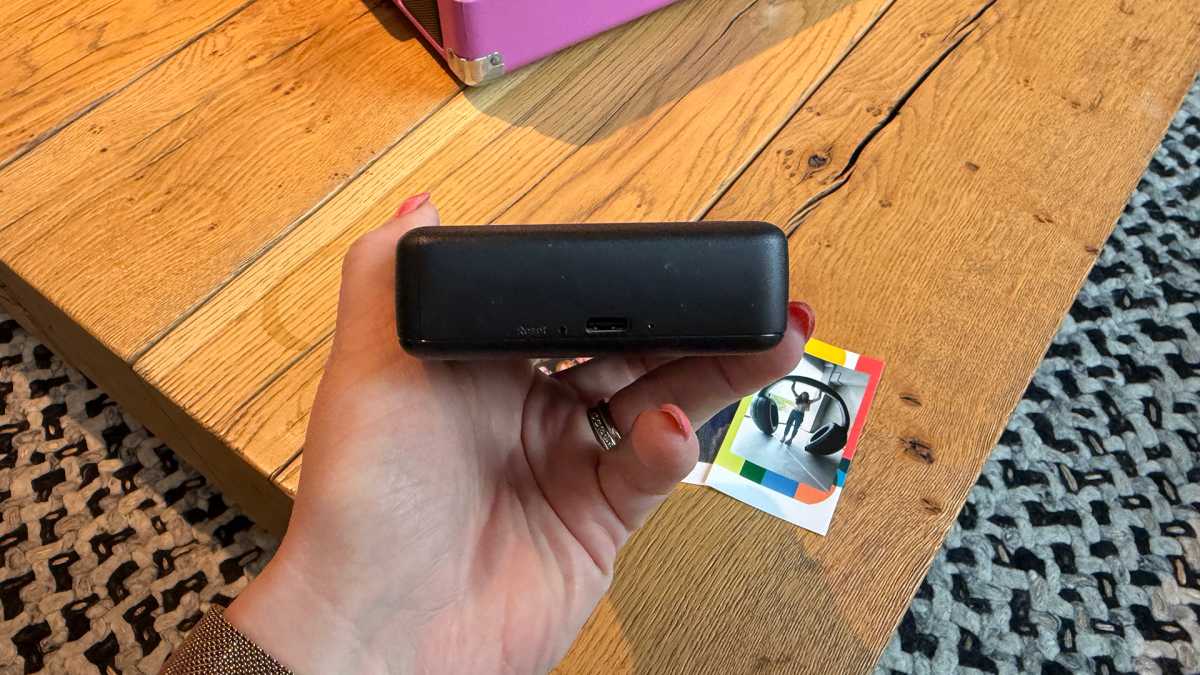
Britta O’Boyle
The other good news is that this second-generation model switched to standard USB-C, as I mentioned. This means you can charge from the same cable as your phone, a power bank, or any USB-C device you already own. Polaroid claims the charge time is around an hour from flat, which I found to be accurate and that’s quicker than Instax too, so a quick top-up before you head out is at least realistic. Again though, don’t forget that the cable itself isn’t included in the box, so if you don’t already have a spare USB-C cable, you’ll need to add one to your basket.
Price & Availability
The Polaroid Hi·Print 2×3 Generation 2 is available priced at £89.99/$109.99, with stockists including Polaroid, Amazon and Argos. It comes in White and Black. A starter set bundling the printer with a 20-sheet paper cartridge is also available from some retailers, which is worth considering given that the cartridge doesn’t come in the standard box.
Paper cartridges – which are only compatible with the Hi-Print 2×3, so there’s no mixing and matching with other Polaroid products – will be an ongoing running cost to factor in. At roughly £16/$16 for 20 sheets, that works out to around 80p/80c per print, which is around the same as the Instax Square Link.
The Hi-Print Generation 2 competes directly with the Instax Mini Link 2, which produces similar-sized prints using Fujifilm’s own instant film format at a slightly higher upfront cost (£119.99). The key advantage Polaroid holds is the dye-sub process – and the sticky-backed paper – while Instax offers better battery life and a more feature-rich app. There’s also the Instax Square Link if you want larger prints, though that comes at a higher price point still (£129.99).
Check out our list of the best portable photo printers to see more options.
$88.15
Should you buy the Polaroid Hi-Print Generation 2?
The Polaroid Hi-Print Generation 2 is a great pocket printer that punches above its weight on print quality.
The prints are impressive with good colour accuracy and detail, the design is portable and fuss-free, and the USB-C charging is a long-overdue upgrade that makes day-to-day use considerably more convenient. I love the peel-and-stick backs, too, while the accompanying app is nice and simple to use.
The battery life is a real limitation at just 10 photos. The lack of cable and cartridge in the box is disappointing, and while the initial upfront cost is reasonable, the running costs will add up like all portable printers. As an everyday printer for capturing and sharing moments, however, the Polaroid Hi-Print Generation 2 is solid and enjoyable choice.
Specs
- 149.8 x 79.5 x 26.9mm
- 255g
- Lithium-ion battery
- USB-C charging
- Printing speed approximately 80 seconds
- Print size – 54 x 86mm (2.1 x 3.4in)
- Uses Dye Diffusion Thermal Transfer (4PASS)
- Bluetooth 5.0
- Uses Polaroid Hi-Print app
- Peel-and-stick; Hi-Print 2×3 Paper Cartridge only
- White, Black colours