At a glance
Expert’s Rating
Pros
- Elite performance
- Stunning display
- Sleek, premium design
- Strong battery life
- Great quad speaker system
Cons
- Poor productivity experience
- Display is no longer anti-reflective
- Incredibly expensive, with keyboards sold separately
Our Verdict
The Galaxy Tab S12 Ultra feels like a device in need of a reset. It offers near-perfect hardware, with display, speakers, performance and build quality that no other Android tablet can match. But with software that’s designed for touch and many apps still not optimised for the big screen, the Tab S12 Ultra feels no closer to becoming a genuine laptop replacement, making the price tag feel extortionate.
Price When Reviewed
This value will show the geolocated pricing text for product undefined
Best Pricing Today
Price When Reviewed
From $1,399.99
Best Prices Today: Samsung Galaxy Tab S12 Ultra

When Samsung launched its first ‘Ultra’ tablet back in 2022, I thought its humongous display would be a short-lived experiment. How wrong I was!
Four years later, Samsung is back with its fifth straight generation of 14.6-inch tablet. Unfortunately, the biggest thing that’s changed compared to last year’s Tab S11 Ultra is the price — it’s now £200/$200 more expensive. Thanks, RAMageddon!
Does the experience justify the price hike, or is it more of the same from Samsung’s most OTT tablet? I spent a few weeks with the Tab S12 Ultra, including two full days of work, to find out.
Design & Build
- Identical design to S11 Ultra
- 5.1mm, under 700g, IP68
- S Pen included, keyboards sold separately
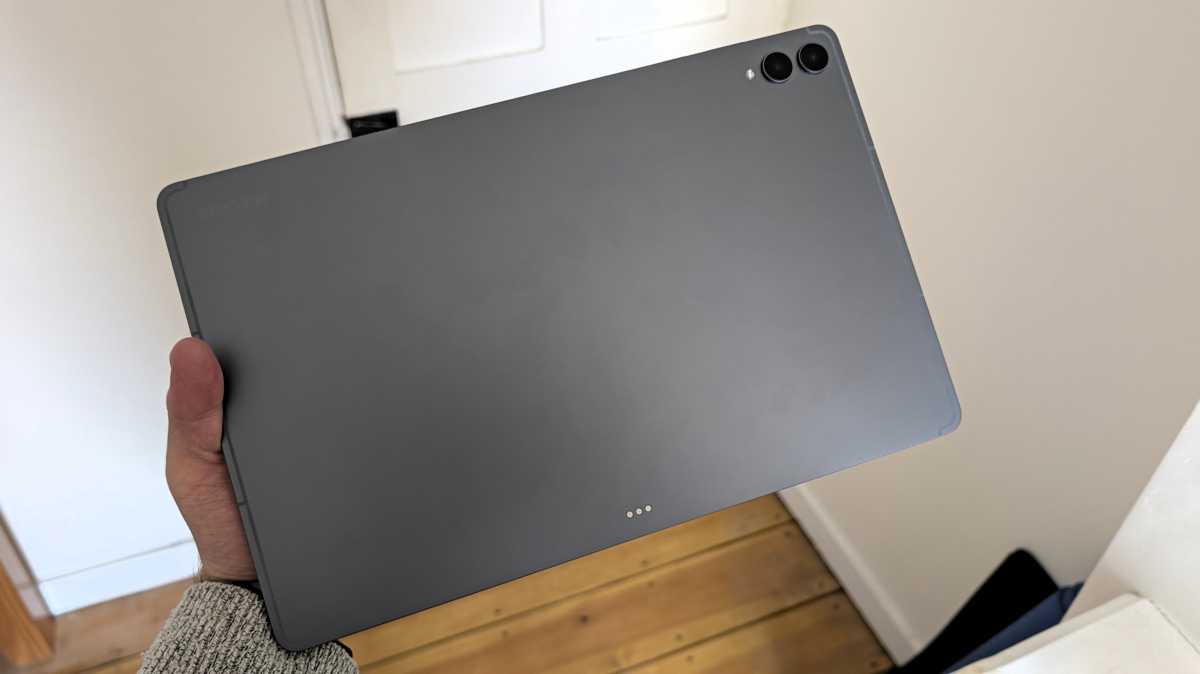
As someone who’s tried the last four generations of Galaxy Tab Ultra, I probably shouldn’t be surprised by the Tab S12 Ultra’s design. While identical to last year, I can’t help but marvel at all the tech Samsung’s been able to cram into this incredibly thin (5.1mm) and light (692- or 695g, depending on whether you get 5G support) chassis.
It feels incredibly sleek and modern, if a little boring. Samsung has stuck with the same two colour options – Grey and Silver – both of which are about as minimalist as it gets. A little bit of variation, or even just a regular Black or White finish, wouldn’t have gone amiss.
Anyron Copeman / Foundry
Crucially, despite that thin design, the Tab S12 Ultra feels incredibly durable. The reinforced aluminium rear and frame, while Gorilla Glass 5 keeps the screen protected from scratches.
Even if you opt for the 5G model with its physical SIM card tray, you still get an IP68 rating. This verifies it’ll be safe after a dunking in fresh water (not chlorinated or the sea) or exposure to dust, which is important for such a portable device.
the design of the Tab S12 Ultra suggests laptop-esque productivity has been an afterthought
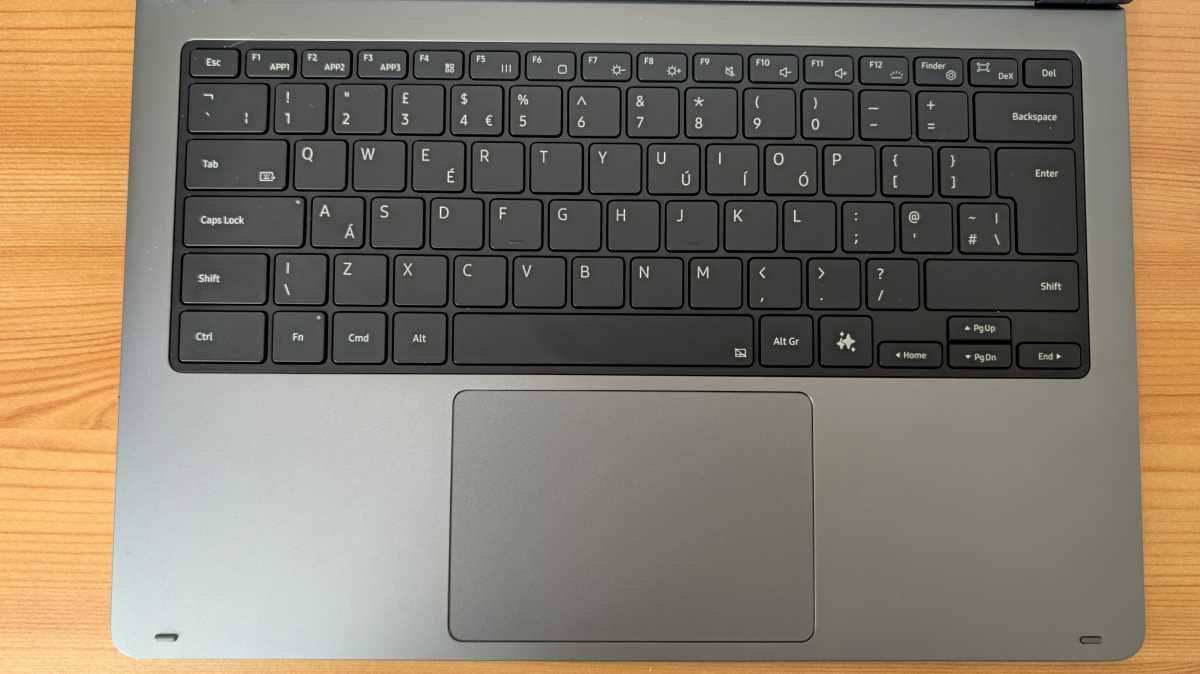
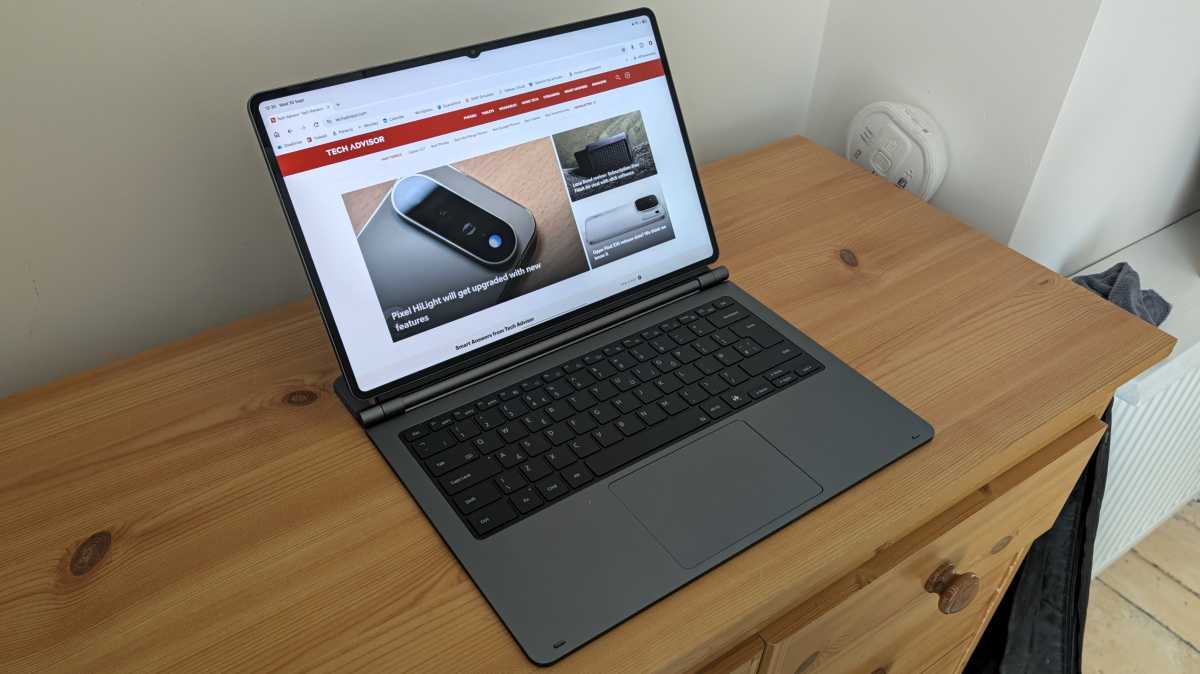
Of course, to even contemplate using the Tab S12 Ultra as a laptop replacement, you’ll need to connect a keyboard. Cheap third-party options can easily connect via Bluetooth, but for the proper laptop-esque experience, you’ll want the official Samsung Pro Keyboard.
The problem? It costs an additional £399/$399.99, making an already very expensive tablet feel extortionate.
It connects to the tablet seamlessly and offers a nice typing experience, with a full-size layout and a decent amount of key travel.
Anyron Copeman / Foundry
There’s also a sizeable built-in trackpad, something you don’t get on the £199/$239.99 Book Cover Keyboard Slim, but using it to navigate One UI soon feels clunky. A separate Bluetooth mouse is a necessity for productivity.
The S Pen is still included, and it offers a very convincing note-taking experience. A lot of the appeal of a stylus on such a huge display would be for digital art, which my atrocious drawing skills could never effectively test. But I can say that the ultra-low latency and ergonomic design make it very comfortable to use.
The one issue is the weak magnets, which mean it never feels secure while attached to the top of the device. If you plan on carrying it around with you, I’d highly recommend a case which accommodates it.
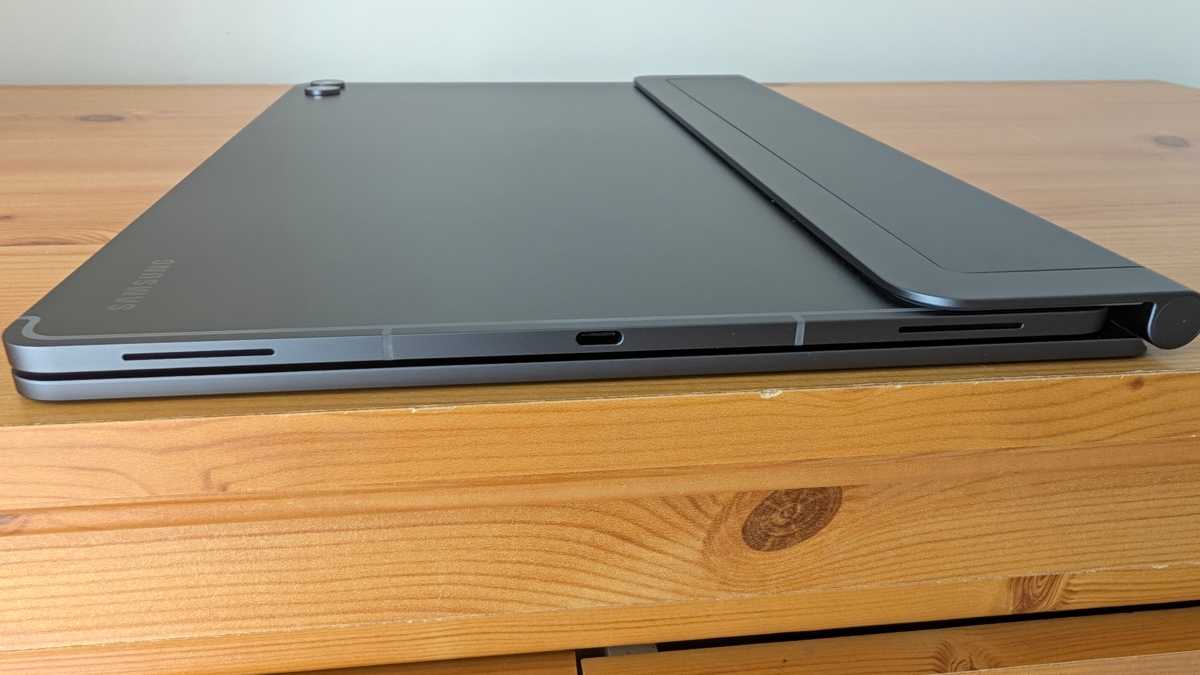
Also, while I wouldn’t mention it on regular tablets, the Tab S12 Ultra’s single USB-C port is an issue. While working, this meant having an unsightly dongle dangling out of it just to connect my usual mouse. Not ideal.
And of course, it means you can’t charge at the same time. Despite how Samsung might market it, the design of the Tab S12 Ultra suggests laptop-esque productivity has been an afterthought.
Screen & Speakers
- 14.6in AMOLED display
- Anti-reflective coating now an optional extra
- Quad stereo speakers
The Galaxy Tab S12 Ultra’s huge 14.6-inch display remains the main reason to buy it.
However, instead of upgrading the screen, Samsung has actually made it worse, ditching the anti-reflective coating that made the last two generations so great to use outside.
The company hasn’t given a reason for its removal, but it’s likely a cost-cutting measure. An equivalent screen protector is now available separately, priced at £34/$39.99. It’s not a good look.
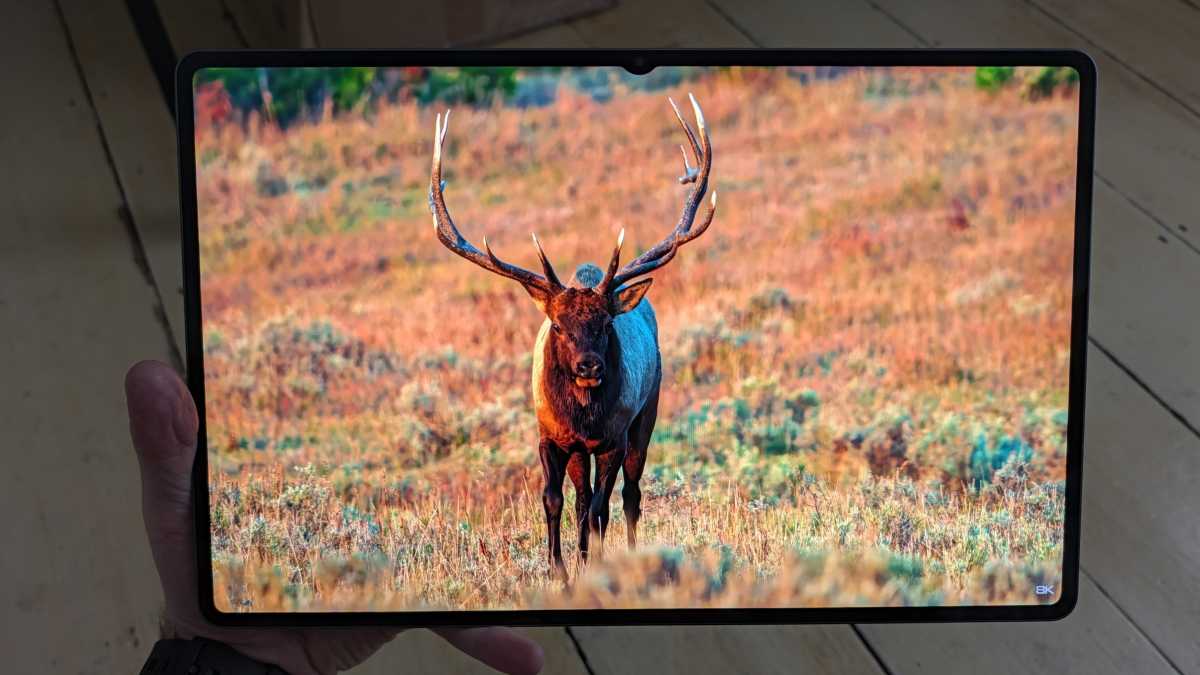
However, unless you’re outdoors or in bright environments, it takes nothing away from the stunning quality of the OLED screen. The Tab S12 Ultra’s display delivers wow moments on a regular basis, something I can’t say for many devices I’ve tested.
Anyron Copeman / Foundry
The Tab S12 Ultra has one of the few displays that delivers wow moments on a regular basis.
8K videos are a real highlight, despite the tablet being limited to a 1440p resolution. David Attenborough documentary-style wildlife footage looks incredible. I’d go so far as to say it’s better than most TVs I’ve used (including my own basic Samsung).
It gets impressively bright, too, hitting 700 nits with ‘Extra brightness’ mode enabled. Even without the anti-reflective coating, outdoor visibility wasn’t an issue, though grey autumn UK days are hardly the toughest test.
The Tab S12 Ultra’s display delivers wow moments on a regular basis
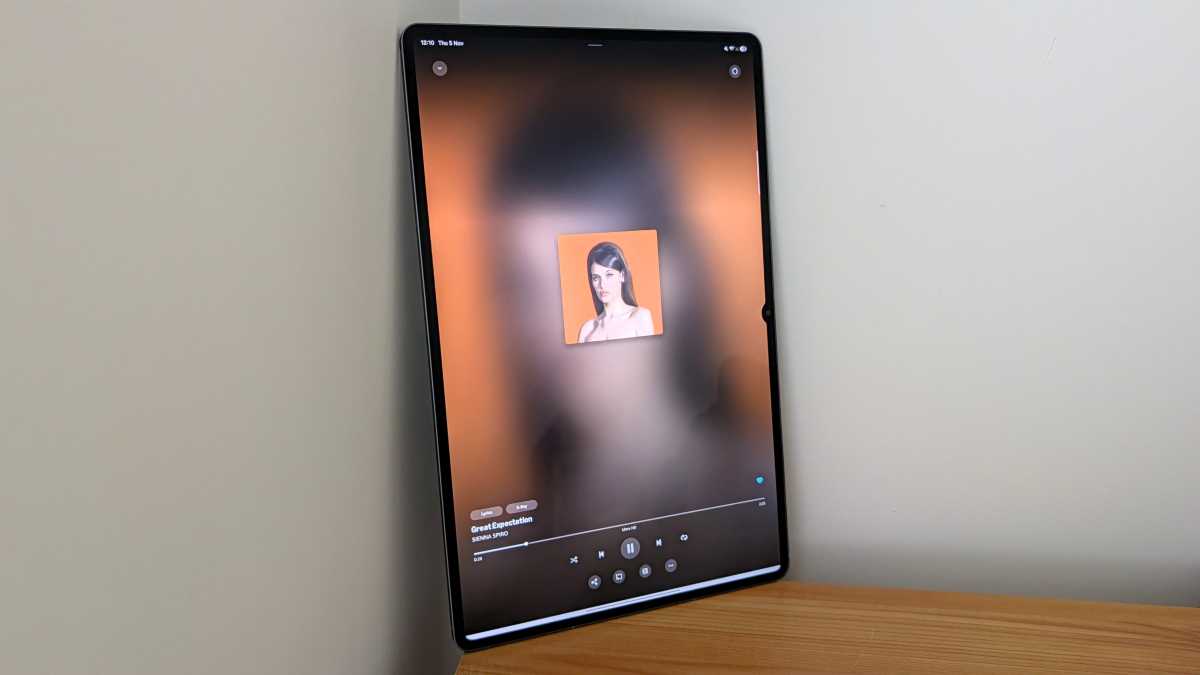
The quad speaker system is unchanged, but its excellent audio wasn’t in need of upgrades. Speech is crystal-clear, sound effects are room-filling and dramatic, and music is punchy with a nice hit of bass. It gets impressively loud while avoiding any audible distortion.
Put simply, the Tab S12 Ultra is one of the few mobile devices that delivers a top-notch audio experience with no need for separate speakers or headphones.
Specs & Performance
- MediaTek Dimensity 9500 chipset
- Misses out on newer Dimensity 9600
- Optional 5G costs extra
Samsung has kept upgrades on the Galaxy Tab S12 Ultra to a bare minimum, but the chipset has received the customary spec bump.
However, despite MediaTek launching the new Dimensity 9600 before its launch, Samsung has stuck with 2025’s Dimensity 9500. It’s a bit of a shame, but I highly doubt you’ll notice a difference, especially with at least 12GB of RAM on board.
Anyron Copeman / Foundry
Just like previous generations, the Tab S12 Ultra delivers sublime performance. I tested it extensively across multiple productivity apps and two full days of work, but I couldn’t get it to even hesitate, let alone noticeably slow down. That was despite making use of Samsung’s multitasking features and having dozens of apps open at once.
Admittedly, a workflow involving Chrome, Word, Outlook and Slack would be straightforward for most tablets, but gaming is where Samsung really shows its hand.
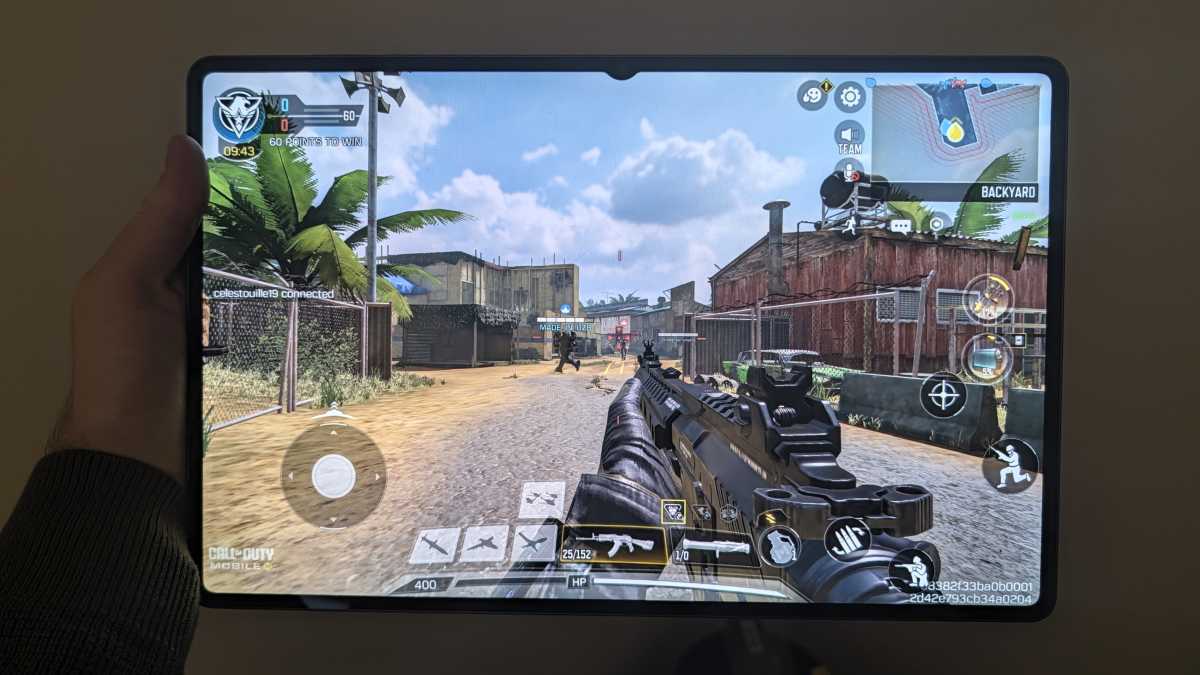
Despite not being a keen gamer, I couldn’t help but be impressed with the smooth, highly responsive experience playing Call of Duty: Mobile. It seamlessly adapted to the larger gameplay, helping me feel fully immersed in the action.
Anyron Copeman / Foundry
Asphalt Legends presented a different challenge. Its fast-paced racing with constant changes of scenery can be too much for some tablets, but not the S12 Ultra. It always felt like it had plenty in reserve.
Crucially, performance held up across sessions of 30 minutes or more, proving that the device can deliver sustained results. I can’t fault it.
While base models of the Tab S12 Ultra are Wi-Fi-only, Samsung offers the option to step up to 5G, as was the case on my review sample. It’s a real boon for on-the-go productivity – provided you’re happy to pay the £150/$150 premium.
Benchmarks:
- Geekbench 7 multicore – 9148
- Geekbench 7 single core – 2716
- 3DMark Wildlife Extreme – 7369 avg frame rate 44.13
- 3DMark Wildlife Extreme Stress Test – 77 stability
- PCMark for Android battery test (screen set to suggested 200 nits brightness) – 9 hours 58 mins
- Charging from 0% in 15 minutes (using unofficial 67W charger) – 7%
- Charging from 0% in 30 minutes (using unofficial 67W charger) – 13%
Cameras
- 13Mp main, 8Mp ultrawide
- 12Mp front facing
- All unchanged compared to Tab S11 Ultra
Samsung hasn’t made any changes to the camera system on the Galaxy Tab S12 Ultra (you may sense a theme is emerging here).
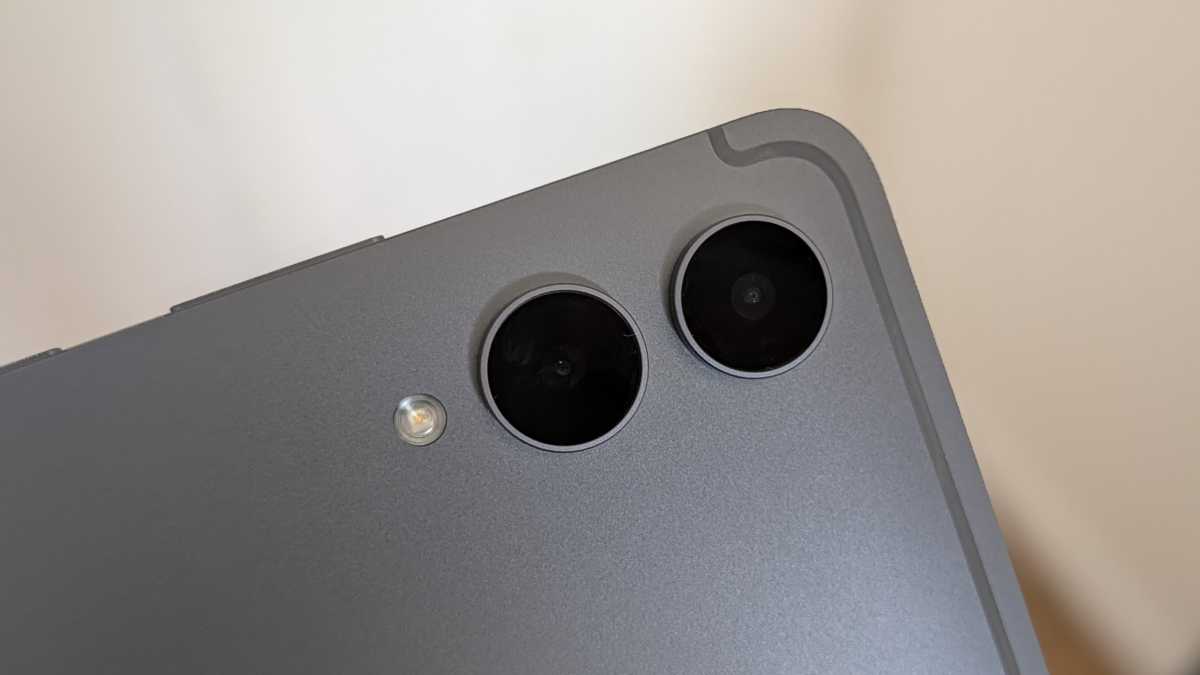
On the back, you get a 13Mp, f/2.0 main lens that delivers decent shots when the lighting is good. Colours are usually fairly accurate, and there’s a decent amount of detail, but it consistently struggles with focus and exposure.
Anyron Copeman / Foundry
It works best for basic document scanning, reference photos or perhaps a quick snap of family and friends. Just don’t expect it to be anything like the best camera phones you can buy, especially in low light.
It’s supported by an 8Mp, f/2.2 ultrawide, which offers the added versatility of a 120-degree field of view but erodes image quality even further.
The webcam is light years ahead of most built-in laptop versions
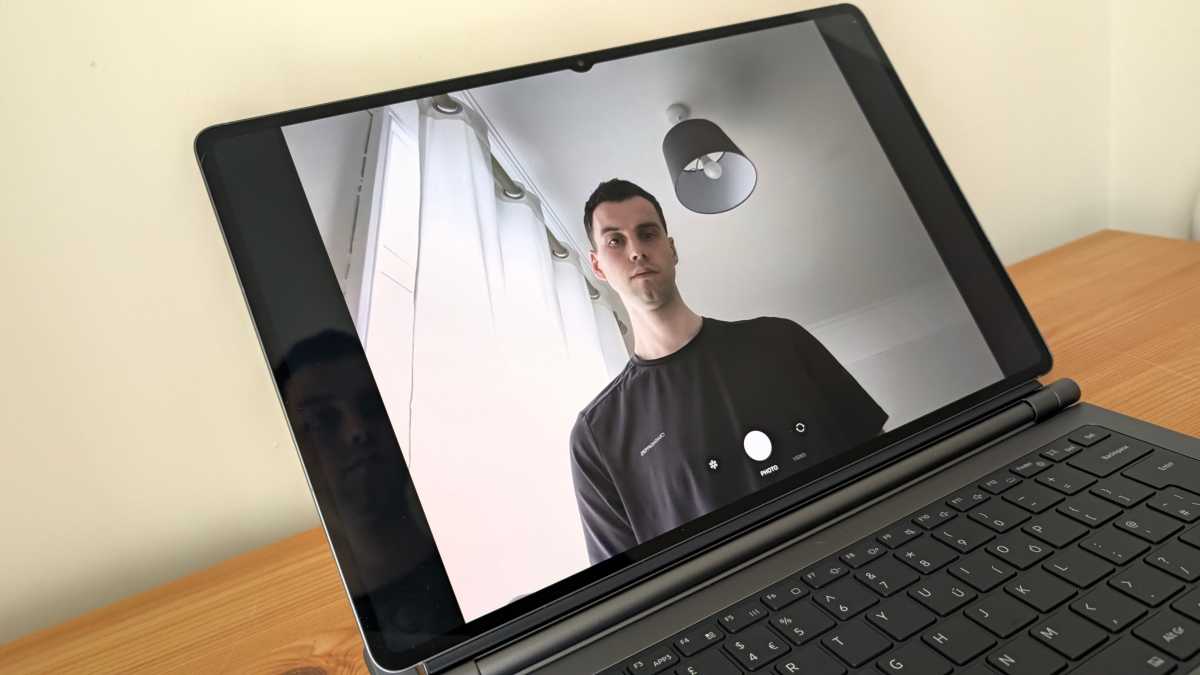
The front-facing 12Mp, f/2.4 lens is the critical one on a tablet, and the Tab S12 Ultra undoubtedly delivers there. The webcam is light years ahead of most built-in laptop versions, while offering the same 120-degree wide angle that means you can get everyone in on video calls.
Anyron Copeman / Foundry
Alongside crystal-clear audio from three mics, the Tab S12 Ultra is one of the best options if you want a tablet for Microsoft Teams, Zoom or Google Meet.
Battery Life & Charging
- 11,600mAh battery
- 45W wired charging
- No charger in the box
The Galaxy Tab S12 Ultra continues with a sizeable 11,600mAh battery. It’s one of the largest cells on a mainstream mobile device, but there is that huge display to power.
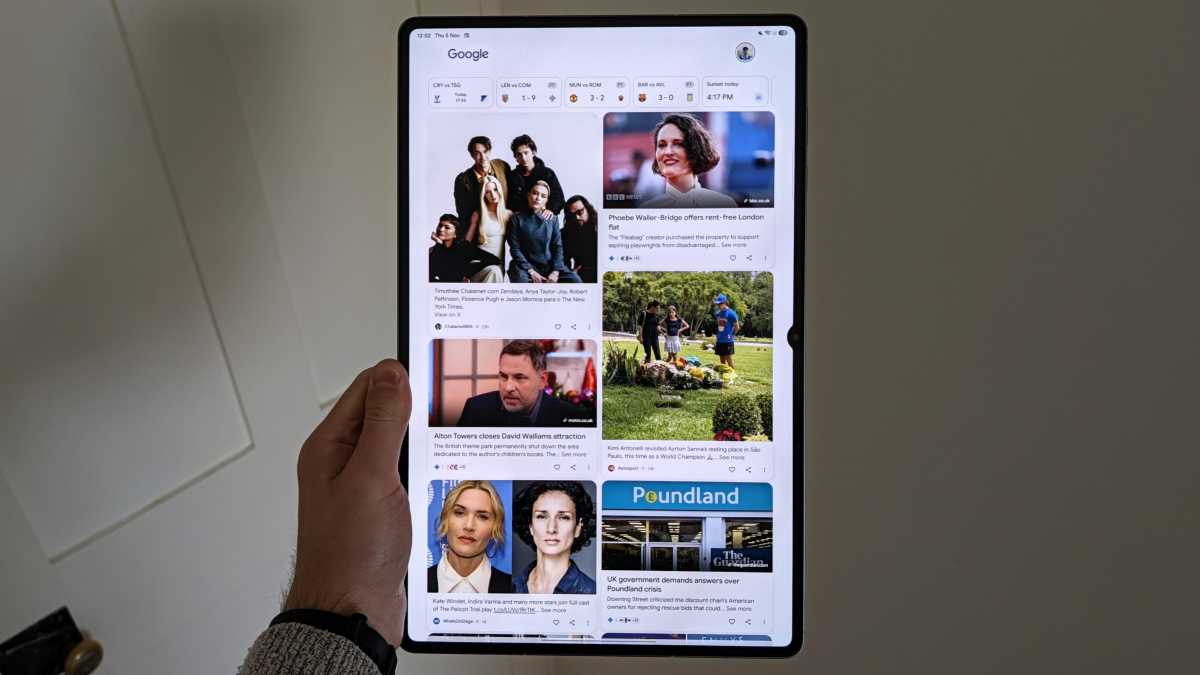
For a device like this, battery life should be judged in comparison to laptops, not phones, which is why a full working day today was such a useful test.
Anyron Copeman / Foundry
Luckily, the Tab S12 Ultra hit the mark. Starting the day fully charged, I spent seven hours browsing the web, using Slack, managing email and uploading articles to the CMS, all while keeping brightness relatively high.
After more than seven hours of usage, I still had 17% charge left, suggesting a full working day on a single charge is well within reach. Considering how thin and light this thing is, that’s very impressive.
a full working day on a single charge is well within reach
However, as you might imagine, getting that huge battery fully charged again takes a while, especially with just 45W wired speeds. Samsung claims 95 minutes with a compatible charger, but after 90 minutes with my 67W Pixel Flex one, I was sitting at just 38%.
Anyron Copeman / Foundry
It’s definitely worth getting the proper fast(er) charger if you can, even if it’s an extra expense. Without it, you’ll be waiting several hours.
Software & Apps
- One UI 9 over Android 17
- Touch- and mobile-first UI
- Seven years of OS and security updates
Out of the box, the Galaxy Tab S12 Ultra runs One UI 9, Samsung’s skin over Android 17.
It’s a truly excellent software experience on smartphones, but Samsung is still unable to fully replicate this on a much larger screen.
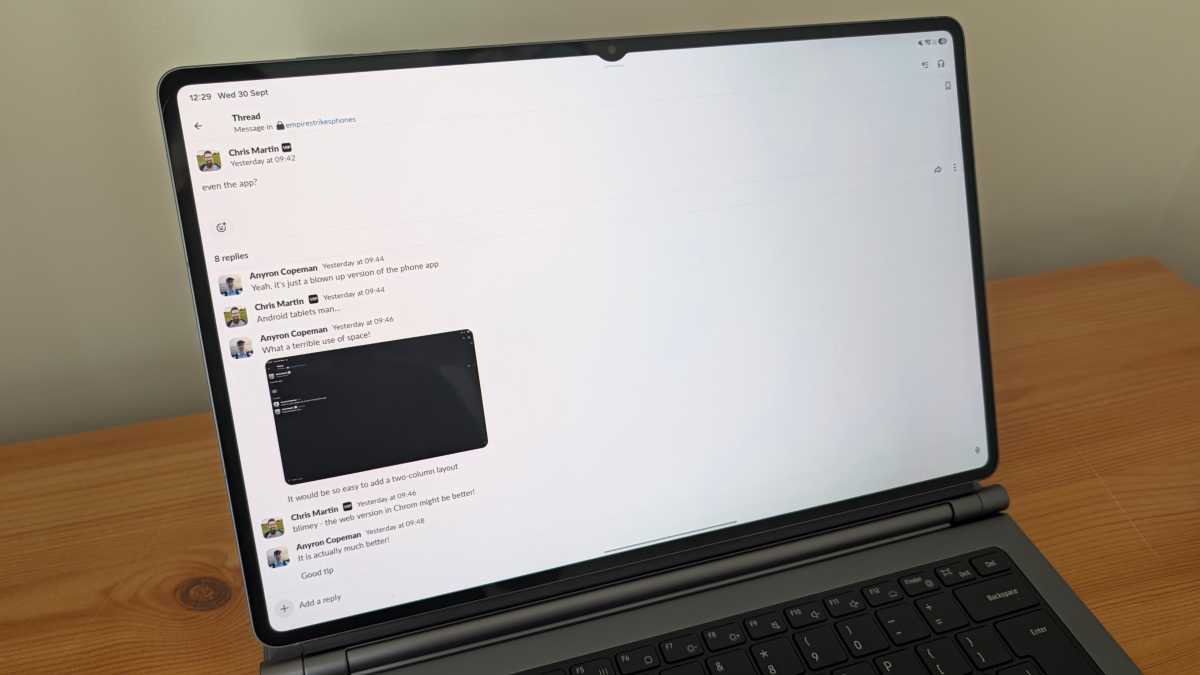
The single biggest issue is the lack of dedicated, fully featured apps. The Tab S12 Ultra is more than twice the size of even the biggest phones, yet many apps on the Play Store are simply blown-up versions of the mobile version.
Take Slack, which we rely on for team communication with everyone working remotely. The official Slack app I tried to use is truly woeful, lacking fundamental features such as a two-column layout for easier navigation. Everything requires more taps or clicks than necessary, and the amount of wasted space is incredible.
Anyron Copeman / Foundry
Microsoft at least bothered to put in some effort with Android tablet apps, but the mobile versions of Word, OneDrive and Outlook are still pale imitations of the Windows or even web versions. For some reason, the Outlook mobile app doesn’t allow even basic features such as pinned messages at the top of the feed and scheduled emails.
Switching to the slightly less painful web versions was the only way I could stay productive, but it didn’t get around the fundamental issue of an operating system that’s designed for touch.
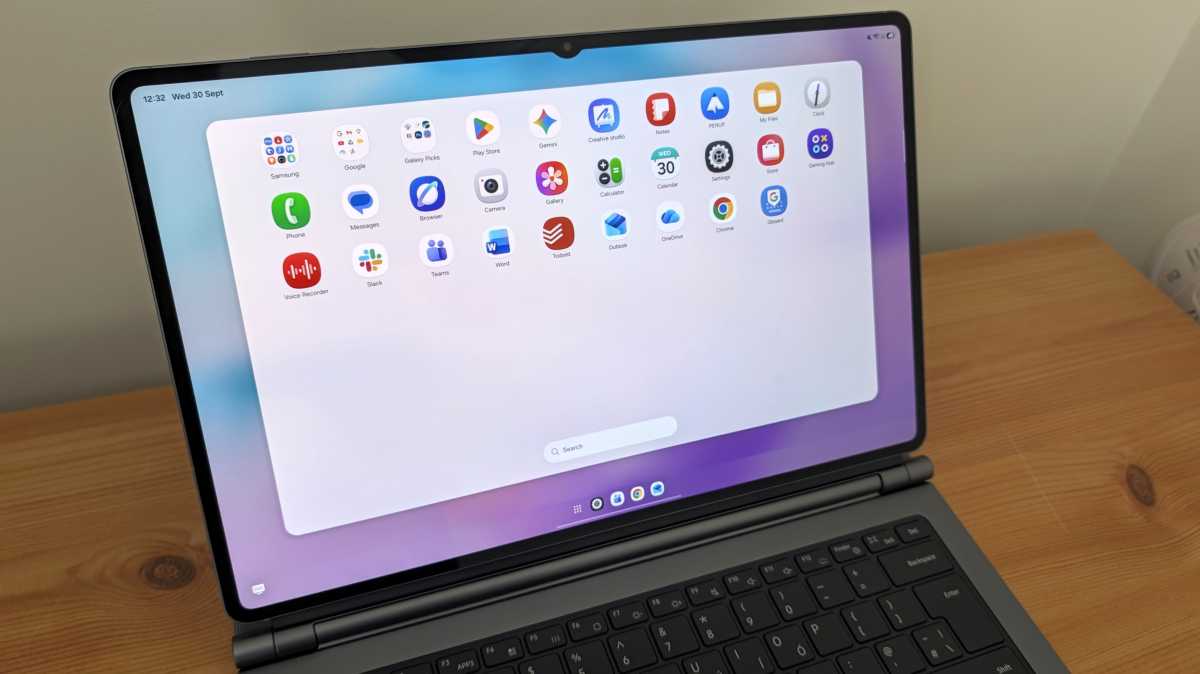
The keyboard and trackpad (or mouse) experience felt clunky and frustrating. On Chrome, moving between tabs or highlighting text was a real pain, not to mention none of the extensions I rely on being available. This is something that Samsung’s desktop-imitation DeX mode cannot fix.
Anyron Copeman / Foundry
That’s before we get to the apps which simply aren’t available. The full versions of Adobe apps are the most obvious examples, with only basic alternatives on the Play Store. But if you use any specialist software, there’s a good chance it won’t be available on Android, which remains one of its biggest weaknesses.
I’m no fan of Windows, but I couldn’t wait to get back
It’s not all bad news. One UI’s customisation and multitasking features are excellent, and it feels more intuitive for touch than Windows ever could be.
And when an app is genuinely optimised – such as many of Samsung’s that are pre-installed – the experience can be joyful.
Anyron Copeman / Foundry
But all too often, the experience falls short, especially if you want to use the Tab S12 Ultra as a laptop replacement. I’m no fan of Windows, but I couldn’t wait to get back.
Samsung does offer generous software support, though, with a full seven years of OS and security updates making it safe to use until 2033.
Price & Availability
To the Galaxy Tab S12’s biggest problem: it’s so expensive.
At launch, the device starts at £1,399/$1,399, a £200/$200 hike compared to last year. If you want 5G, that costs at least £1,549, and there are no cellular models available in the US.
You can buy one from Samsung UK or Samsung US, plus many third-party retailers in both countries.
While an S Pen is included in the box, any keyboard covers are sold separately. The regular Book Cover Keyboard Slim is £199/$239.99, but it misses out on a trackpad. For the full laptop-style experience, you’re looking at an additional £399/$399.99 for the Pro Keyboard.
With a separate mouse still a non-negotiable, it’ll cost close to £2,000/$2,000 just to get fully kitted out. That’s more than many laptops, and one of the most expensive consumer-focused tablets ever made.
Excellent alternatives such as the Honor MagicPad 4, Xiaomi Pad 8 and even the latest iPad Air cost a fraction of the price.
The Tab S12 Ultra is a lot of things, but value for money isn’t one of them.
Should you buy the Samsung Galaxy Tab S12 Ultra?
Not unless you have deep pockets and know exactly what you’re getting yourself into.
The Galaxy Tab S12 Ultra is a stunning device, offering some of the best hardware I’ve ever seen on a mobile device. Its design, performance, display (despite a small downgrade) and battery life are all top-tier, while the front-facing lens outclasses most laptops.
Its issues are almost exclusively on the software side, with a lack of dedicated apps and a touch-first UI that’s unsuitable for serious productivity.
But ultimately, it’s the huge price tag that means most people shouldn’t consider it. For less money, you can get a great laptop and a capable entertainment-focused tablet, which is a much better use of your money.
Specs
- MediaTek Dimensity 9500
- 12GB / 16GB RAM
- 256GB / 512GB / 1TB internal storage (Micro-SD expandable)
- 14.6-inch AMOLED display, 2960 x 1848, 120Hz
- 11,600mAh battery
- 45W wired charging (no charger included)
- Cameras: 13Mp main, 8Mp ultrawide, 12Mp front-facing
- Quad stereo speakers
- 326.3 x 208.5 x 5.1 mm
- 692g (Wi-Fi-only) or 695g (5G) – tablet only
- One UI 9 over Android 17