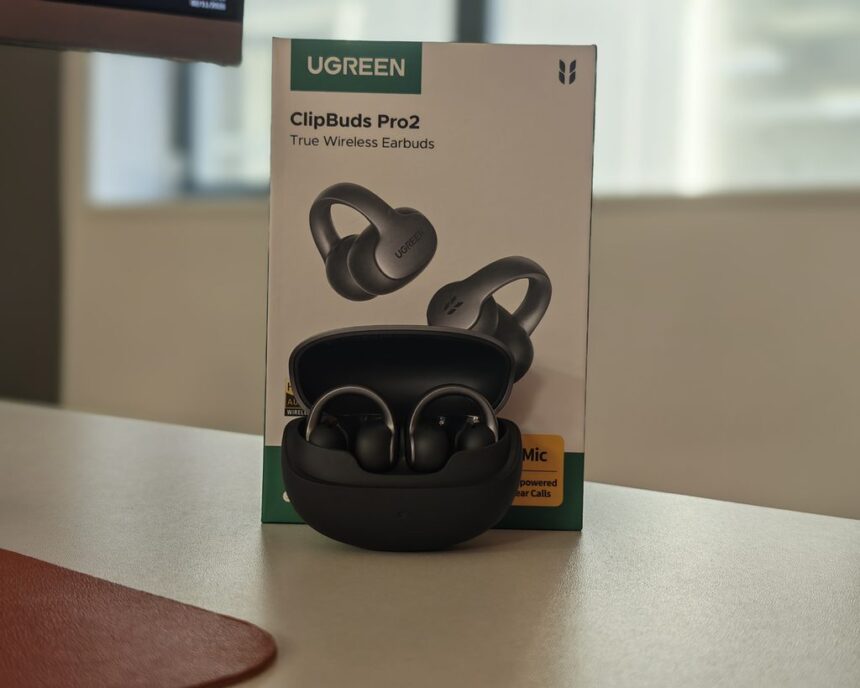
I have reviewed a lot of Ugreen products, but this is my first audio device from them. Most of my experience with the brand has been chargers, power banks, cables and NAS hardware, so it was interesting to see how it approaches something as personal as earbuds.
Clip-on earbuds have become very popular in recent years, and I have reviewed quite a few options now. They are particularly appealing to women who want the benefits of environmental awareness when wearing them, but they work well for everyone.
The Ugreen ClipBuds Pro 2 are slightly different from the models I have reviewed before, as they’re marketed for audio calls and include an AI assistant that can record conversations and transcribe speech into text, much like the AI transcription gadgets I have reviewed recently.
On paper, the specification is strong for the price. You get an 11 mm dual-magnet driver, LDAC with Hi-Res Audio Wireless certification, Bluetooth 6.1 with dual-device connection, a six-sensor call system and up to 46 hours of total battery life. The RRP is £99, which puts them in the middle of the clip-on market, below the premium options from Bose and Huawei but above most budget models.
Related Reviews
Specification
| Feature | Specification |
|---|---|
| Design | Open-ear clip-on |
| Driver | 11 mm dual-magnet titanium-composite driver |
| Frequency response | 20 Hz to 40 kHz |
| Audio features | Hi-Res Audio, LDAC, spatial audio and dynamic bass |
| Call audio | Dual voice pickup units (VPUs) and a four-microphone array with AI processing |
| Weight | 6 g per earbud |
| Battery life | 10 hours per charge, 46 hours total with the charging case |
| Fast charging | 10 minutes of charging provides 3 hours of playback |
| Bluetooth version | 6.1 |
| Dual-device connection | Yes |
| IP rating | IP56 |
| AI features | Live recording, transcription, simultaneous translation, dialogue translation and AI meeting summaries |
| Controls | Wide-area tap control |
| Music controls | Play or pause: double-tap either earbud. Previous track: triple-tap the left earbud. Next track: triple-tap the right earbud. |
| Call controls | Answer or end a call: double-tap either earbud. Decline a call: triple-tap either earbud. |
| Companion app | UGREEN Audio app with customisable tap controls |
Design & Comfort
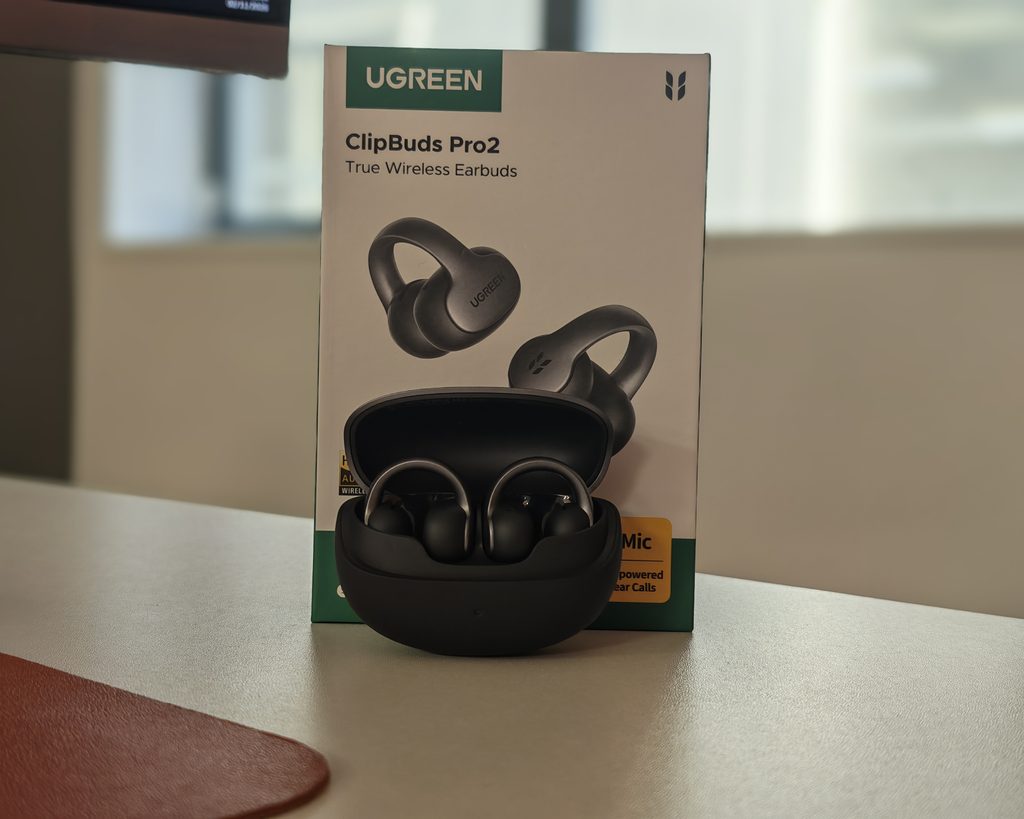
The ClipBuds Pro 2 follow the now familiar clip-on layout. A small rounded speaker housing sits in front of the ear canal, a battery pod sits behind the ear, and the two are joined by what Ugreen calls a Memory C-Bridge. This is a thin band built around a 0.5 mm memory titanium wire with a soft silicone coating, and it flexes to fit over the ear and then springs back into shape. The outer surface has a dark grey metallic finish with the Ugreen logo on one side and the leaf logo on the other, while the pods themselves are matte black.
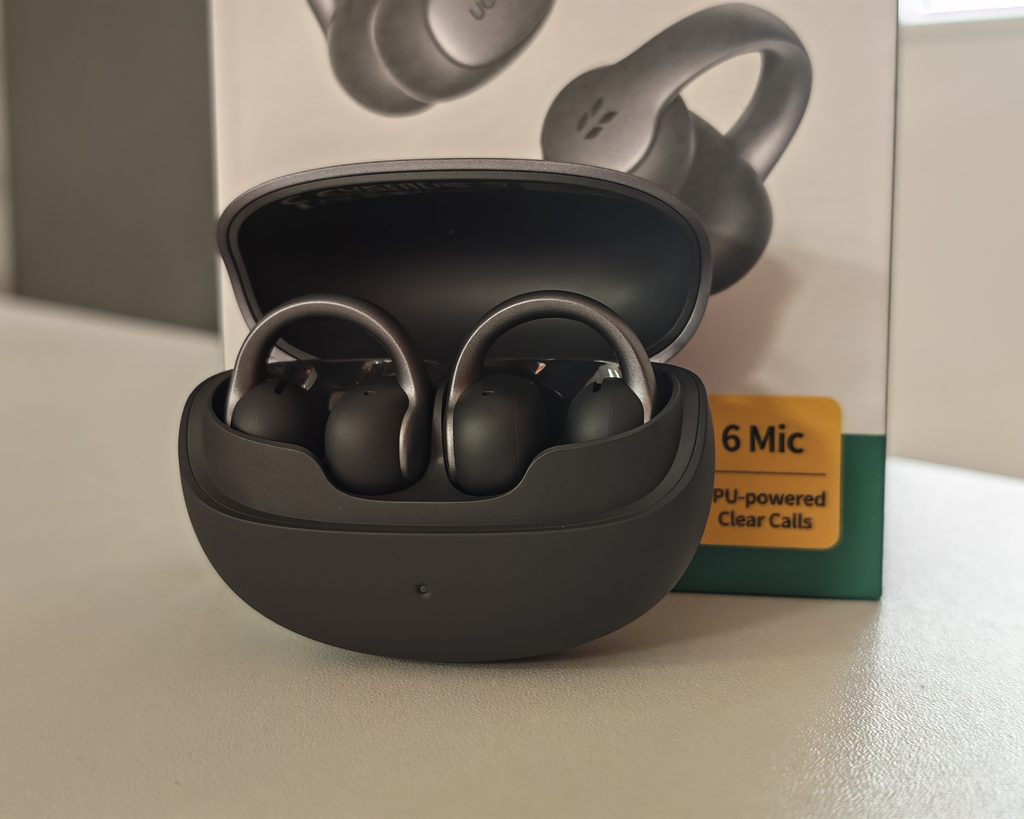
The charging case is a rounded pebble shape with a two-tone finish, a single status LED on the front and a USB-C port and pairing button on the back. It is small enough to slip into a jeans pocket. In the box, you get the earbuds, the case, a short USB-C cable and a quick start guide.
These are a little more fiddly to put on than traditional earbuds. I seem to struggle getting the clip to go over my cartilage, and it takes a little practice. The included guide suggests aligning the sound port with your ear canal and sliding the bud along the outer ear, then adjusting the angle up or down, which is the easiest method.
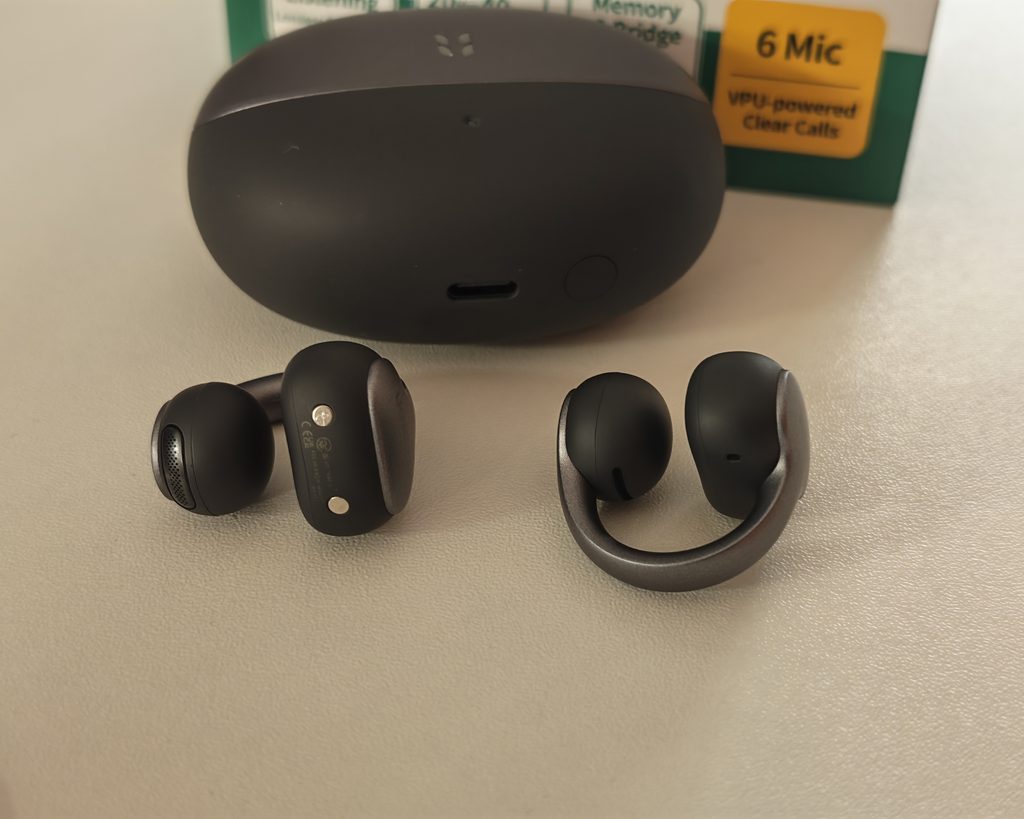
Once on, these are very comfortable to wear. I don’t feel like they are going to fall off, and I have done vigorous exercise with them with no issues. At 6 g per earbud, they are about the same weight as the Soundcore AeroClip and slightly lighter than the 6.9 g Timekettle LiveTalk ear hooks I reviewed recently.
Because they don’t go directly into your ear, I have found that they require less adjustment than in-ear models. There are no ear tips to break the seal, so there is nothing to keep pushing back into place during a run or a walk.
Then, of course, the nature of this design allows you to hear people around you, so I found I would often leave them in when needing to speak to someone. This is useful in the office, where colleagues can get my attention without me having to remove anything.
Also, because they don’t go in your ear, there is much less fatigue from wearing them. There is no pressure build-up in the ear canal and no sweaty ear tips, which makes a noticeable difference over a full working day. Glasses wearers will also appreciate that the clip sits on the side of the ear rather than over the top, so it doesn’t compete with the arms of your frames in the way an ear hook does.
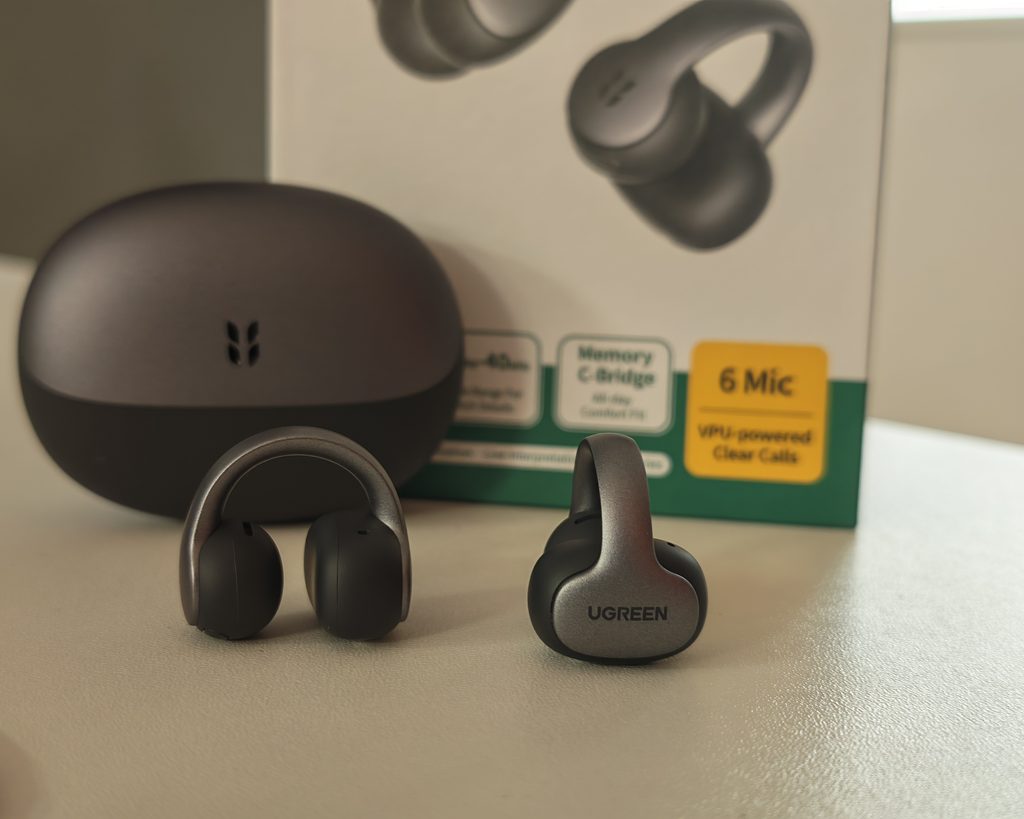
The earbuds are rated IP56 for dust and water resistance, which is more than enough for sweat and rain. The rating only applies to the earbuds, though, so the case needs to be kept dry, and they are not designed for swimming or showering.
Ugreen App
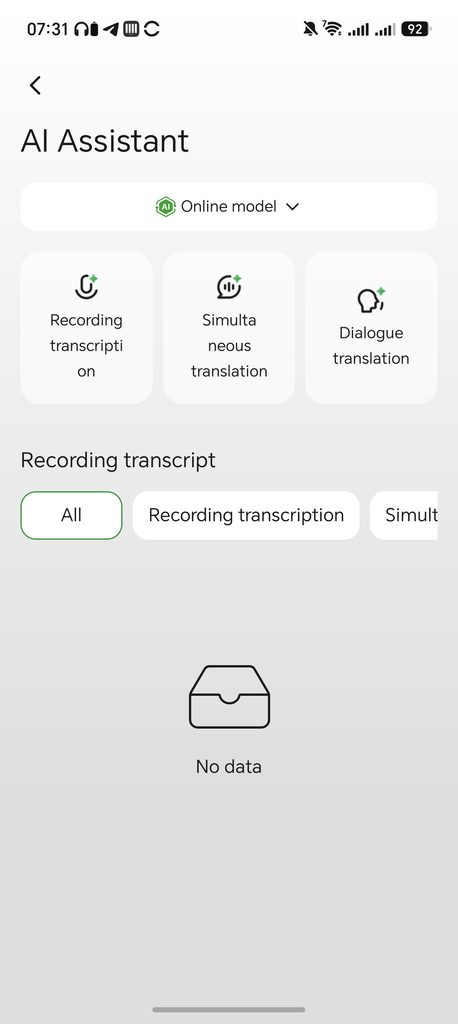
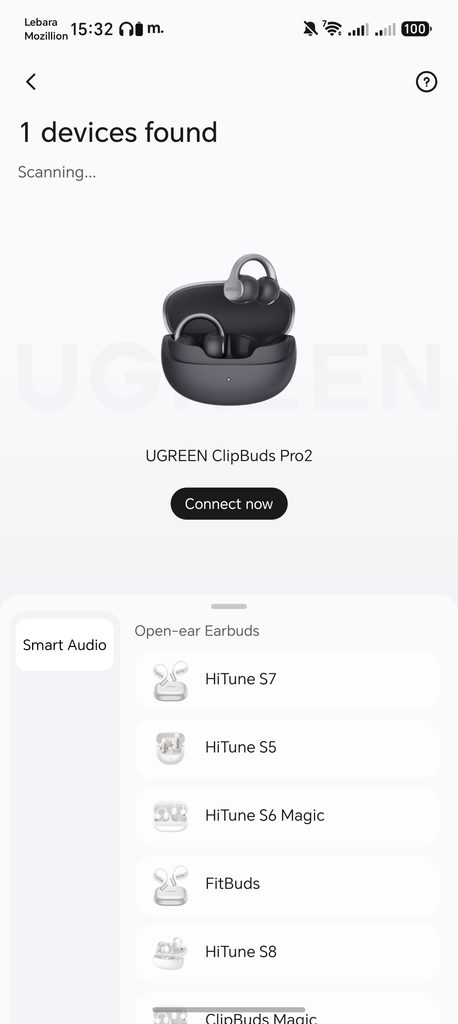
The ClipBuds Pro 2 use the UGREEN Audio app, which is available for Android and iOS. When I first opened it, the app found the earbuds straight away and offered a one-tap Connect Now button. It also lists the other Ugreen earbuds it supports, including the HiTune S5, S6 Magic, S7, S8, FitBuds and ClipBuds Magic, so the same app covers the whole range.
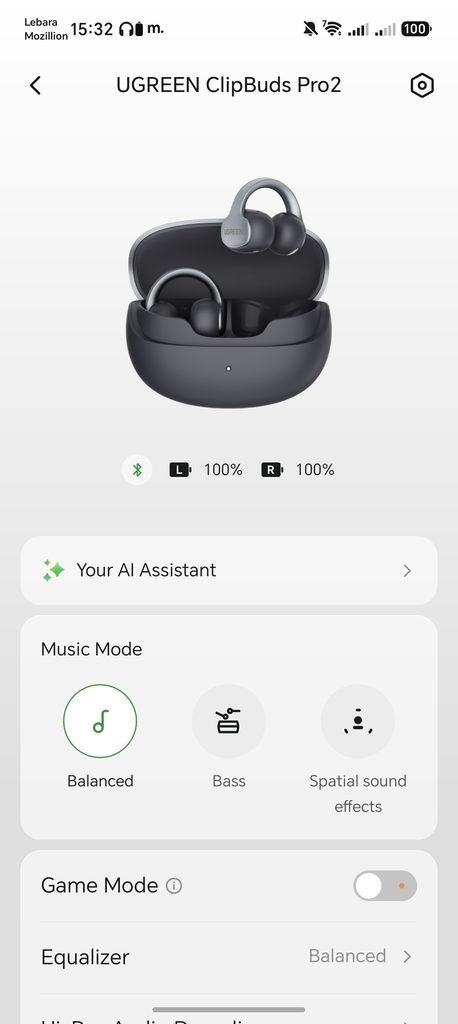
The home screen shows the battery level of each earbud, a shortcut to the AI Assistant and a Music Mode section with three options: Balanced, Bass and Spatial sound effects. Below that are toggles for Game Mode, which reduces latency for gaming and video, and an option to enable Hi-Res Audio decoding, which switches the earbuds over to LDAC on supported Android phones.
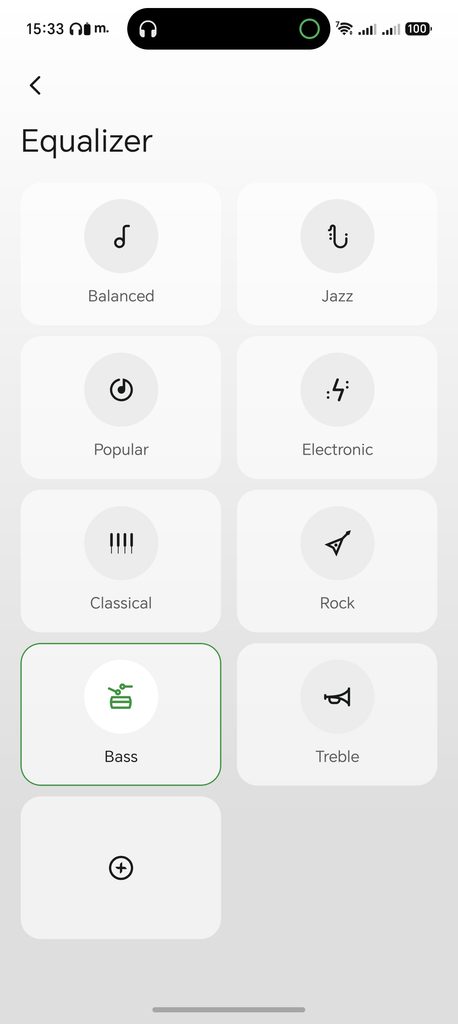
The equaliser has eight presets: Balanced, Jazz, Popular, Electronic, Classical, Rock, Bass and Treble. You can also create your own custom profile, which is what I would recommend if you want to fine-tune the low end.
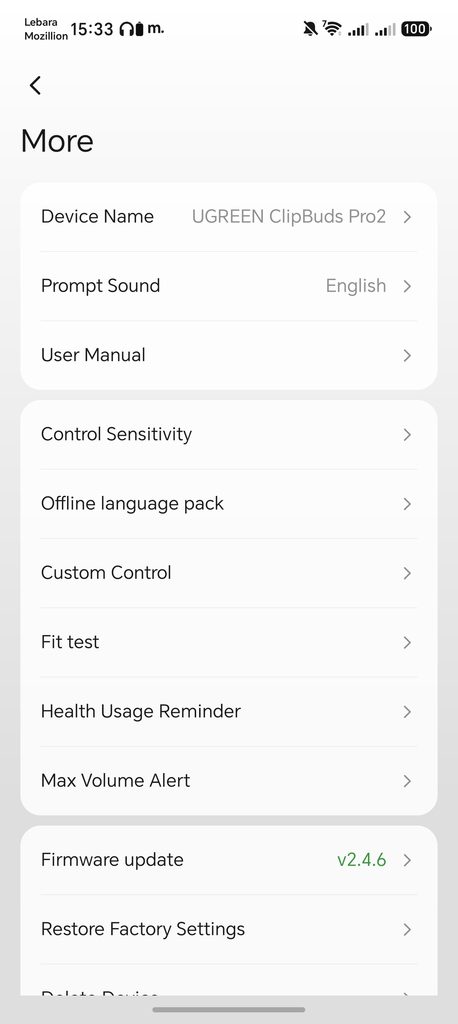
The More menu holds the rest of the settings. You can rename the earbuds, change the prompt sound language, read the user manual, adjust the control sensitivity and customise the tap controls. There is a fit test to help you position the earbuds correctly, plus a health usage reminder and a maximum volume alert for anyone concerned about listening time and hearing safety. Firmware updates are handled here as well, and my earbuds were on v2.4.6 at the time of testing.
Dual-device connection also needs to be enabled in the app. Once it is on, the earbuds stay connected to two devices, such as a laptop and a phone, and incoming calls take priority over other audio. A Find My Earbuds option is also included, which is useful for something this small.
Overall, the app is clean and easy to follow. My main criticism is that some of the menu text is truncated and a few translations are a little clumsy, but nothing affects how it works.
Sound Quality
For clip-on earbuds, these are superb. In a quiet room, the audio quality is excellent with rich bass. They can’t quite compete with good in-ear earbuds, but they are close.
This is mostly down to the driver and the tuning. The 11 mm dual-magnet driver is slightly smaller than the 12 mm drivers used in the Soundcore AeroClip and Soundpeats CC3 Pro, but Ugreen has done a good job of extracting bass from it. Vocals sit clearly in the mix, and there is enough detail in the upper range that tracks don’t sound flat or muffled, which is a common issue with cheaper open-ear models.
The Bass music mode adds extra weight to the low end, which is useful outdoors where background noise masks the lower frequencies. It doesn’t create the kind of deep, physical bass you get from a sealed in-ear bud, as there is no seal to hold it in, but it does make a difference to how full the sound is. The Spatial sound effects mode widens the soundstage, which suits films and videos more than music.
LDAC support is a welcome addition, but it comes with caveats. It only works with Android phones that support the codec, and you need to enable Hi-Res Audio decoding in the app. iPhones are limited to AAC. In practice, the open design and surrounding noise have a bigger impact on what you hear than the codec, so I wouldn’t buy these purely for LDAC.
Even outdoors, the sound is good. Walking down a quiet street, the sound is still similar to the quality I would expect from in-ear buds.
Once you add traffic, the sound does deteriorate due to the ambient noise drowning the audio out a bit. There is no active noise cancellation on any clip-on earbud, so turning up the volume is the only option, and that will reduce battery life and increase the amount of sound that escapes.
Ugreen uses a directional design to limit sound leakage. At moderate volume, this is unlikely to bother anyone nearby, but if you listen loudly in a quiet room, people sitting next to you will hear some of what you are playing. That applies to every open-ear design I have tested.
Call Quality
Calls are where Ugreen has focused much of its marketing, and the hardware reflects that. Each earbud has two microphones and a VPU, giving six sensors in total. The VPUs are bone-conduction sensors that detect the vibrations of your voice through your skin, which helps the AI processing separate your speech from background noise. Ugreen claims the system can cope with ambient noise up to 75 dBA and wind speeds of up to 25 km/h.
The open design also has a practical advantage on calls. Because your ears are not blocked, you hear your own voice naturally, so you don’t end up speaking louder than normal as you often do with sealed earbuds. Combined with the comfort, this makes them well suited to long calls and Teams meetings.
The dual-device connection is useful here, as you can keep the earbuds connected to a laptop for meetings and a phone for calls at the same time.
The obvious limitation is the reverse of the benefit. The person on the other end will hear you clearly, but you will still hear everything going on around you, so in a noisy open-plan office or on a busy street, you may struggle to hear the caller at times.
Battery Life
Battery life is excellent. These are rated for up to 10 hours of use by themselves, and 46 hours total use with the case.
I have not timed it precisely, but I have worn them all day in the office without any issues.
It is worth knowing that Ugreen’s 10-hour figure was measured at 30% volume using AAC on an iPhone. Using LDAC, listening at higher volumes or spending a lot of time on calls will reduce that figure, so I would expect closer to seven or eight hours in heavier use. That is still more than enough for a working day.
Fast charging is also useful. A 10-minute charge gives around three hours of playback, so if you forget to put them back in the case, a short top-up before you leave the house is enough for a commute and most of a morning.
For comparison, the Soundcore AeroClip is rated for 8 hours from the earbuds and 32 hours in total, while the Soundpeats CC3 Pro offers 10 hours and 44 hours, so the ClipBuds Pro 2 are at the top of the category for battery life. Ugreen does not list wireless charging, however, which the Soundpeats includes.
AI Transcription
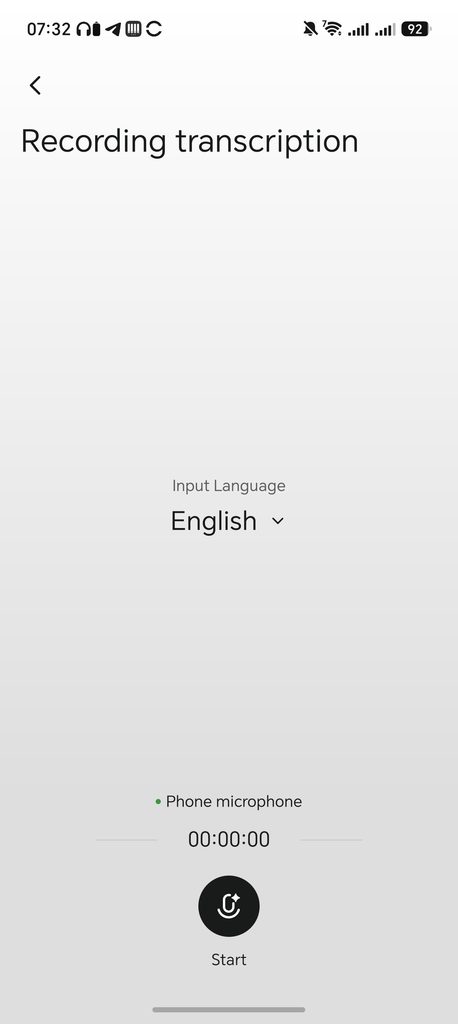
Ugreen advertise these as having an AI assistant which is capable of live transcription and translation. However, this functionality is within the app and appears to use the phone microphone rather than the earbuds. When I opened the Recording transcription screen, the input was labelled as the phone microphone, and the earbuds play no obvious part in the process.
The AI Assistant has three modes:
- Recording transcription, which records audio and converts it to text, with AI-generated meeting summaries and action items
- Simultaneous translation, which translates speech in real time
- Dialogue translation, which is designed for face-to-face conversations between two people speaking different languages
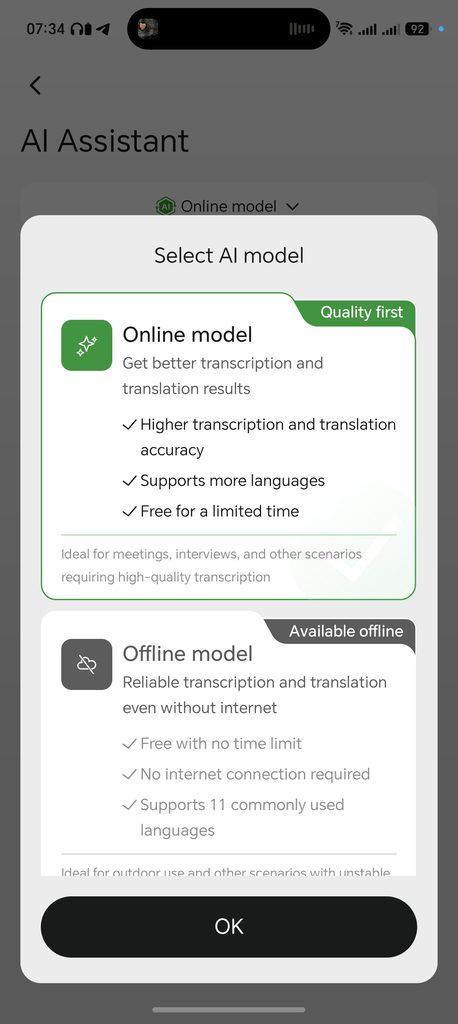
You can choose between an online and an offline model. The online model offers higher accuracy and supports 131 languages, and it is currently free for a limited time. The offline model works without an internet connection and supports 11 commonly used languages, but you need to download the language packs from the More menu first. The offline model is free with no time limit.
The “free for a limited time” wording on the online model is something to be aware of. Ugreen has not said what happens when the free period ends, and it is possible that a subscription will be introduced, as is the case with most AI transcription services. The Timekettle LiveTalk I reviewed recently includes 200 free minutes a month, with paid plans from £5.99 a month after that.
Compared with the dedicated AI transcription gadgets I have reviewed, the ClipBuds Pro 2 are not a replacement. Those devices record with their own microphones, work independently of your phone and are designed to capture a whole room. Here, you are essentially getting a transcription and translation app bundled with a set of earbuds, and the same results could be achieved with your phone and a third-party app.
That said, it is a useful extra to have, and it costs nothing at the moment. For occasional meeting notes or translating a conversation on holiday, it does the job, but I would not buy the ClipBuds Pro 2 for the AI features alone.
Price and Alternative Options
The Ugreen ClipBuds Pro 2 are available now with an RRP of £99, but at the time of writing, Amazon had them discounted to £70.
The Soundpeats CC3 Pro I recently reviewed are available for £76, and I personally think the Ugreen ClipBuds Pro 2 is a better product. The Soundpeats has a more unusual dual-driver setup, with a 12 mm dynamic driver paired with a 9 mm piezoelectric driver, along with LDAC and wireless charging, but I prefer the comfort and sound of the Ugreen, and its battery life is slightly longer.
Anker has the Soundcore AeroClip at £89, which is also excellent, or the cheaper Soundcore C50i at £53. The AeroClip remains a strong option for sound and build quality, but it is limited to SBC and AAC, and its 32-hour total battery life is well behind the Ugreen. The C50i is the better choice if you want to keep costs down and don’t need the extra features.
If translation is your main priority, the Timekettle LiveTalk at £129 is a more complete package, with four translation modes and voice capture through the earbuds for calls, though you will need to factor in the subscription for heavy use.
At the discounted price of £70, the ClipBuds Pro 2 are very good value. Even at the full £99 RRP, they compare well with the competition based on their specification and battery life.
Overall
The Ugreen ClipBuds Pro 2 earbuds are excellent clip-on earbuds, and possibly the best-sounding I have used. In relatively quiet environments, indoors and outdoors, they produce sound that can compete with traditional in-ear buds while offering superior comfort and environmental awareness. In louder environments, such as a busy road, the ambient noise does inevitably drown out some of the sound, but this is true for all open-fit earbuds.
The comfort is the other standout. Once they are on, they stay put during exercise and can be worn all day without the fatigue of in-ear models. Battery life is among the best in the category, and the app is well laid out with a good range of EQ presets and settings.
There are some weaknesses. They are a little fiddly to put on, LDAC is only useful to Android users, and the AI assistant is not as tightly integrated as the marketing suggests, as it relies on the phone microphone rather than the earbuds. It is also unclear how long the online AI model will remain free.
Those issues don’t change my overall view. For anyone looking for comfortable clip-on earbuds with good sound quality and long battery life, the Ugreen ClipBuds Pro 2 are one of the best options available, particularly at the discounted price of £70.
Ugreen ClipBuds Pro 2 Review
90%
Summary
The Ugreen ClipBuds Pro 2 are among the best-sounding clip-on earbuds I have tested, combining good bass with a comfortable, secure fit and battery life that comfortably covered my working day. Background noise limits their appeal in busy environments, and the phone-based AI features feel more like an extra than a reason to buy. However, for everyday listening with environmental awareness, they are a strong option, particularly at the £70 price seen during testing.
Pros
- Excellent sound quality for clip-on earbuds, with good bass
- Very comfortable and secure, even during exercise
- 10 hours from the earbuds and 46 hours in total
- LDAC and Hi-Res Audio Wireless certification
- Dual-device connection and six-sensor call system
- Well-designed app with EQ presets and custom controls
- Strong value when discounted to £70
Cons
- Fiddly to put on at first
- LDAC only benefits Android users
- AI transcription uses the phone microphone rather than the earbuds
- Online AI model is only free for a limited time
- Sound is drowned out by heavy traffic, as with all open-ear designs

I am James, a UK-based tech enthusiast and the Editor and Owner of Mighty Gadget, which I’ve proudly run since 2007. Passionate about all things technology, my expertise spans from computers and networking to mobile, wearables, and smart home devices.
As a fitness fanatic who loves running and cycling, I also have a keen interest in fitness-related technology, and I take every opportunity to cover this niche on my blog. My diverse interests allow me to bring a unique perspective to tech blogging, merging lifestyle, fitness, and the latest tech trends.
In my academic pursuits, I earned a BSc in Information Systems Design from UCLAN, before advancing my learning with a Master’s Degree in Computing.
I’m proud to share that Vuelio has consistently ranked Mighty Gadget as one of the top technology blogs in the UK. With my dedication to technology and drive to share my insights, I aim to continue providing my readers with engaging and informative content.
I work directly with the companies I review products for or their chosen PR agency.
For Social Media, you can find me on: