Any links to online stores should be assumed to be affiliates. The company or PR agency provides all or most review samples. They have no control over my content, and I provide my honest opinion.
Tapo P304M Smart Plug Power Strip Review
Tapo P304M Smart Plug Power Strip Review
Summary
The Tapo P304M is an outstanding smart power strip that delivers everything that makes the P110M so good, but expands it into a more practical and cost-effective four-socket format. Its energy monitoring is accurate enough for meaningful home optimisation, the Matter support ensures long-term ecosystem compatibility, and the integration with Home Assistant is seamless. Despite the lack of USB ports and a modest cable length, its core functionality is excellent and its price makes it one of the best-value smart strips available in the UK. If you want reliable smart control and detailed per-socket monitoring without overspending, the P304M is an easy recommendation.
Pros
- Excellent value per socket
- Accurate energy monitoring
- Matter support
- Strong Home Assistant integration
- Compact, well-designed hardware
Cons
- No USB ports
- Cable could be longer
I reviewed the TP-Link Tapo P110M two years ago, and it is by far my favourite smart plug. It is, more or less, the most affordable smart plug with energy monitoring on the market, Matter works well, it integrates into Home Assistant perfectly, and the Tapo app is reasonably decent. Plus, I have other Tapo and Kasa products, so it is good to keep everything in one ecosystem.
The Tapo P304M appears to have launched a little over a year ago. It is basically a power strip version of the P110M with four sockets.
Obviously, the initial benefit here is that you can plug four devices into one socket.
However, what really sold it to me was the fact that this works out cheaper per socket than the P110M, and this provides superior control and monitoring over combining the P110M with a dumb power strip.
Related Reviews
Specification
| Category | Specification | Details |
| Network | Protocol | IEEE 802.11b/g/n, Bluetooth (setup only) |
| Wireless Type | 2.4 GHz WiFi only, Bluetooth (setup only) | |
| Physical | Dimensions (H × W × D) | 260 × 62.7 × 31.4mm |
| Cord Length | 1.5m | |
| Material | PC (V-0, UL 94), Flame-Retardant | |
| Controls | On/Off button and system LED, individual status LEDs for each outlet | |
| Electrical | Rated | 250V~, 50/60Hz |
| Maximum Load | 3250W, 13A, 1HP motor | |
| Compatibility | Smart Home Platforms | Matter, Apple Home, Alexa, Google Assistant, SmartThings |
| Environmental | Operating Temperature | 0°C–35°C |
| Operating Humidity | 10%–90% RH, non-condensing | |
| Certifications | Standards | CE, UKCA, RoHS |
| Package Contents | Included | Tapo P304M Smart Wi-Fi Power Strip, Quick Start Guide |
The maximum 13A load is the UK standard and handles pretty much anything you would plug into a power strip, excluding heavy appliances like kettles or heaters, which you shouldn’t be using on a power strip anyway.
Tapo P304M Smart Power Strip – Key Features
Matter Certification
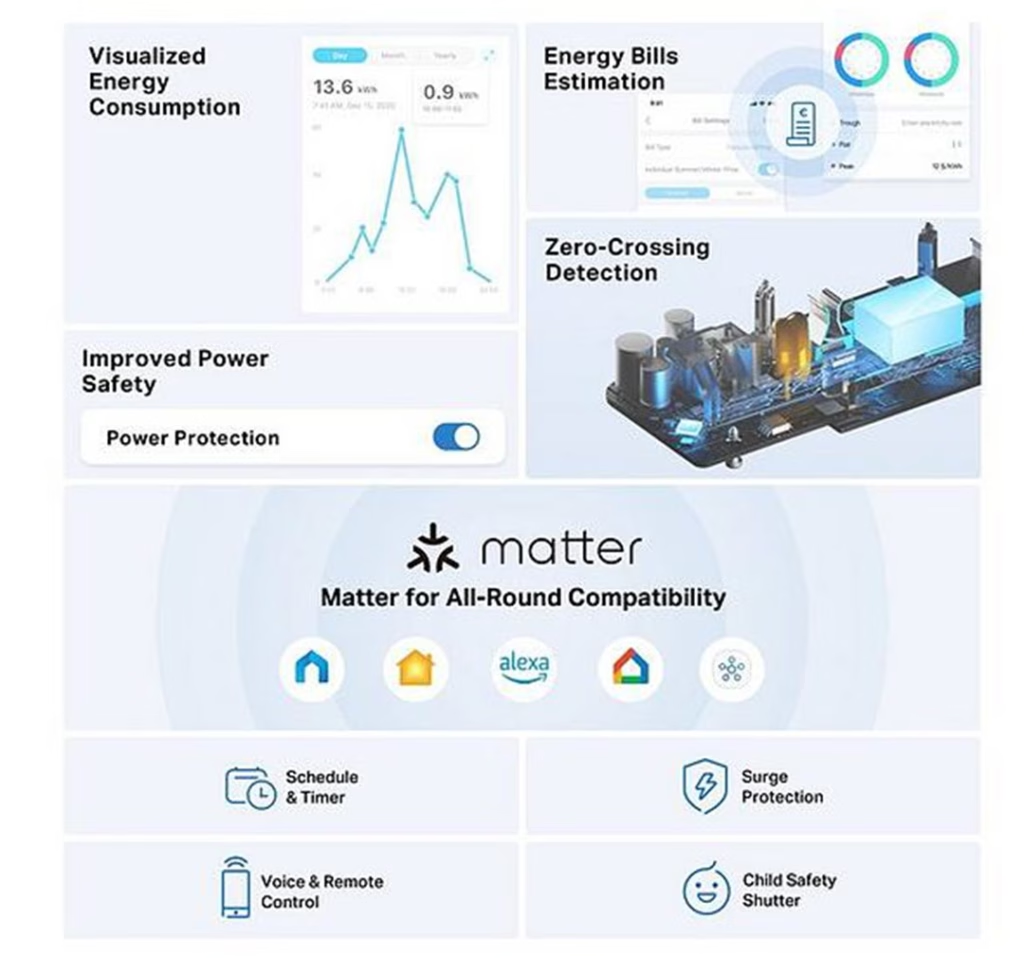
The P304M is certified for Matter, the industry-standard connectivity protocol for smart home devices. This allows integration with multiple ecosystems including Apple Home, Amazon Alexa, Google Home, and Samsung SmartThings. Matter certification enables multi-admin functionality, meaning the device can be controlled through different platforms simultaneously or shared across multiple user accounts. Communication operates over the local network (LAN) using established encryption protocols.
A compatible hub is required for third-party platform integration.
Energy Monitoring
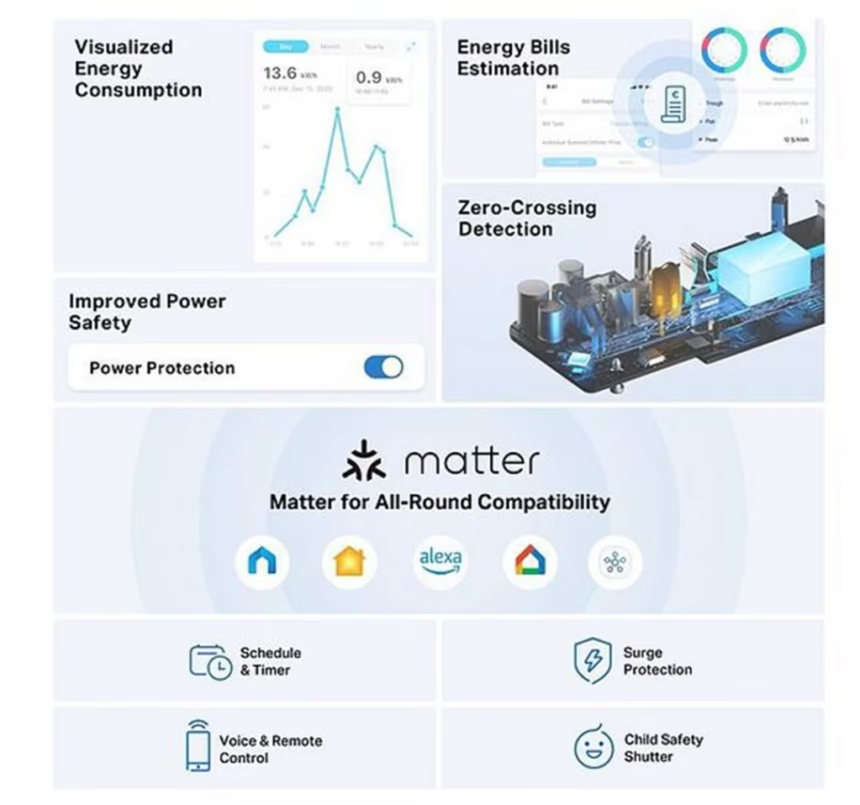
The power strip includes real-time energy monitoring capabilities that track power consumption across connected devices. Users can input their electricity rates (supporting both single-rate and time-of-use tariff structures) to calculate estimated running costs. The monitoring system provides data visualisation showing usage patterns over time.
Additional power management features include configurable power thresholds and automatic shut-off to prevent devices from remaining connected beyond their charge requirements.
Electrical Protection
Surge Protection
Built-in surge suppression circuitry protects connected equipment from voltage spikes that can occur during electrical storms or power grid fluctuations.
Zero-Crossing Detection
The unit employs zero-crossing detection technology in its relay switching mechanism. This addresses relay contact welding, which is a common failure point in smart plugs. The technology switches the relay when AC voltage crosses zero, reducing arc formation. According to manufacturer testing, this extends relay lifespan by approximately 9 times compared to standard relays, though actual performance varies based on the type of connected load. The technology is most effective with capacitive loads such as LED lighting, televisions, computers and phone chargers.
Child Safety
Each outlet socket features protective shutters that prevent foreign object insertion when not in use.
Control Methods
Voice Control
Compatible with Amazon Alexa, Apple Siri, and Google Assistant for voice-activated switching of connected devices.
Remote Control
The Tapo mobile application provides remote switching capability when the device is connected to a network with internet access.
Local Control
Physical push buttons allow manual operation of each outlet independently.
Scheduling and Automation
The device supports time-based automation through the Tapo application:
- Scheduling: Configure specific times for outlets to activate or deactivate
- Auto-Off Timer: Automatically disconnect power after a preset duration
- Away Mode: Randomised switching patterns designed to simulate occupancy
Design
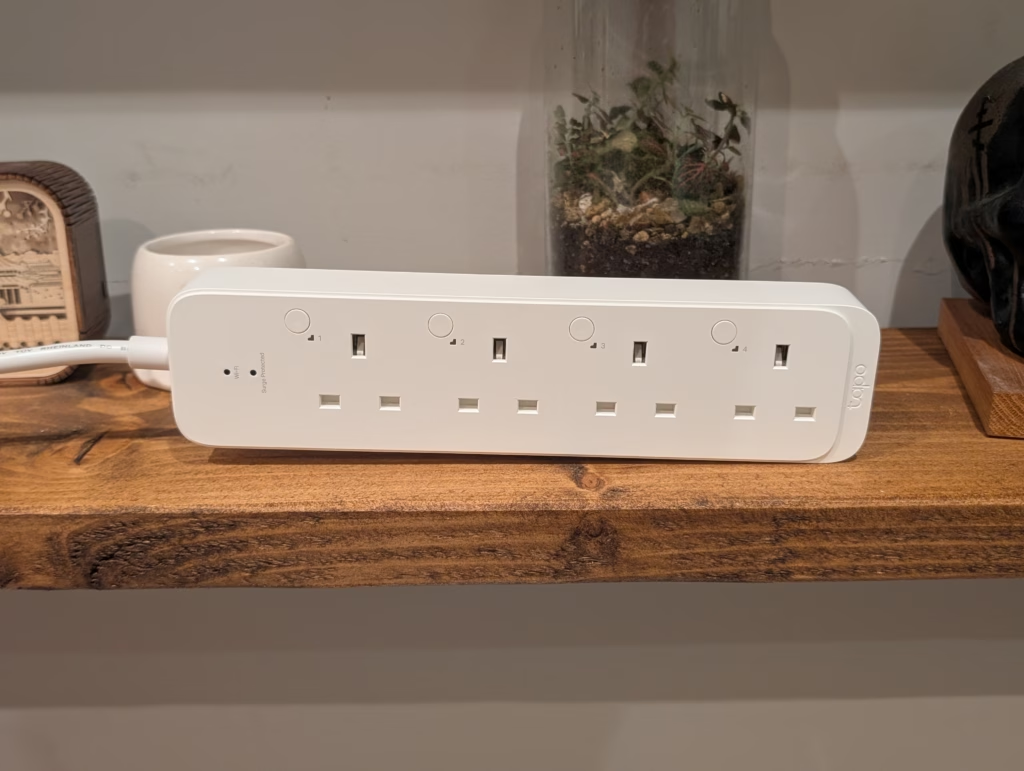
The physical design of the P304M is reasonably well thought out. The unit measures 260 x 62.7 x 31.4mm, which makes it compact enough to fit behind furniture or mount on a wall without being obtrusive. The build quality feels solid – the plastic casing is thick flame-retardant material, and the unit has some heft to it.
The four sockets are well-spaced, allowing you to plug in larger adapters without blocking adjacent sockets. This is a common problem with cheap power strips where the sockets are too close together. TP-Link has clearly considered actual usage here.
Each socket features protective shutters for child safety, which is a nice touch. The shutters require even pressure from both pins to open, so a single pin or screwdriver won’t accidentally make contact with live terminals.
The strip includes mounting points for wall installation, though I have not used this feature. The mounting template in the quick start guide suggests you need screws with 4-8mm diameter heads, which are not included. If you plan to wall-mount these strips, factor in the cost of appropriate wall fixings.
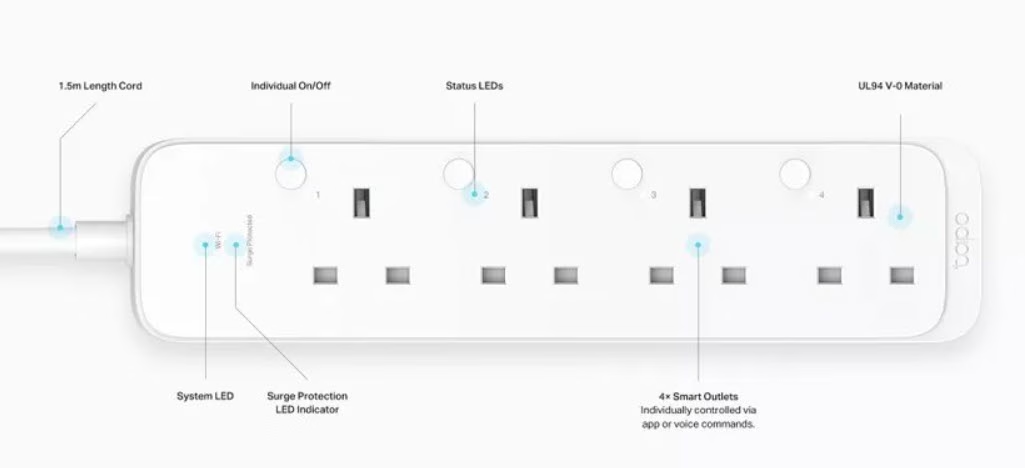
The status LEDs for each socket are bright enough to see clearly but not obnoxiously bright. There is also a WiFi indicator and surge protection indicator on the strip. The Tapo app allows you to disable the LEDs entirely or enable “Night Mode” to turn them off automatically at a scheduled time. I appreciate having this option, as some smart devices have absurdly bright LEDs that light up an entire room.
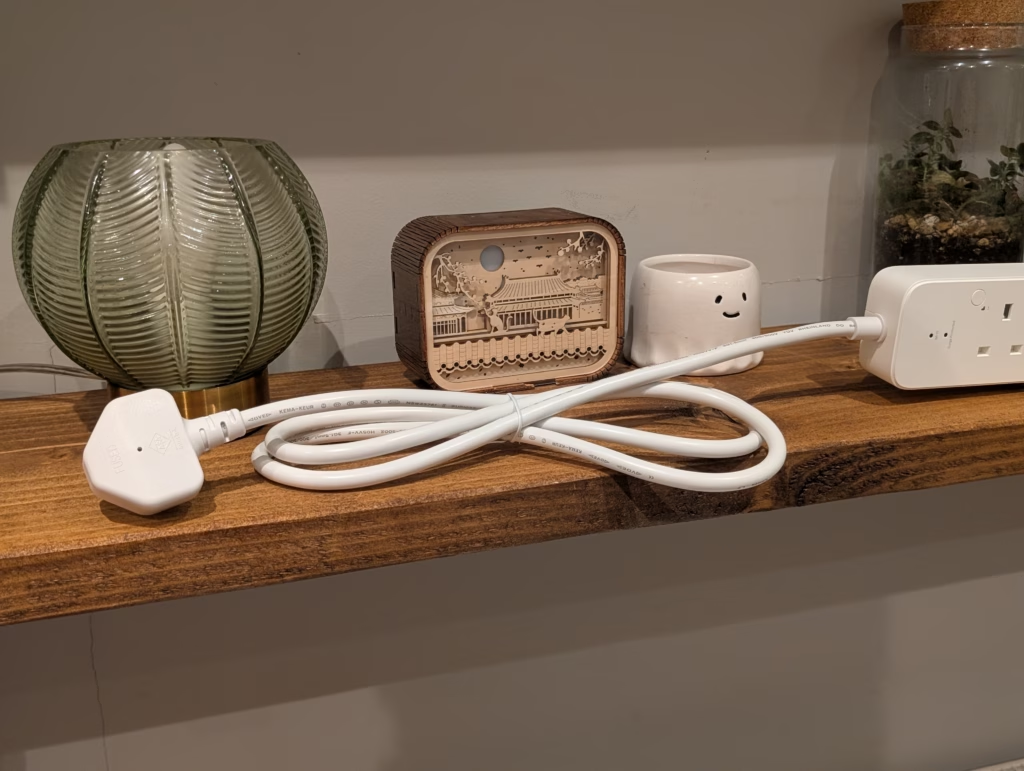
The 1.5m cable is adequate but not generous. For most installations behind desks or entertainment centres, it is sufficient. If you need to reach a socket further away, you will need to factor this into your placement.
One design omission I need to mention is the lack of USB ports. Several competing smart power strips include USB-A or USB-C ports, which are incredibly convenient for charging phones, tablets, and other USB-powered devices. The Meross MSS425FHK, for example, includes four USB ports alongside its smart sockets. This would have significantly increased the P304M’s utility, and it is disappointing TP-Link chose not to include them.
Set Up & Matter
With this supporting Matter, there are two ways to set this plug up. You can use the standard Bluetooth setup within the Tapo app, or you can bypass Tapo and use Matter to connect it to any Matter controller, such as Home Assistant, Homey, Google Home and many more.
As I already use Tapo products, I was boring and set it up that way for personal use, but I tested Matter and this works perfectly fine.
The Tapo app setup process is straightforward. You download the app, create an account, and follow the on-screen instructions. The app uses Bluetooth to initially connect to the strip, then transfers it to your WiFi network. The whole process takes about 3-4 minutes per strip.
For Matter setup, you scan the QR code included in the packaging or entered the manual pairing code. The Matter setup worked reliably in my testing, though you need to ensure your Matter controller is properly configured first. If you are setting up your first Matter device, expect to spend some time understanding how Matter threading works with your particular ecosystem.
Tapo App & Settings
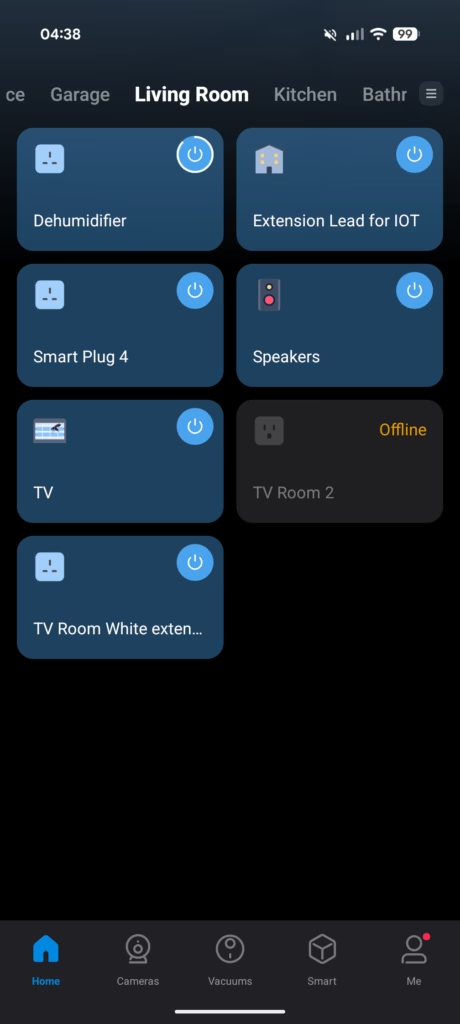
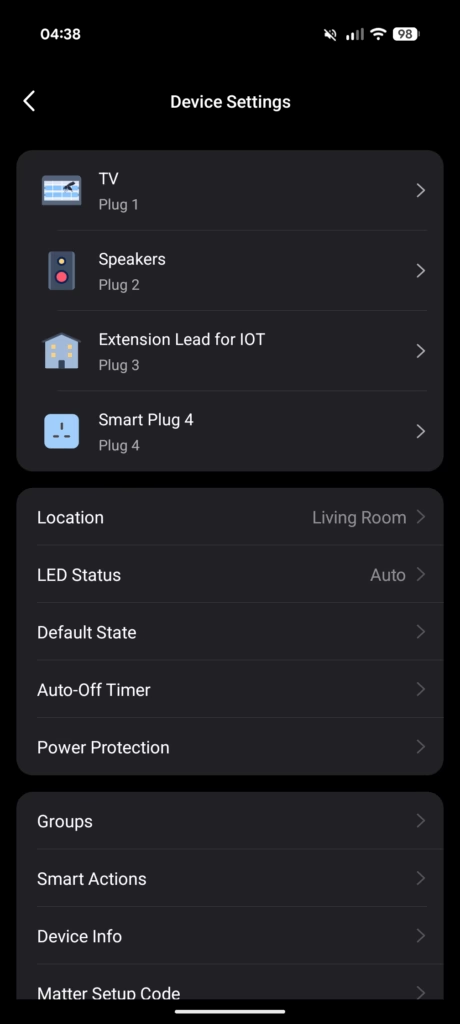
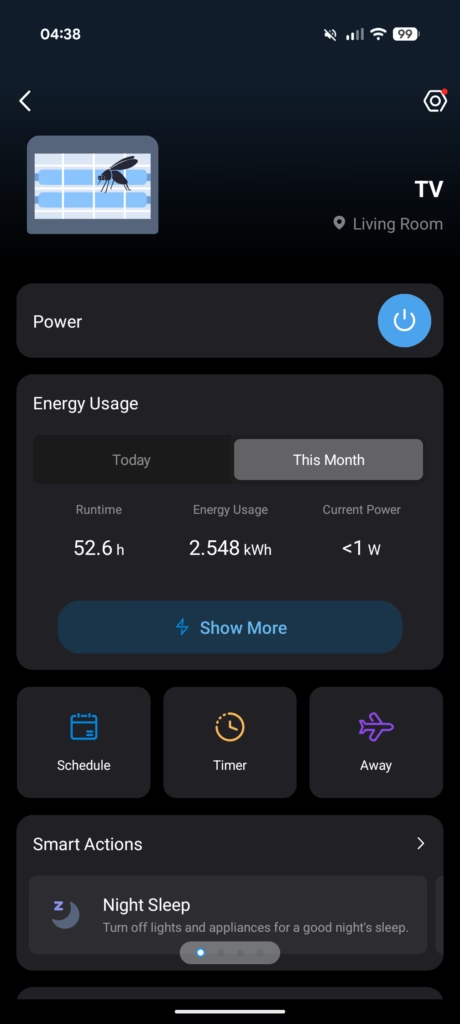
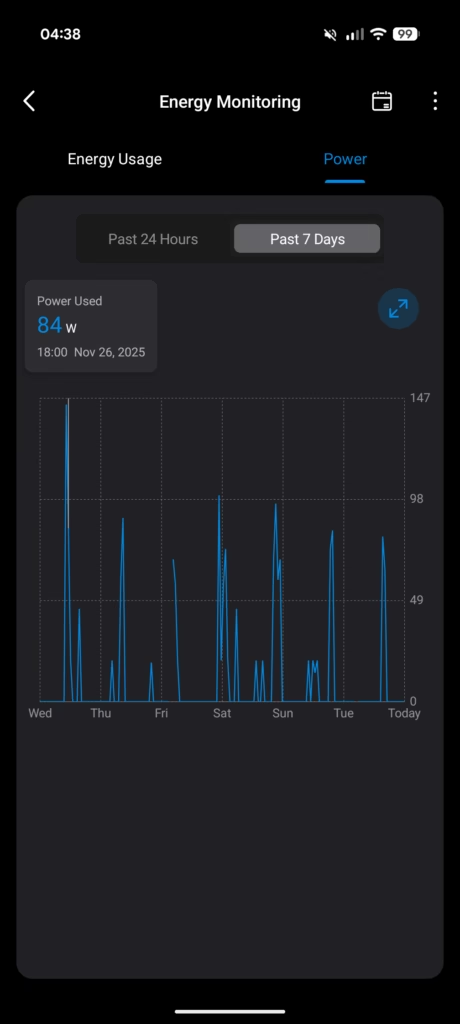
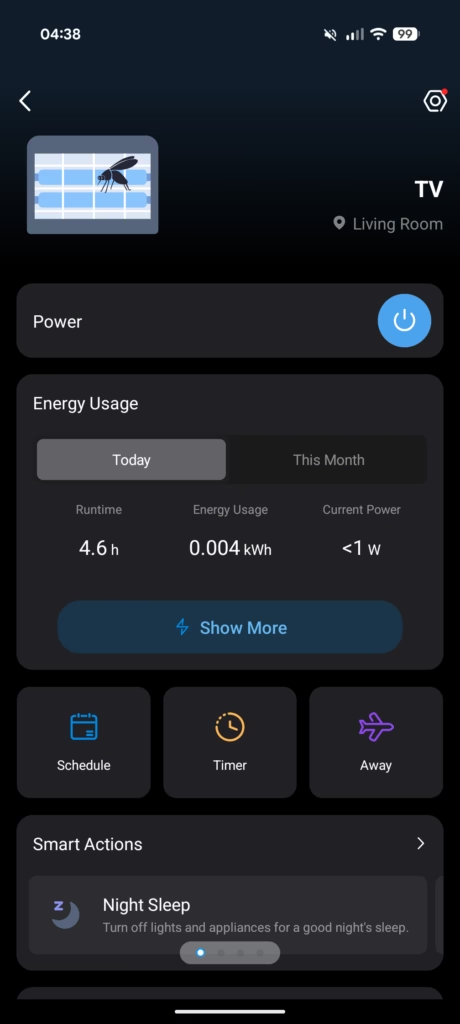
The Tapo app remains fairly straightforward. For the P304M you get:
- A top-level device page showing the four outlets with on/off toggles
- Per-outlet detail pages with power usage, energy statistics, overflow threshold settings, and schedules
- Global device settings for firmware updates, default states after power loss, and LED behaviour
- Integration shortcuts for linking Tapo with Alexa, Google Assistant, and other supported services
In the energy section you can set:
- Electricity price per kWh
- Basic time-of-use pricing windows
- Monthly budget, with usage indicators relative to your target
- Historical usage graphs per outlet and per device
For many households, this is enough to understand roughly where power is going without needing to build anything in Home Assistant. For more advanced analysis, you can combine the P304M with P110M plugs and feed their telemetry into Home Assistant’s energy dashboard. In that scenario the Tapo app becomes more of a configuration and quick-check tool, while the heavy lifting moves to your central automation platform.
The app is not perfect. Firmware updates still feel a bit slow at times, and some of the deeper configuration options are a few taps further away than they need to be. The charts are fine for simple trends but do not compete with the detail you get once you push data into a proper monitoring stack. For most mainstream users, though, it strikes a reasonable balance between usability and depth.
Home Assistant & Matter
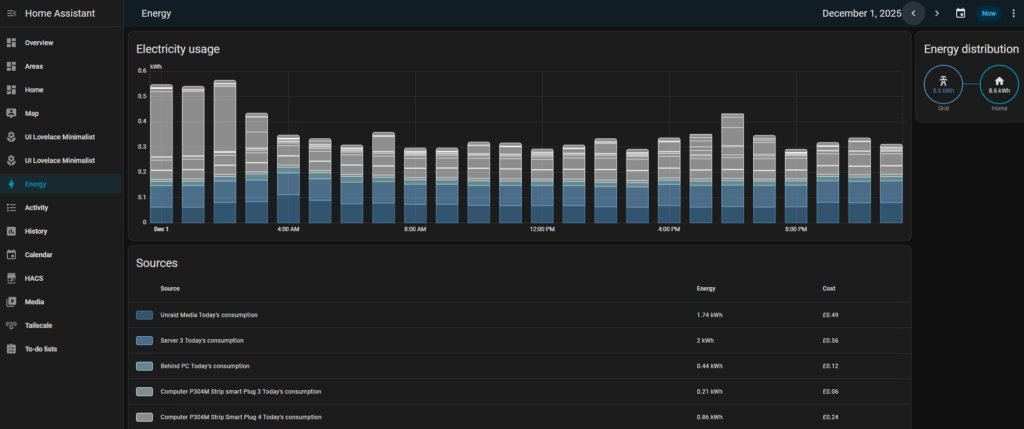
While many Home Assistant users will want to pair this up with Matter, if you set it up within Tapo, then you can use the native Tapo support. All you need to do is provide your TP-Link credentials.
I have recently started using the energy monitoring functionality in Home Assistant. I already had quite a lot of smart plugs with energy monitoring, but expanded it with three of these strips and four more P110M plugs.
I use the “Today’s consumption” option to monitor whole home usage under Electricity Grid, then also set up individual device monitoring.
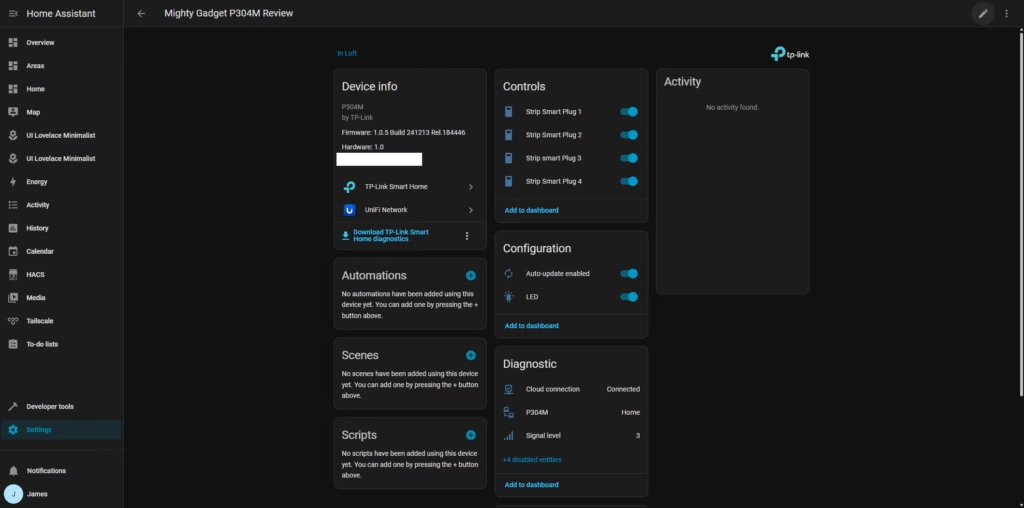
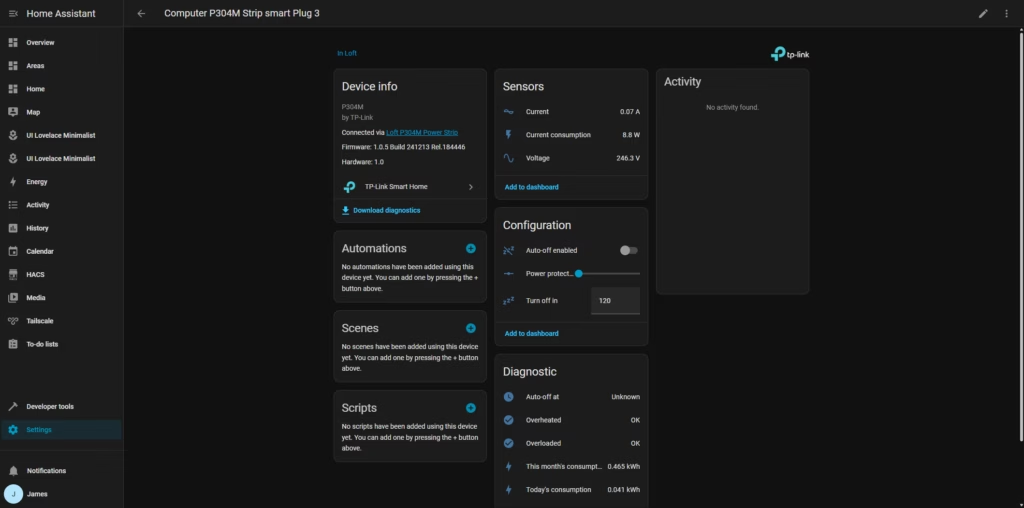
The integration with Home Assistant is where the P304M becomes genuinely powerful. Once integrated, each socket appears as a separate switch entity with energy monitoring sensors. You can create sophisticated automations based on power consumption, trigger alerts if devices exceed certain thresholds, and incorporate the strips into broader home automation routines.
I have set up several useful automations:
- Automatically power off office equipment when my workday schedule ends
- Send notifications if devices draw excessive power, indicating a potential fault
- Track monthly energy costs per device to identify opportunities for efficiency improvements
The energy dashboard in Home Assistant provides excellent visualisation of consumption patterns. I can see hourly, daily, and monthly usage, compare costs between different devices, and identify trends over time. This has been genuinely useful for reducing my electricity costs.
Performance and Power Monitoring
In routine use, the P304M behaves like a collection of P110M plugs assembled into a single strip. Switching is responsive both from the Tapo app and from Home Assistant or voice assistants, and commands usually register in under a second assuming your Wi-Fi network is in good shape.
Under continuous load, such as powering a TV, console, and networking gear, the strip remains cool to the touch. The maximum 3250 W / 13 A rating is typical for a UK extension, and you should treat it the same way you would treat any other 13 A strip: do not run multiple high-draw heaters or kettles from it. The integrated power protection will cut an outlet if configured thresholds are exceeded, but you should still size loads sensibly.
Energy monitoring appears consistent with the P110M and other smart plugs. You are not getting lab-grade measurements, but for domestic tracking it is accurate enough to:
- Identify which devices run continuously and what they cost each month.
- Contrast standby consumption across AV equipment.
- Spot unexpected high draws such as heaters that were left on.
When used with Home Assistant’s energy dashboard, graphs of hourly or daily consumption by outlet are easy to interpret. Combined with current UK electricity pricing, that can make it clear which devices justify active control and which are cheap enough to ignore.
Price
The Tapo P304M Smart Strip has an RRP of £30 and is frequently available for £25. This is incredible value for money and works out at just £6.25 per socket, plus the convenience of it being a power strip.
The single socket Tapo P110M has an RRP of £17, and during Black Friday, it was available for just £8.54, but that would work out at £34.16 for four sockets
There used to be the Kasa KP303, which was the same price, and had three sockets with two USB-A ports. It is not longer available in the UK, but Amazon still has it in the US and it was available for just $23.39 at the time of writing.
If you are not fussed about having smart functionality per socket, then the most cost-efficient solution would be to use a P110M with a cheaper power strip. You can pick up a 4-gang strip for around £7. Bringing the total cost to £15.54. Though, I’d argue that spending a tenner extra on the P304M, is well worth it.
Alternative Options
Amazon lists the ANTELA Smart Power Strip at £22, which has three sockets, three USB ports and power monitoring. It lacks Matter, and Amazon has marked it as frequently returned.
The UseeLink Matter Smart Power Strip has four sockets and four USB-A ports and includes Matter but lacks power monitoring. This is available for £30.59.
The Meross MSS426 would arguably be a better option with six plug sockets and four USB-A sockets, but it lacks Matter and power monitoring. Meros are more reputable than the other alternatives I have listed, and this is available for £34.
Overall
The Tapo P110M is my favourite smart plug by a considerable margin. It is cheap, easy to set up, works well, and I love the power monitoring features.
The Tapo P304M is even more impressive; you have all the features of the P110M, but in a power strip format with four sockets, which works out cheaper per socket than any other option I can find with power monitoring.
It is incredibly easy to integrate into Home Assistant and add P110M plugs, and the P304M strip around my home has allowed me to monitor most of my home’s energy usage and reduce it where needed.
The lack of USB ports is disappointing, and I would have liked to see a longer cable as standard, but these are relatively minor complaints. The core functionality – Matter-enabled smart switching with detailed energy monitoring per socket – works excellently and provides genuine value.
At the typical sale price of £22-25, this is exceptional value. Even at the full £30 RRP, it represents good value compared to alternatives. If you need multiple smart sockets with energy monitoring and Matter support, the P304M should be at the top of your list.
I have been impressed enough with these strips that I have expanded my deployment from the initial three to five units across my home, and I am considering picking up more. They have become an integral part of my energy monitoring setup, and the data they provide has helped me reduce my electricity consumption measurably.
For anyone running Home Assistant or another home automation platform, the P304M offers excellent integration and automation potential. For casual users who just want app control and basic scheduling, the Tapo app provides adequate functionality. The Matter support ensures these strips will remain compatible with future smart home platforms, making them a sensible long-term investment.
While there is room for improvement, as it stands, the P304M is the best value smart power strip with energy monitoring available in the UK market, and I recommend it without hesitation.
Tapo P304M Smart Plug Power Strip Review
Tapo P304M Smart Plug Power Strip Review
Summary
The Tapo P304M is an outstanding smart power strip that delivers everything that makes the P110M so good, but expands it into a more practical and cost-effective four-socket format. Its energy monitoring is accurate enough for meaningful home optimisation, the Matter support ensures long-term ecosystem compatibility, and the integration with Home Assistant is seamless. Despite the lack of USB ports and a modest cable length, its core functionality is excellent and its price makes it one of the best-value smart strips available in the UK. If you want reliable smart control and detailed per-socket monitoring without overspending, the P304M is an easy recommendation.
Pros
- Excellent value per socket
- Accurate energy monitoring
- Matter support
- Strong Home Assistant integration
- Compact, well-designed hardware
Cons
- No USB ports
- Cable could be longer
Last update on 2025-12-29 / Affiliate links / Images from Amazon Product Advertising API

I am James, a UK-based tech enthusiast and the Editor and Owner of Mighty Gadget, which I’ve proudly run since 2007. Passionate about all things technology, my expertise spans from computers and networking to mobile, wearables, and smart home devices.
As a fitness fanatic who loves running and cycling, I also have a keen interest in fitness-related technology, and I take every opportunity to cover this niche on my blog. My diverse interests allow me to bring a unique perspective to tech blogging, merging lifestyle, fitness, and the latest tech trends.
I’m proud to share that Vuelio has consistently ranked Mighty Gadget as one of the top technology blogs in the UK. With my dedication to technology and drive to share my insights, I aim to continue providing my readers with engaging and informative content.