Any links to online stores should be assumed to be affiliates. The company or PR agency provides all or most review samples. They have no control over my content, and I provide my honest opinion.
SONOFF PoE Dongle Max Review vs Home Assistant Connect ZBT-2 Zigbee & Thread Coordinators
SONOFF PoE Dongle Max Review vs Home Assistant Connect ZBT-2 Zigbee & Thread Coordinators
Summary
The Sonoff PoE Dongle Max is an excellent, flexible, and well-built upgrade for anyone running Home Assistant, offering superior placement options, stronger radio performance, and a far more capable interface than traditional USB-only coordinators. Its PoE support and dual-chip design make it a powerful alternative to the ZBT-2, especially in homes where server placement limits Zigbee coverage. While the setup is not always flawless and true multi-protocol support remains a work in progress, the Dongle Max delivers outstanding performance for the price and is an easy recommendation for users who want a robust, centrally placed Zigbee or Thread coordinator.
Pros
- Outstanding range and signal quality with dual external antennas
- PoE and Ethernet allow optimal placement away from server interference
- Excellent web interface with easy firmware management
- Strong value for money compared to the ZBT-2
Cons
- MultiPAN support is still experimental and not suitable for production use
I have an increasing number of smart home devices, and like many enthusiasts, I run Home Assistant, allowing me to integrate different smart home ecosystems into a cohesive system.
However, because I am constantly reviewing things, I have never really set up Home Assistant properly. I have often relied on proprietary systems and only use HA when I need them to interact with each other. The main one being getting Aqara motion sensors to trigger Philips Hue lights.
I previously used the Home Assistant Connect ZBT-1 for both Thread and Zigbee, but it was a bit temperamental, especially in the dual protocol mode, so I stuck with my old messy way of dealing with things.
With the recent launch of the Home Assistant Connect ZBT-2 and Sonoff PoE Dongle Max, I finally motivated myself to start setting up HA properly as my main hub for my smart home.
Specification
| Specification | Details |
| Model | Dongle-M |
| Colour | Dim Grey |
| Casing Materials | Aluminium, PC+ABS |
| Connection Options | Ethernet / Wi-Fi / USB (supports PoE) |
| USB Interface | Type-C |
| Network Interface | RJ45 |
| Power Input | 5V⎓1A (Type-C) or 48V⎓0.25A (PoE) |
| Wireless Protocols | Zigbee 3.0, Wi-Fi IEEE 802.11b/g/n 2.4GHz |
| SoC | EFR32MG24+ / ESP32D0WD |
| Serial Interface Protocol | EmberZNet (EZSP) |
| Antenna Gain | 5dBi |
| Number of Antennas | 2 |
| Operating Temperature | -10°C to 60°C |
| Supported Firmware | Zigbee Coordinator, Zigbee Router, Thread RCP, MultiPAN (Beta) |
| Additional Features | Web Console, AP Hotspot, Webhooks, WireGuard |
| Supported Platforms | Home Assistant, Hubitat, Alexa, SmartThings |
| In the Box | USB Type-C cable (1m) |
Features
High-Performance Chipset
The Dongle Max uses a dual-chip design combining the Silicon Labs EFR32MG24 with an ESP32D0WDR2. The EFR32MG24 handles Zigbee and Thread protocols, while the ESP32 manages Wi-Fi connectivity and the web interface. This separation of duties allows each processor to focus on its specific tasks. The EFR32MG24 is Silicon Labs’ current-generation chip for smart home protocols, offering improved processing headroom compared to the older EFR32MG21 found in many existing dongles.
Flexible Connectivity Options
The dongle supports three connection methods: Ethernet, Wi-Fi, and USB. The RJ45 port also accepts Power over Ethernet, allowing a single cable to provide both data and power. This flexibility means you can position the dongle away from your server or home automation hub if needed, which can be useful for optimising Zigbee coverage in larger properties. Wi-Fi operates on the 2.4GHz band using 802.11b/g/n.
Web-Based Management Interface
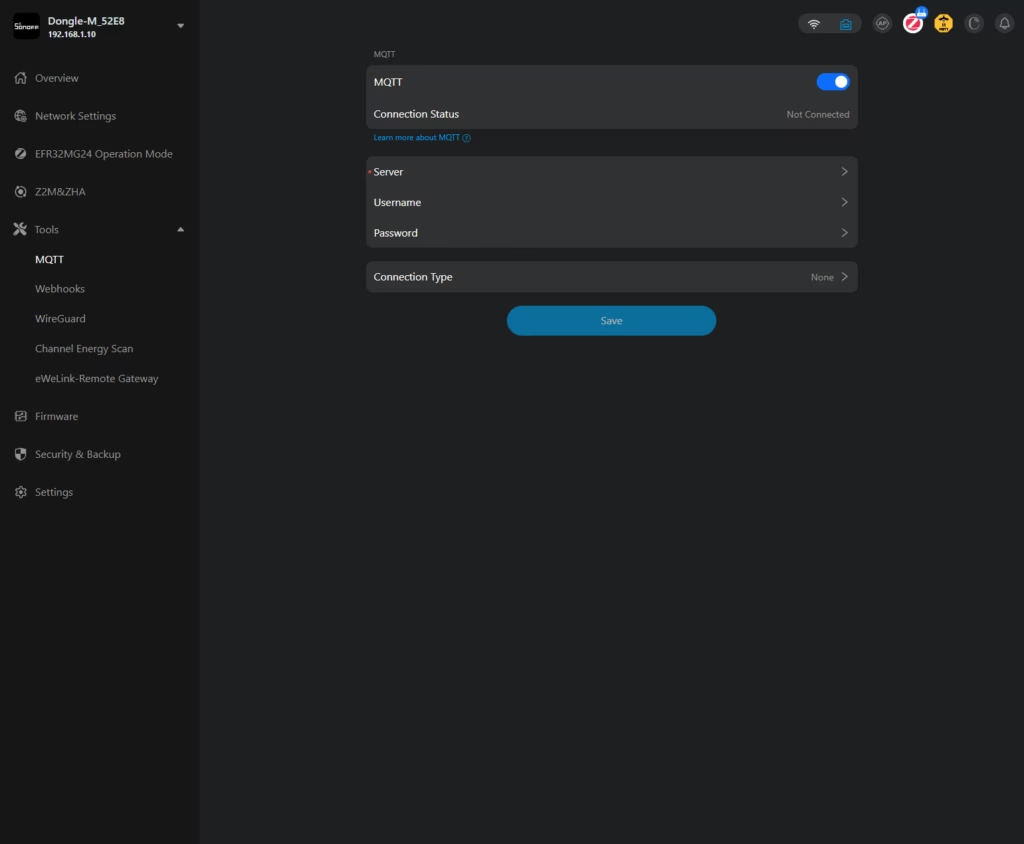
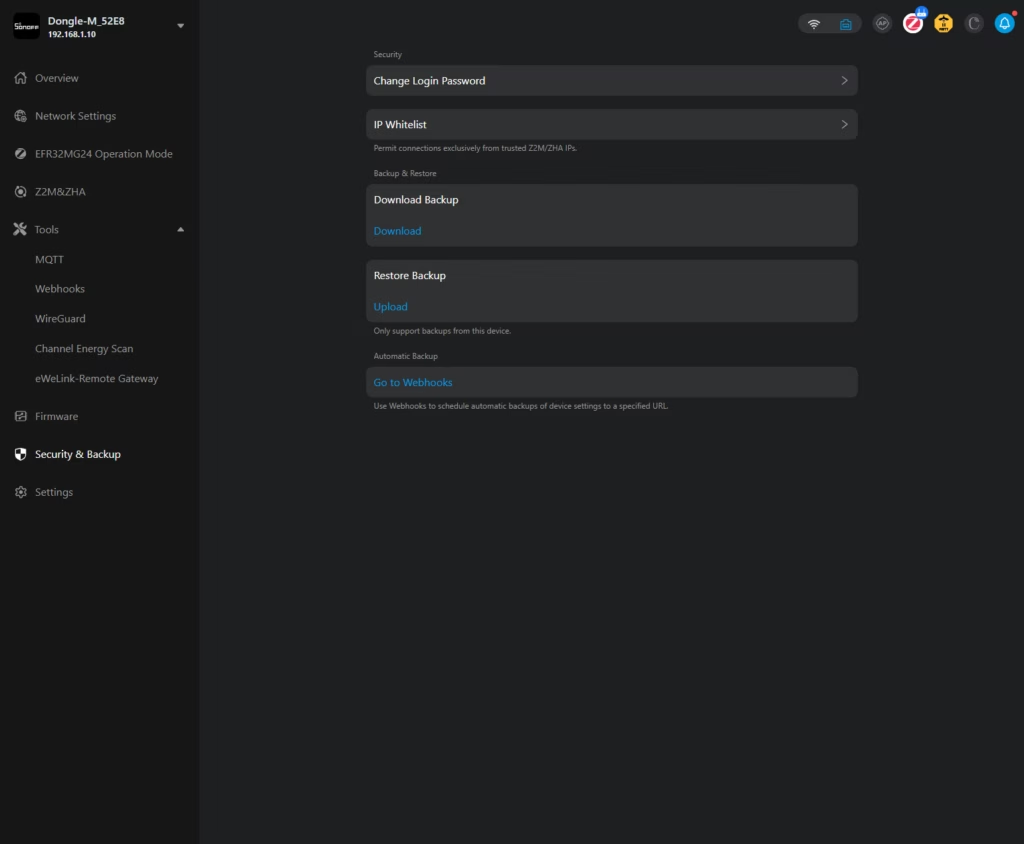
A built-in web console provides access to device status, configuration settings, logs, and alerts through a browser. This removes the need for command-line configuration, making initial setup and ongoing management more straightforward. The interface also supports webhook integration for notifications and includes WireGuard VPN capability for secure remote access.
Easy Firmware Management
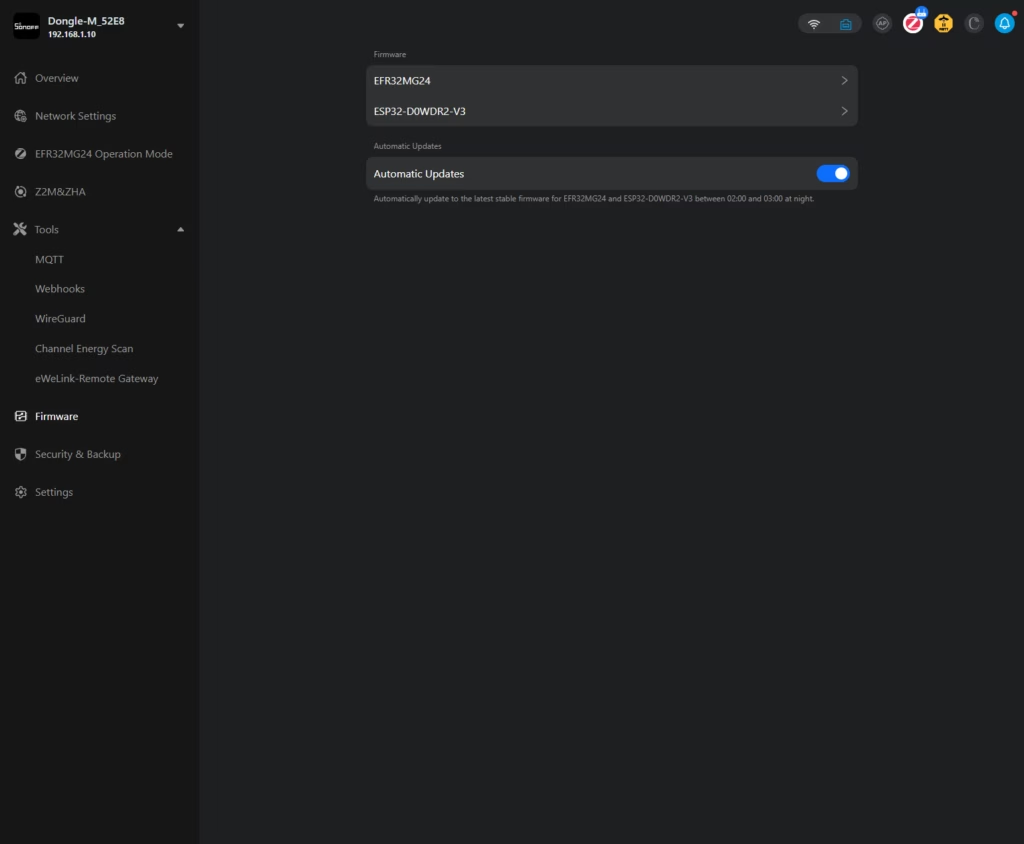
Firmware updates and changes can be performed directly through the web interface without physical access to the device. The Dongle Max supports multiple firmware options including Zigbee Coordinator, Zigbee Router, Thread RCP, and MultiPAN (currently in beta). Switching between these modes does not require manual flashing or additional software.
Reliable Build Quality
The unit features dual external antennas with 5dBi gain, both of which are adjustable for optimising signal coverage. The aluminium housing provides better heat dissipation than plastic alternatives and has undergone 24-hour salt spray testing for corrosion resistance. The device carries CE, FCC, and RoHS certifications. Operating temperature range is -10C to 60C.
Design
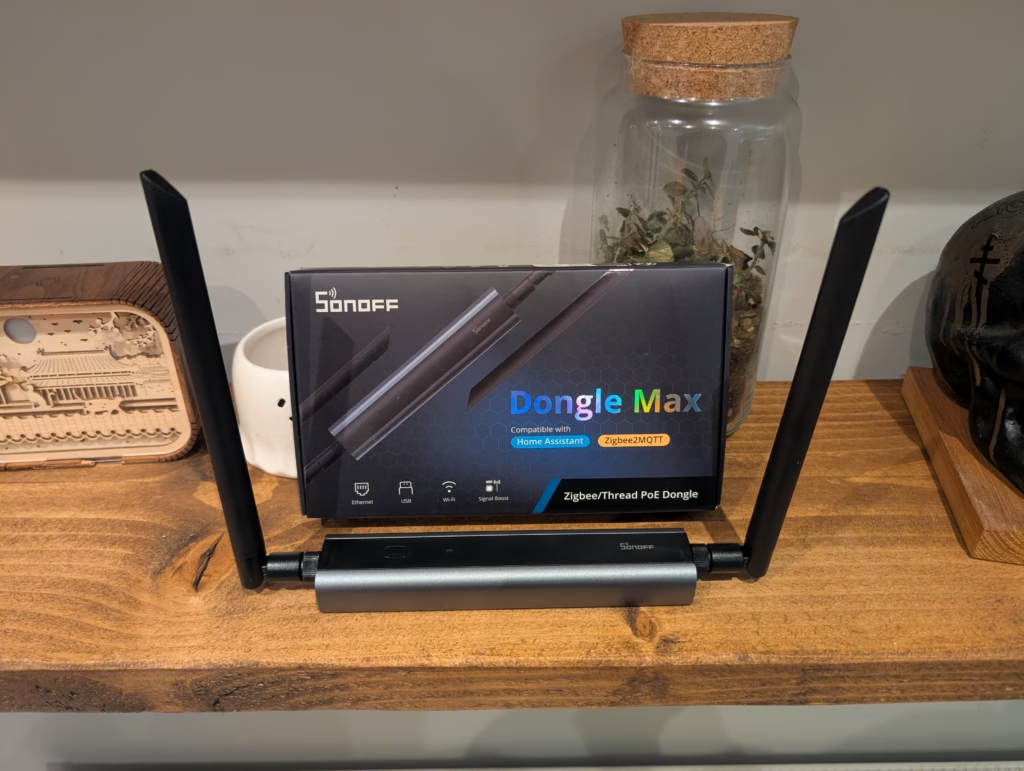
If you are used to Zigbee coordinators looking like oversized USB memory sticks, the Dongle Max will be a surprise. It resembles a miniature router more than a traditional dongle.
There are two large antennas, a USB-C cable, a mounting clip, screws for wall installation, and a sticker to assist with placement. Everything is professionally branded and labelled, which represents a clear step up from earlier Sonoff products.
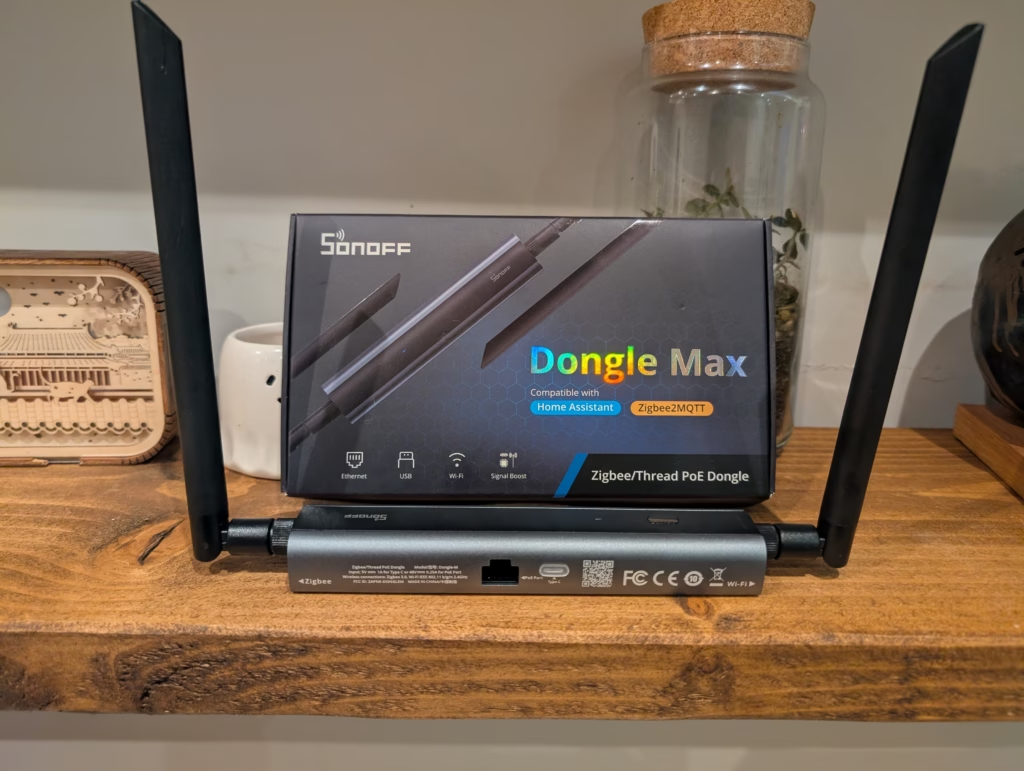
The body is constructed from aluminium with a PC and ABS plastic top panel. At 95mm by 50mm by 20mm (excluding antennas), it is compact enough to be unobtrusive but substantial enough to feel like a quality product. The two connection ports are located on one side of the device, while the antennas mount on opposite ends. This arrangement makes sense from a signal propagation perspective, though it does mean the device takes up a bit more desk or shelf space than a simple USB dongle.
There is a small button on the top of the unit, though its function is somewhat unclear from the documentation. Based on my testing, it appears to be used for entering pairing mode, though given the excellent web interface, I have not needed to use it.
Hardware Under the Bonnet
The Dongle Max uses a dual-chip design combining the Silicon Labs EFR32MG24 with an ESP32D0WDR2. This is a significant architectural difference compared to standard USB coordinators like the ZBT-2.
The EFR32MG24 is Silicon Labs’ current-generation chip for smart home protocols, offering improved processing headroom and a +20dBm radio amplifier compared to the older EFR32MG21 found in many existing dongles. It handles the heavy lifting of the Zigbee or Thread network.
The ESP32 manages the “business” side of the device: the Ethernet connection, Wi-Fi connectivity, and the web-based management interface. This separation of duties allows the radio processor to focus entirely on maintaining the mesh network without being bogged down by network management overheads.
Flexible Connectivity and PoE
One of the strongest selling points of the Dongle Max is flexibility. While the ZBT-2 is strictly USB-only, the Sonoff offers three ways to connect:
- USB: You can plug it directly into your server like a classic dongle.
- Wi-Fi: You can place it anywhere with power and connect over your wireless network (though this introduces potential latency and reliability risks).
- Ethernet with PoE: This is the gold standard.
The RJ45 port accepts Power over Ethernet (PoE). If you have a PoE switch, a single network cable provides both data and power. This solves the single biggest problem with Zigbee: interference. USB 3.0 ports on computers generate significant noise on the 2.4GHz spectrum, which kills Zigbee range.
With PoE, I was able to locate the Dongle Max in the centre of my home, mounted high up on a wall, while my Home Assistant server remained in a rack in the garage. This central placement drastically improved the signal quality for my end devices compared to having the coordinator stuck in a corner.
Web-Based Management Interface
Because the device runs an ESP32, it hosts its own local web website. This is a feature usually reserved for more expensive enthusiasts’ devices like those from SMLIGHT.
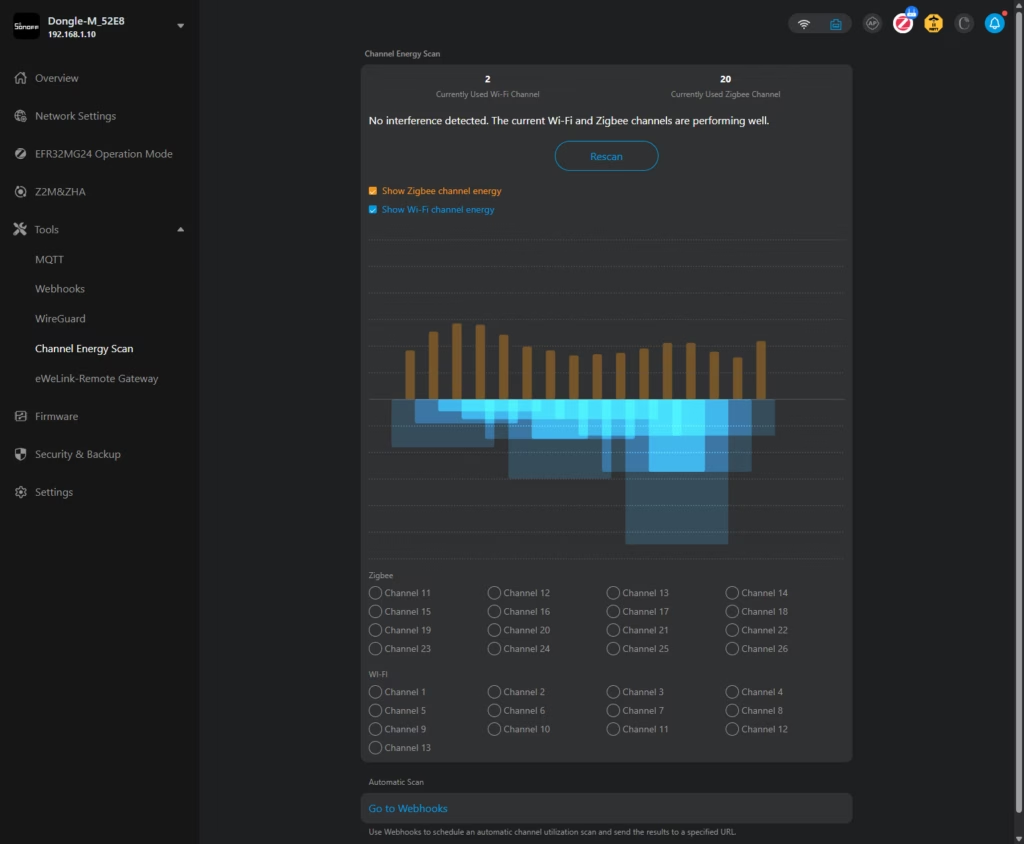
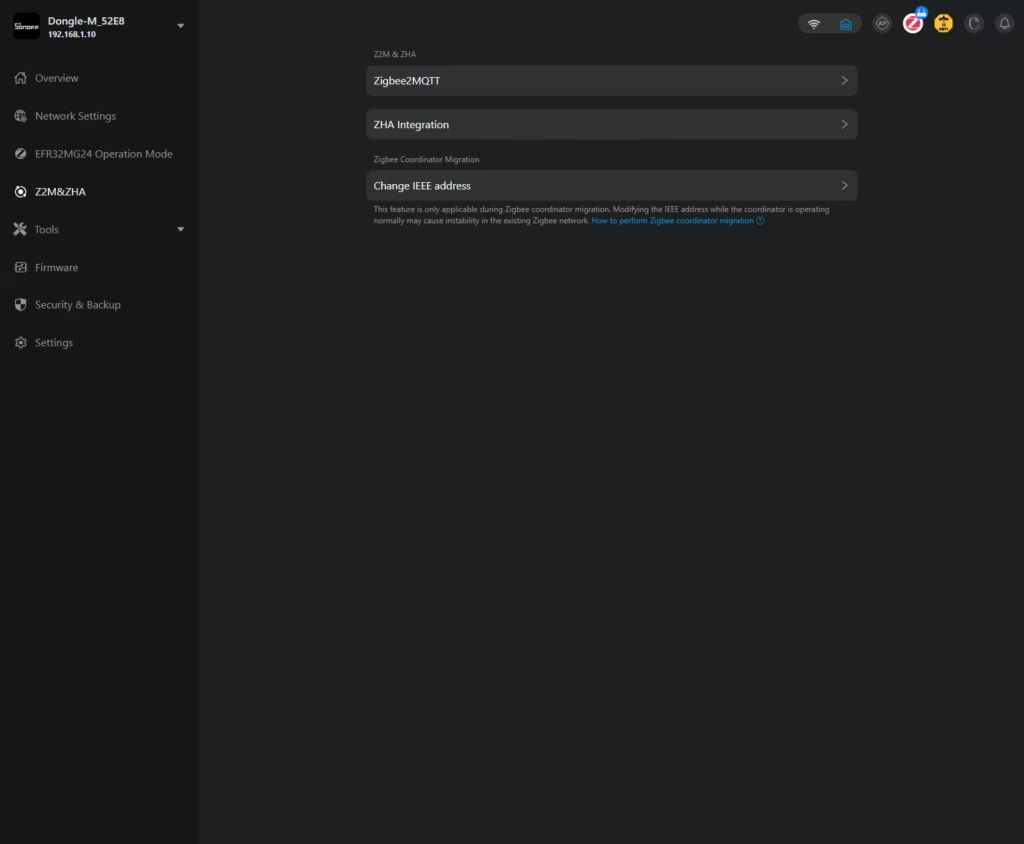
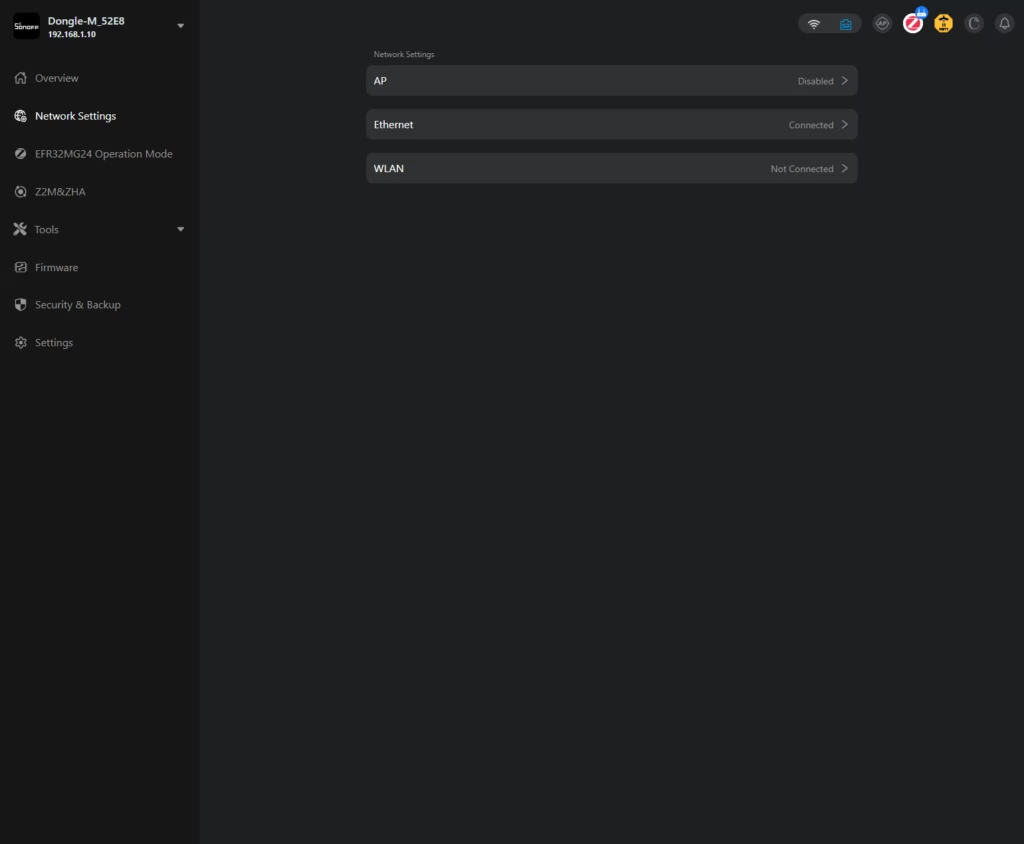
The web console provides access to device status, configuration settings, logs, and alerts through a browser. This removes the need for command-line configuration, making initial setup and ongoing management more straightforward. You can view the system uptime, memory usage, and even visualize the signal strength of nearby networks to help you choose a Zigbee channel that does not overlap with your Wi-Fi.
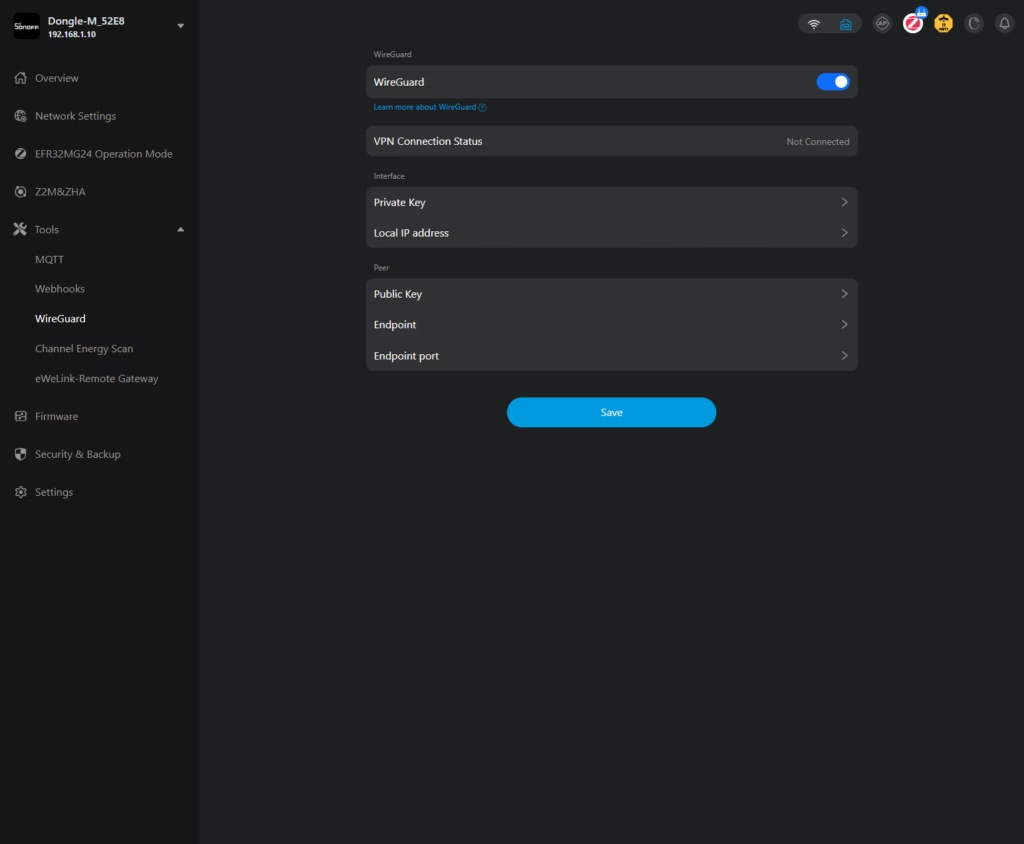
The interface also supports webhook integration for notifications and includes WireGuard VPN capability. This means you could theoretically install this dongle in a remote location (like a holiday home) and have it securely tunnel back to your main Home Assistant instance over the internet.
Firmware Management
Firmware updates and mode changes can be performed directly through the web interface without physical access to the device. The Dongle Max supports multiple firmware options including Zigbee Coordinator, Zigbee Router, Thread RCP, and MultiPAN (currently in beta). Switching between these modes does not require manual flashing tools or holding down boot buttons; you simply upload the file via the browser and wait for the reboot.
Set Up
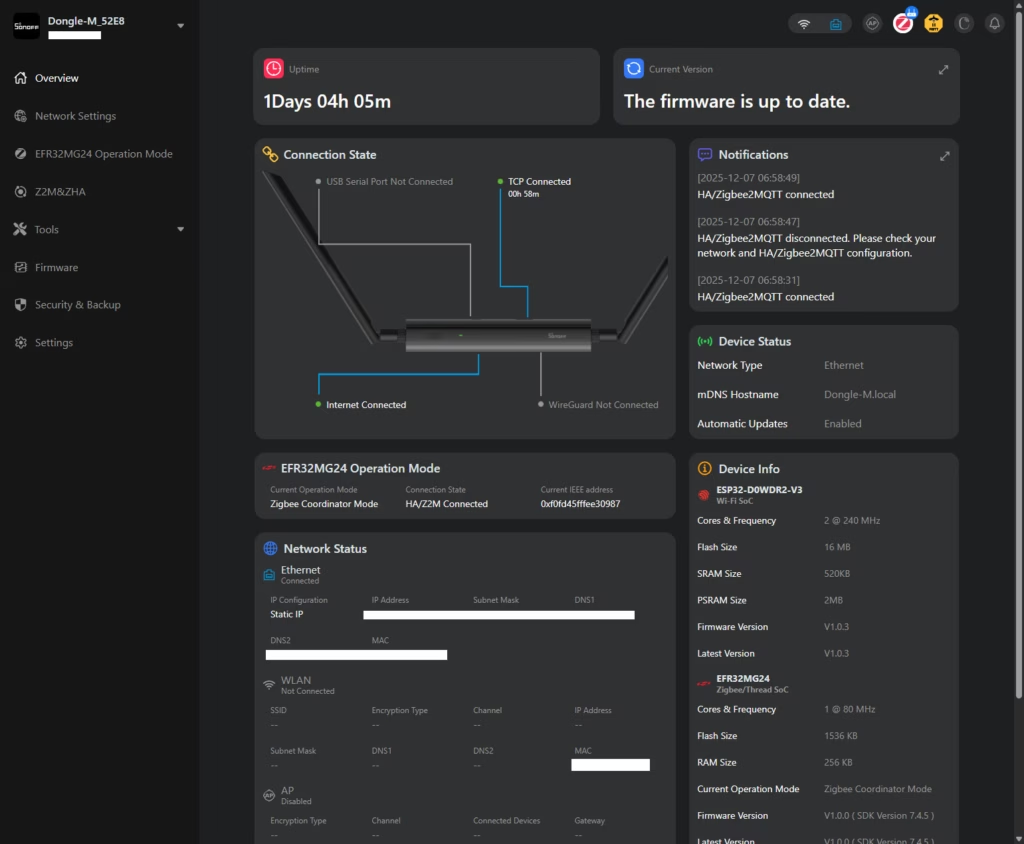
I set the Sonoff up with POE, so all I needed to do was plug it in, then I went to the local web UI to manage it.
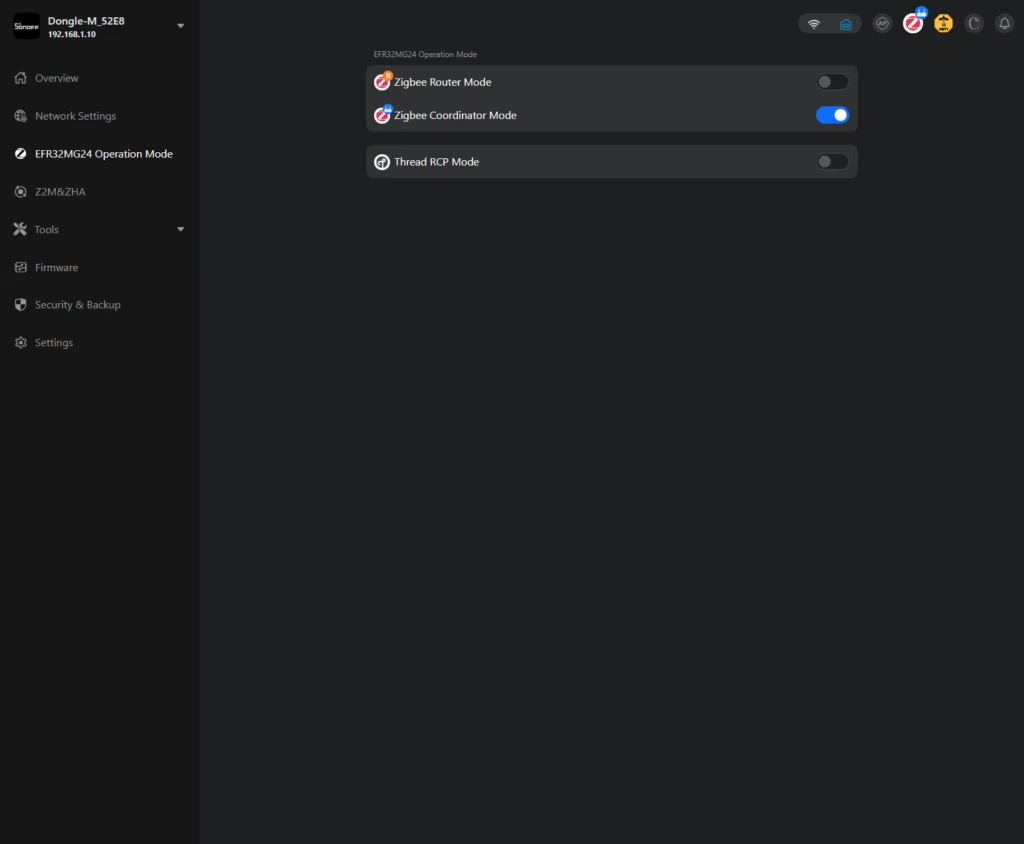
Within the web UI, you can change the settings and functions. The main one being the operation mode. You can choose between:
- Zigbee Router Mode
- Zigbee Coordinator Mode
- Thread RCP Mode
In general, you will want to use either Zigbee Coordinator or Thread RCP.
Sonoff Web GUI
MultiPAN
The Sonoff technically supports running Zigbee and Thread at the same time using multiPAN. Out of the box, this is not supported, but I believe it is available on the new Beta firmware.
However, multiPAN is not recommended by HA and considering the issues I had with the ZBT-1, I decided to stick to one protocol. I have the ZBT-2 as well which will get used for Thread (or vice versa).
WireGuard VPN
Adding to Home Assistant & Migration
I recently rebuilt my Home Assistant installation, so I didn’t have to migrate a large number of devices. I did migrate a few when switching from the ZBT-2 to the Sonoff, and it worked perfectly.
However, it largely depends on what you are migrating from and the devices you are migrating. I noticed one user comment that they had to re-pair over 100 devices out of 125 when they installed their ZBT-2.
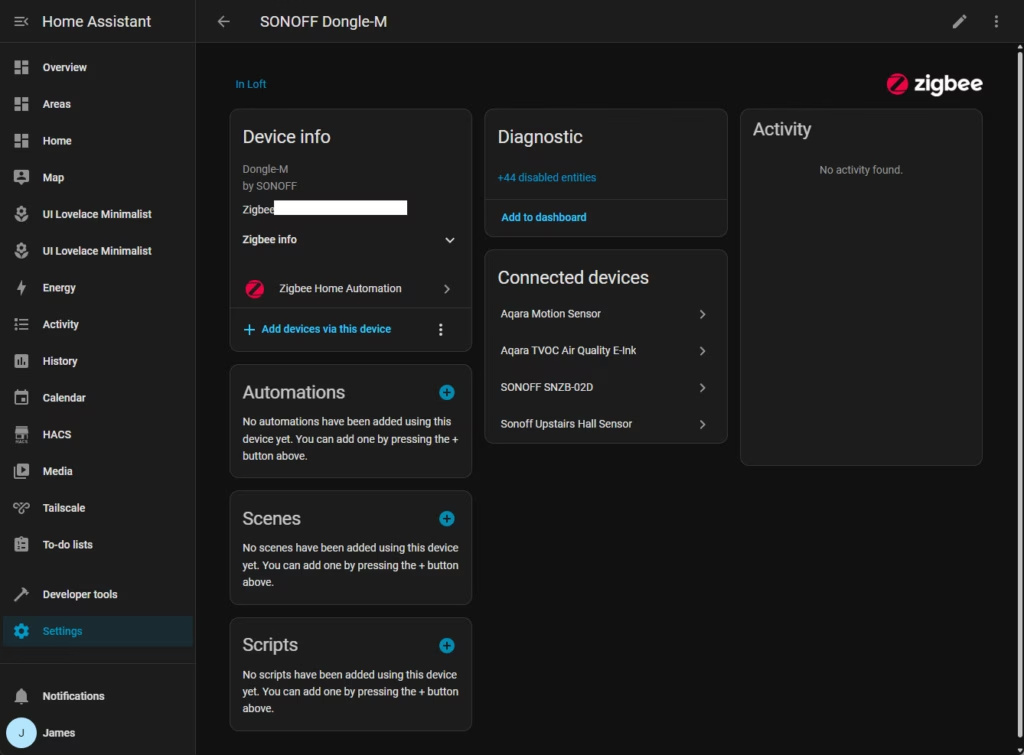
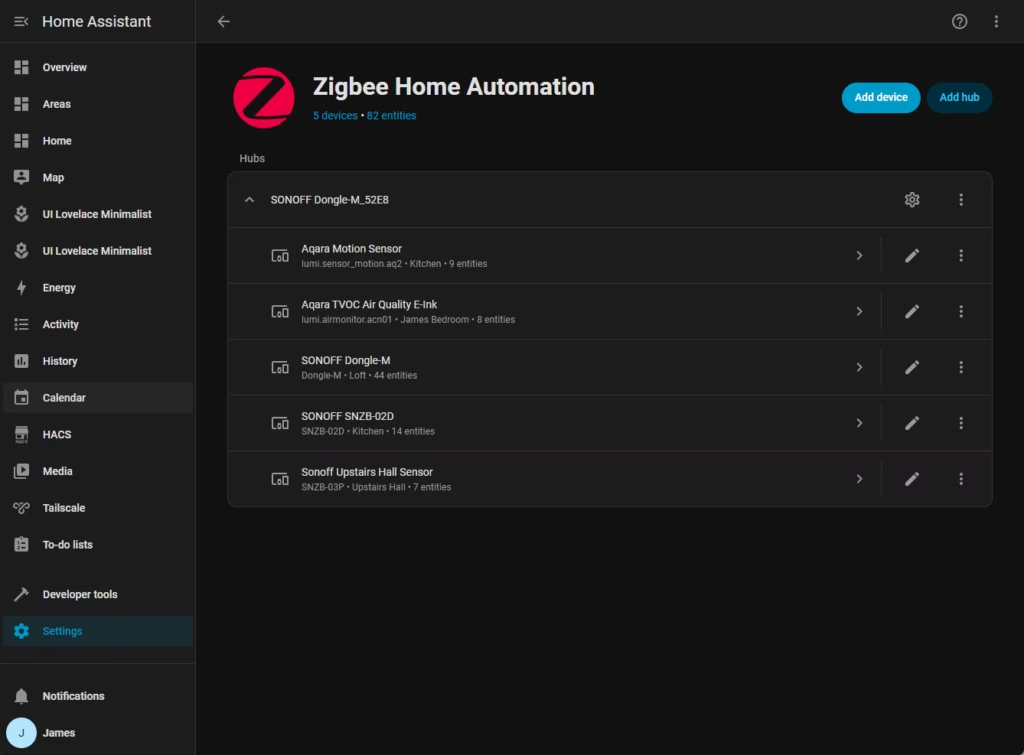
In terms of adding the Sonoff to Home Assistant, it is, or should be, an easy process, but I did experience issues.
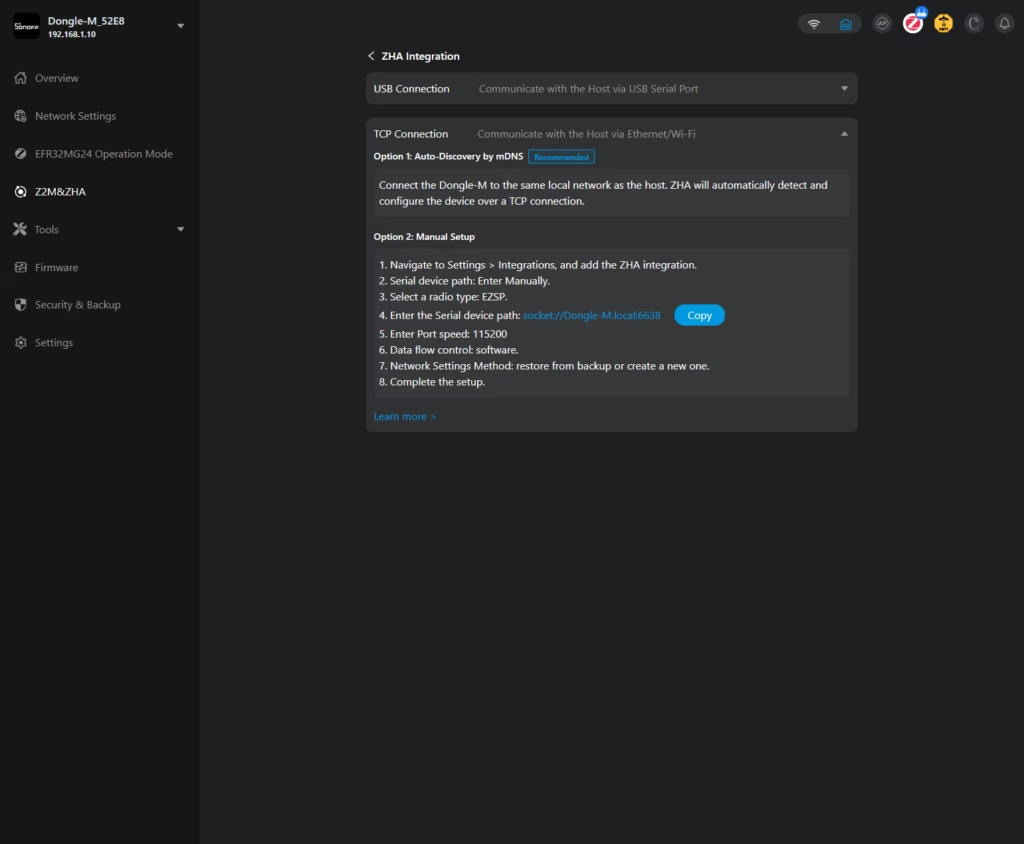
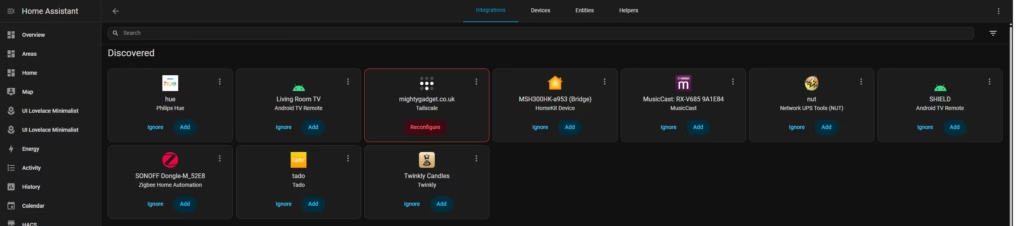
If you use the ZHA integration, in theory, Home Assistant should automatically identify the Sonoff and allow you to add it with username and password. For some reason, this did not work for me.
You can also manually add it, by:
- Navigate to Settings > Integrations, and add the ZHA integration.
- Serial device path: Enter Manually.
- Select a radio type: EZSP.
- Enter the Serial device path: socket://Dongle-M.local:6638
- Enter Port speed: 115200
- Data flow control: software.
- Network Settings Method: restore from backup or create a new one.
- 8. Complete the setup.
I also experienced issues with this. While I could log into the Sonoff web UI, Home Assistant refused to connect to it.
Eventually, I tried changing the IP and assigning a static IP. Once this was changed, it worked perfectly with the manual set up (the automatic option was still suing the old IP).
After this was added, HA still showed the Sonoff as an option to add automatically, so I later experimented migrating it over to that, and it worked perfectly this time.
Performance
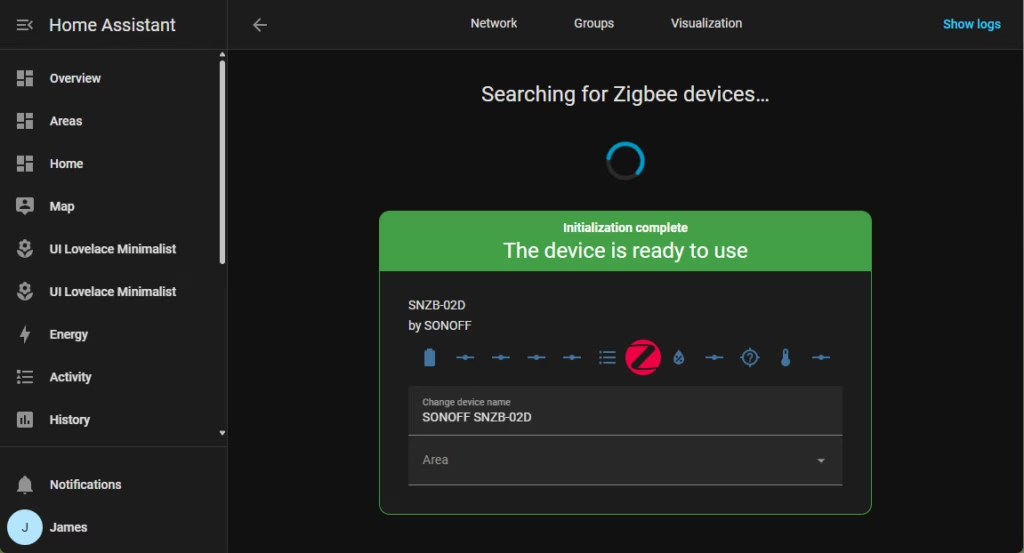
My old HA installation was a disorganised mess, as I use multiple hubs and am swapping devices in and out all the time for reviews. While I have previously used the ZBT-1, it was a bit unreliable, which is why I ended up sticking with proprietary hubs such as Aqara, then using Matter or native integrations.
With the Sonoff in place as my Zigbee coordinator, I have been migrating devices over to Home Assistant, and it has been performing superbly so far. It generally identifies and pairs devices quickly, and I love being able to do this from a browser rather than an app.
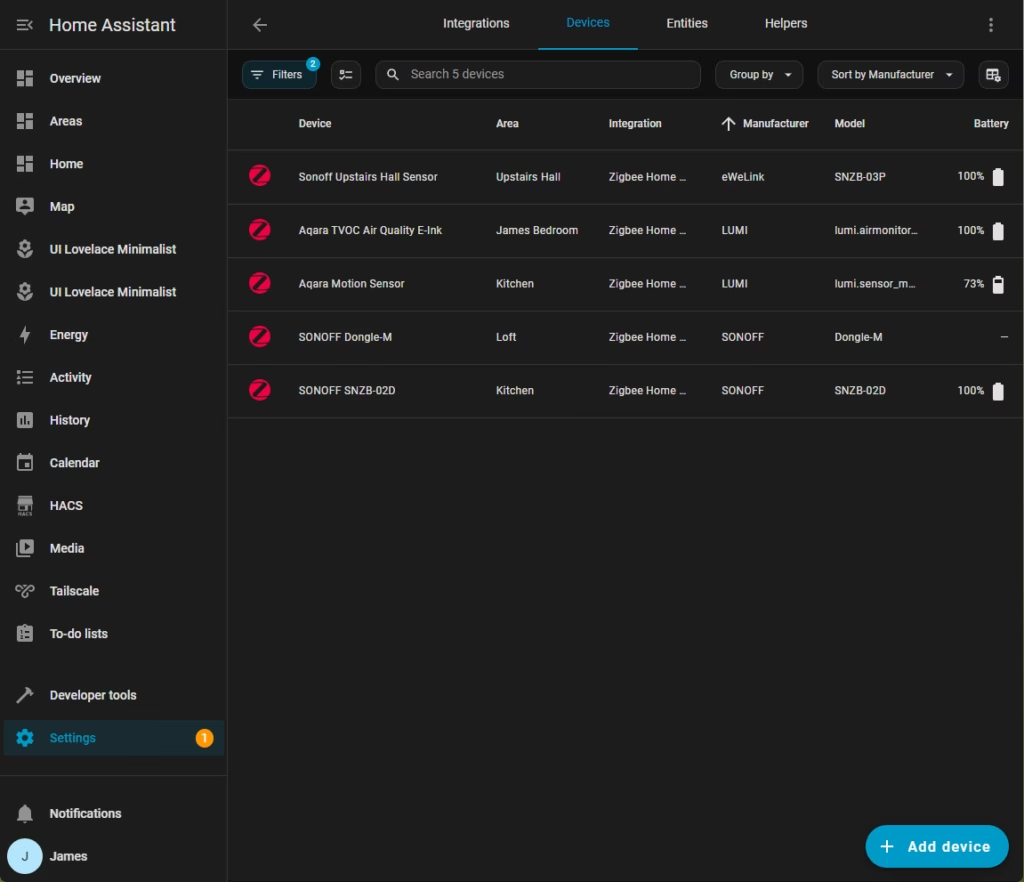
The dual 5dBi external antennas are not just for show. In my testing, the signal strength (LQI) reported by devices was consistently higher than what I achieved with the ZBT-1 or the older Sonoff Zigbee 3.0 USB Dongle Plus (P-version). The ability to position the Max centrally via PoE meant I covered the entire house without needing immediate router plugs to hop the signal.
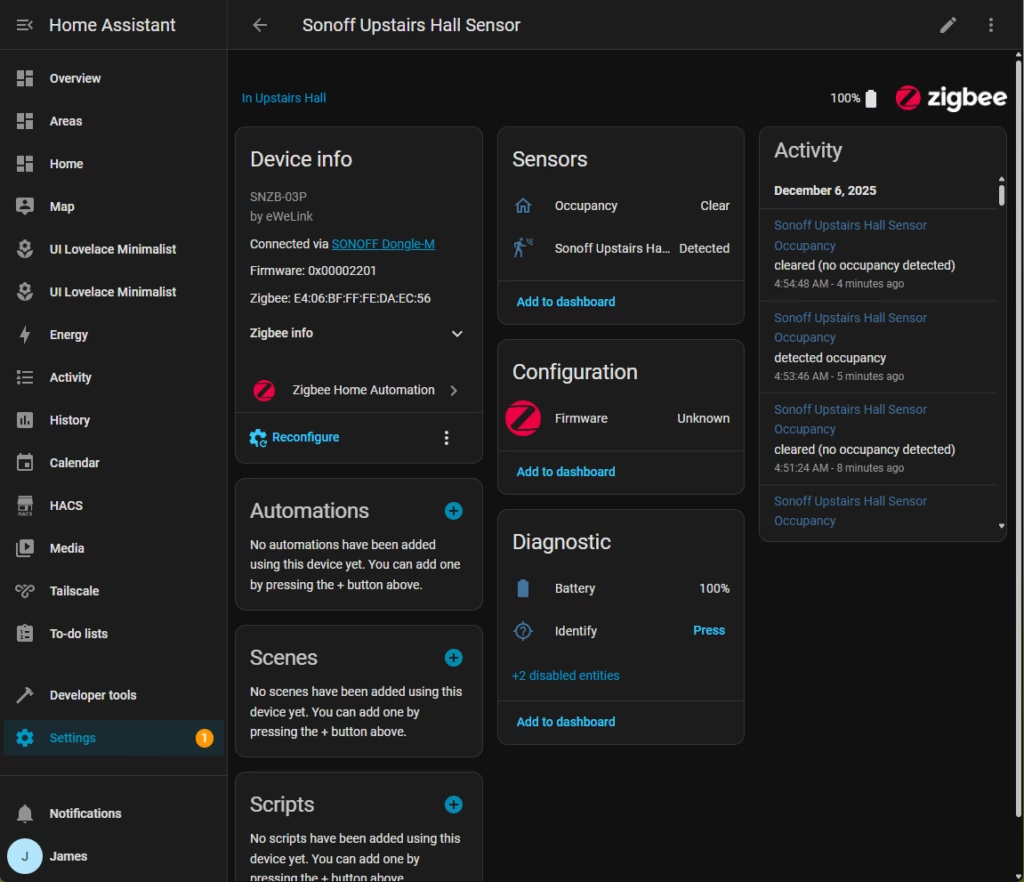
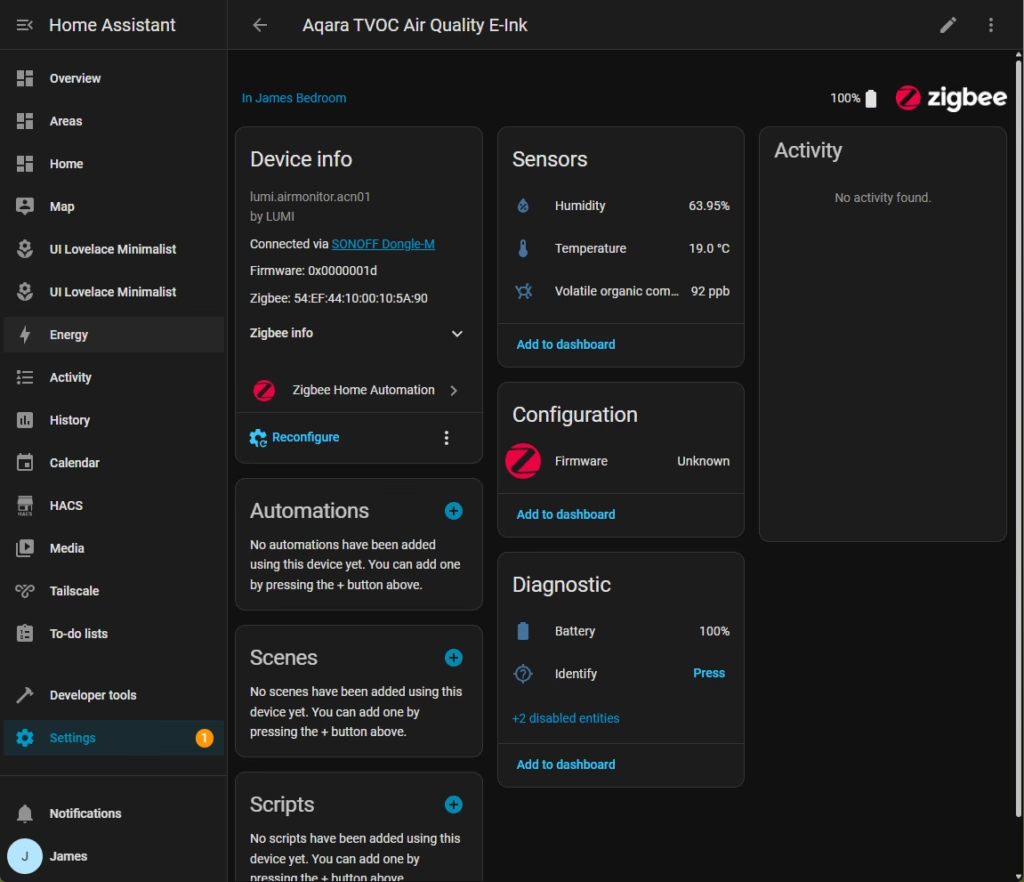
One common concern with Ethernet-connected coordinators is latency compared to a direct USB connection. While I only have a relatively small number of devices paired to this at the moment (around 30), I have not noticed any issues with the latency or responsiveness of automations. Lights trigger instantly. I run my HA instance on a reasonably powerful mini PC, so the hardware headroom likely mitigates any network overhead.
One of my motivations for this was that I previously added Philips Hue to Aqara via Matter. Technically, it works fine, and I was able to get my Aqara motion sensors controlling Hue lights. The main issue was Aqara does not import “friendly names” via Matter, so I had about 30 devices which I had to try and manually identify and rename. With Home Assistant and the Sonoff Max, I can do the same functionality much easier as everything is named properly from the start.
Comparison: Sonoff Max vs Home Assistant Connect ZBT-2
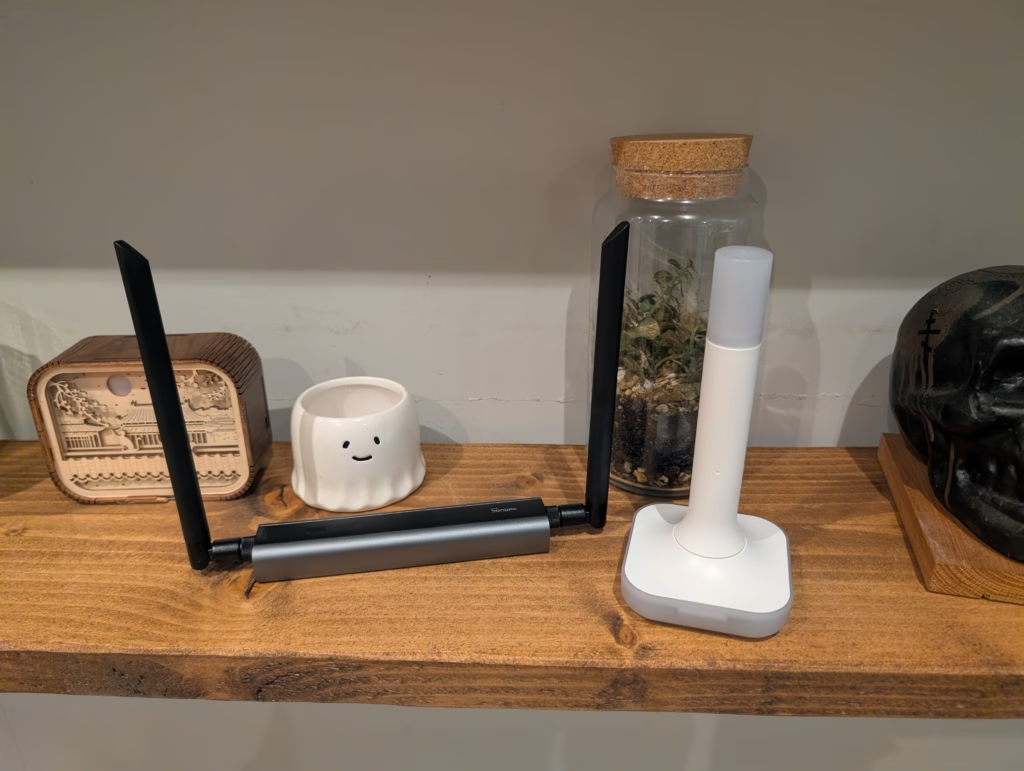
The Home Assistant Connect ZBT-2 is the official hardware from Nabu Casa. It retails for around GBP 52.99 (though often found on sale around GBP 40). It is a USB stick that also features the EFR32MG24 chip.
- Hardware Differences: The ZBT-2 is a sleek, white polycarbonate stick. It is designed to be plug-and-play. However, being USB-only, it must live near your server. If your server is in a basement or a metal rack, your Zigbee signal will suffer unless you run a very long USB extension cable. The Sonoff Max, by contrast, gives you the freedom of Ethernet. You can place it where the physics of radio waves dictates it should go, not where your server is.
- Performance: Both devices share the same radio chip (MG24), so theoretically, their raw processing power is identical. However, the Sonoff’s external antennas and power stability (PoE vs USB port power) give it a distinct edge in real-world range and link quality.
- Ease of Use: The ZBT-2 is easier if it works first time—it is natively supported by HA updates. The Sonoff requires a bit more networking knowledge (IP addresses, web UIs), but offers significantly more power for debugging issues.
Price and Alternative Options
The SONOFF has an RRP of £41.40, I paid £35 during Black Friday, only for it to then be reduced to £32.74.
The Home Assistant Connect Zigbee/Thread/Matter Adapter (ZBT-2) is available via Pimoroni.com for £41.90 after shipping and tax are calculated.
Popular alternative to these two is the MR1, MR2 and MR3 from SMLIGHT. These is similar to the Sonoff as it has POE and can support Thread and Zigbee at the same time. But, it is better than the Sonoff as it has dedicated radios for both Zigbee and Thread, rather than relying on MultiPAN. On Amazon, this sells for £84, so it is cheaper to run two Sonoffs running Zigbee and Thread separately, but on Aliexpress, you can get the SMLIGHT MR1 for around £45. The MR2 and MR3 have slightly different radios, but are unlikely to provide much performance difference.
Overall
I have been very impressed with the Sonoff Dongle Max.
There are cheaper versions from Sonoff, and I have no doubt that these would have been more than adequate for my needs, but considering how many smart home devices I have, I don’t think spending around £40 for a high-quality Zigbee or Thread dongle is excessive.
While Zigbee and Thread both extend their networks as you add more devices to the network, I feel happier knowing that my main Zigbee coordinator is located centrally in my home, providing the best possible signal.
Admittedly, my ZBT-2 is in my loft as a Thread Border Router, and I haven’t had any issues with this.
What I liked:
- Placement Flexibility: PoE allows installation in the optimal location for radio coverage.
- Build Quality: Solid aluminium casing dissipates heat and feels premium.
- Web Interface: Excellent tools for flashing firmware and scanning channels without touching the command line.
- Price: Cheaper than the official ZBT-2 while offering more hardware features.
What I didn’t like:
- Setup Glitches: The auto-discovery in Home Assistant ZHA was buggy and required manual IP configuration.
- MultiPAN: Still experimental, meaning you really should choose either Zigbee or Thread for this device, not both at once.
SONOFF PoE Dongle Max Review vs Home Assistant Connect ZBT-2 Zigbee & Thread Coordinators
SONOFF PoE Dongle Max Review vs Home Assistant Connect ZBT-2 Zigbee & Thread Coordinators
Summary
The Sonoff PoE Dongle Max is an excellent, flexible, and well-built upgrade for anyone running Home Assistant, offering superior placement options, stronger radio performance, and a far more capable interface than traditional USB-only coordinators. Its PoE support and dual-chip design make it a powerful alternative to the ZBT-2, especially in homes where server placement limits Zigbee coverage. While the setup is not always flawless and true multi-protocol support remains a work in progress, the Dongle Max delivers outstanding performance for the price and is an easy recommendation for users who want a robust, centrally placed Zigbee or Thread coordinator.
Pros
- Outstanding range and signal quality with dual external antennas
- PoE and Ethernet allow optimal placement away from server interference
- Excellent web interface with easy firmware management
- Strong value for money compared to the ZBT-2
Cons
- MultiPAN support is still experimental and not suitable for production use

I am James, a UK-based tech enthusiast and the Editor and Owner of Mighty Gadget, which I’ve proudly run since 2007. Passionate about all things technology, my expertise spans from computers and networking to mobile, wearables, and smart home devices.
As a fitness fanatic who loves running and cycling, I also have a keen interest in fitness-related technology, and I take every opportunity to cover this niche on my blog. My diverse interests allow me to bring a unique perspective to tech blogging, merging lifestyle, fitness, and the latest tech trends.
I’m proud to share that Vuelio has consistently ranked Mighty Gadget as one of the top technology blogs in the UK. With my dedication to technology and drive to share my insights, I aim to continue providing my readers with engaging and informative content.