Any links to online stores should be assumed to be affiliates. The company or PR agency provides all or most review samples. They have no control over my content, and I provide my honest opinion.
Home Assistant Connect ZBT-2 Review
Home Assistant Connect ZBT-2 Review
Summary
The Home Assistant Connect ZBT-2 is a well-executed and much-needed upgrade over the ZBT-1, delivering excellent range, stability, and a genuinely polished setup and migration experience within Home Assistant. Used as a dedicated Zigbee or Thread coordinator, it performs reliably and matches the real-world performance of the Sonoff PoE Dongle Max, while offering tighter Home Assistant integration and a more refined physical design. However, at similar pricing, the lack of PoE and single-protocol limitation make it harder to recommend over the Sonoff for experienced users who want maximum flexibility and optimal placement, even though the ZBT-2 remains an excellent choice for those seeking a clean, officially supported Home Assistant solution.
Pros
-
Excellent Zigbee and Thread performance with strong antenna range.
-
Seamless setup, firmware flashing, and network migration within Home Assistant.
-
Solid build quality and attractive freestanding design suitable for visible placement.
Cons
-
Limited to a single protocol at a time.
-
No PoE support, restricting optimal placement options.
-
Competes directly with cheaper and more flexible alternatives.
A few days ago, I reviewed the superb Sonoff PoE Dongle Max, which I was very impressed with. The more I use it, the more I love it.
In the past, I used the Nabu Case / Home Assistant SkyConnect / ZBT-1, which I used with multi-protocol and was temperamental at best. But, a few days after the Sonoff launch, Home Assistant announced the new ZBT-2, which is a significant upgrade to the old model.
While the ZBT-1 supported multiple protocols, it didn’t work well at all, and Home Assistant have chosen to limit the ZBT-2 to a single protocol at a time. The Sonoff can technically support both protocols, but this is in Beta.
Due to issues with multi-protocol, I have opted to use the Sonoff and ZBT-2 together, with one running Zigbee and the other Thread. In my opinion, they are both quite affordable if you have invested in a lot of smart home devices, so it makes sense to use different devices for each protocol to ensure the most reliable network.
Related Reviews
Specification
| Category | Specification |
| Dimensions and Weight | |
| Device | 83 x 83 x 179 mm, 157 g |
| With box | 227 x 168 x 42 mm, 350 g |
| Material | |
| Enclosure | Polycarbonate plastic |
| Colors | White, semi-transparent |
| Product Details | |
| SoCs | Silicon Labs MG24, ESP32-S3 (USB-serial bridge) |
| Power/Data | USB-C, 5 V DC, 500 mA |
| Supported Protocols | Zigbee 3.0, Thread |
| Antenna Characteristics | |
| Frequency range | 2400–2483.5 MHz |
| Transmit power | 10 dBm (Europe), 8 dBm (rest of world) |
| Antenna dimensions | 24 mm diameter, 164 mm height |
| Peak gain | 4.16 dBi |
| Radiation pattern | Omnidirectional |
| Environmental Conditions | |
| Use | Indoor only |
| Operating temperature | 0 °C to 65 °C (antenna: -40 °C to +85 °C) |
| Humidity | Non-condensing |
| Placement advice | Keep in dry, not excessively dusty environment; avoid direct sunlight and heat sources |
Features
Improved Performance
Optimised Antenna The ZBT-2 features an optimised antenna design intended to provide improved connectivity with Zigbee and Thread devices. The adapter also enables access to Matter-compatible devices across your network.
Updated Internals The ZBT-2 utilises an updated Zigbee and Thread chipset that delivers higher performance compared to the previous generation, whilst aiming to provide a stable network connection.
More Responsive The adapter operates at a baud rate of 460,800, compared to 115,200 on the ZBT-1. This represents a 4x increase in communication speed, which should translate to improved device responsiveness in practical use.
Second Generation Platform Following the introduction of the ZWA-2, the Connect range now includes the ZBT-2. Despite its more compact form factor compared to the ZWA-2, it shares the same second-generation architecture, focusing on performance and an open platform design that fits into various home environments.
Zigbee or Thread Connectivity
Built for Home Assistant The ZBT-2 has been developed by the team responsible for Home Assistant, ZHA, and Matter.js integration.
Setup and Configuration
- The adapter includes a setup wizard designed to simplify the initial configuration process for Zigbee or Thread networks, with one-click firmware updates available through the interface.
- Users can migrate existing Zigbee or Thread networks to the ZBT-2.
- Setting up a new network involves dedicating the ConnectZBT-2 to either Zigbee or Thread protocol operation.
Design
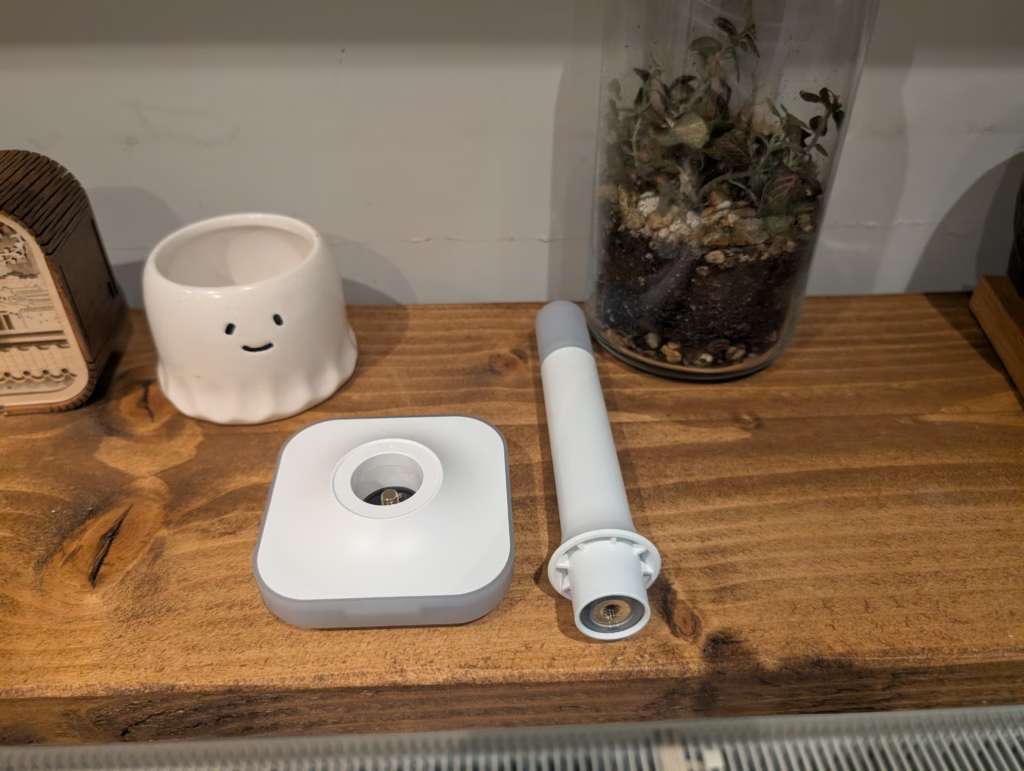
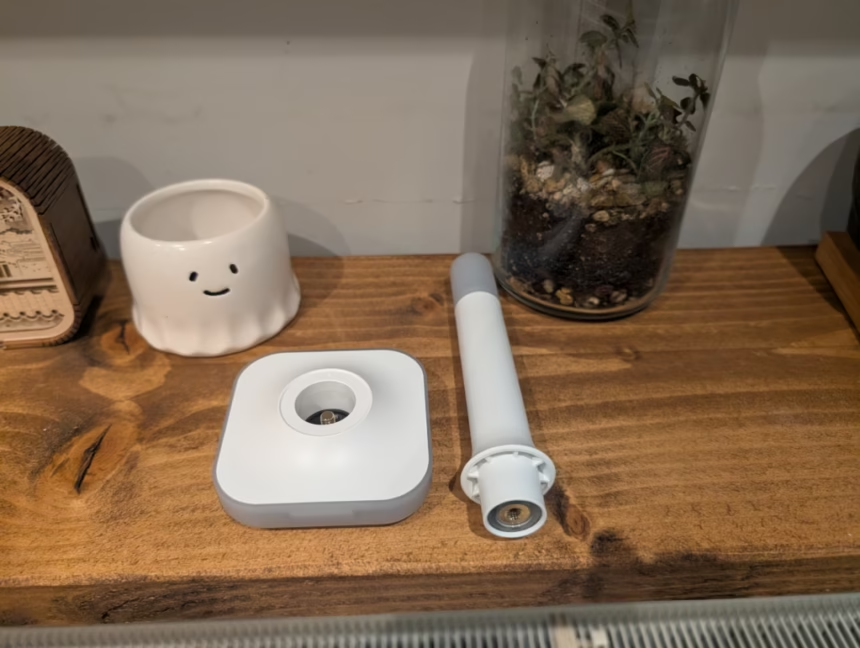
The Home Assistant Connect ZBT-2 adopts the same desk aesthetic as the Home Assistant Connect ZWA-2. It presents a sleek, modern look with a clear design resemblance to Home Assistant’s Z-Wave dongle, but in a more compact size. The design language aligns with other recent Home Assistant hardware like the Green and Voice, featuring smooth, rounded elements and an appealing mix of white, translucent, and transparent parts for the outer casing.
It is substantially larger than the ZBT-1, which was basically a small USB dongle. The ZBT-2 is now a free-standing antenna with an aesthetic design that you can have sitting out in the open on a shelf or your desk without it looking out of place. Once assembled, it looks like a tiny desk microphone that picked a career in RF engineering. The size is not just about aesthetics though – it is about physics. A big antenna equals big range, and the ZBT-2 delivers on this front.
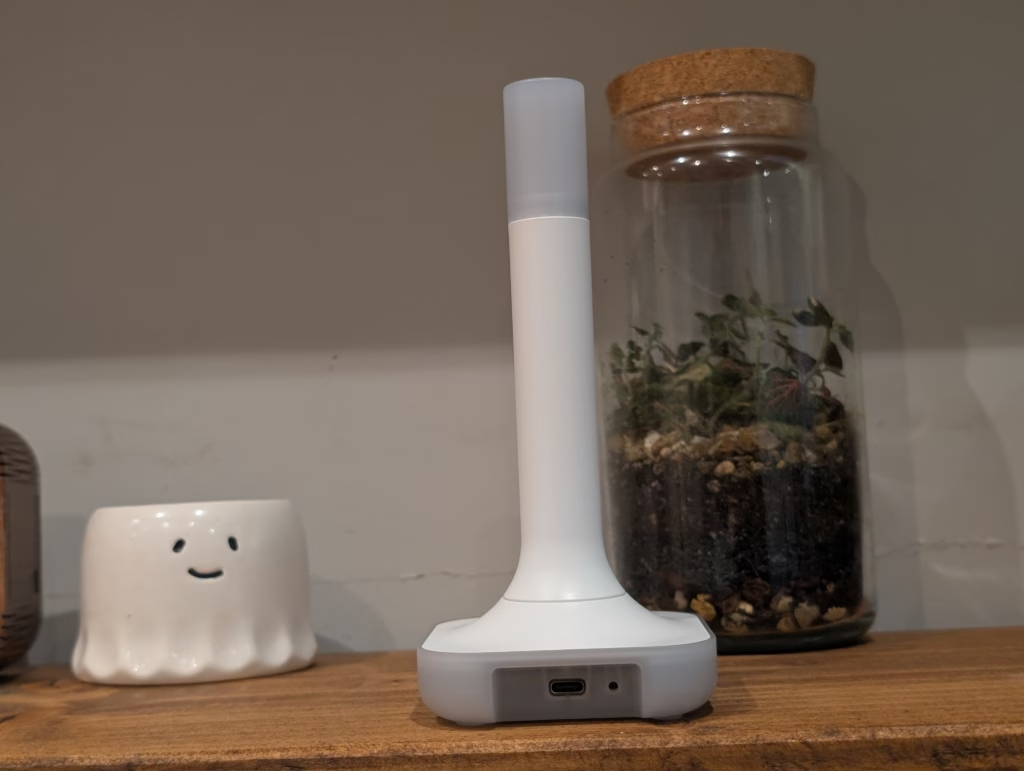
The base unit contains the main components, which include the EFR32MG24 Zigbee/Thread chip. The elongated stem contains the antenna, which maximises range as much as possible. On top of the antenna is an LED, which is used to provide feedback, although it apparently has fewer options to control than the Z-Wave version. The current firmware does not enable the LED lighting when in Thread mode, though this may change with future updates.
The overall build quality is very solid, especially when compared with the ZBT-1, which was just a thin plastic dongle that even had a problematic batch recalled by Home Assistant. The ZBT-2 has a reasonable weight allocation, allowing it to sit steadily on a table without easily tipping over. There is also a relatively long 1.2 metre USB lead supplied, which is important as you want to place the antenna away from components that may interfere with the Zigbee or Thread signal. The cable has a durable, fibre-coated finish that fits well with the design, though the white colour may be less resistant to dirt.
Set up within Home Assistant

The Home Assistant Connect ZBT-2 adopts the same desk aesthetic as the Home Assistant Connect ZWA-2. It presents a sleek, modern look with a clear design resemblance to Home Assistant’s Z-Wave dongle, but in a more compact size. The design language aligns with other recent Home Assistant hardware like the Green and Voice, featuring smooth, rounded elements and an appealing mix of white, translucent, and transparent parts for the outer casing.
It is substantially larger than the ZBT-1, which was basically a small USB dongle. The ZBT-2 is now a free-standing antenna with an aesthetic design that you can have sitting out in the open on a shelf or your desk without it looking out of place. Once assembled, it looks like a tiny desk microphone that picked a career in RF engineering. The size is not just about aesthetics though – it is about physics. A big antenna equals big range, and the ZBT-2 delivers on this front.
The base unit contains the main components, which include the EFR32MG24 Zigbee/Thread chip. The elongated stem contains the antenna, which maximises range as much as possible. On top of the antenna is an LED, which is used to provide feedback, although it apparently has fewer options to control than the Z-Wave version. The current firmware does not enable the LED lighting when in Thread mode, though this may change with future updates.
The overall build quality is very solid, especially when compared with the ZBT-1, which was just a thin plastic dongle that even had a problematic batch recalled by Home Assistant. The ZBT-2 has a reasonable weight allocation, allowing it to sit steadily on a table without easily tipping over. There is also a relatively long 1.2 metre USB lead supplied, which is important as you want to place the antenna away from components that may interfere with the Zigbee or Thread signal. The cable has a durable, fibre-coated finish that fits well with the design, though the white colour may be less resistant to dirt.
Zigbee setup and migration

Initially, I tested this with Zigbee. In my previous Sonoff review, I pointed out that I did not have many Zigbee devices directly integrated with HA. Due to all the reviews I do, I have integrated most things via Matter or the built-in integrations. This mainly included Aqara and Philips Hue devices. Since getting the Sonoff, I have started moving things away from Aqara and directly into HA.
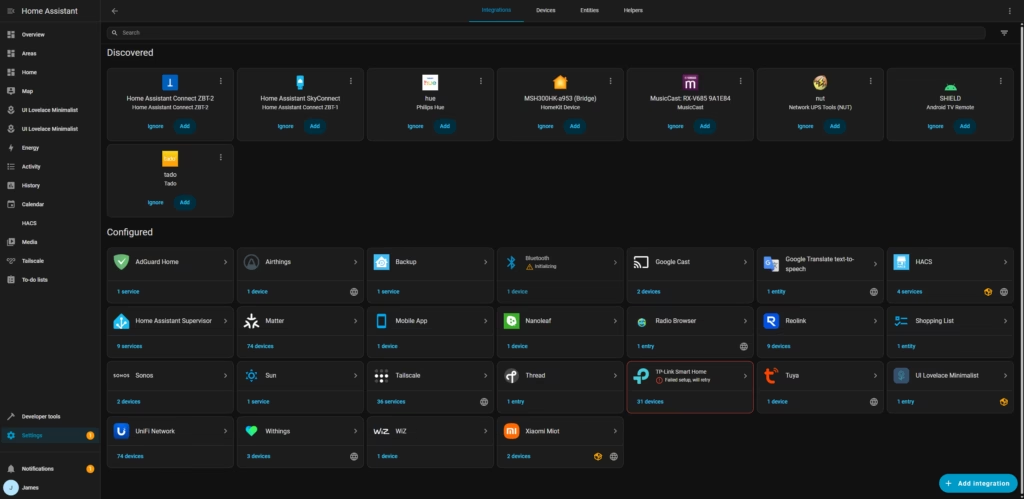
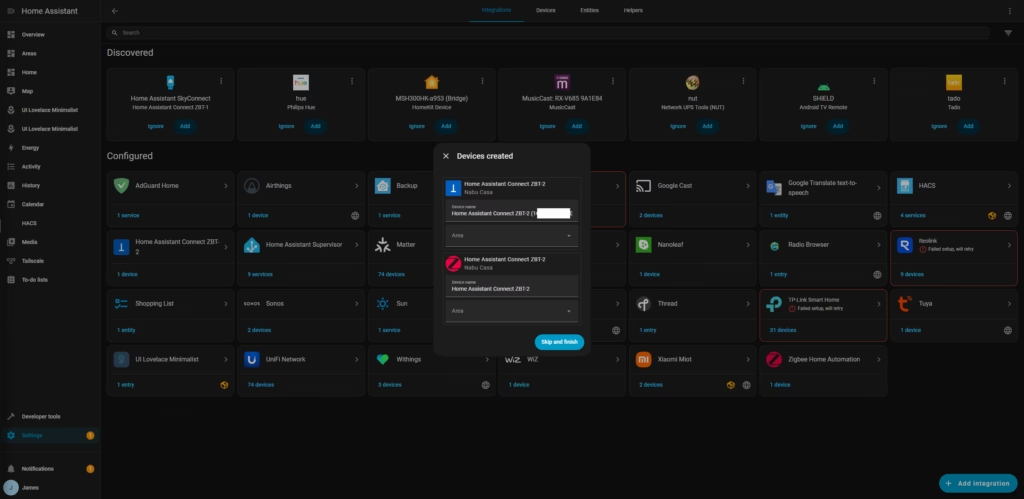
With the ZBT-2, I migrated the Zigbee devices on the Sonoff to the ZBT-2. I only had 10 devices to migrate and had no issues, but I have read reports that some people need to reset devices when doing large migrations. The migration wizard is genuinely impressive – Home Assistant detected the stick instantly, launched the migration wizard, and transferred everything. There was no repairing, no running around the house pressing buttons like a maniac, and no Aqara devices pretending they could not see the new coordinator. It just worked.
This migration flow has been developed over a very long time. If you are running a reasonably up-to-date Home Assistant with the last few releases, you should see the same flawless results. Zigbee2MQTT also has a fully tested migration path if you prefer that integration over ZHA.
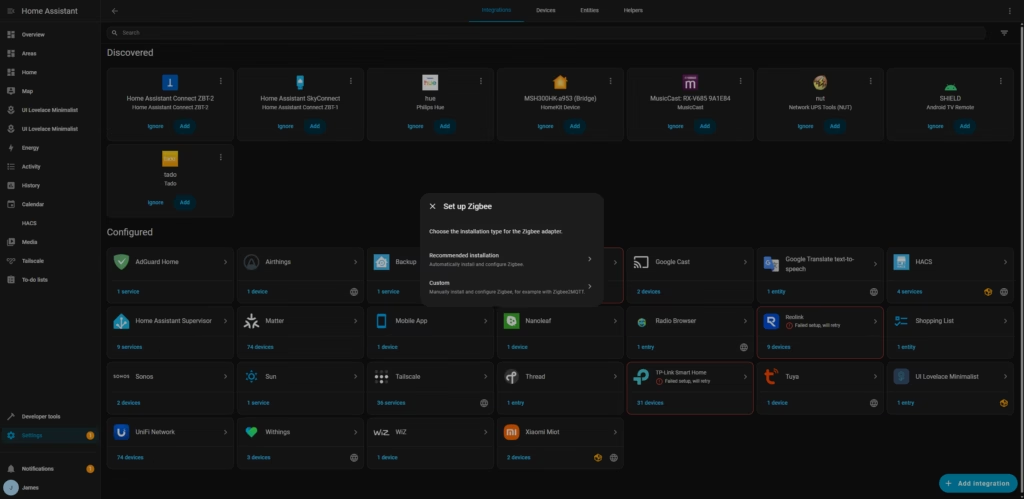
If you are using ZHA, you can either follow the recommended settings or use the migration wizard. This process updates the firmware automatically and completes the ZHA setup in your Home Assistant instance. Once flashed, ZHA gets auto-discovered and you are done. At the moment, the ZBT-2 uses EmberZNet Zigbee firmware version 7.4.4.3 in ZHA. This is not the latest Ember firmware, but it appears to be the latest one validated for the ZBT-2. Regardless, the device pairs and works flawlessly.
For setting up the ZBT-2 with Zigbee2MQTT, you select the Custom option during the onboarding process. Home Assistant will automatically flash the required firmware so the adapter can be used with Z2M. Once the process finishes, you can point Zigbee2MQTT to the newly created serial device.
Thread
After testing Zigbee, I restored a backup, moving everything back to the Sonoff and setting up the ZBT-2 as my main Thread controller. I love the concept of Matter over Thread, but in the past, I have had a few issues with getting devices set up with it. I struggled getting devices to connect with Aqara hubs and would often require multiple attempts before it would work. Frequently, this would mean me having to pair the device right next to the Aqara Hub. With the older ZBT-1, it was barely possible to get devices paired up, with the problem being exacerbated by my using multiple protocols.
With both the ZBT-2 and Sonoff, things were much better, but I do find the onboarding process is much more time-consuming than Zigbee. It takes quite a lot of time to fully connect, and based on my past experiences, I would end up staring at my phone waiting for it to connect, assuming it would fail. However, while it has been slower to connect devices than Zigbee, it has been much more reliable than the ZBT-1 and the Aqara Hubs I have used with Thread.
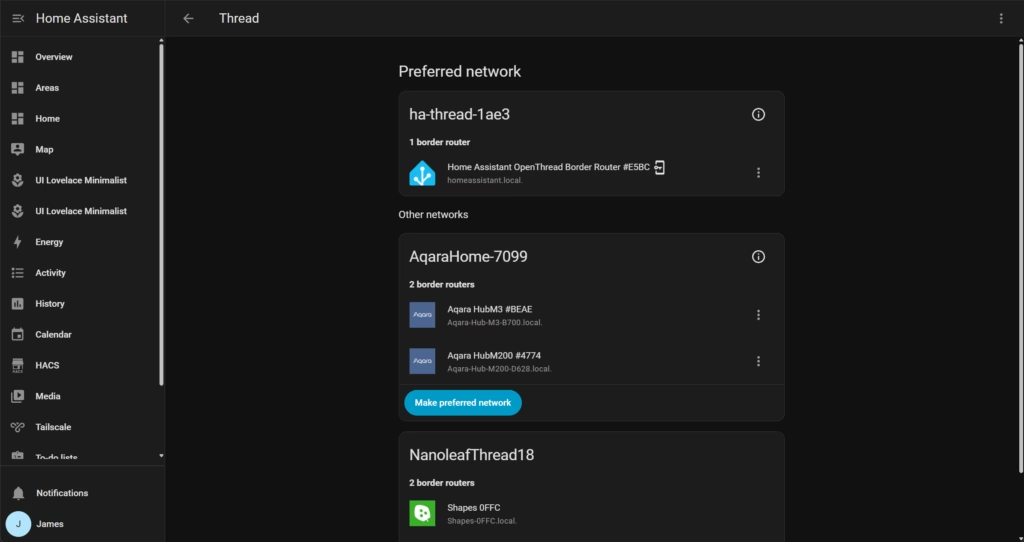
To set up Thread, select Use as Thread adapter in the configuration wizard. This option automatically flashes the firmware, downloads and installs the Open Thread Border Router add-on, applies the correct settings, and starts it up right away. Thread and OTBR are then auto-discovered in Home Assistant, and you are ready to go. The ZBT-2 currently runs OpenThread RCP version 2.4.4.0, which is not the newest release, but many devices ship with slightly older but fully stable stacks that have been tested and validated for their hardware. Even with this version, the ZBT-2 performs perfectly as a Thread Border Router.
Home Assistant offers one of the most stable OpenThread Border Routers available. Some home-made solutions, and even some from major brands, crash occasionally. The Home Assistant add-on also offers access to the standard webUI and REST API, so you can view and make advanced configurations to your Thread Border Router.
Performance
It is hard to gauge performance accurately, but from my testing, it is effectively the same as the Sonoff PoE Dongle Max. There are pros and cons to each.
The Sonoff benefits from POE, meaning you can place it anywhere in your home if connected to Ethernet (you may need a POE adaptor if you don’t have a POE switch). This, therefore, allows you to locate it centrally in your home for the best possible signal.
On the flip side, POE, in theory, will create some latency in comparison to USB.
In reality, from my subjective experience, I notice no difference in performance. Both perform substantially better than the old ZBT-1.
Devices on the edge of my property responded fast. Battery sensors showed up reliably with few delays. I even placed a temperature and humidity sensor in my car, which is parked on the street, to see how this would work, and so far, it has performed reliably.
The ZBT-2’s antenna has a peak gain of 4.16 dBi. This number is comparable to the 4 dBi on the SMLight range and the 4.5 dBi on the Sonoff Dongle Max. This means either of these dongles should theoretically provide a similar network range and coverage. The Home Assistant team do claim the ZBT-2 antenna is perfectly fine-tuned and optimised, and based on my testing, I am inclined to believe them.
To truly test a coordinator like the ZBT-2, you would need a very large Zigbee network to push it to its limits. Theoretically, the EFR32MG24 can handle up to 200 routers and a total network size of over 500 Zigbee devices in a well-built mesh. However, the health and responsiveness of the network will ultimately depend on many other factors, such as the number and placement of mains-powered Zigbee routers, wireless interference from Wi-Fi and other 2.4 GHz signals, electromagnetic interference from other devices and adjacent USB ports, and proper Zigbee channel setup.
Price and Alternative Options
The Home Assistant Connect ZBT-2 is available from pimoroni.com for £41.90 including tax and delivery; however, at the time of writing, it was out of stock.
Amazon lists this as a US import for £78.30.
The SONOFF Zigbee/Thread PoE Dongle Max is arguably the best alternative. This has an RRP of £41.30, but at the time of writing, was available on Amazon for £31.20. This (technically) supports both protocols at one time with multiPAN, and the POE connectivity allows you to place it optimally within your home.
There are also MR1, MR2, and MR3 from SMLIGHT. This is similar to the Sonoff as it has POE and can support Thread and Zigbee at the same time. But, it is better than the Sonoff as it has dedicated radios for both Zigbee and Thread, rather than relying on MultiPAN. On Amazon, this sells for £84, so it is cheaper to run two Sonoffs running Zigbee and Thread separately, but on Aliexpress, you can get the SMLIGHT MR1 for around £45. The MR2 and MR3 have slightly different radios, but are unlikely to provide much performance difference.
Overall
The Home Assistant Connect ZBT-2 is excellent and a substantial upgrade to the ZBT-1.
It is a logical purchase for anyone getting into Home Assistant, and it is more attractive than some generic dongle.
That said, it is hard to give it a glowing recommendation when you can get the Sonoff Dongle Max for less, which is arguably a superior product.
The ZBT-2 is perhaps a bit more appealing to new users, as you have the reassurance of knowing the device you are adding will work with HA. It is also more aesthetically pleasing than the alternatives, which could be beneficial if the PC/device you are running HA from is out in the open.
Overall, I think the Home Assistant Connect ZBT-2 is superb, but in my opinion, it is not as good as the Sonoff Dongle Max.
Home Assistant Connect ZBT-2 Review
Home Assistant Connect ZBT-2 Review
Summary
The Home Assistant Connect ZBT-2 is a well-executed and much-needed upgrade over the ZBT-1, delivering excellent range, stability, and a genuinely polished setup and migration experience within Home Assistant. Used as a dedicated Zigbee or Thread coordinator, it performs reliably and matches the real-world performance of the Sonoff PoE Dongle Max, while offering tighter Home Assistant integration and a more refined physical design. However, at similar pricing, the lack of PoE and single-protocol limitation make it harder to recommend over the Sonoff for experienced users who want maximum flexibility and optimal placement, even though the ZBT-2 remains an excellent choice for those seeking a clean, officially supported Home Assistant solution.
Pros
-
Excellent Zigbee and Thread performance with strong antenna range.
-
Seamless setup, firmware flashing, and network migration within Home Assistant.
-
Solid build quality and attractive freestanding design suitable for visible placement.
Cons
-
Limited to a single protocol at a time.
-
No PoE support, restricting optimal placement options.
-
Competes directly with cheaper and more flexible alternatives.
Last update on 2025-12-19 / Affiliate links / Images from Amazon Product Advertising API

I am James, a UK-based tech enthusiast and the Editor and Owner of Mighty Gadget, which I’ve proudly run since 2007. Passionate about all things technology, my expertise spans from computers and networking to mobile, wearables, and smart home devices.
As a fitness fanatic who loves running and cycling, I also have a keen interest in fitness-related technology, and I take every opportunity to cover this niche on my blog. My diverse interests allow me to bring a unique perspective to tech blogging, merging lifestyle, fitness, and the latest tech trends.
I’m proud to share that Vuelio has consistently ranked Mighty Gadget as one of the top technology blogs in the UK. With my dedication to technology and drive to share my insights, I aim to continue providing my readers with engaging and informative content.