
At a glance
Expert’s Rating
Pros
- Stunning display
- Great performance
- Clever front camera setup
- Good accessories
Cons
- It’s too big to use without a keyboard or stand
- S Pen is less capable than before
- Astronomical price
Our Verdict
Samsung’s oversized tablet remains one of the best devices around for Consuming content. With a slimmer profile and lighter weight, it’s more portable than ever before, despite the boost to performance and battery life. But it’s still so large that it’s almost impossible to use without a keyboard case, and the price matches that of a decent laptop. You’ve got to really want a massive tablet for this to make sense.
Price When Reviewed
This value will show the geolocated pricing text for product undefined
Best Pricing Today
Price When Reviewed
From $1,159
Best Prices Today: Samsung Galaxy Tab S11 Ultra

$1,199.45
Samsung has been one of the most consistent producers of Android tablets over the past years, staying true to the segment while other brands dropped out – and more recently, rejoined the fun.
It’s no surprise, then, that Galaxy Tab models are amongst the best-selling Android tablets, following behind Apple’s dominance with the iPad. To challenge Apple’s top tablet, the iPad Pro, Samsung went big, throwing everything it could into this device. In 2025, that’s resulted in the Galaxy Tab S11 Ultra.
I’m going to put it out there: it’s very much an iterative update of the model that came before. If you were expecting a surprisingly new novelty here, you might be out of luck. The question surrounding the Galaxy Tab S11 Ultra is as much about whether you should buy this tablet as whether it makes any sense at all.
Design, Build & Accessories
- Grey or Silver colour options
- 5.1mm thick, 690g
- S Pen included
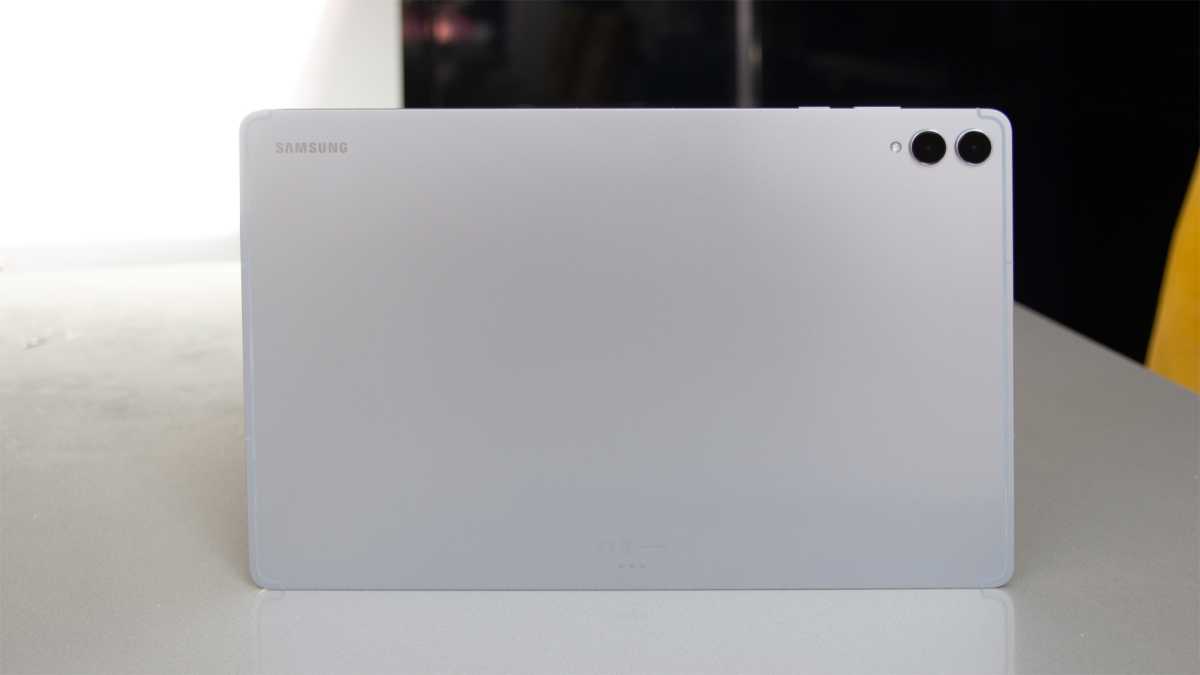
The physical footprint of the Galaxy Tab S11 Ultra remains much the same as it was previously, the biggest notable difference being a slimming down to 5.1mm. Why 5.1mm? Probably because that’s what the 13-inch iPad Pro offers. Remember Apple’s ill-conceived “Crush!” advert destroying all manner of art, music and other creative menagerie? That’s why.
That also follows the trend in devices that we’re seeing again, where slim is in. Certainly, it lends a premium feel to things, and with an IP68 rating and luscious metal finish, there’s no questioning the Ultra quality here.
Chris Hall / Foundry
There’s also no avoiding the sheer size of this tablet. While the reduction in the waistline has led to a slight drop in weight, we’re no closer to practical handholdability here. The Galaxy Tab S11 Ultra is just too darn big to practically use without some sort of stand.
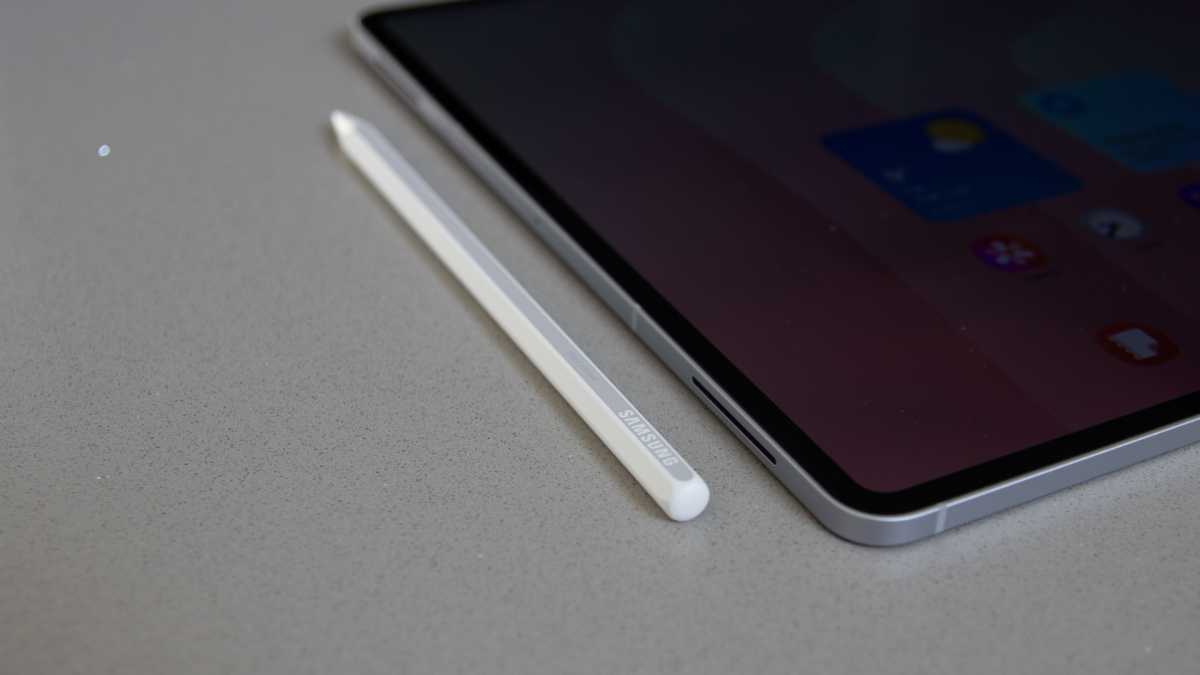
Sure, it’s usable in a rest-on-your-knees sort of way, but compared to a 10-inch tablet, it’s hard to use. That’s why the range of accessories is important. In the box comes the S Pen, which has lost the BLE (Bluetooth Low Energy) connection it once offered, so it’s now just a pointy stick.
Yes, the writing experience is great and the feel of the S Pen is great, lending itself to artists and creatives who value that input, but it’s slightly less useful than it was.
The Galaxy Tab S11 Ultra is just too darn big to practically use without some sort of stand
That shouldn’t come as a surprise: Samsung pulled the same move with the Galaxy S25 Ultra earlier in the year. Personally, I don’t find it any great loss, and before you ask, no, you can’t just use an old S Pen.
Chris Hall / Foundry
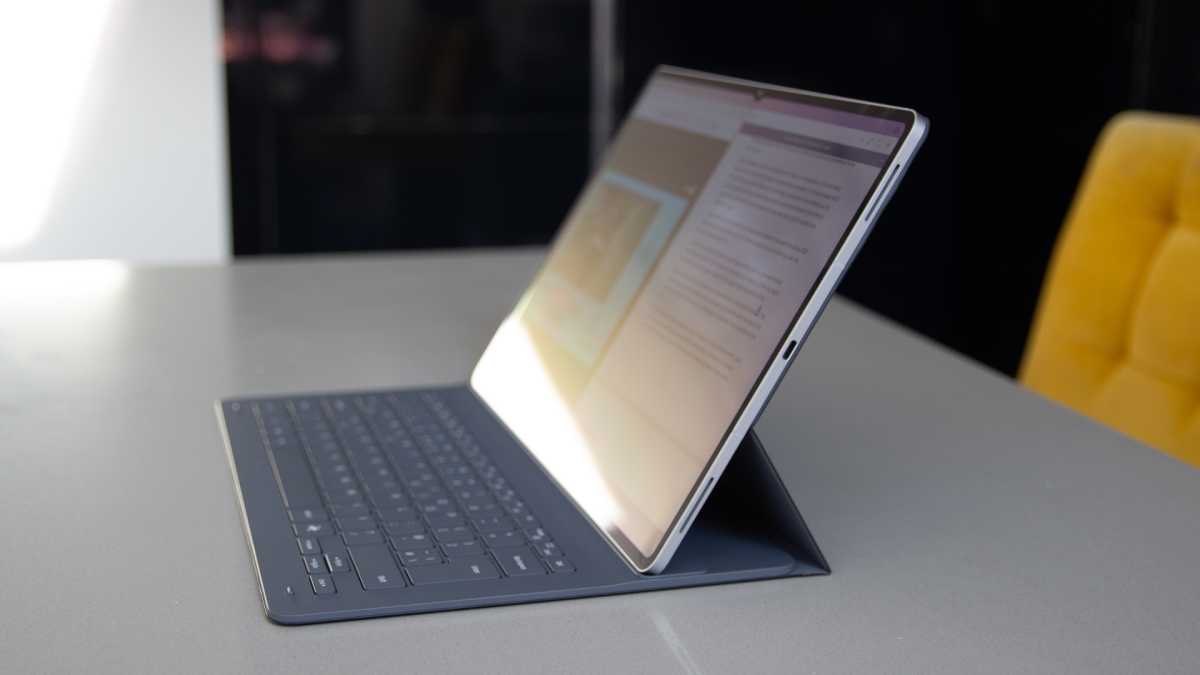
The Book Cover Keyboard Slim costs an extra £199/$199 but is almost essential for the Tab S11 Ultra to realise its potential. You might baulk at that price, but it’s a bargain compared to the £349/$349 Apple Magic Keyboard for iPad.
It’s a neat case offering lots of keyboard space, but there’s no trackpad, leaving you to use touch instead, though it’s easy enough to add a Bluetooth mouse if you want one. The keys have a nice action, while it is compact enough not to bulk the tablet too much, providing protection all the way around and keeping your tablet free from scratches on the rear.
It also holds the screen nicely at an angle for using it as a laptop replacement, and perhaps more importantly, so you can use it to watch movies. Is this what the Galaxy Tab S11 Ultra boils down to, a giant mobile device for consuming media? Pretty much.
Screen & Speakers
- 14.6-inch 2.9k 120Hz AMOLED display
- 1600 nits peak brightness
- Quad speaker system with Dolby Atmos
That 14.6-inch display gets a peak brightness boost over the previous iteration, but sticks to the same sharp resolution. It’s a premium AMOLED display, something that Samsung does so well and ultimately, the display is the reason to buy the Galaxy Tab S11 Ultra. Premium OLED displays come at a high cost, and even more so in larger sizes.
The 120Hz refresh rate keeps things nice and smooth with scrolling, and as you’d predict, there’s no shortage of punch from this screen. Colours are great, blacks are dark, and it’s just delightful to look at.
The display is the reason to buy the Galaxy Tab S11 Ultra
I settled down to watch downloaded movies on a 12-hour flight using the Galaxy Tab S11 Ultra and felt very smug with the first-class experience. Plenty of people use the iPad for exactly the same thing, but seriously, when you’re making up for the low quality and poor execution of an airline’s in-flight entertainment system, the Galaxy Tab S11 Ultra is a spectacular performer.
Chris Hall / Foundry
There’s an anti-reflective coating on the Galaxy Tab S11 Ultra, which makes reflection take on a bit of a blue tinge, but it’s otherwise fairly effective in making sure that the worst of the reflections are kept under control.
There are four speakers around the chassis of the Tab S11 Ultra, aiming to give you immersive virtualised Dolby Atmos surround sound. The sound from the Tab S11 Ultra is pretty rich and full-bodied, making it ideal for video calls and ad hoc video watching. It’s great for watching Netflix while in a hotel room, or belting out some Spotify tracks at max volume, which ensures room-filling audio without the distortion.
You can connect a speaker or headphones, of course, but this is one of the few mobile devices where it’s really not necessary.
Specs & Performance
- MediaTek Dimensity 9400+ chipset
- 12GB RAM, 16GB on 1TB model
- 256/512GB/1TB storage + up to 2TB Micro-SD expansion
As Samsung’s flagship tablet, I’m glad to see that the Tab S11 Ultra has a chipset to match. This time, it’s MediaTek’s top-of-the-line Dimensity 9400+. It’s a clear upgrade compared to the Dimensity 9300+ in the Tab S10 Ultra, with a slightly higher clock speed and a move to 3nm architecture, so it’s notionally more power efficient as a result.
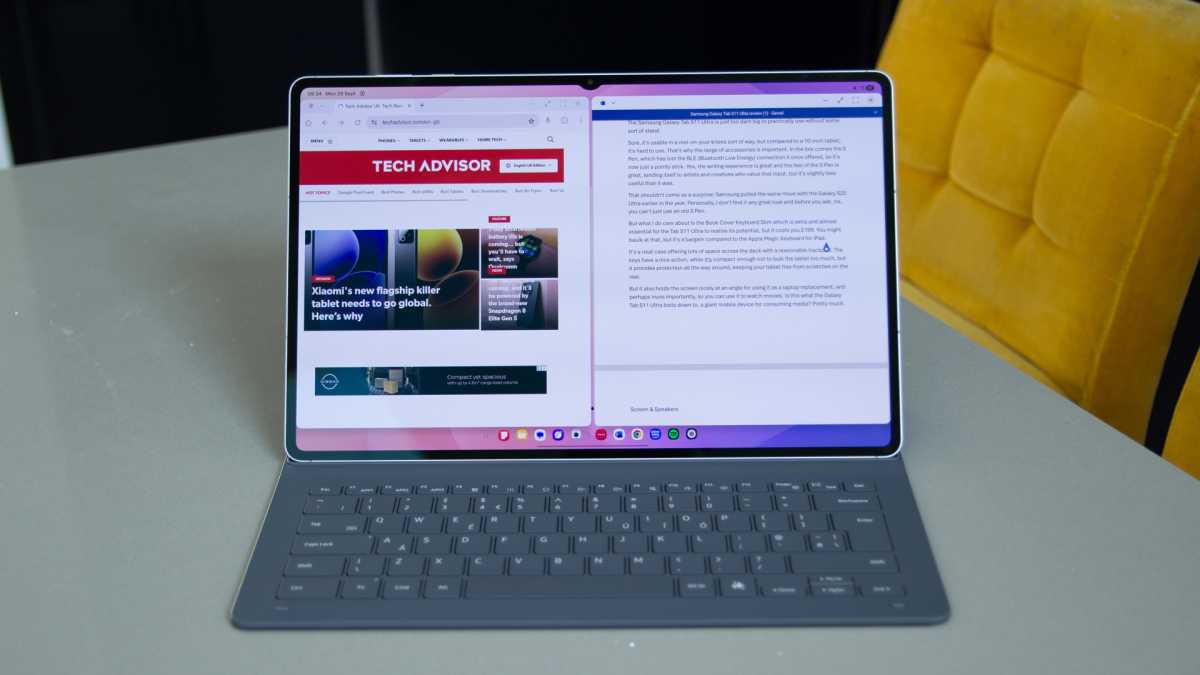
This MediaTek hardware has proved itself to be a dependable rival to the Snapdragon 8 Elite, making for a slick and fast tablet experience. Everything happens with effortless ease: opening apps, running multiple apps simultaneously, and rapidly switching between them. Again, it’s a pleasure to use, much as the previous device was.
Chris Hall / Foundry
There are plenty of options for storage, including Micro-SD card expansion up to 2TB, so you can seriously expand the size of files you’re carrying around with you. That might seem like an outdated thing to think about, but considering the cost that Apple levies for increasing storage, it has genuine appeal.
Everything happens with effortless ease: opening apps, running multiple apps simultaneously, and rapidly switching between them
I’ve found the performance to be excellent, but while there’s some appeal in big-screen gaming, I struggle with moving mobile games to a screen so large.
High-performance games optimised for touch are almost impossible to play on a tablet this huge, and I can’t help feeling that casual gamers will enjoy the experience much more. I did find that the tablet stayed cool while gaming, though, which is another tick in the performance box.
Samsung Galaxy Tab S11 Ultra benchmarks
Cameras
- 13Mp f/2.0 main – 4K 30fps video
- 8Mp f/2.2 ultrawide
- 12Mp selfie with ultrawide
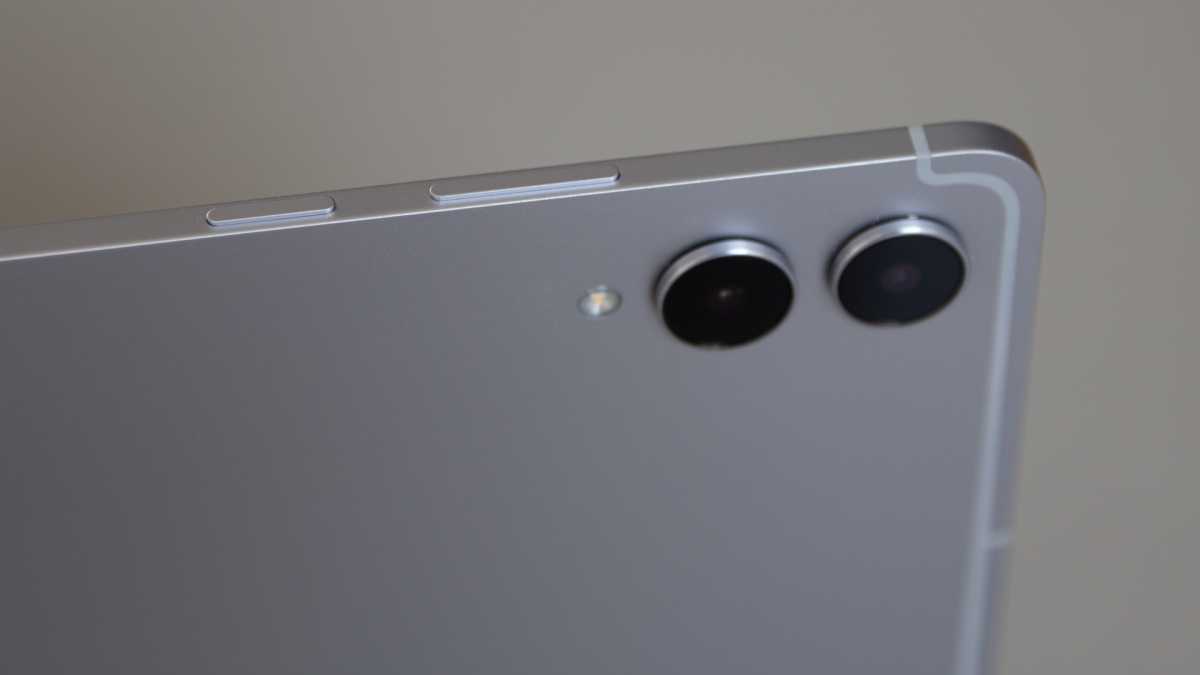
Cameras on tablets don’t need to offer the same sort of experience that you get from a smartphone: you’d have to be a psychopath to pull out the Tab S11 Ultra’s expanse and start shooting your holiday snaps.
It happens, though, so the 13Mp camera, backed by an 8Mp ultrawide, has something to offer. In reality, these cameras get used for a wide range of business functions, from my local estate agent snapping room photos while form-filling, to scanning documents for annotation.
Chris Hall / Foundry
The performance of the rear cameras is average at best. You’ll get a sharp shot with decent colours, but any sort of complex shooting situation will show limitations – indoors, harsh bright lights, HDR scenes. Basically, use your phone. There’s support for 4K 60fps video, but again, with limitations to the cameras, the results are underwhelming.
The performance of the rear cameras is average at best
The front cameras on the tablet, however, are more significant. From an ease-of-use perspective, face unlocking makes things easier than reaching for the fingerprint scanner (in my opinion, this is the biggest upgrade that iPad Pro offers over the iPad Air), while those front cameras also offer great quality for video calling – and we’re all still doing plenty of that.
The front camera has a neat trick, offering a regular view and then an ultrawide view that you can pinch to. The latter is really wide, meaning you can fit a lot more into the scene, making it ideal if you have multiple people on a video call. It looks great, and it all comes from one lens, rather than having two separate cameras like the Tab S10 Ultra.
It’s also true that these cameras are generally better than you’d get from a laptop’s webcam, which perhaps says more about the poor quality of laptop cameras than it does about those on this tablet.
Battery Life & Charging
- 11,600mAh
- 45W wired charging
- Charger not supplied
Despite slimming down the frame, there’s now a slightly larger battery – 11,600mAh. Let’s be fair, it’s colossal, with 45W wired charging also supported, although there’s no charger in the box. That’s par for the course these days, with regulations driving to cut down on e-waste. It’s likely that you’ll already have a charger that will power the Tab S11 Ultra, anyway, even if it can’t hit the maximum speeds.
Samsung’s official figure for battery life runs up to 23 hours of video playback. That’s a bit of a push based on my own testing, but that performance will very much depend on what else the tablet is doing and how bright the screen is. But in mixed usage, getting over 12 hours of screen-on time from the tablet was not a problem.
Having the peace of mind of a battery that’s almost guaranteed to last the full working day with charge to spare is a great feeling
That included lots of web browsing and emails, plus some light productivity tasks such as web browsing. Having the peace of mind of a battery that’s almost guaranteed to last the full working day with charge to spare is a great feeling. While we’re not quite at the stage where an Android tablet will replace a laptop for anyone with serious demands, battery life isn’t a limiting factor.
Software & Apps
- One UI 8, Android 16
- Galaxy AI and plenty of bloatware
- Seven years of OS and security updates
Of all the tablet manufacturers, Samsung has done the most to take on Android’s deficiencies and search for a more useful solution. That’s been something of an ongoing mission, and in recent years, Google has started adopting some of the things that Samsung put into place to make Android on tablets more usable.
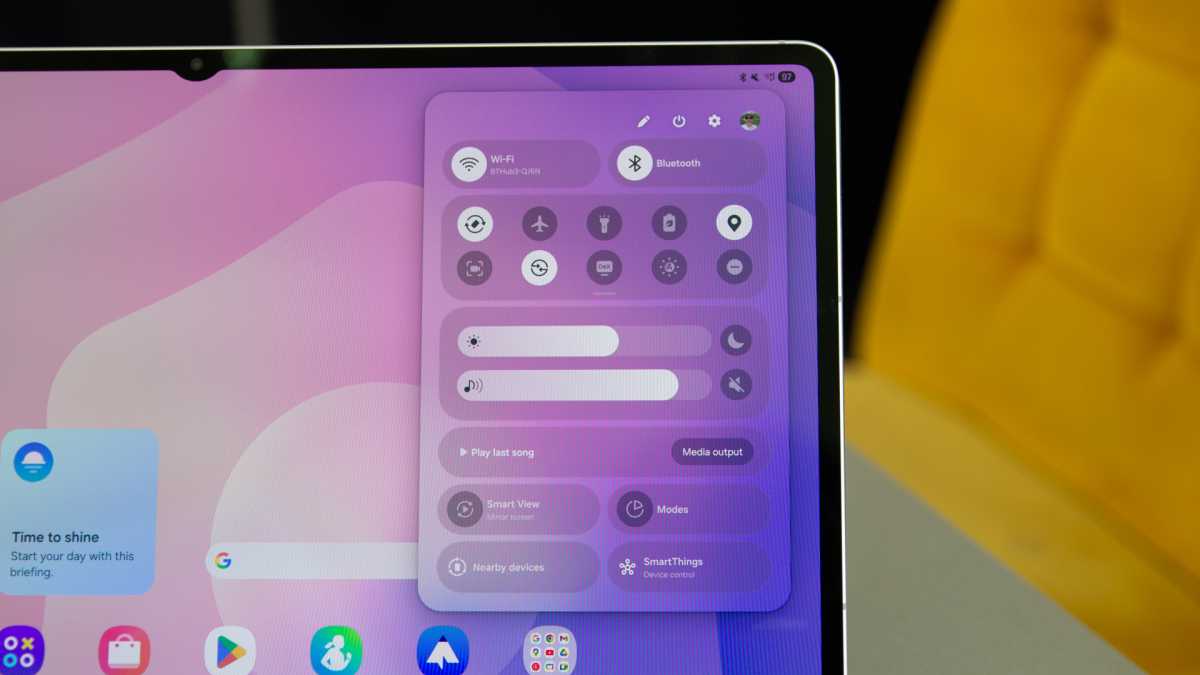
The positioning of the Galaxy Tab S11 Ultra is very much as a laptop replacement, with Samsung’s DeX (desktop experience) software allowing a window-based system to expand the multi-tasking opportunities via an external display. DeX will fire up as soon as you start dragging apps to use them in split screen, while the dock gets smaller. It’s slightly less well optimised for touch use when in that state and better suited to using with a mouse, I feel.
Chris Hall / Foundry
DeX is great, but there’s still an element of fiddliness to the whole thing compared to using a Windows PC. I’d extend that to the iPad too – and while opening Office 365 and syncing documents is perfectly fine, allowing you to be creative, I’d still say that tablet use was something of a “computing lite” experience.
It’s still true that the app experience on Android isn’t as good as it is on iPad, with notable “professional” apps missing (Affinity Photo 2, for example), but that argument remains about whether using an expensive tablet over a laptop makes any sense.
DeX is great, but there’s still an element of fiddliness to the whole thing compared to using a Windows PC
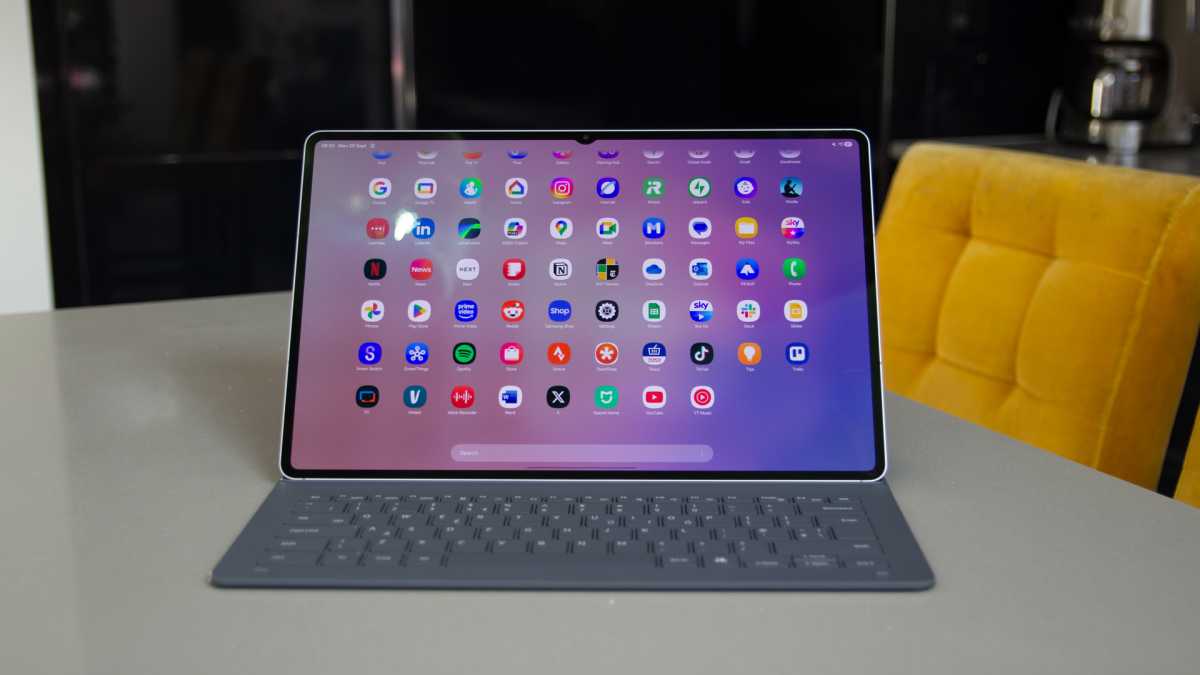
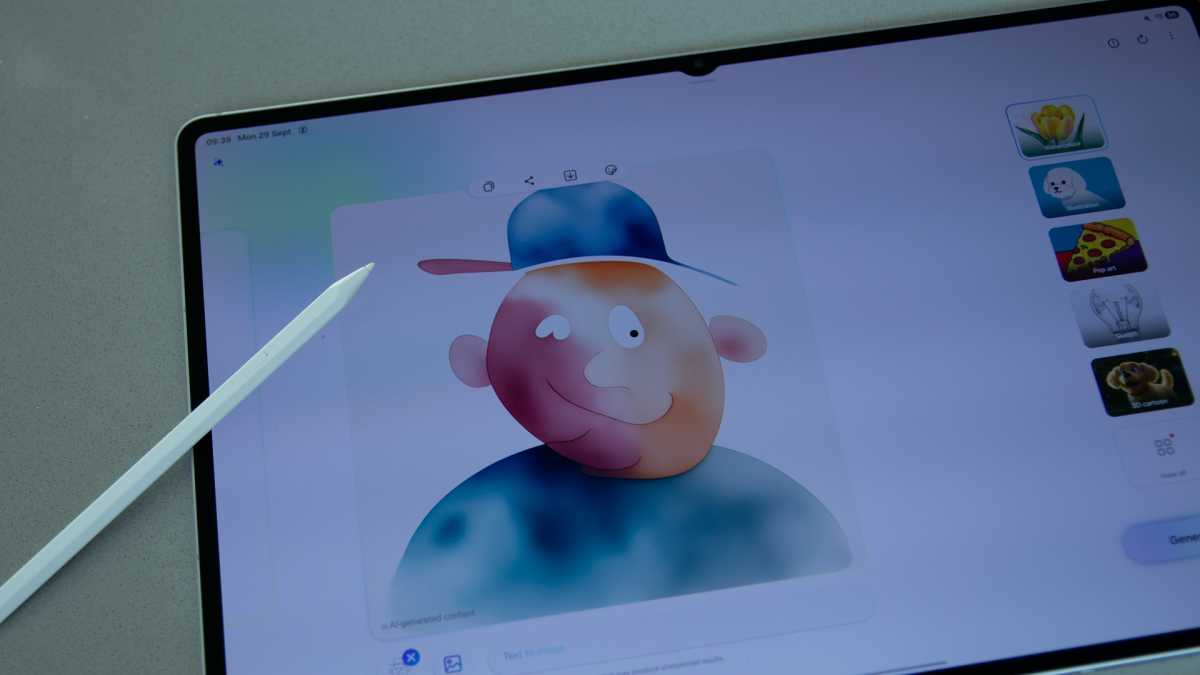
For those using the Tab S11 keyboards, there’s also an AI button which can be set to trigger Gemini or Bixby – yes, the Samsung assistant still exists. While Samsung spends a lot of time talking about Galaxy AI and the features it offers, Gemini from Google is still the most interesting and useful part.
Chris Hall / Foundry
One of the problems that Galaxy AI faces is that it’s centred around Samsung’s apps. If you stick to native Google apps or third-party apps, you’ll never encounter Galaxy AI.
While we’re talking about Samsung’s apps, there’s no avoiding that there’s some duplication here, with Galaxy Store alongside the Play Store, Samsung’s own browser and gallery, and other apps you might see as totally superfluous. This is a Samsung tablet after all, so that’s to be expected, but at least you can delete almost all of them.
One area where the Tab S11 Ultra excels is software support. Samsung has committed to a full seven years of both OS and security patches, which is up there with the best you’ll find on any tablet.
Price & Availability
The Samsung Galaxy Tab S11 Ultra is available in many countries around the world, including the UK and the US.
In the UK, you can buy it from Samsung directly, as well as a full run of retailers, including Amazon, John Lewis, and more.
In the US, you can get it from Samsung directly, Best Buy and several other retailers.
It starts at £1,199 / $1,199 for the Wi-Fi edition with 256GB storage. There’s a 5G version that starts at £1,349 in the UK, but isn’t available in the US.
The M5 iPad Pro is its most obvious rival, with most Android tablet rivals getting nowhere close in terms of price. See our guide to the best tablets you can buy for more alternatives.
Chris Hall / Foundry
Should you buy the Samsung Galaxy Tab S11 Ultra?
There’s no doubting that the Galaxy Tab S11 Ultra is a very capable tablet. It offers an excellent display, making for a fantastic content consumption platform, while it’s large enough for all manner of light work tasks too. I’ve been happy to browse, write and work through emails on the Tab S11 Ultra, but streaming video steals the show. As a travel companion, I’ve absolutely loved it.
But separate it from the keyboard and it’s really hard to get on with. The reduction in thickness and weight is welcomed, but it’s still too big to hold one-handed, and propping it up is tricky. Where you’ll casually hold a 10-inch tablet, at 14.6 inches, it’s just too big to use like that.
In that sense, nothing much has changed with Samsung’s Ultra tablet. I love using it, really enjoy the performance, and can’t fault the quality of the display.
But at this price, you can buy a laptop that’s just as large and a lot easier to use. For all the good points of the Galaxy Tab S11 Ultra, it’s only really going to appeal to someone who wants a massive screen, come hell or high water.
Specs
- MediaTek Dimensity 9400+
- 12GB / 16GB RAM
- 256GB / 512GB / 1TB (microSD expandable)
- 14.6-inch AMOLED display
- 2960 x 1848 resolution, 1600 nits peak brightness
- 120Hz dynamic refresh rate
- 11600mAh battery
- 45W fast charging (no charger included)
- Dual front-facing 12Mp camera ?
- Rear 13Mp main camera + 8Mp ultrawide
- Quad speakers
- 326 x 208 x 5.1 mm
- 692g (tablet only)