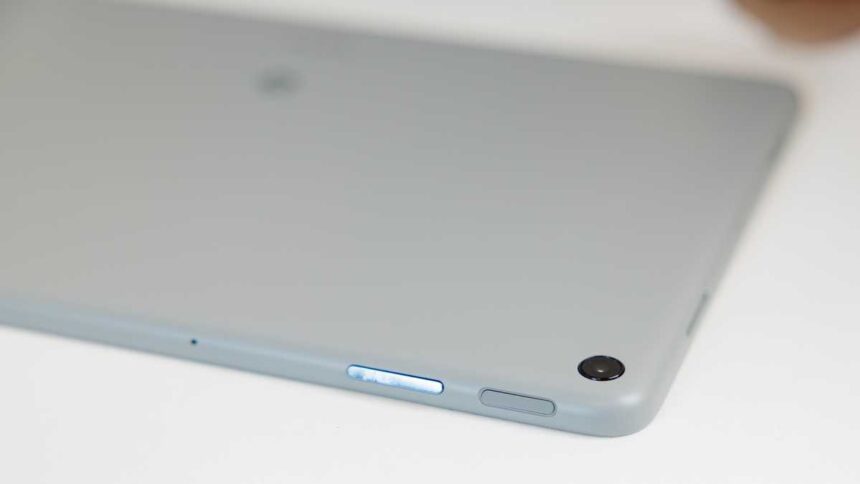
At a glance
Expert’s Rating
Pros
- Sleek & stylish design
- Solid performance
- Good battery life
- Chromecast available when docked
- Updates until 2028
Cons
- Dock has mediocre audio
- Missing Nest Hub features
- Slow charging
Our Verdict
The Pixel Tablet has clear downsides and certain things can’t be fixed with a software update. But you can buy it without the docking station at an affordable price, and Google has now extended OS upgrades until June 2028.
Price When Reviewed
This value will show the geolocated pricing text for product undefined
Best Pricing Today
Price When Reviewed
$399 (128GB) | $499 (256GB)
Best Prices Today: Google Pixel Tablet
After a long gap from 2018’s Pixel Slate, Google’s latest own-brand tablet arrived in 2023. However, it’s a better buy now than when it launched a year ago.
Android tablets have certainly had their ups and downs over the years, from the highs of the Nexus 7 which Google built with Asus to the lows of appalling efforts from the likes of Alcatel.
They still have a place in the market but with iPads still being the quality go-to choice, has Google come up with a nifty way to stand out?
The Pixel Tablet is undeniably interesting, even though we’ve seen docking tablets like the Lenovo Smart Tab P10 in the past. In many ways, the Pixel Tablet is a Google Nest Hub Max where the screen comes off but it’s different in various ways too.
My original review of the Pixel Tablet described it as “something of a hard sell” due to fact customers were forced to buy it with the docking station but the biggest problem with the device has now been fixed.
Update May 2024: We’ve updated this review to reflect Google’s decision to let customers buy the Pixel Tablet on its own, without the Charging Speaker Dock.
Update January 2026: We’ve updated this review to reflect Google’s decision to extend software support for the Pixel Tablet, ensuring it’ll receive updates until June 2026.
let customers buy the Pixel Tablet on its own, without the Charging Speaker Dock.
Find out what the Pixel Tablet is up against in our best tablets chart.
Design & Build
- Tablet attaches to docking station
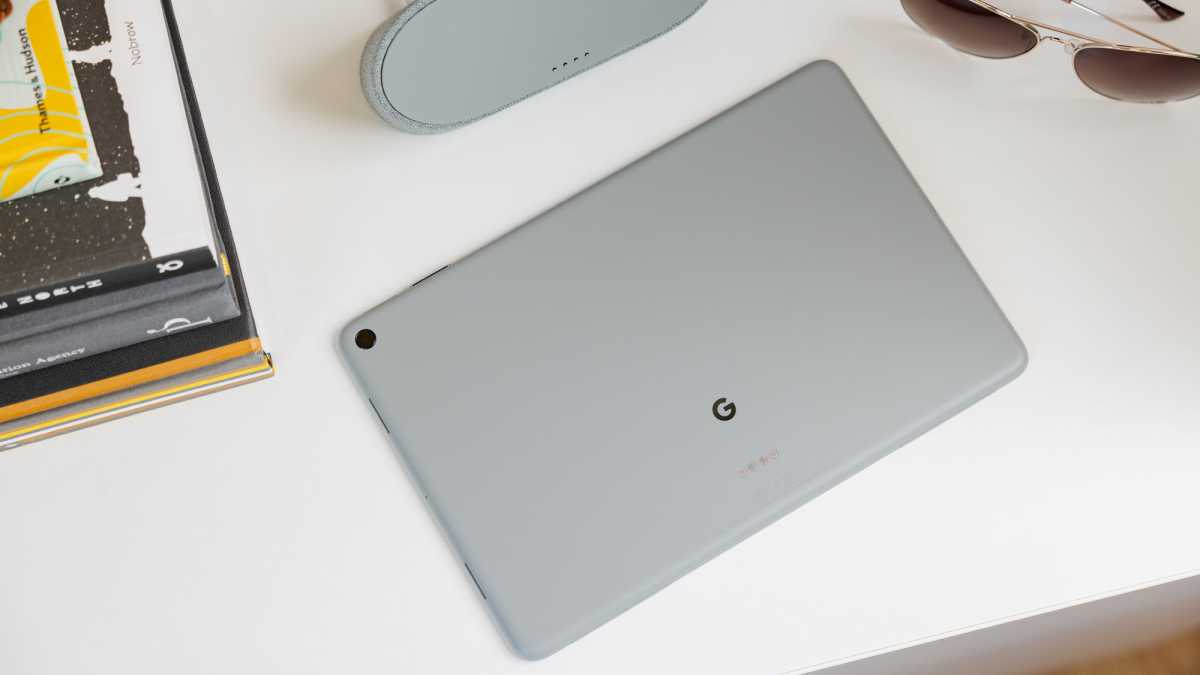
- Matt nano-ceramic coating
- Three colours in some markets
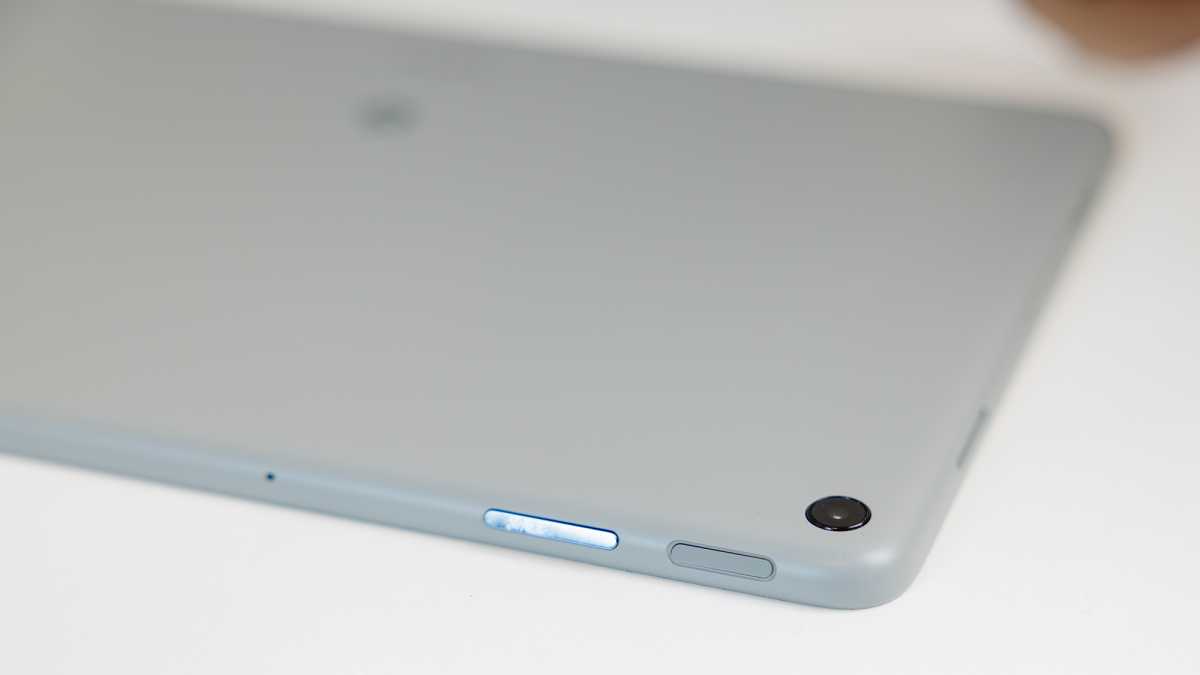
On the whole, the Pixel Tablet looks and feels as I expected since Google first teased it. In fact, it’s more premium than I thought, largely thanks to its unusual nano-ceramic coating.
This gives it a lovely tactile texture that feels nice to touch – it’s a bit like the underside of a mug where there’s no glaze but not as rough. Its matt finish looks clean and stylish and gives the Tablet a good amount of grip.
Dominik Tomaszewski / Foundry
It’s suitably thin and light at 8.1mm and 493g, only marginally more than the latest regular iPad which has a similarly sized screen. Not everyone is a fan of a bezel around the display but it’s a lot smaller than the Nest Hub Max’s and gives you space to hold the slate without interfering.
In fact, it’s more premium than I thought, largely thanks to its unusual nano-ceramic coating.
A fingerprint scanner resides in the power button and works well if you get a good scan (I did mine a second time to improve recognition). It’s worth noting that there’s no physical switch to disable the mics and camera like on Google’s smart displays so you’ll need to use the quick settings shortcut for each.
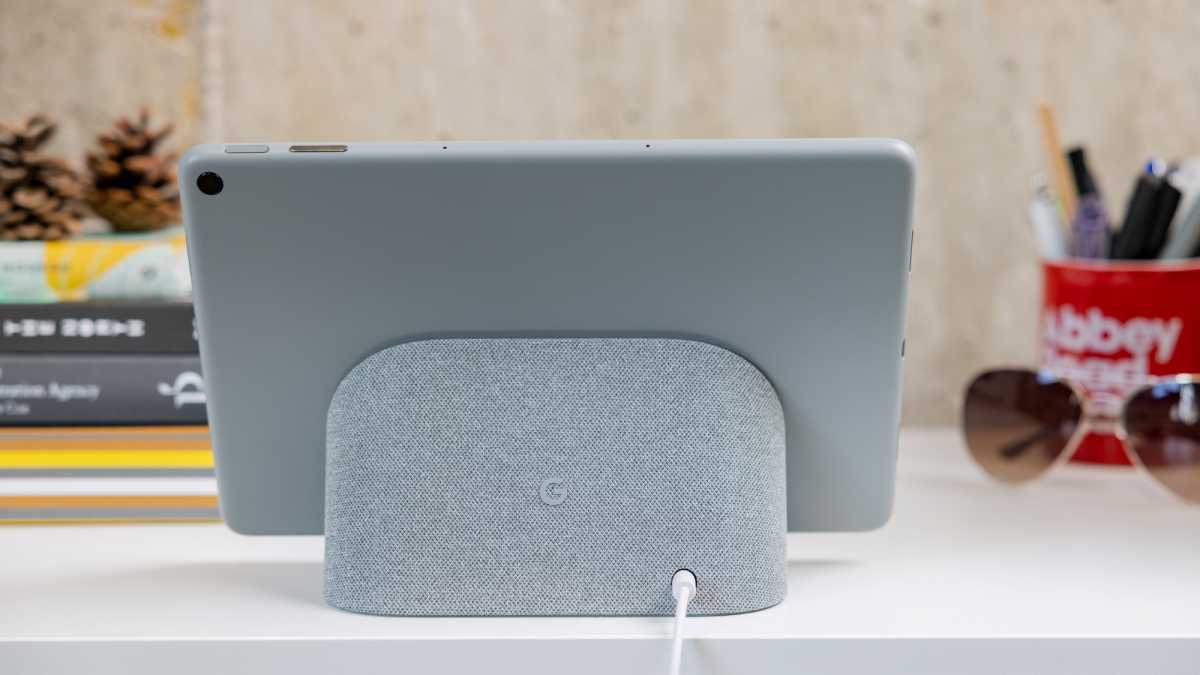
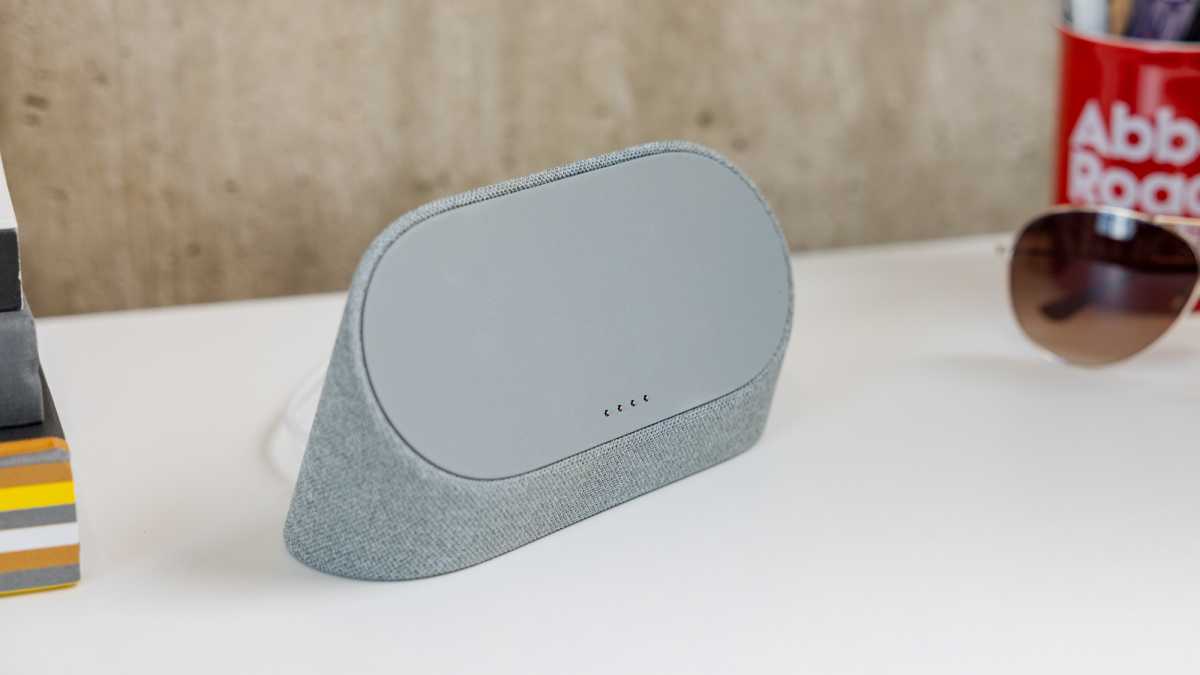
The Pixel Tablet oringally came bundled with the Speaker Charging Dock but now you can choose it with or without which is great news. The Dock comes in a matching colour and is much like the base part of Nest Hubs, covered in fabric and with a grippy rubber base.
Both are well-made and the tablet is constructed with over 30% recycled materials (based on weight) and the aluminum chassis is 100% recycled.
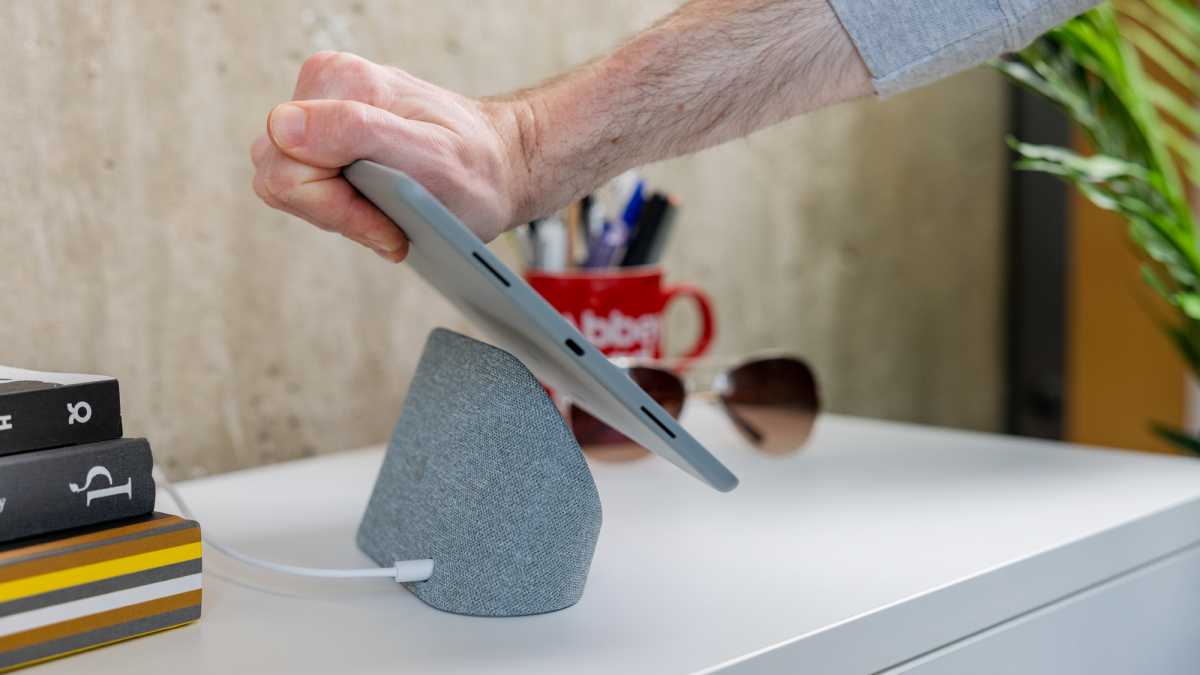
Magnets allow the Pixel Tablet to easily snap onto the dock and the four metal pogo pin contacts on the back of the slate connect the two together seamlessly. It’s a neat system until you come to take the tablet off.
Curiously, this is not something Google provides any instructions for (outside of the journalist reviewer’s guide) so it was a bit of trial and error for me until I developed a technique. Simply pick the tablet up and the dock comes with it, push it down and it slams into the surface it’s on. There are rubber feet on the bottom edge of the tablet to save it from damage, though Google tells me they are to help with leaning it against things.
Dominik Tomaszewski / Foundry
In the end, I found the best way is to grip the tablet on the top edge in the middle or with both hands at either end, and push away using the top of the dock as a pivot point. This allows the two to separate without much drama. It would be nice to hold onto the dock with the other hand, but it’s obscured behind the tablet too much.
This gives the illusion of the tablet floating while docked which is quite nice but isn’t the most practical. It’s also worth noting that the angle of the screen is more upright than the Nest Hub smart displays. I didn’t find it a problem on my desk but it’s not ideal when it’s on a kitchen worktop when you are looking down at the display.
If want a more flexible stand, you can buy the Google-approved Wasserstein Adjustable Stand for Google Pixel Tablet for $39.99. It allows you to swivel and tilt the dock and tablet together. Google also has an official case complete with kickstand which doesn’t need to be removed to still use the dock for $79/£89.
In the UK, the Pixel Tablet comes in two colours: Porcelain and Hazel. I’ve tested the latter which I personally prefer, largely because it has a black bezel around the screen rather than white. In the US, it’s also available in a third colourway called Rose which I’d describe as pastel peach.
This gives the illusion of the tablet floating while docked which is quite nice but isn’t the most practical.
Screen & Speakers
- 11in LCD panel
- Quad tablet speakers
- Docking station provides full-range driver
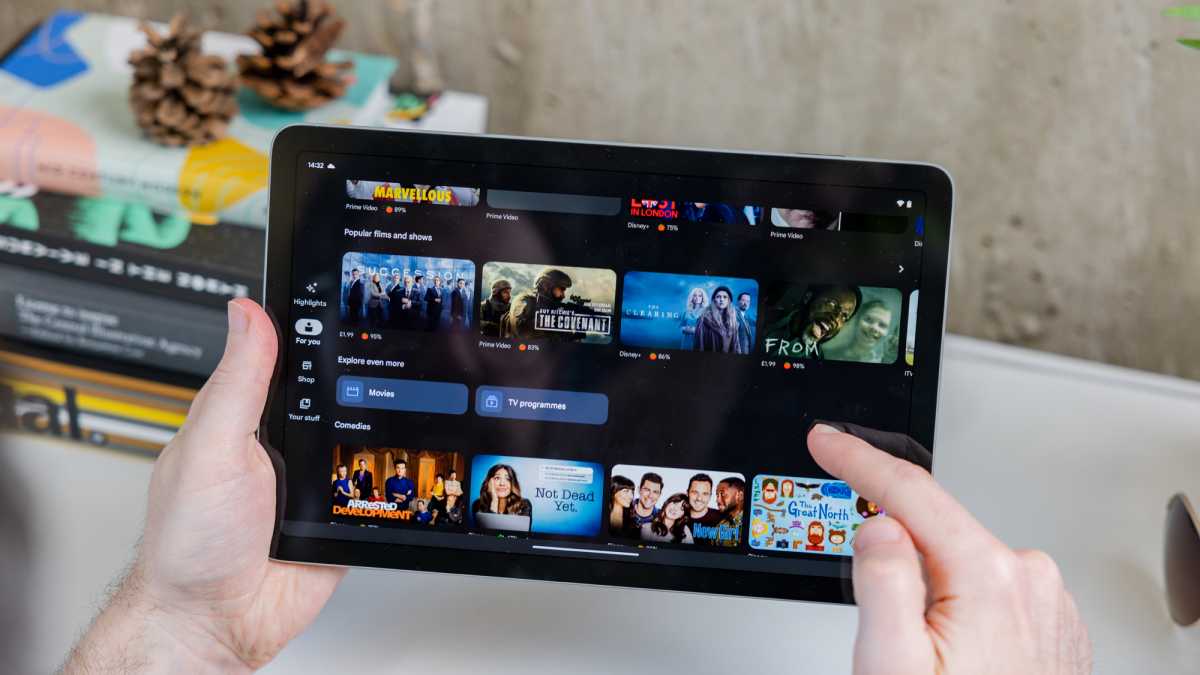
As is becoming quite common for tablets, Google has gone for an 11in display here. It’s technically 10.95in when you take the rounded corners into account, but that minuscule sacrifice is worth it for aesthetics.
It’s suitably crisp at 2560×1600 in resolution and has a wide 16:10 aspect ratio. Other details include an anti-smudge coating and support for USI 2.0 stylus pens – that’s the latest version from the Universal Stylus Initiative.
Google has opted for an LCD panel here rather than OLED, which on paper isn’t as good but I’d say most users won’t notice the difference or be dissatisfied. The Pixel Tablet plenty bright – I measured it at 523 nits which is more than the 500 Google quotes – rich and vibrant to offer an enjoyable experience, even if OLED can provide better contrast and colour reproduction.
Dominik Tomaszewski / Foundry
LCD tech also helps with battery life which I’ll come to later. Finally, the Ambient EQ feature also found on Google’s Nest Hubs uses a light sensor to automatically adjust the brightness and colour temperature based on the surroundings and works very well.
In terms of audio, there are two options here as the tablet itself has a quad-speaker array with two drivers on either side (when in landscape mode) while the docking station has a 43.5mm full-range driver.
The audio from the Charging Speaker Dock is reasonable. It’s not ‘room-filling’ as Google suggests because that would require pumping the volume and introducing a lot of distortion and a harsh tonal shift.
I find it too bass- and mid-range focused, so it has a slight boomy sound and you can’t adjust the tone. It sounds like a cheap radio and I’ve tested plenty of budget Bluetooth speakers that sound considerably better.
It’s strange because considering the Nest Hub Max is essentially the Pixel Tablet but fixed to the dock, that device has a much better sound system with two tweeters and a woofer creating a fuller and more dynamic sound. Google should have just repurposed this into a magnetic dock especially given the asking price of the Dock as a separate accessory.
Dominik Tomaszewski / Foundry
It’s worth noting that when the tablet is undocked, you can’t use the docking station as a speaker, not via Bluetooth, Google Cast or otherwise. When docking and undocking, any audio playing will automatically move between the two audio systems.
Specs & Performance
- Tensor G2 chip
- 8GB RAM
- 128- or 256GB storage
The Pixel Tablet is powered by Google’s own Tensor G2 chipset, the same one found in the Pixel 7 smartphones. There’s 8GB of RAM and this combination is more than up to the task of running things daily.
It’s immensely more powerful than Google’s Nest Hub smart displays and benchmarks well up against premium rivals…
Dominik Tomaszewski / Foundry
The only choice you have to make is whether to buy 128- or 256GB of UFS 3.1 storage. With cloud storage (all Google users get 15GB for free) and streaming services, I’d say most users will be fine with the smaller amount but have a think about it because there’s no microSD card slot here to add more.
Elsewhere, there’s Wi-Fi 6, Bluetooth 5.2 and an ultra-wideband chip “for accurate ranging” though Google doesn’t explain exactly what this means. Note that’s there’s no 4G or 5G cellular model.
It’s immensely more powerful than Google’s Nest Hub smart displays and benchmarks well up against premium rivals such as the Samsung Galaxy Tab S8 and OnePlus Pad. I’ve certainly not had any performance issues with the Pixel Tablet during my time with it.
On the photography front, the Pixel Tablet has front and rear 8Mp cameras and, they’re decent enough for the kinds of things you’d use a tablet camera for. Colours are vibrant and there’s reasonable detail in good lighting unless you need to crop into a small section. The front-facing camera has a portrait mode and when used for Google Meet, the software automatically adjusts the image for lighting and framing.
Battery Life & Charging
- 27Wh battery
- Mediocre charging speed
- No USB-C adapter/cable supplied
Inside the Pixel Tablet is a 27Wh battery and Google says you’ll get 12 hours of video streaming. That’s a pre-production test streaming 1080p video via YouTube at a fixed 82% screen brightness.
I haven’t found it to be quite that good in the real-world but it’s not too far off. Using it as a video baby monitor for an hour seems to typically wipe off around 10% of the battery. In our usual PCMark for Android battery test, the Pixel Tablet lasted an impressive 14 hours and 19 minutes.
Dominik Tomaszewski / Foundry
Charging is a slightly complicated situation here. On the one hand, it’s simple as the Charging Speaker Dock – as the name gives away – will charge the device whenever it’s docked. It will do this at a fairly slow 15W rate giving you just 21% charge from dead in 30 minutes.
The Pixel Tablet does also have a USB-C port for traditional charging but there’s no wall adapter in the box and Google doesn’t state the charging speed of this method. The accessories section of the store does suggest its own 30W charger, but this doesn’t mean it will charge at that speed.
In fact, Google has told me that it will take a similar time to the docking station (2-3 hours to full) and gave me a recommendation of an 18W charger.
Software & Features
- Android 13 (now upgradable to 16)
- Hub Mode and Google Cast support
- OS and security updates until June 2028
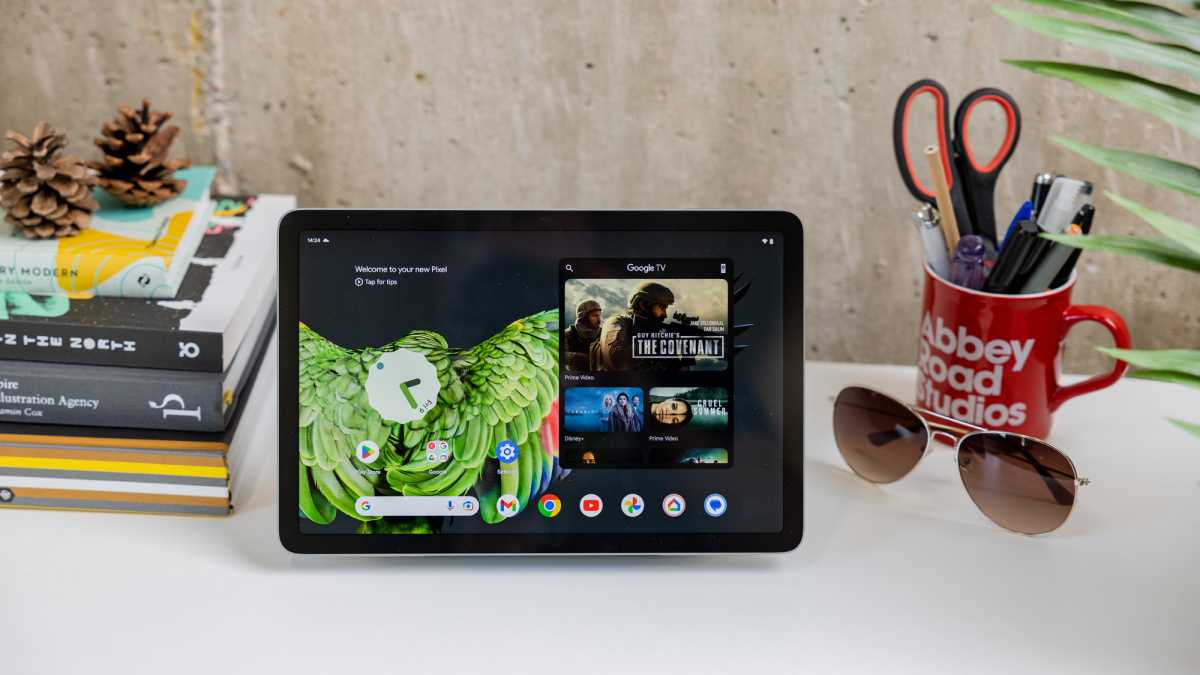
As you would expect from a device that launched in 2023, the Pixel Tablet initially ran Android 13, though it can now be upgraded to Android 16, the latest version at the time of writing. Being Google’s own tablet, is the pure vanilla edition at a base level with the same Material 3 Expressive UI as you’ll find on Pixel phones.
There are a few additions that are specific to this device that make it serviceable as both a tablet and a Nest Hub-style smart display. Thankfully this is more than just the Google TV widget that’s on the home screen by default.
Dominik Tomaszewski / Foundry
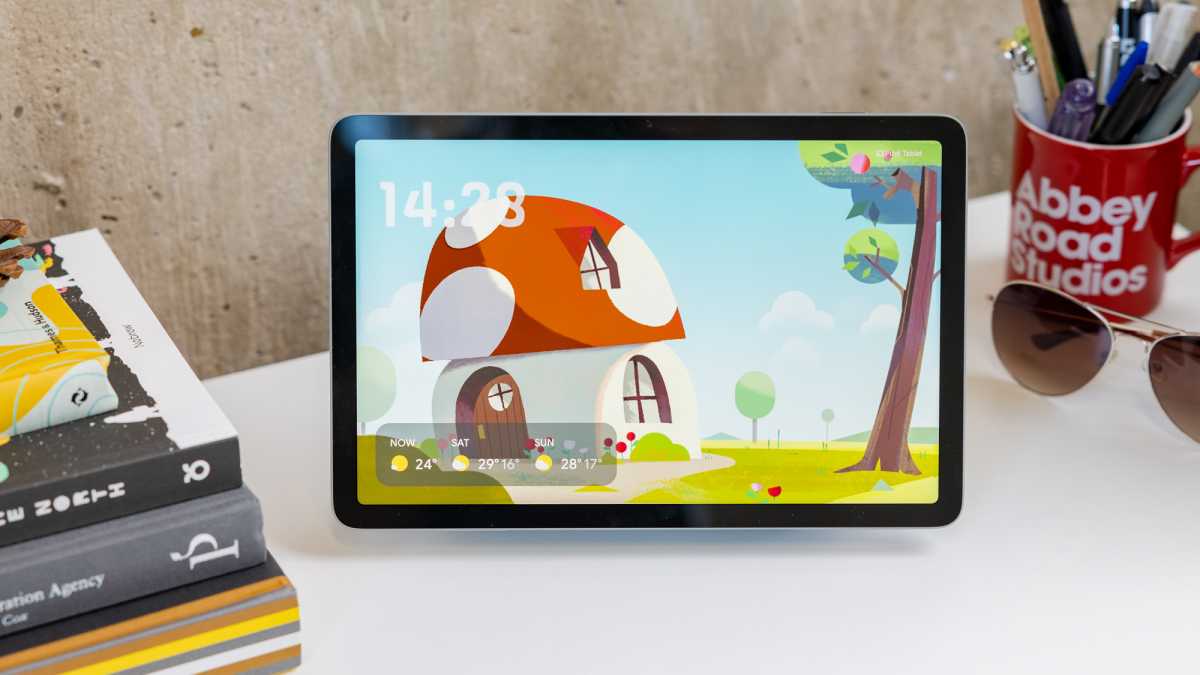
The main element is called Hub Mode; the status the Pixel Tablet is in when attached to the Charging Speaker Dock. There’s a satisfying animation and notification sound when you dock and undock.
It’s not to be confused with how the Next Hub smart displays work as they run Fuchsia OS instead of Android. Perhaps it’s because I have three Nest Hubs dotted around the house and use them all almost daily, but I find Hub Mode on the Pixel Tablet a bit lacklustre.
Fuchsia OS is custom made for smart displays and has an intuitive interface with tiles for all kinds of information and content as well as quick access to settings like screen brightness.
A unique selling point is that the Pixel Tablet is the first ever tablet with Google Cast built-in.
However, Google’s chosen to go down a different route here by giving you a small selection of features, but then it’s essentially an Android tablet on a stand once you unlock it (which you can’t do with your face, frustratingly).
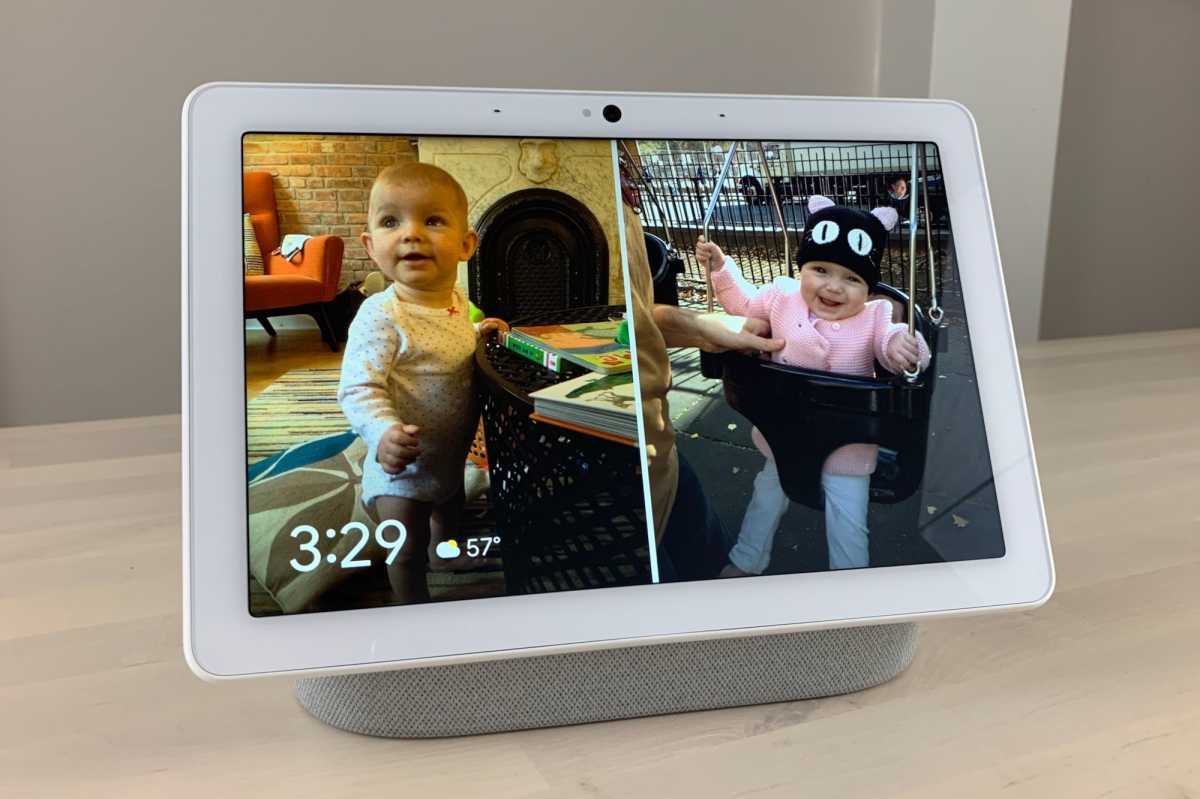
One of the main things Hub Mode does is give you a screensaver with a choice of options including Google’s weather forecast complete with charming frog or Google Photos integration turning it into a digital photo frame.
I find it hugely disappointing that some features found on the Next Hub Max are missing here. They’re made possible on the Max using its front-facing camera so there’s no reason why the Pixel Tablet shouldn’t be able to do the same things.
Ben Patterson/Foundry
The Next Hub Max can recognise users with Face Match to give you a personalised experience and the camera can also be used for gesture commands such as holding your hand up to pause/resume music. Meanwhile, the Nest Hub 2nd-gen has Sleep Sensing built in via Soli radar which is nowhere to be seen on the Pixel Tablet.
You do get hands-free Google Assistant – though that’s no big deal – as well as smart home controls for gadgets like lights and thermostats if you have them and this is accessible via a shortcut in the corner of the screensaver or lockscreen. It’s not much more than a shortcut to the Google Home app, though.
A unique selling point is that the Pixel Tablet is the first ever tablet with Google Cast built-in. It means you can ‘cast’ content from your phone or other devices to be played on the tablet. Countless apps are supported including Netflix, Spotify and BBC iPlayer.
That’s what you’d expect from a smart display, but it’s a shame Google limits this functionality to when the tablet is in Hub Mode. I would definitely find it useful in various situations to cast to the tablet when it’s elsewhere – such as when my daughter is on my lap and I want to put an episode of Bluey on the tablet but can’t reach.
Dominik Tomaszewski / Foundry
Overall, it’s a shame that a big selling point of the Pixel Tablet – docking it and using Hub Mode – is mediocre, especially when you have to buy the device bundled with the dock, which is overpriced as a separate accessory.
On the flipside, the fact it’s running full-blown Android means you can install just about any app you want, and Google has optimised a selection of apps for the Pixel Tablet including Meet, WhatsApp, Netflix, Spotify, Photos and more. You could even feasibly get a Bluetooth keyboard and use it like a small PC.
At launch, Google limited the Pixel Tablet to three years of OS updates and five years of security patches. However, in January 2026, it boosted the former to five years, meaning it should get Android 18 before support ends in June 2028.
Of course, this also makes it less likely that we’ll see a successor in the form of the Pixel Tablet 2 anytime soon.
Price & Availability
When the Pixel Tablet hit the market, you could buy it in two storage capacities and had to buy the docking station with it. Prices were £599/$499 for the cheaper 128GB model and £699/$599 to double it to 256GB.
Fast forward to May 2024 and Google has decided to rejig things so you can buy the tablet on its own or bundled with the dock, at reduced prices:
- Pixel Tablet (128GB) – £399/$399
- Pixel Tablet (256GB) – £519/$499
- Pixel Tablet + dock (128GB) – £499/$499
- Pixel Tablet + dock (256GB) – £619/$599
- Additional dock – £139/$129
You can buy it from Google and BestBuy in the US and Google and Amazon in the UK.
The good news, if you are into the docking system and have a healthy bank balance, is that you can purchase extra docking stations for £139/$129. This means you can have them placed around the home and move the Pixel Tablet as you go about your day.
However, that price is way over the odds and makes the ecosystem off-putting, especially when you consider that the Nest Hub 2 is £89.99/99.99. The maths just doesn’t add up here.
Check out our chart of the best tablets for more options.
Should you buy the Google Pixel Tablet?
It’s now almost three years old, but the Pixel Tablet is a better buy now than it was when it first launched.
Google has finally decided to let customers buy the tablet alone or bundle the docking station – though I still think additional docking stations should be a lot cheaper.
This choice means you can go in whatever direction you prefer, buy a tablet like many rivals or use it as a smart display when docked.
There are still downsides that won’t go away like the slow charging (which isn’t uncommon in the tablet world) and the lacklustre audio the dock provides, but nothing that’s enough to be too offputting.
And with over two more years of OS and security updates at the time of writing, the Pixel Tablet is still very much worth considering.
Specs
- Android 13 (upgradable to Android 16)
- 10.95in LCD screen, 2560×1600, 16:10
- Tensor G2 chip
- 8GB RAM
- 128/256GB storage
- Quad speakers
- 3 mics far-field
- Fingerprint Unlock with power button
- Wi-Fi 6
- Bluetooth 5.2
- Ultra-Wideband chip for accurate ranging
- Google Cast
- Pogo pin connector for speaker dock
- USB-C
- Dual 8Mp cameras
- 12 hours video streaming
- 8.1mm
- 493g