Any links to online stores should be assumed to be affiliates. The company or PR agency provides all or most review samples. They have no control over my content, and I provide my honest opinion.
I recently reviewed the excellent Ugreen NASync DH4300 Plus. As a long-time Unraid user, I didn’t expect to like it as much as I did, due to the limited app availability, but I leaned into the functionality it does have, and have continued to use it since. This has now become my NAS, which I use for photo backups, backing up my cloud drives, and using the Rsync functionality to back up my servers.
The NASync DH2300 wasn’t quite as impressive due to the lack of Docker, which limits its functionality, but thanks to its incredibly low price, it remains a great option for someone looking for a basic NAS, either as a starter device or for basic backup functions (and perhaps as an alternative to Google Photos).
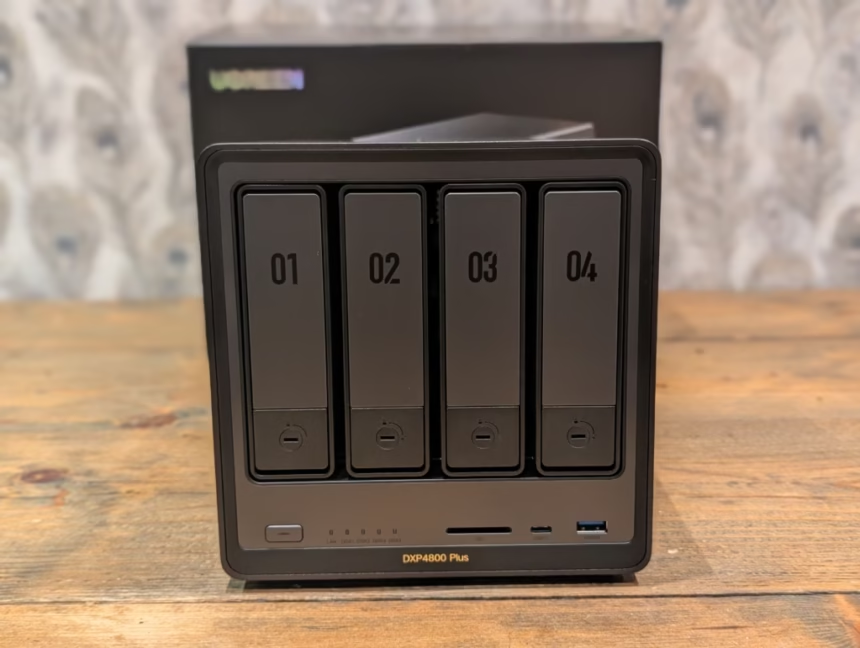
Ugreen has now sent me the NASync DXP4800 Plus to review. This is another 4-bay NAS, and it runs the same UGOS, with Docker, as the DXP4800 Plus, but it uses an Intel Pentium Gold 8505 instead of a Rockchip ARM chipset, making it much more powerful. It then has 2x M2 slots for caching, 8GB DDR5 (expandable to 64GB) and dual Ethernet ports, with one being 10GbE and the other 2.5GbE.
These specs, especially the 10GbE port, make this a perfect replacement for my ageing TerraMaster F4-422. It has served me well, especially when I turned it into an Unraid NAS, but the Intel Celeron J3455 and DDR3 mean it was quite underpowered, especially if I wanted to make the most of the 10GbE port.
Related Reviews
Ugreen NASync DXP4800 Plus vs NASync DXP4800 vs NASync DH4300 Plus Specification
Ugreen has three 4-bay models sitting at different price points.
| Model | DXP4800 Plus | DXP2800 | DH4300 Plus | DH2300 |
| Price | £539.99 | £263.99 | £305.99 | £169.99 |
| Drive Bays | 6 (4+2) | 4 (2+2) | 4 (4+0) | 2 (2+0) |
| SATA Hard Drive Slots | SATA 4-Bays | SATA 2-Bays | SATA 4-Bays | SATA 2-Bays |
| M.2 NVMe Drive Slots | 2x M.2 Slots | 2x M.2 Slots | – | – |
| Maximum Storage Capacity | 136T (30T4+8T2) | 76T (30T2+8T2) | 120T (30T*4) | 120T (30T*2) |
| CPU | Intel Pentium Gold 8505 | Intel 12th Gen N100 | A76+A55 8 Core | Rockchip RK3576 6 Core |
| RAID Mode | JBOD/Basic/RAID0/RAID1/RAID5/RAID6/RAID10 | JBOD/Basic/RAID0/RAID1 | JBOD/Basic/RAID0/RAID1/RAID5/RAID6/RAID10 | JBOD/Basic/RAID0/RAID1 |
| HDMI | 4K 60Hz | 4K 60Hz | 4K 60Hz | 4K 60Hz |
| Standard Memory | 8GB DDR5 | 8GB DDR5 | 8GB LPDDR4X | 4GB LPDDR4X |
| Maximum Memory Expansion | 64GB | 16GB | – | – |
| LAN Port | 1x 2.5GbE, 1x 10GbE | 1x 2.5GbE | 1x 2.5GbE | 1x 1GbE |
Unboxing / Design
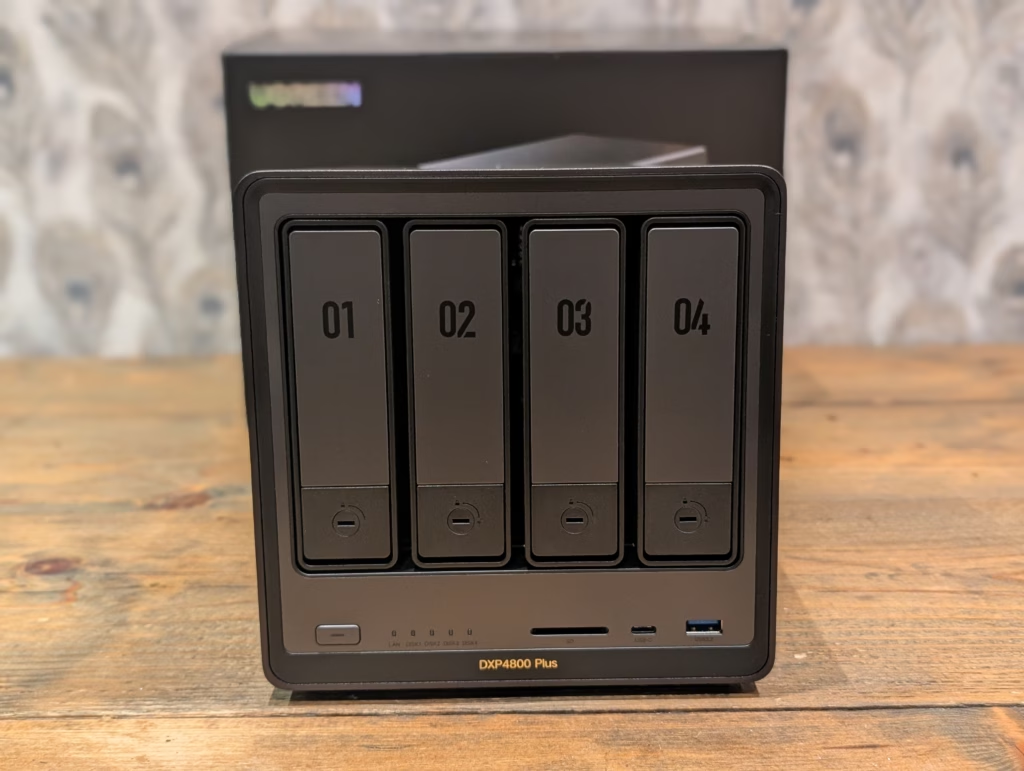
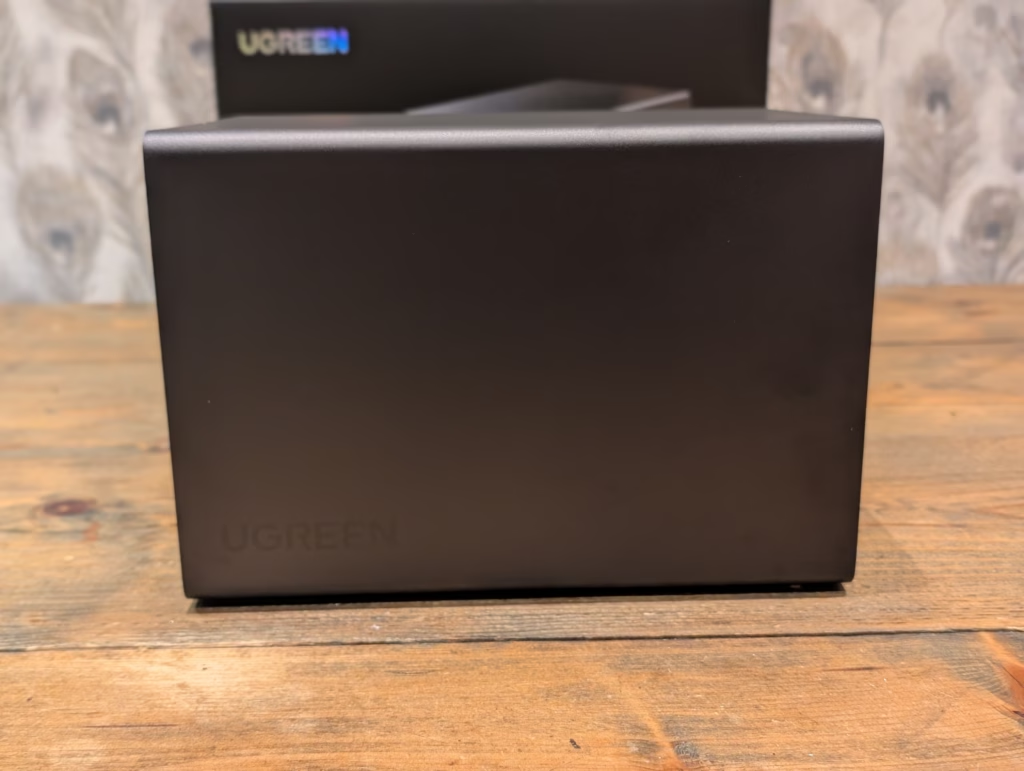
The NAS is well made, with a predominantly aluminium chassis which gives a superior built quality to the more affordable ARM based models I have reviewed from Ugreen.
The unit itself measures approximately 26cm x 18cm x 18cm, making it slightly taller and narrower than some competitors like the Synology DS920+ or QNAP TS-464.
The front panel houses the four drive bays, each clearly numbered. The bay design is works well. Whilst the plastic frames do feel slightly less robust than the metal trays you’d find on a Synology or higher-end QNAP unit, I have had no issues slotting them in and out. Each tray has a sliding mechanism that opens to allow 3.5-inch drives to clip into place without tools. Four pins on each tray align with the mounting holes on standard hard drives, holding them securely. For 2.5-inch drives or SSDs, you’ll need screws, and Ugreen includes a small screwdriver in the box.
Each bay has a locking mechanism with included keys, which is a nice touch if you’re concerned about physical security. The power button sits on the front left, with LED indicators for power, network activity, and drive status. These LEDs can be scheduled to turn off during certain hours via the software, which I appreciate – nothing worse than bright LEDs in a bedroom or quiet office space.
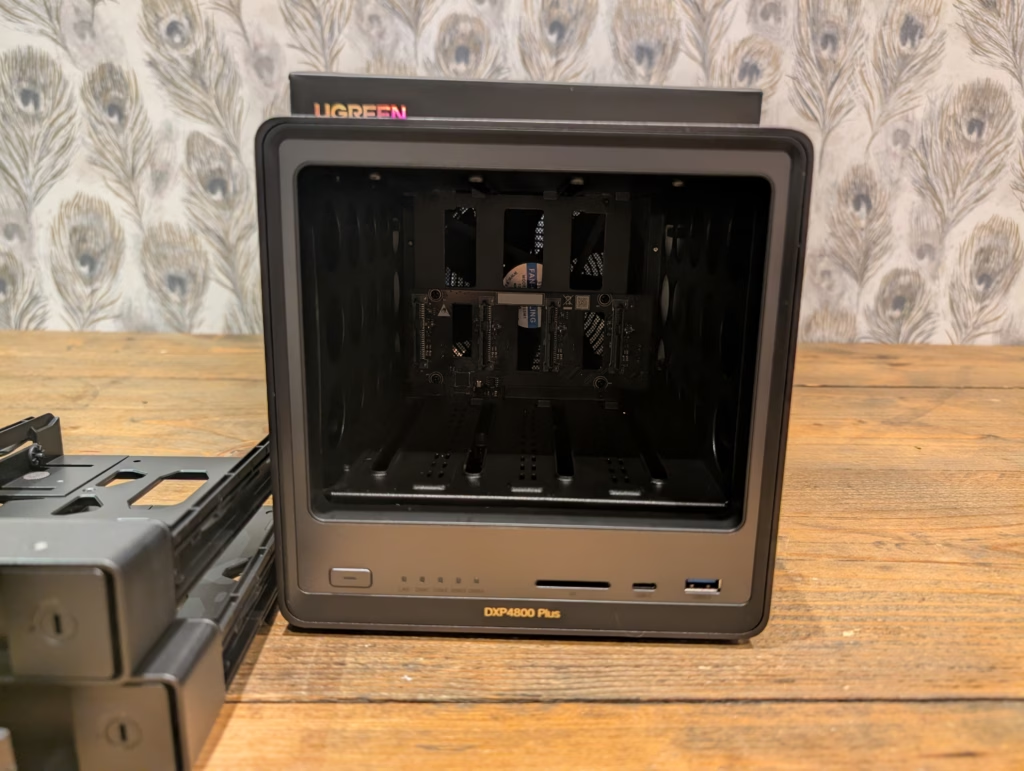
On the front, you’ll also find a USB-C port, USB-A port, and an SD card reader. I cannot stress enough how useful the SD card slot is. Being able to pop an SD card straight into the NAS for direct backup or ingest is genuinely convenient, even if it’s not something I do daily.
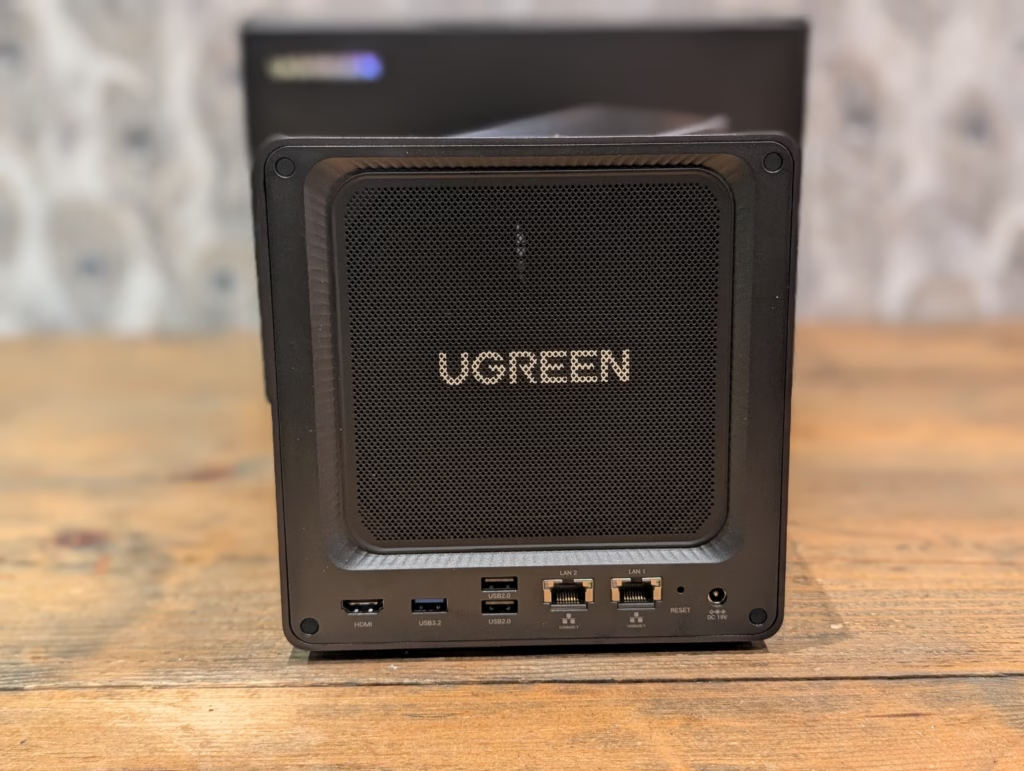
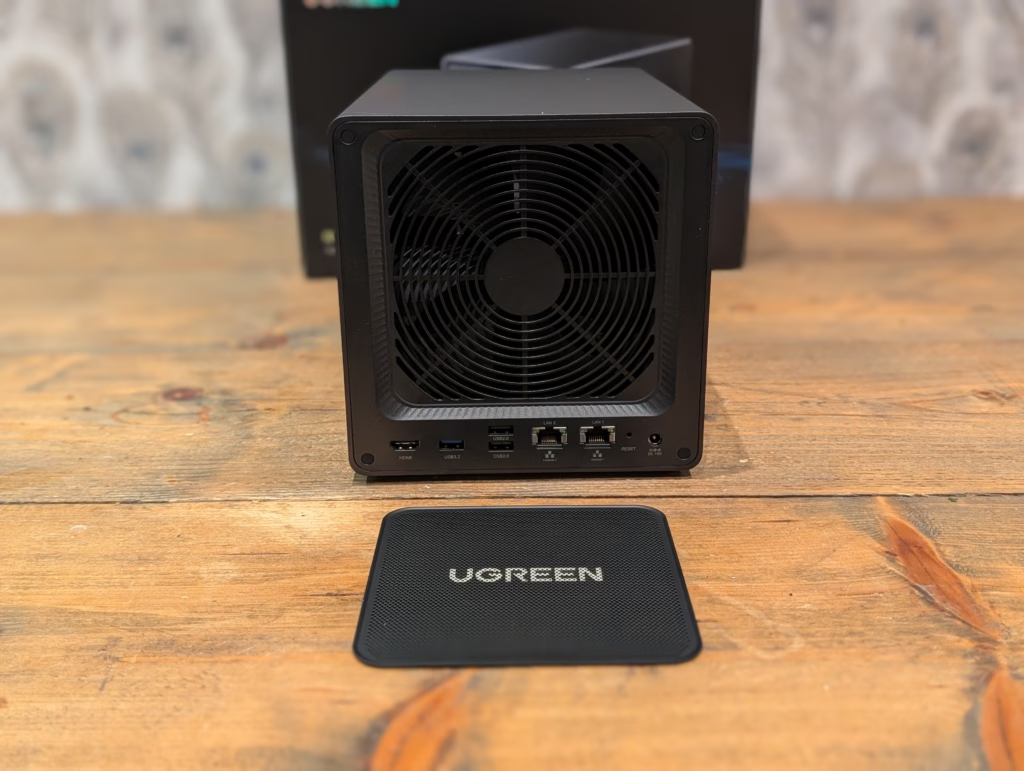
The rear panel is where things get more interesting. There’s an HDMI port supporting 4K at 60Hz, three USB ports (one USB 3.2 Gen 1 and two USB 2.0), the two Ethernet ports (2.5GbE and 10GbE), and the power connector for the external PSU. The inclusion of an external power supply is one of my few gripes with the design. Ugreen makes excellent power adapters, so I was surprised they went with a non-branded HuntKey unit rated at 150 watts. It works perfectly fine, but it feels like a missed opportunity for brand consistency.
What I really appreciate is the magnetic, removable dust filter covering the 140mm rear fan. This is standard on decent PC cases but surprisingly rare on NAS units, despite them running 24/7 and accumulating far more dust than a typical PC. The fan itself is connected via a standard 4-pin connector, meaning it’s easily replaceable if needed – again, something you don’t often see on consumer NAS devices.
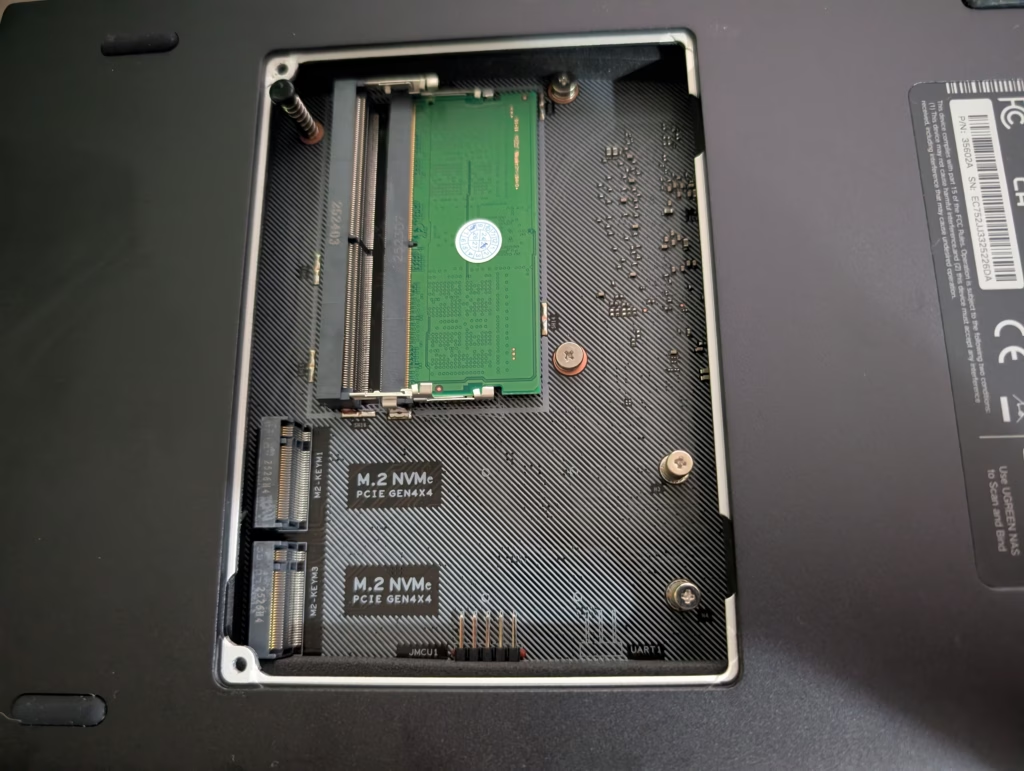
Accessing the M.2 slots and RAM requires removing a panel on the base, held by just two screws. It’s straightforward, though you’ll need to be a bit careful about cable management and ensuring the thermal pads (included in the box) make proper contact with the metal base for heat dissipation. Ugreen includes thick thermal pads specifically for this purpose, which shows good attention to detail.
Set Up
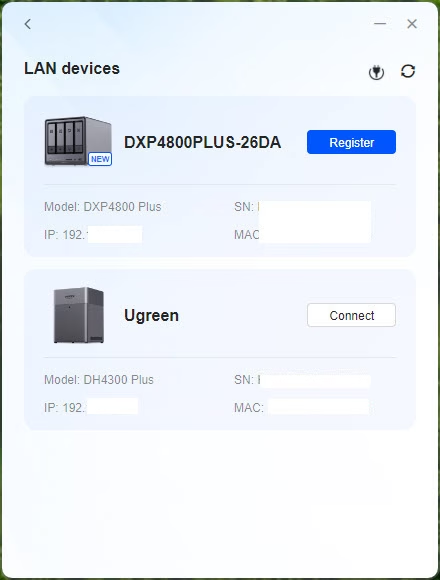
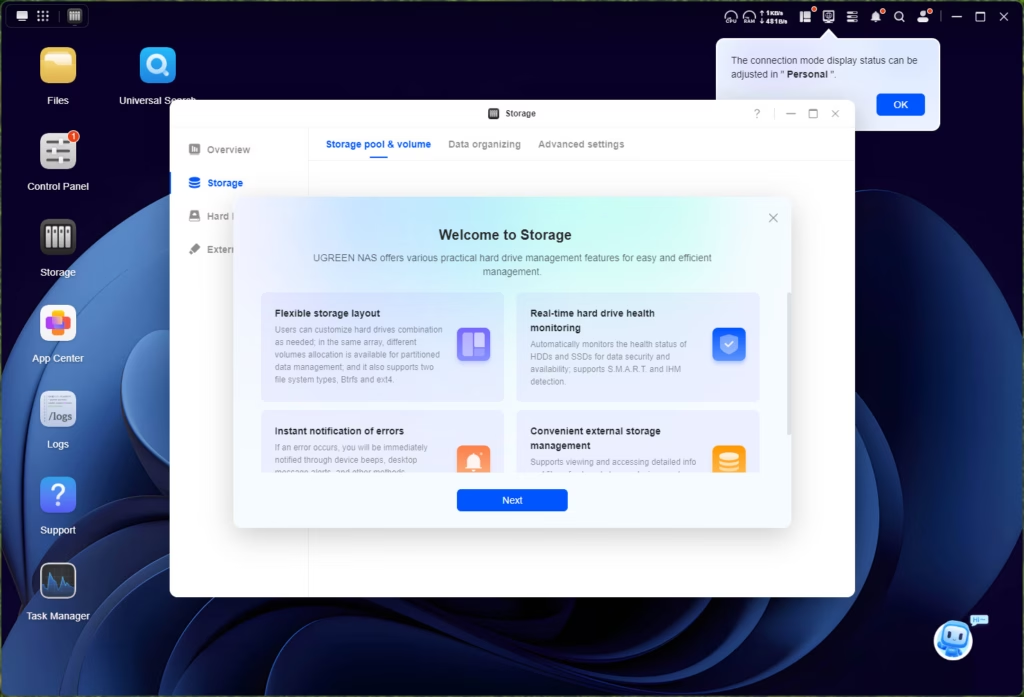
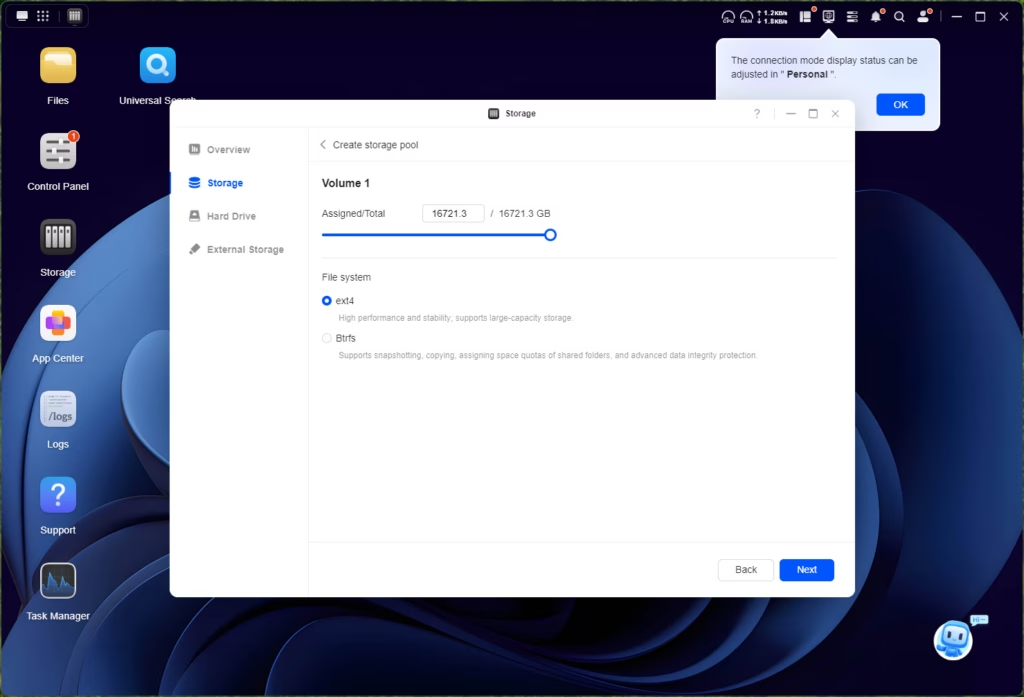

The set-up process is the same as the other models I have reviewed. You can go to the IP address or use the Ugreen app.
The setup wizard walks you through the basics: creating an administrator account, setting up network preferences, and configuring your first storage pool. Importantly, Ugreen doesn’t force you to create a cloud account just to use the device, though you can enable their UGREENlink remote access service if desired. This is a point in their favour compared to some manufacturers who are increasingly pushing cloud services.
When creating your storage pool, you’re given the standard RAID options: JBOD, Basic, RAID 0, RAID 1, RAID 5, RAID 6, and RAID 10. For a 4-bay system, RAID 5 offers a good balance of capacity (75% of total storage) and protection (can survive one drive failure), whilst RAID 6 sacrifices more capacity (50% of total storage) but can survive two drive failures. Given the size of modern drives and the considerable time required to rebuild a failed drive in a RAID 5 array, RAID 6 is worth serious consideration despite the capacity hit.
The file system choice is between Btrfs and Ext4. I’d recommend Btrfs for most users, as it supports snapshots natively. These snapshots provide protection against accidental file deletion and even ransomware attacks, as you can roll back to a previous state. It’s not a replacement for proper backups, but it’s an excellent safety net.
One thing to be aware of: the initial RAID synchronisation can take considerable time depending on the size of your drives.
How to set up SSD cache
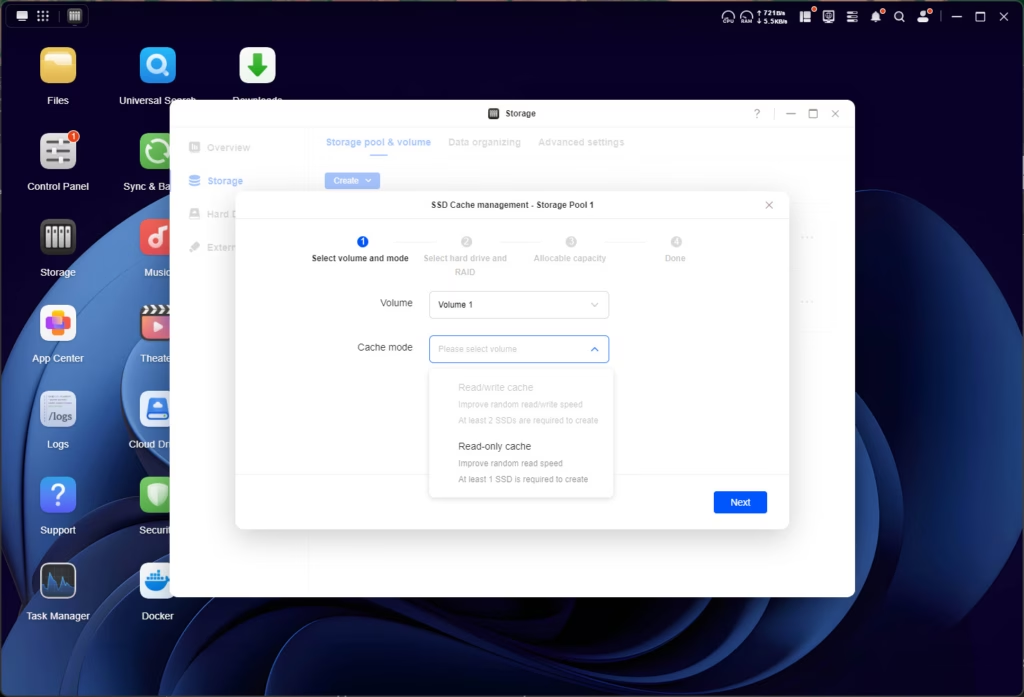
The Ugreen supports SSD caching, which took me a few minutes to work out how to set up. Once you set up your storage pool, you need to go into Storage, where it shows your pools, then the three dots to the right of the storage pool have the option to enable SSD cache.
The cache system works best with two NVMe drives. They work independently from each other for the read and write cache. If you only have one drive, you only get read cache (which is apparently how SSD caching should work).
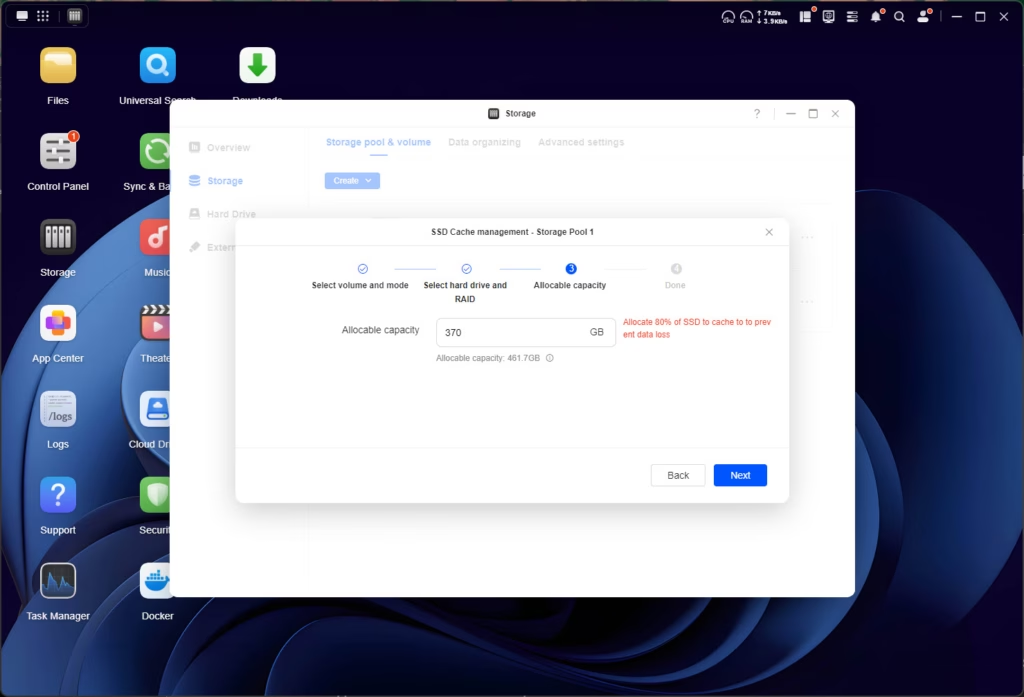
Ugreen also prompts you to under-provision the cache drive to avoid the risk of data loss. You should only set the capacity to 80% of the SSD storage capacity.
The M.2 slots are proper Gen 4 x4 connections, which is genuinely impressive at this price point. Many NAS units, even from Synology and QNAP, downgrade M.2 slots to Gen 3 x2 or even x1 to save on PCIe lanes. The full Gen 4 x4 means these slots can theoretically handle up to 8000MB/s, though in practice you’ll be limited by other factors like the SATA controller and network speeds.
Can I install Unraid, TrueNAS, or Proxmox instead?
While I have been impressed with UGOS, it lacks the range of applications and flexibility that is possible with Unraid, TrueNAS or Proxmox.
While the ARM-based Ugreen NAS devices are unlikely to be easily converted to a different OS, it is possible with the Intel-based options.
I converted my old TerraMaster to Unraid, and it is likely I will do the same here.
It is a bit more complicated than just swapping the USB thumb drive like I did with my TerraMaster, but still quite simple.
I won’t cover the process in this review; I will write an additional post at a later date. However, it appears that the process involves going into the BIOS to disable the NVME boot drive (containing the UG OS). Then from there, the Unraid set up process is the usual.
It’s worth noting that Ugreen’s warranty policy regarding third-party operating systems has been a point of contention. Initially, there were suggestions that installing an alternative OS would void the warranty. However, Ugreen has since clarified that the warranty covers hardware only, which would remain valid regardless of the OS installed. They do warn, reasonably, that using alternative operating systems carries risks including potential data loss and compatibility issues.
For most users, I’d say UGOS is perfectly adequate for basic NAS tasks. But if you want to run complex Docker setups, extensive virtualization, or prefer the features of more mature NAS operating systems, the option to install alternatives is there. The Intel platform makes this considerably more viable than ARM-based units.
UGOS UI and Settings
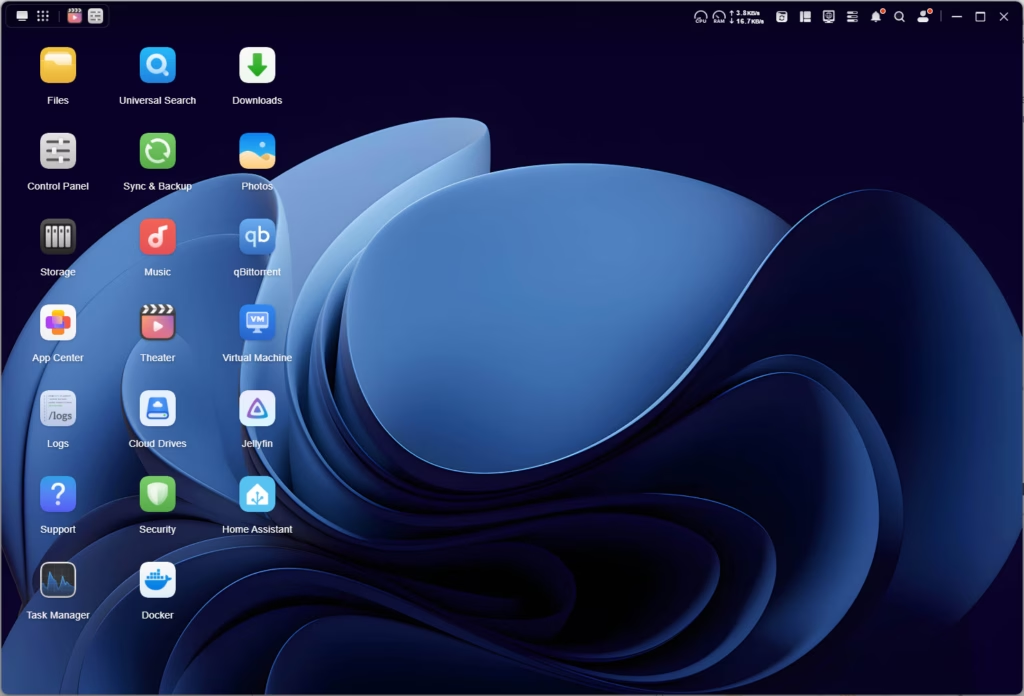
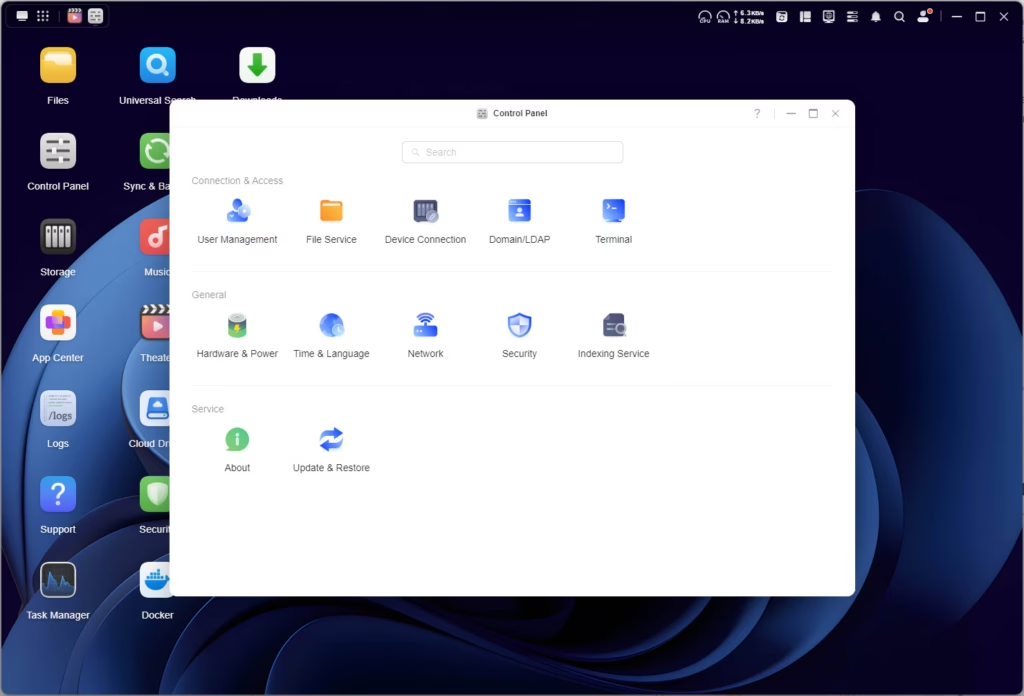


The NASync DXP4800 Plus has the same OS and functionality as the NASync DH4300 Plus, it is just much more powerful and faster.
Therefore, I won’t cover UGOS extensively, but focus more on the improved performance compared to the NASync DH4300 Plus.
The interface itself is not dissimilar Synology’s DSM, giving the appearance of a PC desktop, or perhaps Mac OS with the top bar.
Multiple applications can run simultaneously, which does give a proper multitasking feel rather than just switching between different pages.
The dashboard provides a clear overview of system status: CPU and RAM usage, network traffic, storage capacity, and running services. From here, you can access all major functions: File Manager, Storage Manager, Control Panel, Package Center (for apps), and various built-in applications.
UGOS Available Apps
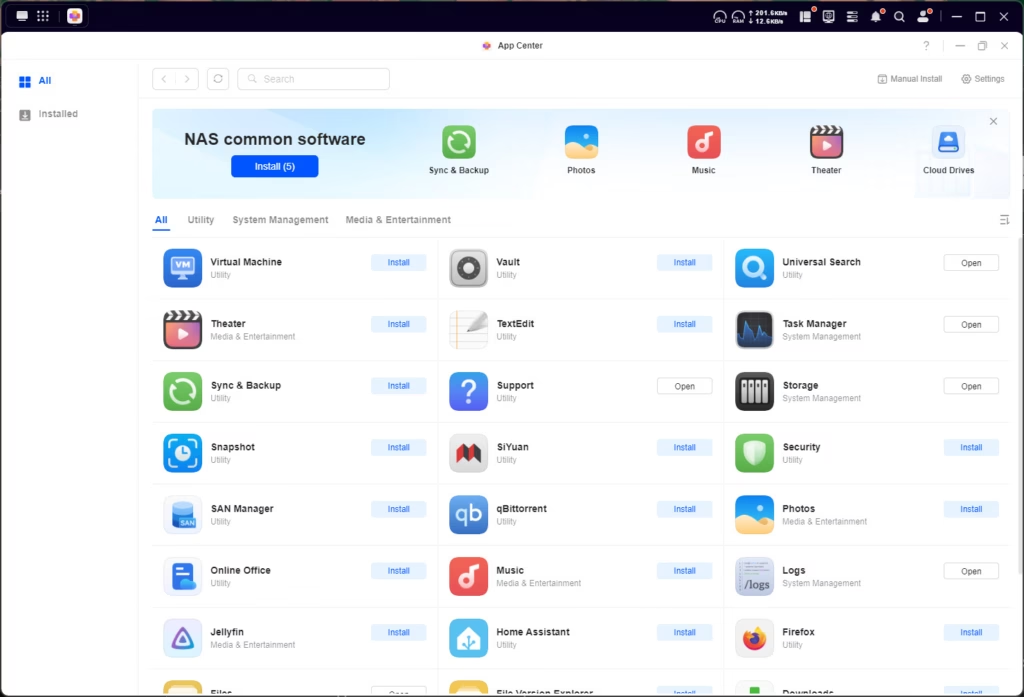
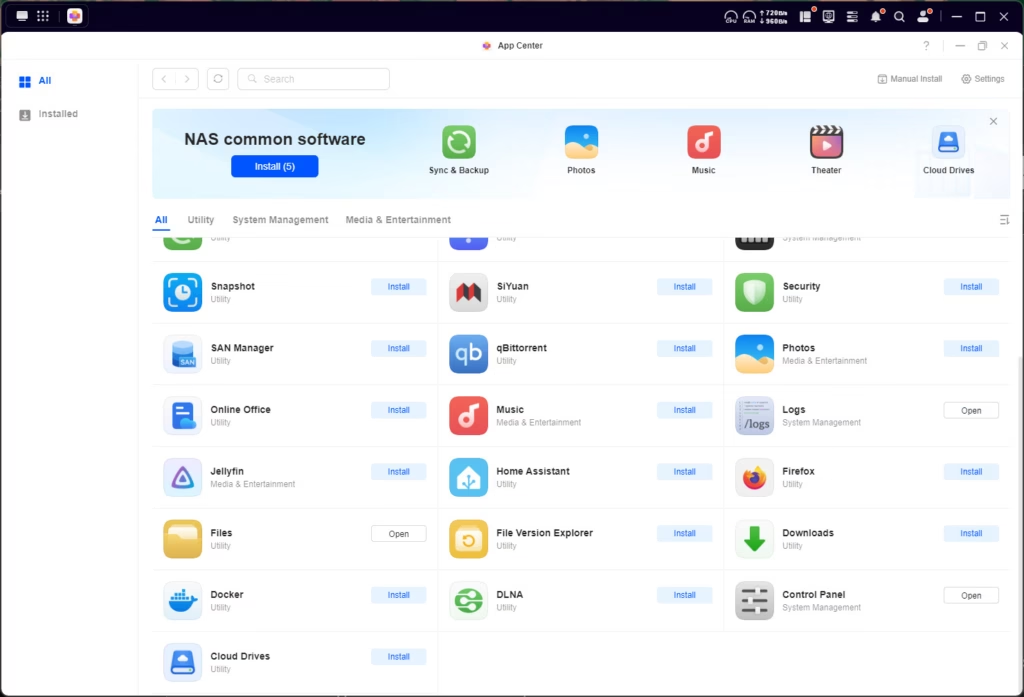
The available apps remain the same as the DH4300, with one exception: Virtual Machines.
The app selection is OK at best. You have most of the apps you would want, especially if you are using it for traditional NAS functions.
But, it does lack some popular options for media and downloading, such as the arr-tack, Sabnzbd and Plex media server. I’d also like to see things like PiHole, AdGuard Home and Unbound for DNS, as well as options for VPN. While the remote access works well on this, I’d prefer to have something like Tailscale running natively on it.
The inclusion of Docker does mitigate this to a large extent. Whilst there’s no Portainer or similar web-based Docker management tool installed by default, you can install one via SSH relatively easily. I managed to get Dockge running without too much fuss, which provides a clean interface for managing Docker containers and compose files. The learning curve is steeper than Synology’s Container Station or QNAP’s Container Station, but it’s manageable if you’re comfortable with basic command-line operations.
The Photo app deserves special mention. It’s clearly Ugreen’s attempt to provide a Google Photos alternative, with AI-powered face recognition, object detection, and scene categorisation. The interface is clean and the functionality is useful for personal photo libraries. However, the AI models aren’t as sophisticated as what you’d get from Google, Apple, or even Synology’s Photos. In testing with a library of several thousand images, the object recognition was hit-and-miss – it correctly identified maybe 60-70% of obvious objects but missed plenty of clear instances.
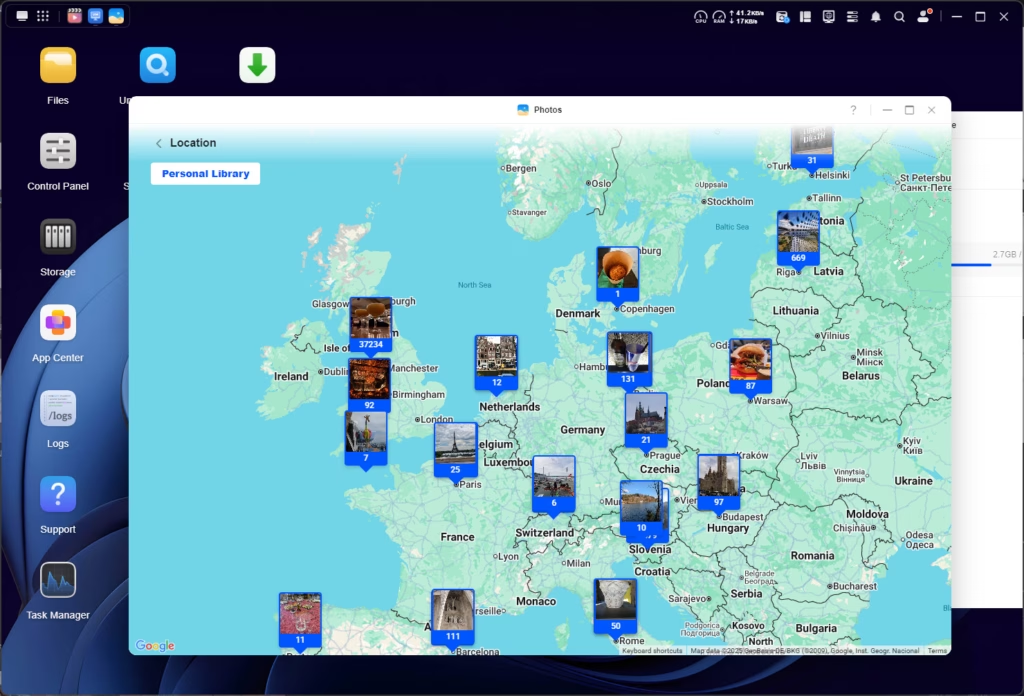
That said, the fact that this runs entirely on-device is a privacy win. Your photos aren’t being uploaded to cloud servers for processing, which will appeal to privacy-conscious users. The search functionality works well enough for basic queries like finding photos by date, location, or the people in them.
Virtual Machine
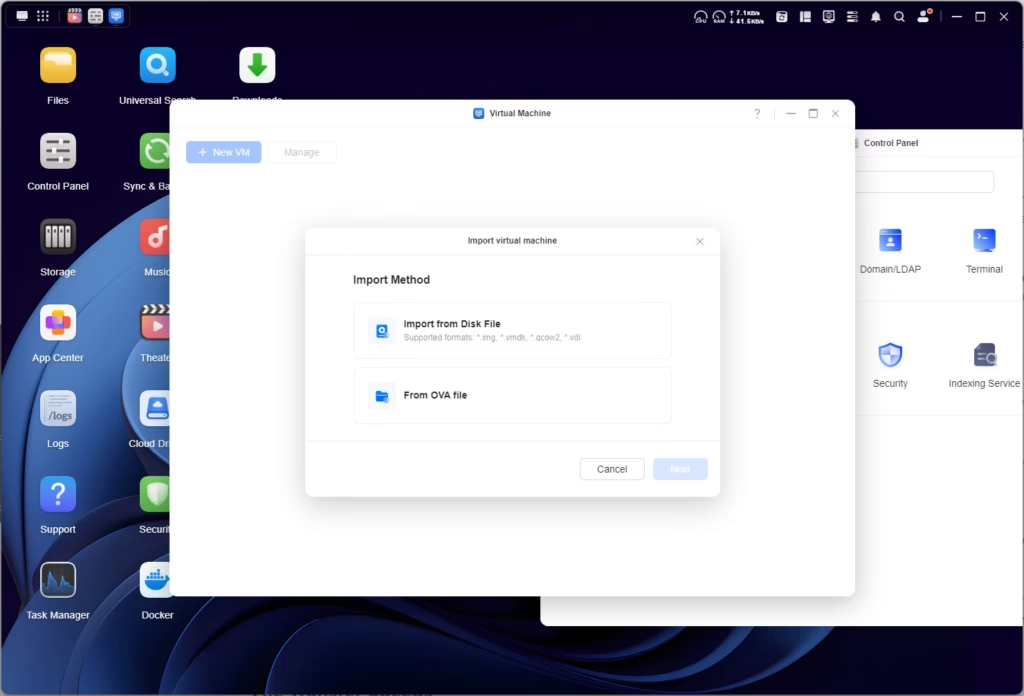
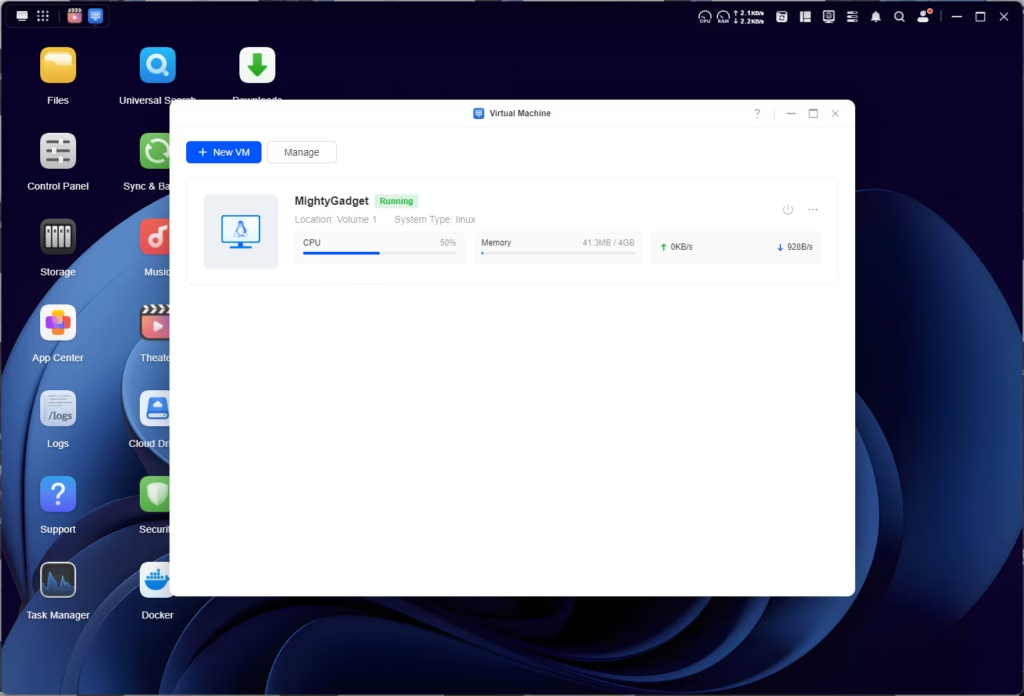

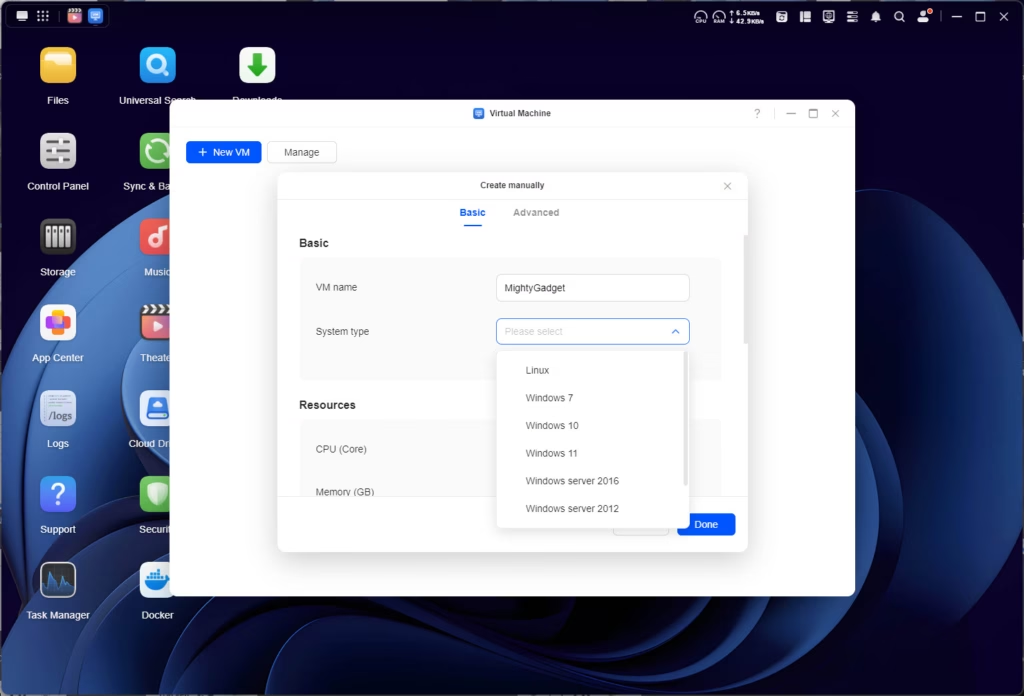
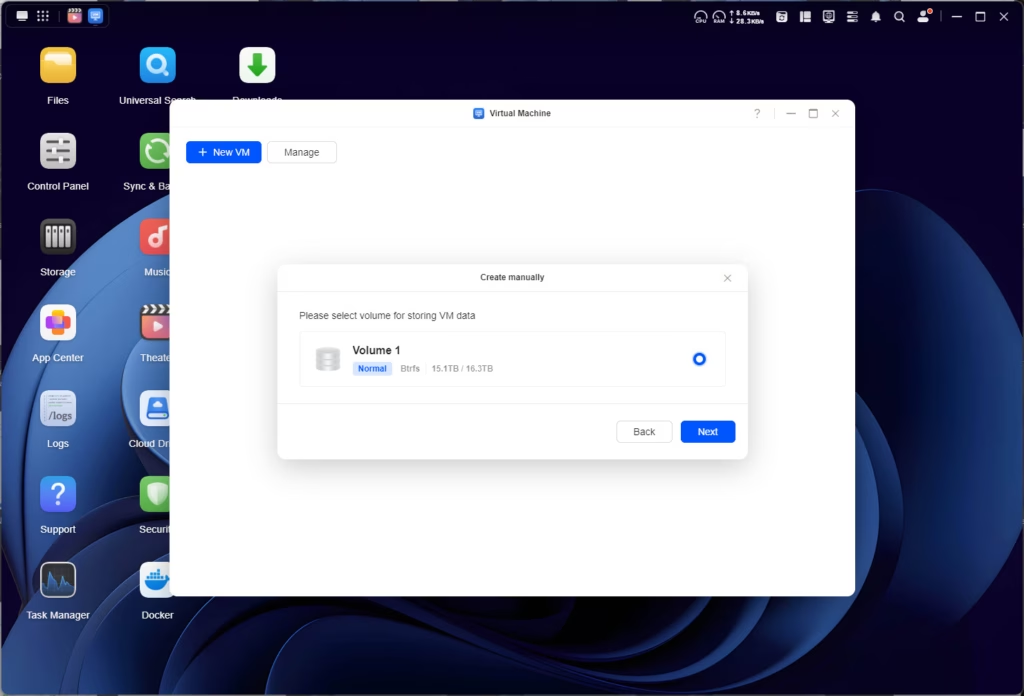
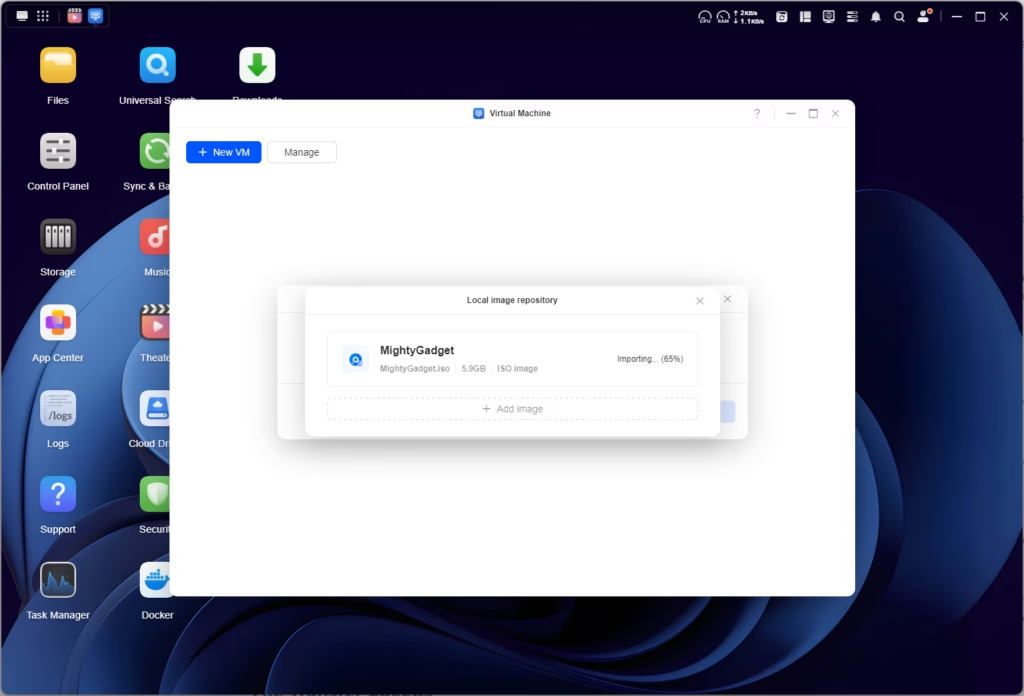
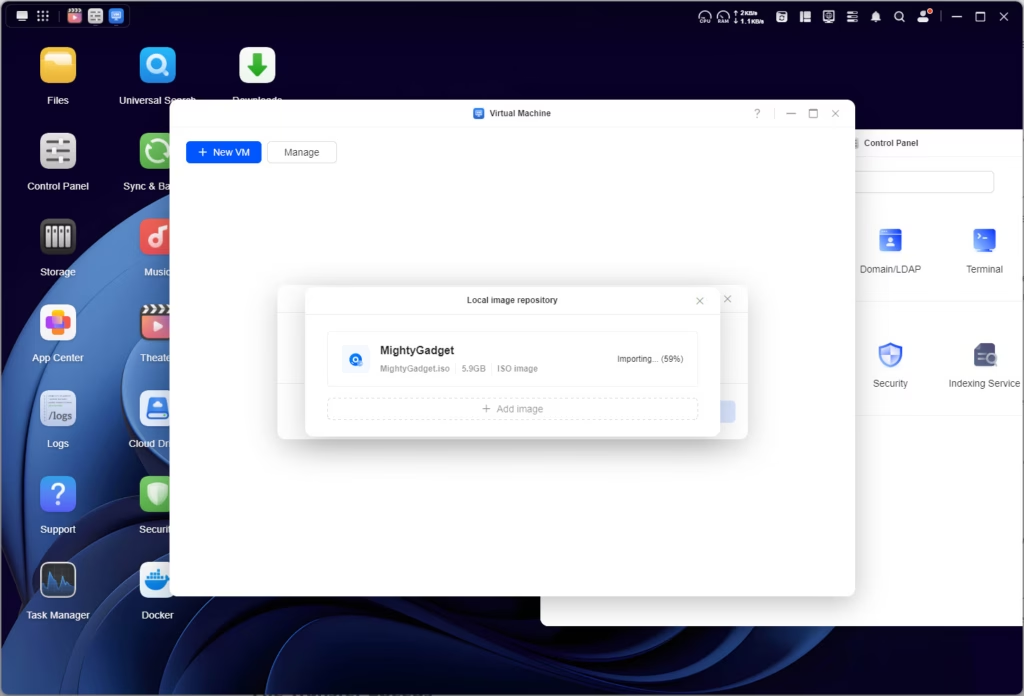
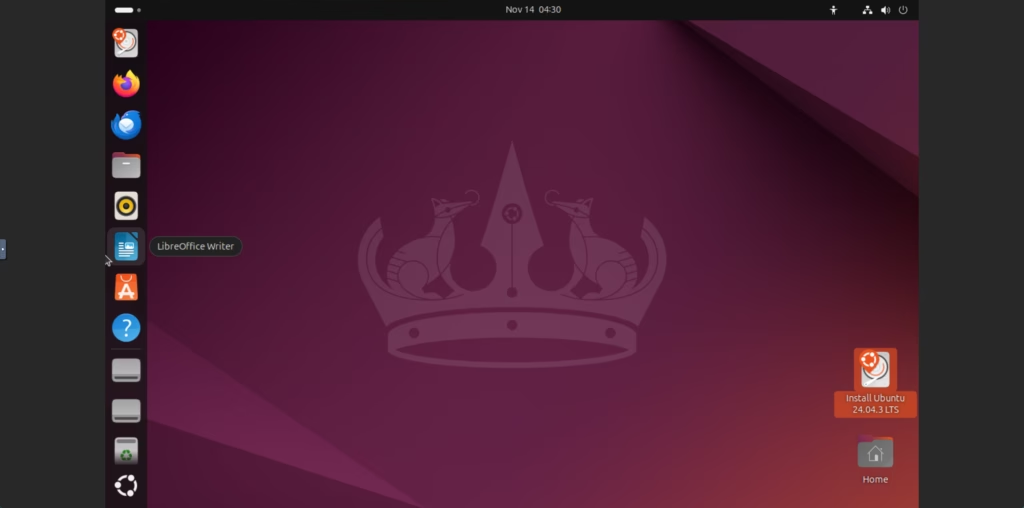
The virtual machine function has huge potential but it will be limited on this NAS. The specs are great for a NAS and media server, but you will want to be cautious with the resources you assign to a VM, and have realistic expectations of performance.
The VM manager is functional but basic. You can create VMs from ISO files, allocate CPU cores and RAM, and configure network settings. I tested with a lightweight Debian installation, allocating 2 CPU cores and 4GB of RAM, and it ran acceptably for basic tasks. However, this isn’t Proxmox – don’t expect to run Windows VMs with demanding applications or multiple VMs simultaneously without serious performance compromises.
The Pentium Gold 8505’s hybrid architecture (one performance core and four efficiency cores) means it can handle light virtualisation tasks, but you’re not going to be running a full development environment or anything similarly demanding. For most users, I’d say the VM functionality is best reserved for specific use cases – perhaps running a particular application that needs to be always-on, or testing something in an isolated environment.
Setting up a VM is a simple process; you can set up a fresh VM with an ISO or import an existing disk file. When the VM is set up, you can access the GUI via your browser.
UGOS Docker
Docker remains the same as the DH4300. Likely my lack of experience with Docker, but I have never found Docker management inside NAS operating systems; I always seem to make a mess of the volume and port mapping.
With the DH4300, I managed to get Dockge up and running via SSH and this has been working perfectly, you just need to be careful about setting the volumes to file directories that you can easily access.
The challenge with UGOS is that the native Docker interface is fairly bare-bones. You can pull images and create containers, but the volume mapping and network configuration require careful attention. If you map volumes incorrectly, you might find your containers can’t access the data they need, or worse, you’re storing container data in locations that aren’t backed up or are difficult to access.
My recommendation: if you’re comfortable with basic Linux commands, SSH into the NAS and use Docker Compose files to define your containers. This gives you full control and makes it easier to document your setup. If you’re less comfortable with command-line tools, the built-in interface works, but take your time to understand volume mapping before deploying important containers.
File Transfer Speeds
The 10GbE connection should theoretically allow speeds up to 1,250MB/s. In practice, with a RAID 5 array of spinning hard drives, I was seeing 500-600MB/s, which is respectable and roughly what you’d expect from mechanical drives. The bottleneck here is the drives themselves, not the network connection.
Now, it’s important to put this in context: 500-600MB/s over 10GbE is still faster than what most competing NAS units can achieve at this price point. The TerraMaster F4-424, for instance, doesn’t include 10GbE at all. QNAP’s TS-464 requires an expansion card for 10GbE. The fact that Ugreen includes it as standard is significant.
Sync & Backup
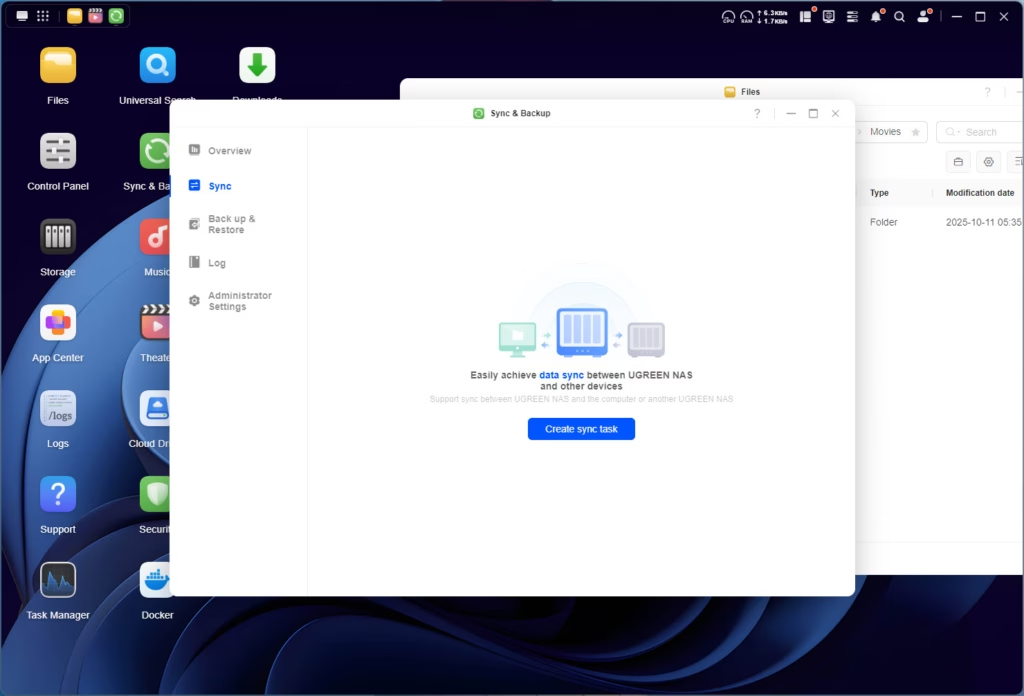
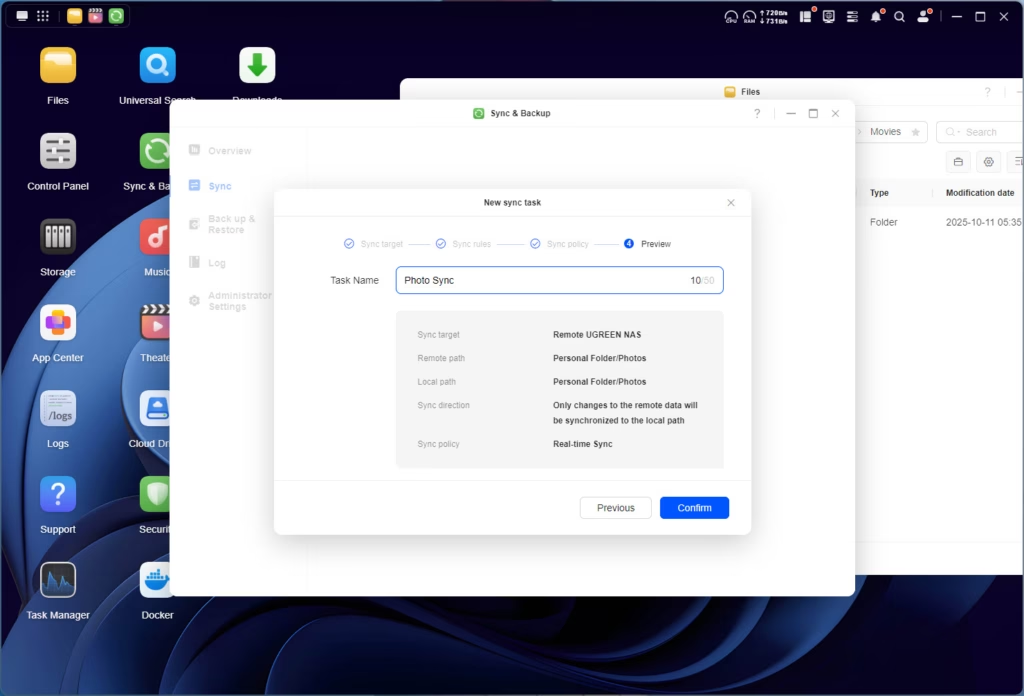
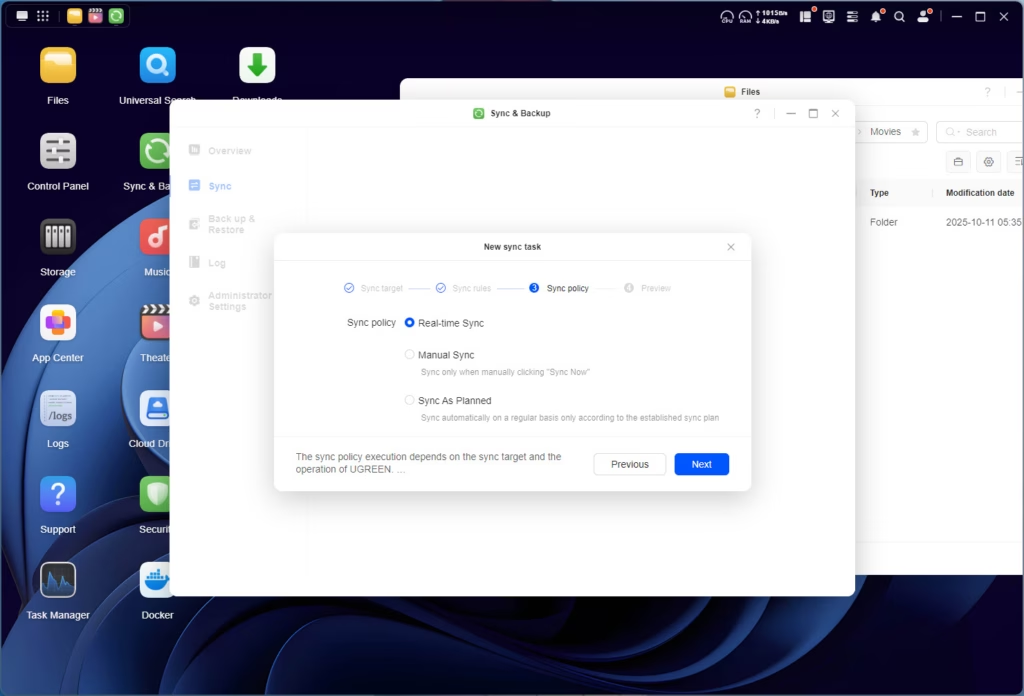
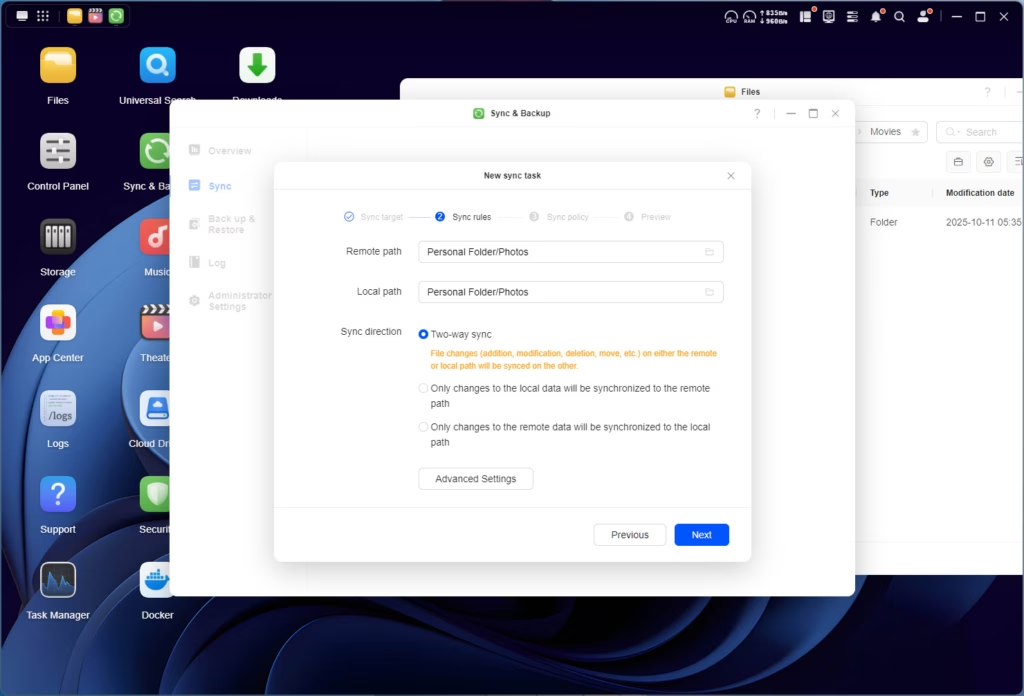
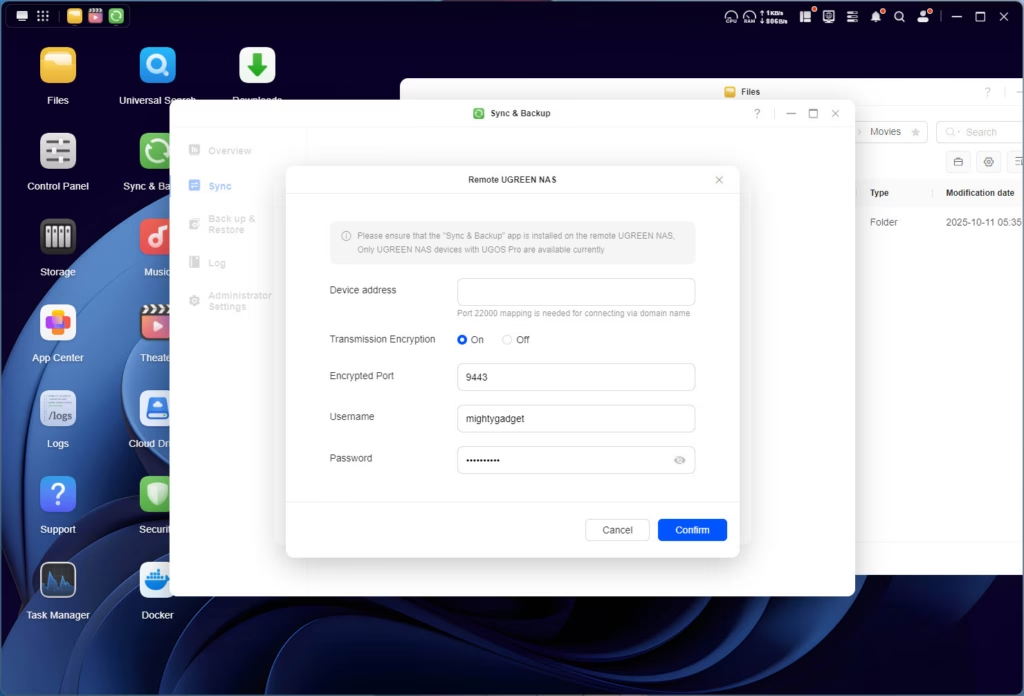
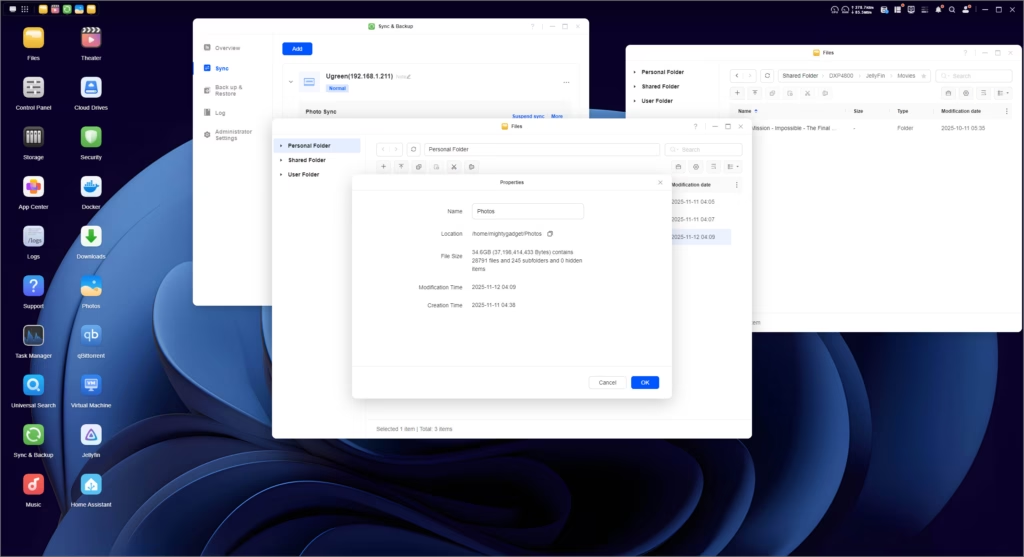
I have been using the Sync & Backup utility extensively on the NASync DH4300 Plus.
I use it for two main functions:
- Ugreen app on my phone to backup photos – giving me a good Google Photos alternative.
- Rsync to back up my server – the one downside to this is that it is username/password-based, so not as secure as keys.
For this NAS, I made use of the Ugreen-to-Ugreen sync; in particular, I used it to copy all the photos over from my DH4300. I had 340GB of data to transfer, with 220,000 photos, and it worked seamlessly. I didn’t check how quickly it transferred the files but within a few minutes it had already moved 35GB of files.
With that working well, I also transferred some of my media library from my Unraid NAS using the Rsync function, which again, worked flawlessly.
Jellyfin / Plex Performance / Hardware Decoding
The Rockchip ARM chipset in the NASync DH4300 Plus was surprisingly good for playing media and some transcoding. However, the Intel Pentium 8505 is much more powerful, and it also supports Intel QuickSync, which is regarded as the best way to transcode media.
QuickSync on this CPU, version 8, is the same as in the Rocket Lake CPUs and supports MPEG-2, AVC, VC-1 decode, JPEG, VP8 decode, VP9, HEVC, and AV1 decode in hardware.
In practical terms, this means the NAS can hardware-transcode multiple 1080p streams simultaneously, or a single 4K HEVC stream down to 1080p H.264 with minimal CPU usage. This is perfect for Plex or Jellyfin servers where not all client devices can directly play your media in its native format.
I tested with Jellyfin (since Plex isn’t available in the UGOS app store, though it can be installed via Docker), and transcoding performance was excellent. A 4K HEVC file transcoded to 1080p H.264 in real-time with CPU usage barely spiking above 20%. Two simultaneous 1080p transcodes maintained similar low CPU usage.
For most home media server scenarios, this level of performance is more than adequate. If you’re running a Plex server for a large family or friend group with 5+ simultaneous streams, you might want more horsepower. But for typical use cases, the Pentium Gold 8505 handles it brilliantly.
One caveat: to enable hardware transcoding in Jellyfin via Docker, you’ll need to pass through the iGPU device to the container, which requires some additional configuration. This isn’t immediately obvious from the UGOS interface, so you may need to edit the Docker configuration via command line or using a tool like Portainer.
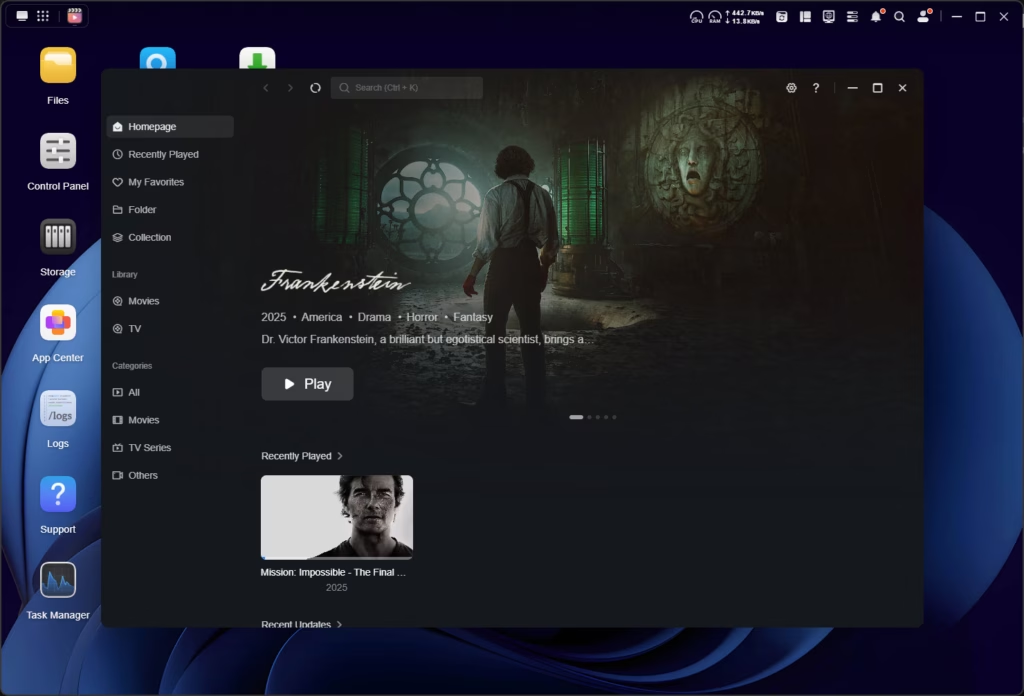
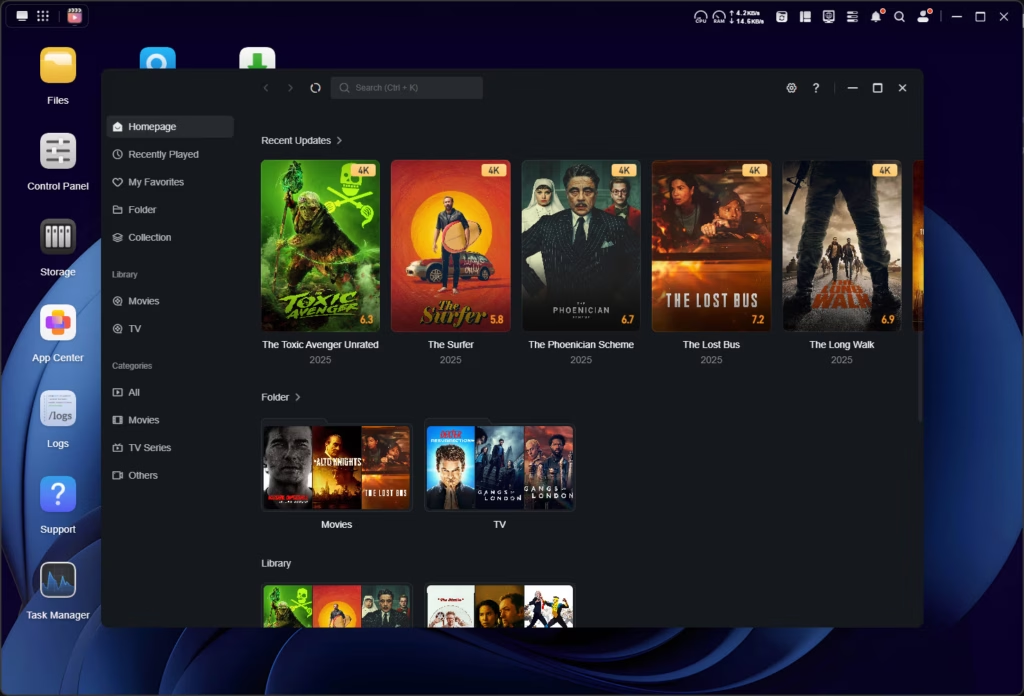
The built-in media player on UGOS is surprisingly good, providing similar functionality to Plex/Jellyfin. With the HDMI out on the NAS, you could, in theory, use this as both your media server and a home theatre PC, and it is quiet enough to sit next to your TV without noticeable fan noise.
Photo App
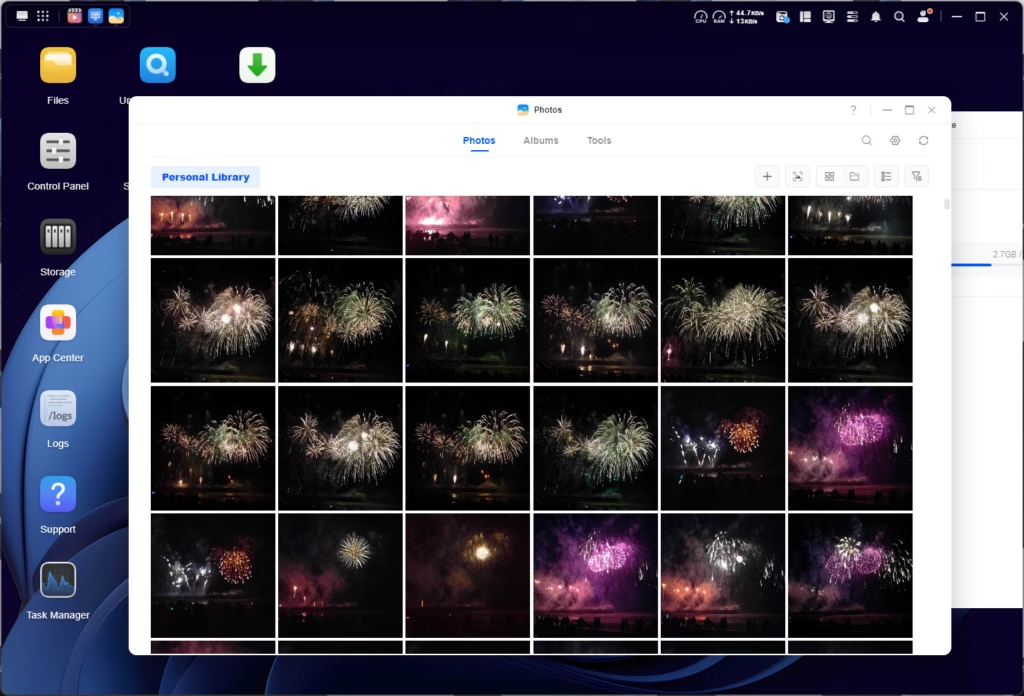
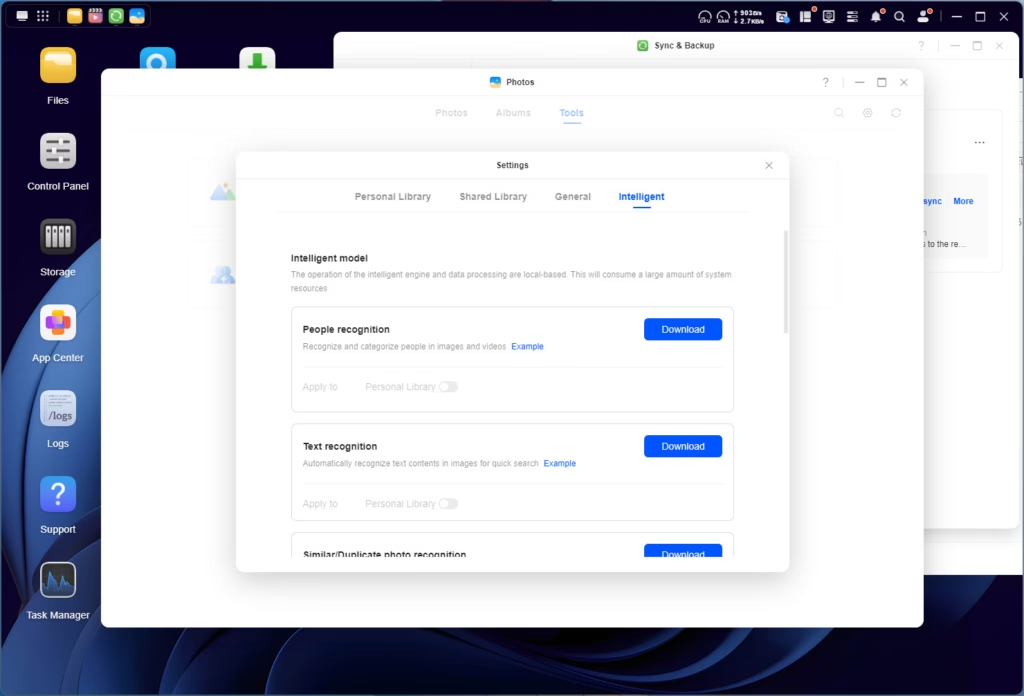
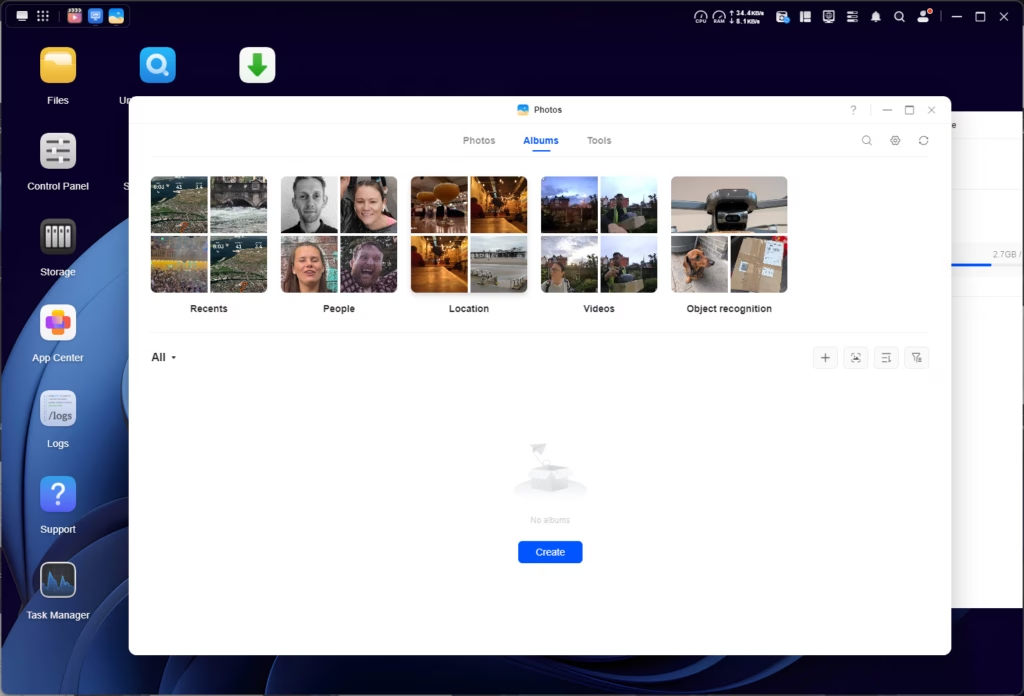
Similar to the media performance, I was eager to see how the Photo app would perform with the increased processing power. In particular, the AI features, such as facial recognition, required long processing times on the DH4300 Plus.
The first thing I noticed was that there are more features with the photos app on this NAS. You now have options under the intelligent settings for:
- People recognition
- Text recognition
- Similar/duplicate recognition
- Scene & object recognition
- Pet recognition – Not available on DH4300 Plus
- Sensitive content – Not available on DH4300 Plus
- This option allows the NAS to identify blurred images of anything explicit.
- Image recognition – Not available on DH4300 Plus
- This allows you to describe an image and the NAS will try and find it
- Model training package – Not available on DH4300 Plus
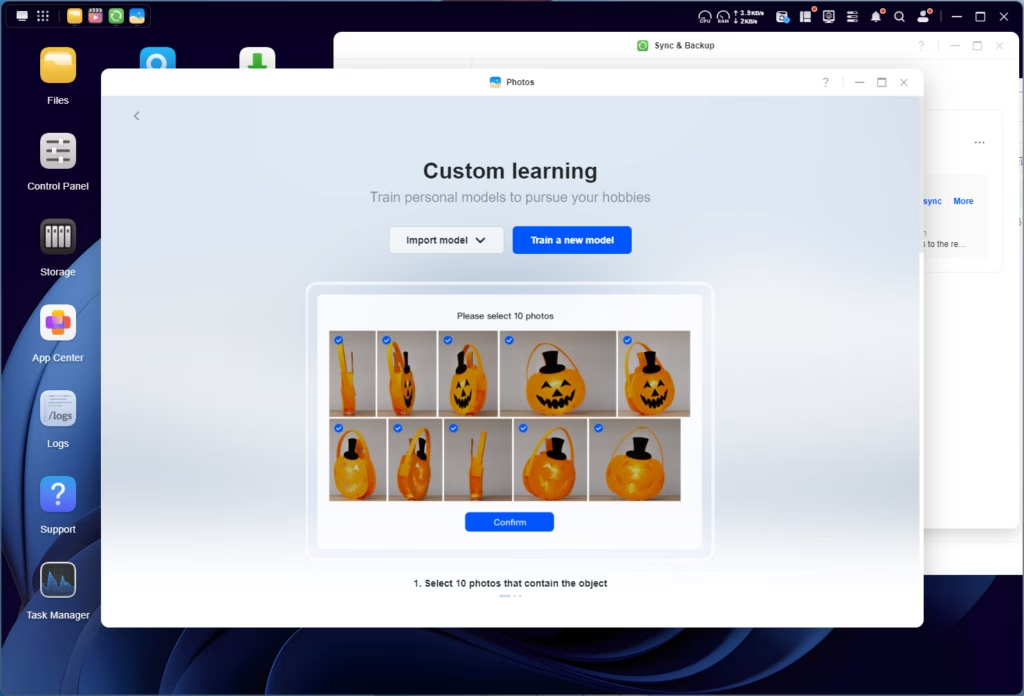
- This option is particularly interesting, you can basically create your own object recognition by providing at least 10 sample photos
The performance improvement is noticeable. Processing 220,000 photos for face recognition took about 36 hours on the DH4300 Plus. On the DXP4800 Plus, similar processing completed in roughly 12 hours. That’s still a considerable amount of time, but it’s a significant improvement.
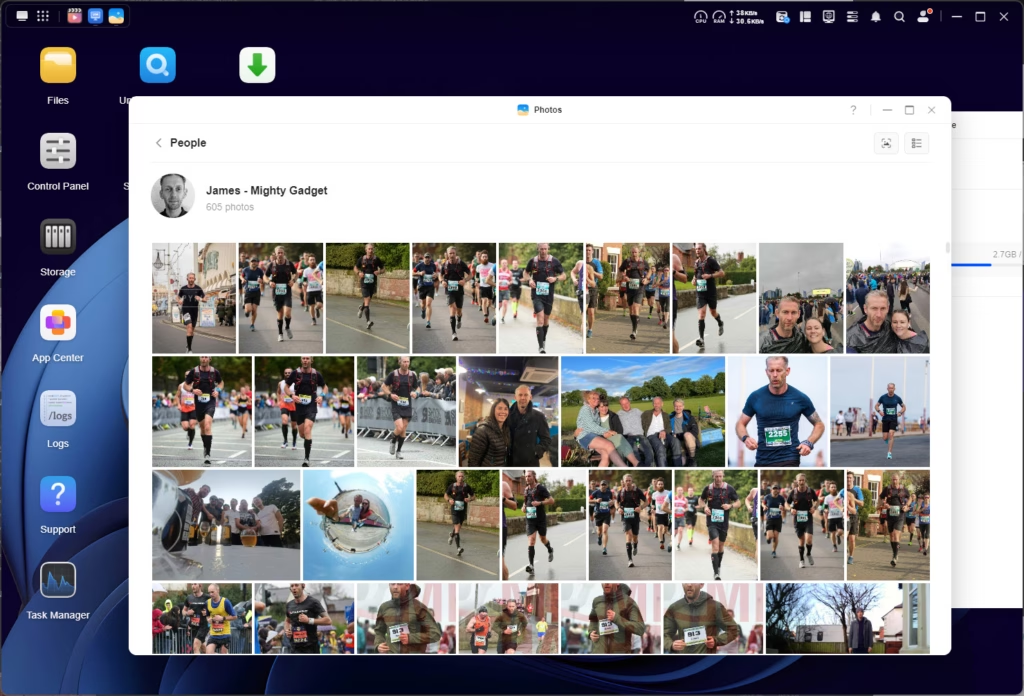
The face recognition works reasonably well once it’s done processing. It correctly identified faces in about 80% of my test photos, and grouped them with decent accuracy. You can then manually correct groupings and label faces with names. The interface for this is clean and intuitive.
The semantic search (“find photos with dogs”, “show me beach photos”) is hit-and-miss. It works well for obvious subjects and scenes, but struggles with more abstract queries. Compared to Google Photos’ AI, it’s noticeably less capable, but again, the privacy benefit of on-device processing is significant.
The model training package is genuinely interesting. I tested it by training a model to recognise my phone. After providing about 15 sample photos, it could then identify other photos containing the phone with reasonable accuracy. This could be useful for me as my photos are cluttered with product photography.
Home Assistant
I didn’t use Home Assistant on the DH4300, as I have it installed on a mini PC inside Proxmox. But, as this NAS is more powerful, I decided to test it out.
Home Assistant is available as a Docker container, and installation was straightforward following the standard Docker installation method. Performance was acceptable for basic use – the interface was responsive, automations ran without issue, and integrating various smart home devices worked as expected.
My mini PC has a more powerful CPU than this NAS, but this would certainly perform better than the Rasbery Pi which many people use for Home Assistant.
qBittorrent
The qBittorrent app is available in the UGOS app store, and it works perfectly well for managing torrent downloads. The web interface is the standard qBittorrent UI, which is functional if not particularly pretty.
One thing to be mindful of: make sure you configure the download directory carefully. By default, it may try to download to a location that isn’t part of your main storage pool, which can cause confusion. Set it to a dedicated folder within your main storage pool for easier management.
Download speeds are good, easily saturating a fast broadband connection. The 10GbE/2.5GbE network port ensures that network speed won’t be a bottleneck for almost any home internet connection.
For more advanced torrent automation (Sonarr, Radarr, etc.), you’ll want to use Docker containers rather than the built-in qBittorrent app, as this gives you more flexibility and better integration with the rest of your media automation stack.
Power Draw / Energy Efficiency / Noise
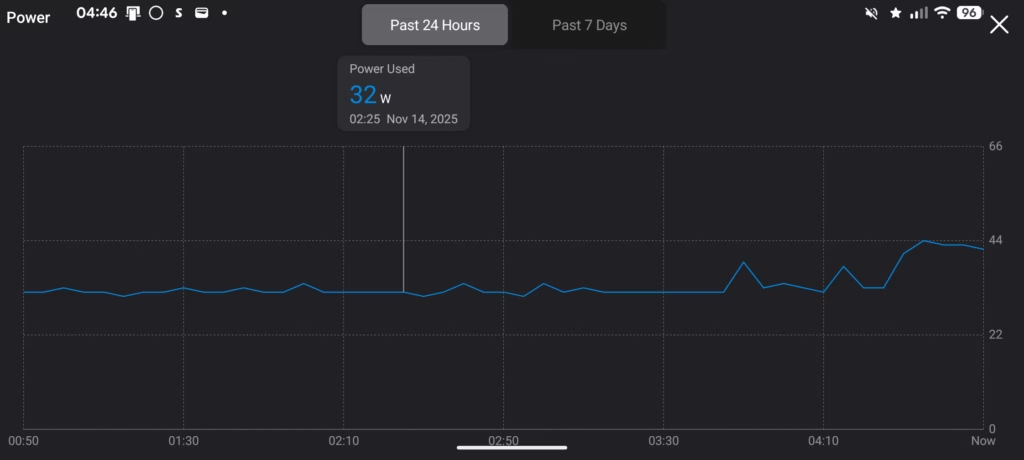
I attached the NAS to my favourite smart plug, which includes power monitoring, the TP-Link Tapo P110M. It is Matter-enabled and integrates perfectly with Home Assistant.
During light load, when it was transferring photos over to the new NAS, it consumed between 39W and 45W, making it extremely power efficient. Granted, that is still quite a lot more than the DH4300, which used around 21-22 watts, for similar workloads.
Playing a 4K copy of Mission Impossible using the media player barely changed the power draw. I think I saw it go up to 47W, but it was practically the same as the file transfer by itself.
Playing another file at the same time, but on Jellyfin, increased the power slightly, with it hovering around 45W most of the time, but up to 49W.
Looking at historic data, the power draw peaked at 64W, which I think coincided with me removing the SSD read cache and enabling read/write cache with two M.2 drives.


In the evening, power usage dropped to 32W. You could reduce your power usage by using the scheduled start-up and shutdown feature within the hardware and power features. You can also tweak power further by changing the hard drive sleep times, which are 20 mins by default; you can drop it as low as 10 minutes.
To put this in context: at 40W average consumption, running 24/7, you’re looking at about 350kWh per year. In the UK, at current electricity prices (around 24p per kWh), that’s roughly £84 per year in electricity costs. That’s noticeably higher than the DH4300’s ~£45 per year, but still reasonable given the increased performance.
The Synology DS920+ (with Intel Celeron J4125) typically consumes 30-35W under similar loads, so the DXP4800 Plus is slightly more power-hungry. The TerraMaster F4-424 with Intel N95 uses around 30W. These differences may not be huge in absolute terms, but they do accumulate over years of continuous operation.
Noise levels are good. The 140mm fan runs quietly at idle, barely audible from more than a metre away. Under load, it does spin up and becomes more noticeable, but it’s never intrusive. The drive noise is more significant than the fan – the WD Red Plus drives I tested with are reasonably quiet, but you will hear the occasional seek noise, especially during intensive operations like RAID rebuilds or large file transfers.
Price and Alternative Options
The Ugreen NASync DXP4800 Plus has an RRP of £600, but at the time of writing, it was available from Ugreen and Amazon for £540.
The ARM-based NASync DH4300 Plus I previously reviewed has an RRP of £360 and is available for £306.
Then the NASync DXP4800 has an RRP of £480 and is available for £408.
If you were to move up a level, there is the NASync DXP6800 Pro, which has 6-bays, a powerful Intel i5 1235u, dual 10GbE, and dual Thunderbolt 4 docks. As you’d expect, the price jumps quite a bit to £1000 RRP available or £850.
Minisforum entered the NAS scene recently, the N5 AI NAS is available for £550 and has an AMD Ryzen 7 255, 5 bays, 3xM2, 10Gb+5GbE, plus an OCuLink port. It is amazing hardware for the money, but the OS, Miniscloud, is supposed to be quite poor with no WebUI and no terminal access.
TerraMaster is probably the main competitor, but they don’t have a like-for-like alternative. The F4-425 Plus is a bit cheaper, but has a lower spec Intel N150 and dual 5GbE ports, though it ups the specs with 3x M2 slots, and 16GB DDR5 RAM.
Or the F4-424 Max, is £700, with an Intel i5-1235U, 8GB DDR5, 2xM2 and dual 10GbE ports.
If you were to go with Synology, for around £550, you can get the DiskStation DS925+, which has an AMD Ryzen V1500B, 4GB DDR4 ECC (expandable to 32 GB), 2x M2 slots, and dual 2.5GbE. The hardware is significantly inferior to Ugreen, but Synology DSM is the gold standard of NAS operating systems and is arguably superior to self-build options like Unraid.
Overall
Ugreen has really nailed the hardware aspects of their NASync, offering great hardware for tremendous value for money.
While UGOS remains in its infancy and could do with a lot more development, especially the available apps, it is actually pretty good and should be fine for most users.
It does fall short for things like downloading media and other popular self-hosting services. But it is possible to overcome this issue with Docker, and if you are brave enough, setting things up via SSH.
I’d say the NASync DXP4800 Plus is the sweet spot in terms of price and performance for their entire range, but in reality, you could argue each NAS is a sweet spot for its pricing.
The DH4300 Plus is almost £200 cheaper, and if you are happy to use UGOS, it is a great, affordable, low-powered NAS.
The NASync DXP4800 Plus, buys you more flexibility, especially as you can install a different OS, which I’d regard as a major selling point. If you want an affordable Unraid NAS, this would make an amazing choice. Or, if you stick with UGOS, it is still a great NAS with some amazing features, in particular, the Photo app.
Overall, I have been incredibly impressed with what Ugreen has done with the NASync range, in the space of a couple of years, they have managed to easily compete with TerraMaster, which has been a popular option for affordable NAS devices for years, and similar to Ugreen, a great choice if you want to switch to Unraid/TrueNAS.
While the Ugreen range is smaller than TerraMaster, I’d argue tthat hey have superior products. Providing better hardware for similar prices.
While Synology may dominate on the software front, Ugreen, Terramaster, and even Minisforum are embarrassing them with substantially better hardware at lower price points.
I think the NASync DXP4800 Plus is a perfect option for anyone looking for a powerful NAS with a multi-gig network at a reasonable price, and there is not much else that competes with it.
My rating may be slightly biased, as the OS does need to improve to really compete with the bigger players, but I have based my rating on the overall value for money, which I think is fantastic.
Ugreen NASync DXP4800 Plus Review
Summary
The Ugreen NASync DXP4800 Plus delivers outstanding hardware performance for the price, making it one of the most compelling mid-range NAS options currently available. With its Intel Pentium Gold processor, 10GbE networking, NVMe caching, and excellent build quality, it offers a level of capability that rivals or surpasses many established brands at a similar or higher cost. While UGOS still lags behind Synology and QNAP in app support and polish, the inclusion of Docker, improved AI-driven photo features, and the option to install alternative operating systems significantly extend its usefulness. For users wanting powerful hardware, multi-gig networking, and the flexibility to expand or switch OS in the future, this is an excellent choice that stands out strongly in its price range.
Pros
-
Superb hardware and 10GbE at a competitive price
-
Excellent build quality and quiet operation
-
Supports Docker and alternative operating systems
-
Strong media performance with Intel QuickSync
Cons
-
UGOS app store and interface still limited
-
Uses an external PSU rather than internal
-
Lacks built-in Plex and some common NAS utilities

I am James, a UK-based tech enthusiast and the Editor and Owner of Mighty Gadget, which I’ve proudly run since 2007. Passionate about all things technology, my expertise spans from computers and networking to mobile, wearables, and smart home devices.
As a fitness fanatic who loves running and cycling, I also have a keen interest in fitness-related technology, and I take every opportunity to cover this niche on my blog. My diverse interests allow me to bring a unique perspective to tech blogging, merging lifestyle, fitness, and the latest tech trends.
In my academic pursuits, I earned a BSc in Information Systems Design from UCLAN, before advancing my learning with a Master’s Degree in Computing. This advanced study also included Cisco CCNA accreditation, further demonstrating my commitment to understanding and staying ahead of the technology curve.
I’m proud to share that Vuelio has consistently ranked Mighty Gadget as one of the top technology blogs in the UK. With my dedication to technology and drive to share my insights, I aim to continue providing my readers with engaging and informative content.
Last update on 2025-11-14 / Affiliate links / Images from Amazon Product Advertising API