
At a glance
Expert’s Rating
Pros
- Large display is vibrant, great for gaming and streaming
- Plenty of power available, and it doesn’t run too warm
- Some of the best AI you’ll find in a phone
Cons
- Price increase means better value rivals
- Minimal gains on battery life
- Cameras are capable, but not special
Our Verdict
The Samsung Galaxy S26+ has everything you’d want from a flagship; big screen, plenty of power, capable cameras, and some of the best AI on a phone. If you’re a Samsung fan (with an older device), you’ll want to check it out.
Price When Reviewed
This value will show the geolocated pricing text for product undefined
Best Pricing Today
Price When Reviewed
From $1,099
Best Prices Today: Samsung Galaxy S26+

$1,099.99
The Samsung Galaxy S26+ is the middle child of the South Korean firm’s trio of new flagship phones for 2026, providing users with a bigger display experience over the base model S26, at a price which isn’t quite as prohibitive as the S26 Ultra.
Samsung’s new Galaxy S26 series, like its predecessors, offer a handful of incremental hardware upgrades, while the firm’s focus remains firmly on its AI proposition.
It means there’s not a huge amount that’s new on the hardware side of things over the Galaxy 25+ this phone is replacing, with most of the action happening in the software and with AI.
And with Samsung increasing the prices across the whole S26 series this year, the Galaxy S26+ finds itself battling it out with excellent big-screen smartphones such as the OnePlus 15, which is cheaper.
The S26+ is a bit of a black sheep when compared to Apple’s and Google’s trio of flagships. Both of those opt for two ‘Pro’ models, and a single base model, whereas Samsung is continuing with the Ultra as its only true Pro model rival, with the S26+ just a larger screen version of the S26.
In fact, the Galaxy S26+ is the same price as the Google Pixel 10 Pro and iPhone 17 Pro. While both of these phones have smaller displays than the Samsung, they do inherit more high-end features.
How much you value Samsung’s One UI software and the AI additions will likely determine whether or not the Galaxy S26+ is the phone for you.
Design & Build
- Familiar design, premium and well-built
- IP68 rated against dust and water, allowing it to survive a dunk in the tub
- Those with smaller hands might want to opt for the S26 instead
If you’re familiar with Samsung’s previous couple of flagship series, the design of the Galaxy S26+ will offer up a certain amount of deja vu.
The blueprint for the phone has been kept pretty much the same, with the exact same dimensions as the S25+, which itself was only fractionally different to the S24+.
While it’s a little disappointing not to see Samsung push the boundaries of design, at the same time, the current design is sleek, premium and functional. As the saying goes, if it ain’t broke, don’t fix it.
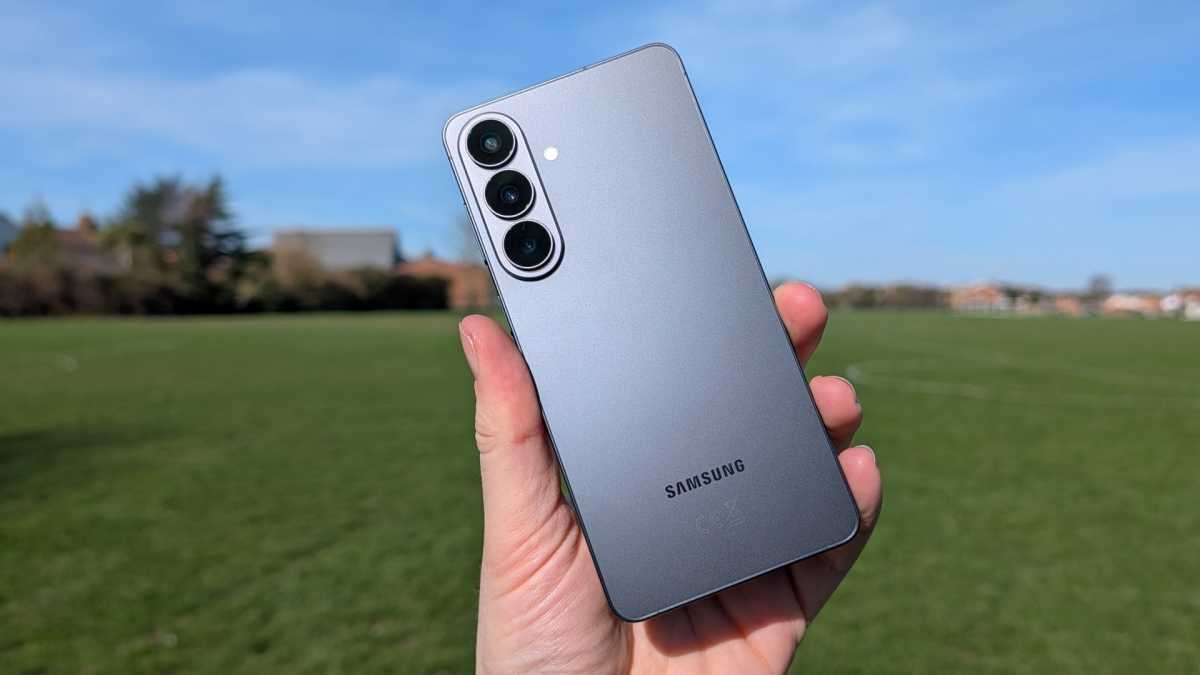
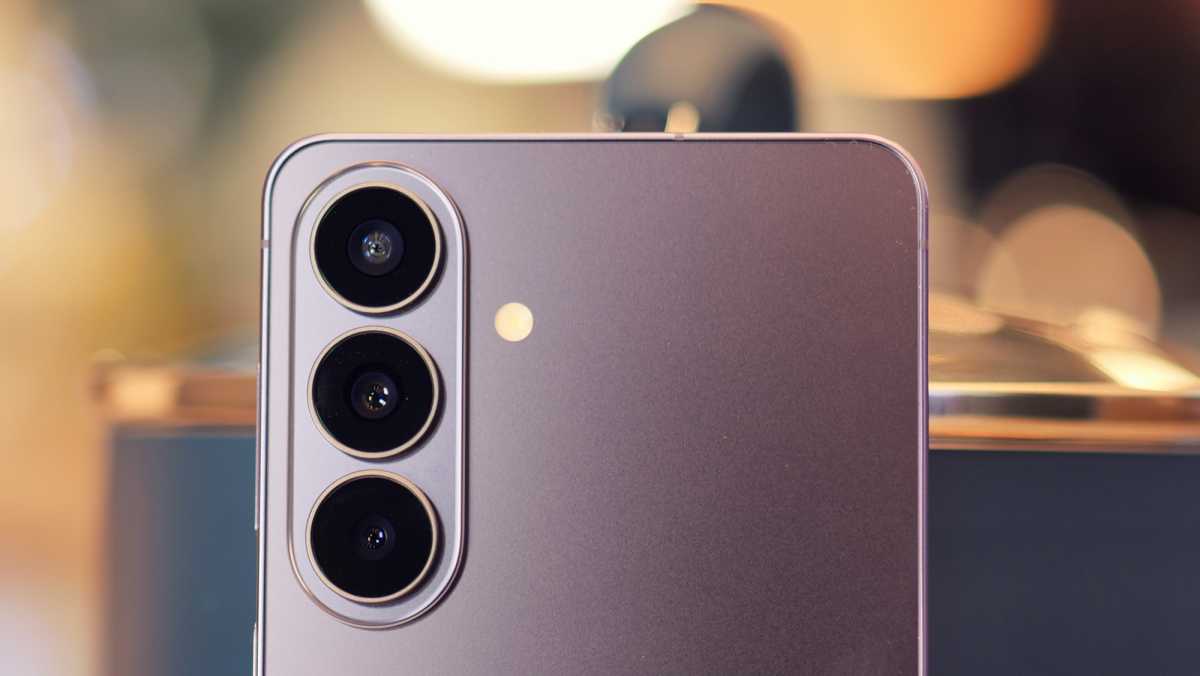
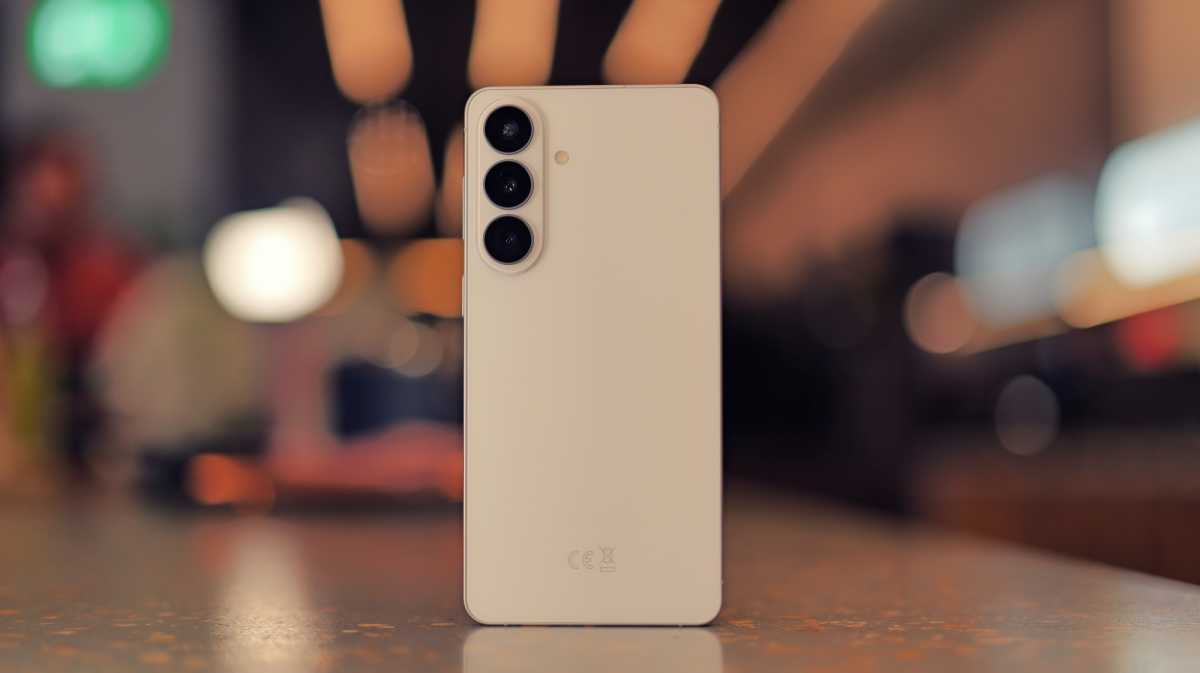
The only visual change for the Galaxy S26+ is found on the rear, where the trio of cameras now reside on a vertical, oval island. As the cameras themselves are raised above the island, it means the camera array as a whole protrudes a little more.

Luke Baker
This isn’t a huge issue, but it’s something that irks me – and is an issue with all phones which have a camera array in the corner – as the phone isn’t stable when placed on a desk or table. Tap away and the whole thing wobbles and I worry for the cameras. A case can solve this wobble, though, if you’re at all concerned.
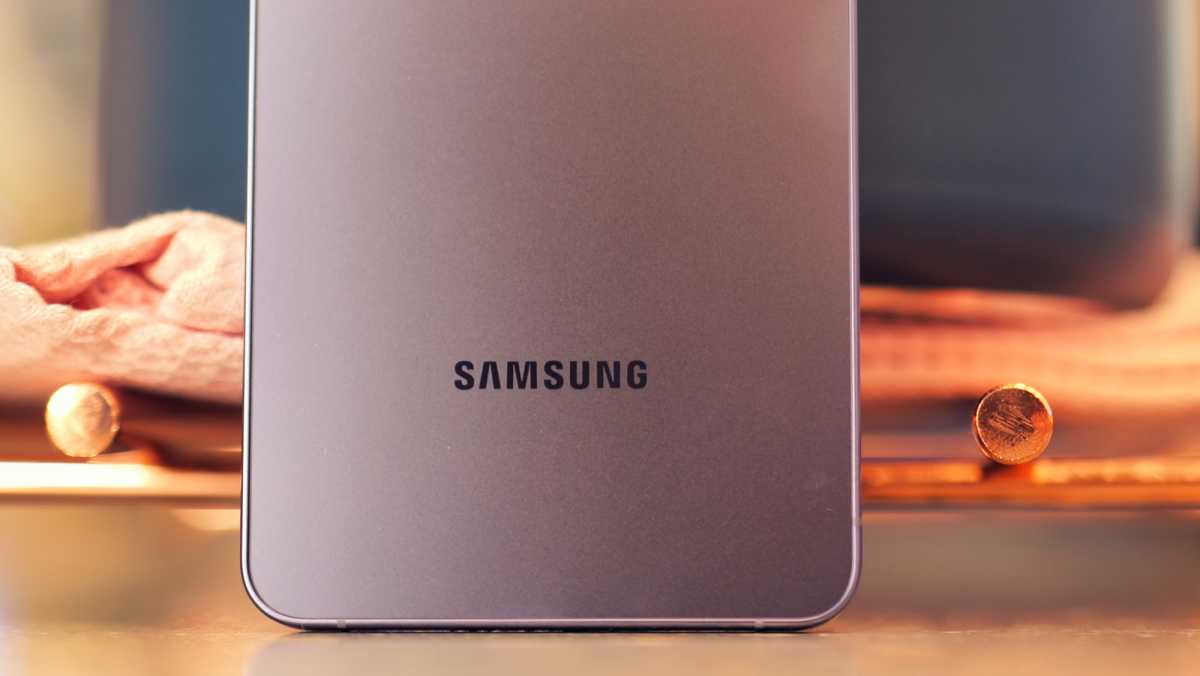
A case will also provide you with more grip, as while the smooth glass and metal finish look great, it’s also pretty slippy.
There are also some new colours, though I got the plain Black to review. If you don’t want one of the core Black, White, Sky Blue or Cobalt Violet options, then head to Samsung’s official store for the exclusive Silver Shadow or Pink Gold.
sleek, premium and functional
The good news is the S26+ is very well made. Its Armor Aluminium frame, and strengthened Gorilla Glass Victus 2 glass looks and feels classy. The power and volume buttons on the right have a nice tactility to them, and the slender bezels round the screen complete the premium aesthetic.
John McCann / Foundry
You also get IP68 dust and water protection, meaning the Galaxy S26+ can survive immersion in up to 1.5m of fresh water for up to 30 minutes. Handy if you accidentally let it slip in the bath.
A quick word of warning on the size of this phone, though. As the S26+ has a 6.7-inch display, it’s tall and wide. Those with smaller hands might prefer its compact sibling, the Galaxy S26, which has a 6.3-inch screen for easier one-handed operation.
Screen & Speakers
- Wonderfully sharp, colourful screen
- Great for gaming and video streaming
- Not quite as bright as some rivals
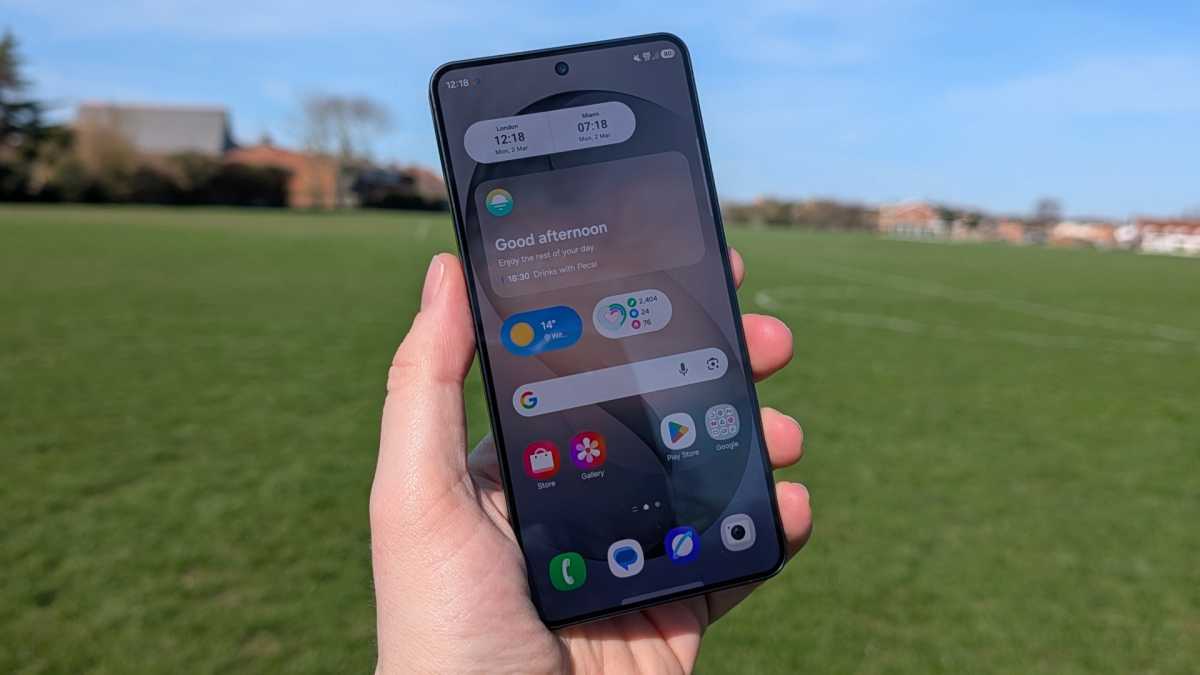
The Samsung Galaxy S26+ features a glorious 6.7-inch AMOLED display that pops with colour, and the QHD+ (3120 x 1440) resolution means this is a panel packed with pixels, with a density of 516ppi.
A wonderfully sharp screen, which is great for streaming video and playing games
That’s more pixels per inch than both of its siblings (even the S26 Ultra), as well as the Pixel 10 Pro duo (495ppi & 486ppi) and the two iPhone 17 Pro handsets (both 460ppi).
Then there’s Samsung’s “mobile Digital Natural Image engine” (mDNIe), which is said to offer “four times better processing precision for richer tones.” The result? A wonderfully sharp screen, which is great for streaming video and playing games.
One area where the screen is let down slightly is brightness. The Galaxy S26+ has a peak brightness of 2600 nits, which is somewhat lower than the Pixel 10 Pro (3300 nits) and iPhone 17 Pro (3000 nits). It is better than the OnePlus 15, though, which only manages 1800 nits.
John McCann / Foundry
What this means in real life is still good visibility in direct sunlight, but it’s not quite as clear in these situations as the Apple and Google handsets at the same price.
The display supports 1-120Hz variable refresh rate, allowing gamers to dial up performance when they need it, while also allowing the S26+ to dial the refresh rate all the way down for static text pages to help conserve energy. A high refresh rate also means smooth scrolling, which makes the One UI 8.5 interface feel slick under thumb.
This is becoming an increasingly standard feature across smartphone screens, so it’s good to see Samsung keeping up with the competition here. The OnePlus 15 leads the mainstream pack at 165Hz, though it’s a case of diminishing returns.
Just note, you don’t get Samsung’s new, world-first privacy display, which is exclusive to the S26 Ultra.
You also get stereo speakers on the Galaxy S26+, providing pleasing sound when held landscape for video or gameplay. Volume goes to a decent level and doesn’t get too distorted, and there’s Bluetooth connectivity if you want improved sound via headphones or an external speaker.
There is no 3.5mm headphone jack, which is no surprise, as this was ditched a while back on the flagship S series.
Specs & Performance
- World’s first 2nm chipset and 12GB of RAM
- Redesigned vapour chamber for improved thermal management
- Choose from 256GB or 512GB, no physical expandable storage option
The Galaxy S26+ (and its non-plus sibling) features the world’s first 2nm chipset, Samsung’s Exynos 2600. Samsung claims its new chip offers a 36% improvement in NPU for faster AI, a 23% GPU improvement, and a 7% increase in CPU processing over the chip found in the S25+.
A look at the Galaxy S26+’s Geekbench 6 multi-core score (10,610) confirms the power uplift over the S25+ (9,430) – although it’s still outperformed by the OnePlus 15 (11,134), which has the same Snapdragon 8 Elite Gen 5 chipset as the pricier S26 Ultra.
At least this is the case in most markets, while the 8 Elite Gen 5 is inside the S26+ if you live in the US or China.
performance remained solid even during prolonged gaming sessions
While the chipset offers better performance, it also stays cooler than its predecessor thanks to a redesigned vapour chamber. This allows generated heat to be spread more efficiently, preventing the phone from overheating.
The Galaxy S26+ does get warm, and I noticed this particularly when running the benchmarking tests and playing intensive games such as Call of Duty Mobile. The heat never got to excessive levels, though and performance remained solid even during prolonged gaming sessions.
Luke Baker
Speaking of which, I was able to play Call of Duty Mobile with graphics and framerate set to ‘very high’, and Samsung’s Game Booster set to performance to channel the majority of the phone’s power to the game. Gameplay was smooth and there was no obvious lag during matches, although some of the menus could be a little slow at times.
In short, there’s plenty of power under the hood for the vast majority of users. Gameplay is slick, the interface flows nicely, and AI tasks don’t require too much waiting around, whether you’re asking Gemini something complicated or getting Galaxy AI to mashup your photos (more on this shortly).
I did notice the fingerprint scanner isn’t as quick at reading my digits as some other phones. I’m only talking a split second on so, but the fingerprint scanners on the Pixel 10 Pro and OnePlus 15 are a beat quicker, meaning your finger doesn’t have to linger quite as long to get unlocked.
Samsung Galaxy S26 Plus benchmarks
Cameras
- Triple rear cameras have the same hardware specs as the S25+
- A competent snapper, but zoom capabilities are beaten by others
- Horizon Lock is a magical feature that videographers will love
On paper, the Samsung Galaxy S26+ cameras haven’t changed from the Galaxy S25+ or S24+. You still get three snappers on the back, with the main 50Mp, f/1.8 camera joined by a 10Mp, f/2.4 telephoto with 3x optical zoom, and a 12Mp, f/2.2 ultrawide.
It means general photography performance is similar to last year’s model. The main 50Mp performs well in good light, with shots taken outdoors on a sunny day, packing clarity and colour.
Luke Baker
The shutter is responsive, and the Galaxy S26+ does a good job at being an easy-to-use point-and-shoot machine. The main camera also offers up the 2x optical zoom, providing crisp shots closer up, while the 3x zoom doesn’t produce images that are quite as accomplished with the lower resolution sensor at play.
You can go beyond the optical zoom settings, all the way up to a 30x digital zoom. While this gets you plenty close enough to objects in the distance, there’s a distinct lack of detail when you’re zooming at this distance. Pro Res Zoom on the Pixel 10 Pro does a much better job at delivering clearer shots at this level.
Just type or speak the edits you want, and Galaxy AI will oblige
This level of zoom is only available when the main camera is set to capture 12Mp shots, which is the default setting. There is an icon at the top of the screen in the camera app which allows you to toggle between 12Mp and 50Mp – with the latter limiting you to 5x zoom, and the images produced are three to four times the file size of their 12Mp counterparts.
I’d recommend sticking to the default 12Mp setting, as it delivers great shots and gives you the full range of zoom options. The main reason to switch to 50Mp mode is when you want to do heavy editing – more than just playing around with the tools in the Samsung Gallery app on the phone.
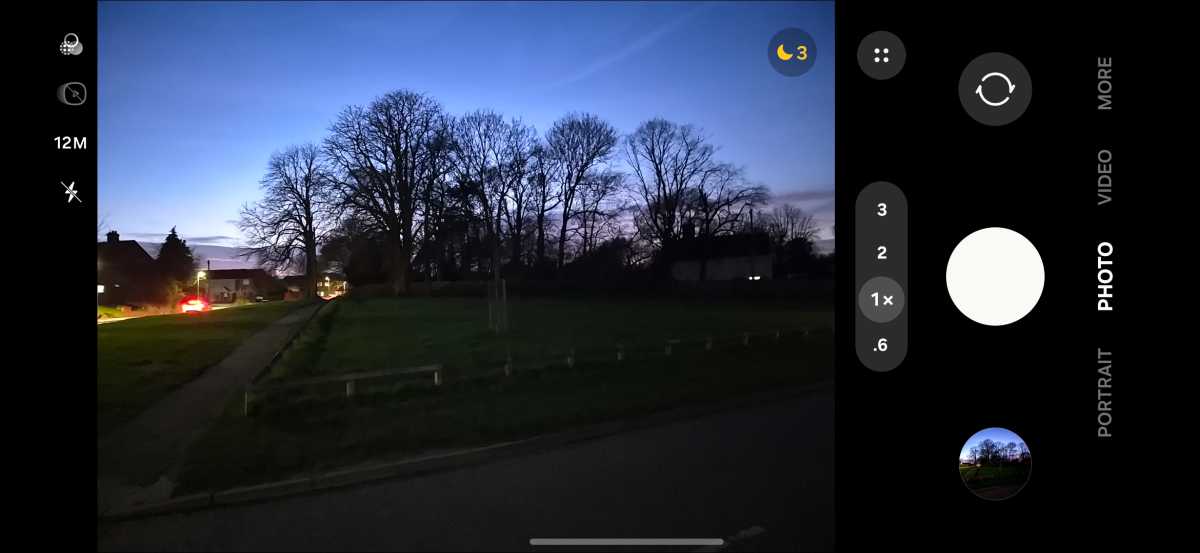
Samsung has improved the low-light performance of its cameras with the S26 series, with the Galaxy 26+ able to maximise the little light available to deliver images which are brighter and clearer than viewing the scene with a human eye.
John McCann / Foundry
Images have a good level of detail, and give the impression scenes are better lit than they actually are. You can adjust exposure and brightness to bring the results more in line with real-life, but for those wanting to capture better clarity in low light, the S26+ does a good job.
You can record video up to 8K at 60fps, but the new toy Samsung has added across the whole Galaxy S26 series is Horizon Lock. This lets you keep your shot level, even if you’re moving the phone around.
It sounds a little like witchcraft, but it works surprisingly well, with the ability to rotate the handset pretty much 360 degrees while keeping your video’s horizon level the whole time.
It’s a neat party trick to show friends, and for those of you who shoot a lot of video on your phone, it will undoubtedly be a useful feature.
Around the front, you get a 12Mp, f/2.2 selfie snapper – again, the same hardware specs as the previous two generations of this phone. That’s not a bad thing though, as this remains a decent selfie snapper.
It’s not going to blow you away with quality, but portrait mode does well to separate your face from the background it’s blurring – although some of the edges between the two can be a little undefined on closer inspection.
Once you’ve captured your photos, head to the Samsung Gallery app to use Photo Assist, which employs Galaxy AI to edit your photos. Just type or speak the edits you want, and Galaxy AI will oblige.
neither are game-changing, and aren’t reasons alone to buy the S26+
It did a pretty good job of changing the background of a selfie and adjusting the lighting to make it appear as if I was on a beach. If I posted it on social, there’d be a fair few people who’d take it at face value as they scroll – bar the fact I’m wearing a hoodie in what appears to be glorious weather.
So I asked Galaxy AI to remove the hoodie and leave me with my t-shirt. It duly obliged, but at the same time, it softened my skin further, which made the image look fake.
Another AI move you can pull is merging two images into one. If, for example, you have a picture of your dog, and another image of you and your partner, you can ask Galaxy AI to bring the dog into your picture.


Results vary depending on the poses of everyone and how easily AI can blend your pet into the new image. All AI-edited photos get an “AI-generated content” watermark in the bottom left corner, which is good to see – but it’s easily cropped out if someone wanted to hide the fact AI was used.
These AI editing features are clever, and you could have a lot of fun with them – but neither are game-changing, and aren’t reasons alone to buy the S26+.
Battery life & Charging
- Battery remains the same size as predecessors
- Improved efficiency and thermal management
- A full day is comfortable on a single charge
- Charging speeds still lag behind some of the competition
The Samsung Galaxy S26+ battery is the same size as the previous two generations of the ‘Plus’ handset, with a capacity of 4900mAh. A potential cause for concern, especially when you consider a similarly priced rival such as the OnePlus 15 has a mammoth 7300mAh power pack thanks to Silicon-carbon tech (SiC).
But there are positives. Thanks to the 2nm Exynos 2600 chipset, the Galaxy S26+ runs more efficiently, and with the improved vapour chamber for this series, heat is better managed, and therefore less power is consumed.
The result is a battery that can last an entire day (and a bit more) on a single charge, with over six hours of screen-on time. It’s a modest improvement over the S25+, but an improvement nonetheless.
Samsung still lags behind others when it comes to charging speeds
A clear example of the modest improvement comes from Samsung’s own quoted stats, where it claims the Galaxy S26+ battery can last up to 31 hours with video playback. The S25+ came with a quoted 30 hours of video playback.
What I did get though, was confidence when I went out for the evening after a busy work day, that the phone would last until I returned home later.
Luke Baker
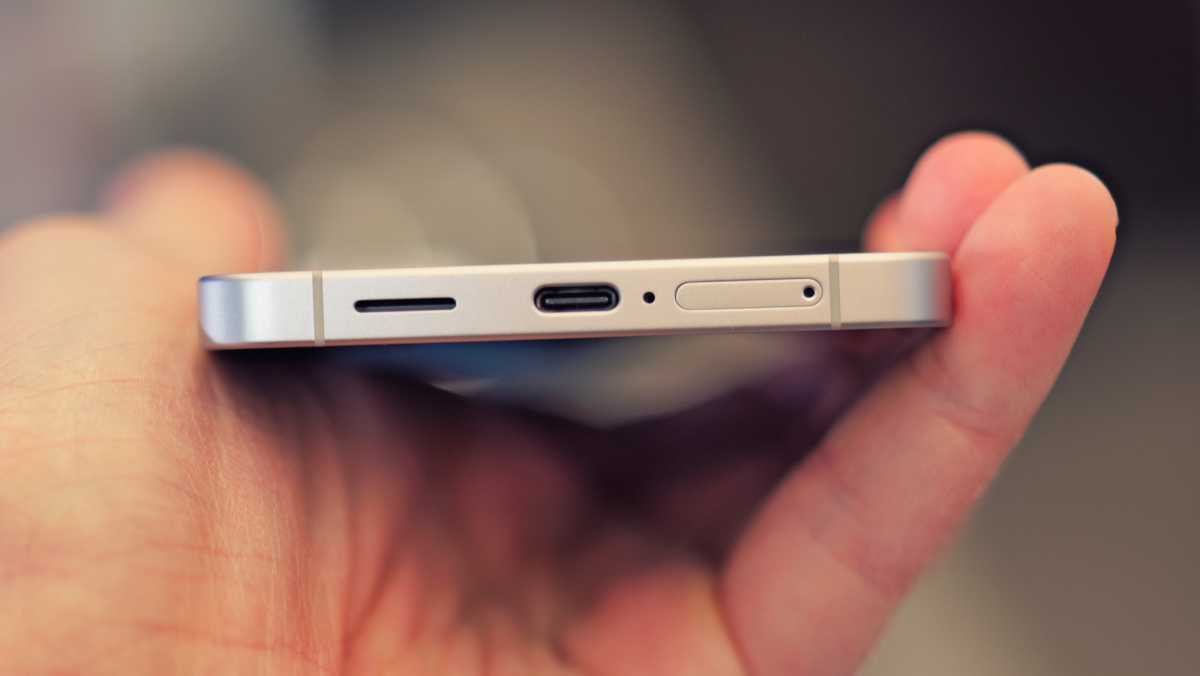
Samsung still lags behind others when it comes to charging speeds too, with the likes of Oppo, OnePlus and Xiaomi all offering much faster wired (and wireless) top-ups. Wired charging remains the same at 45W, although Samsung claims you can get up to 69% power in just 30 minutes.
My tests with a high-powered 45W charging block didn’t find charging to be quite that quick. I was able to replenish 20% in 15 minutes and 42% within 30 minutes. I regained 75% after an hour, and a full charge took an hour and a half.
You don’t get a fast-charging block in the box though, just a USB-C to USB-C cable, so you’ll have to purchase one if you don’t already own one.
Wireless charging has improved, however, though only in speed, as Samsung hasn’t yet added Qi2 magnetic charging built into the phone like Google and Apple rivals.
It’s 33% faster at 20W, though the S26 Ultra goes further to 25W.
Software & Apps
- One UI 8.5 built on Android 16
- Galaxy AI, Bixby and Google Gemini all onboard
- Seven years of OS and security updates
The Samsung Galaxy S26+, and the whole of the S26 series, come with the South Korean firm’s One UI 8.5 software interface out of the box. It’s built on Android 16, but Samsung adds in a whole bunch of additional tools and features for you to play with.
It means there’s a wide array of customisation options for your lock screen, home screen, widgets, notification bar and more. It also means Samsung’s Galaxy AI is baked into the core of the operating system, delivering smart assistance throughout the interface.

John McCann / Foundry
That includes Now Brief and Now Bar, the latter of which appears on your lockscreen (and in a default homescreen widget – but this can be moved, resized, or removed completely if you don’t want to see it).
Now Brief learns your usage habits and daily patterns, and presents you with useful, contextual information throughout the day, such as calendar appointments, fitness statistics and sleep scores. It also delivers summaries in the morning, afternoon, and evening.
Now Brief isn’t new for the S26 series, but Now Nudge is a new Samsung feature. We’ve seen a similar feature roll out for Google’s Pixel phones, where the services can understand the context of a messaging conversation you’re having and suggest contextual information relevant to the chat.
Say your friend messages you asking when the restaurant reservation is booked for tonight. Galaxy AI can understand this request, find the answer in your messages, and then prompt you via Now Nudge with the answer – all without having to leave the conversation. It’s super useful.
For it to work, you will need to log in to your Samsung account, and it’s currently supported on a limited selection of messaging apps, including Samsung Messages, Google Messages, Google Chat, WhatsApp, WhatsApp Business, Signal and Instagram (DMs only).
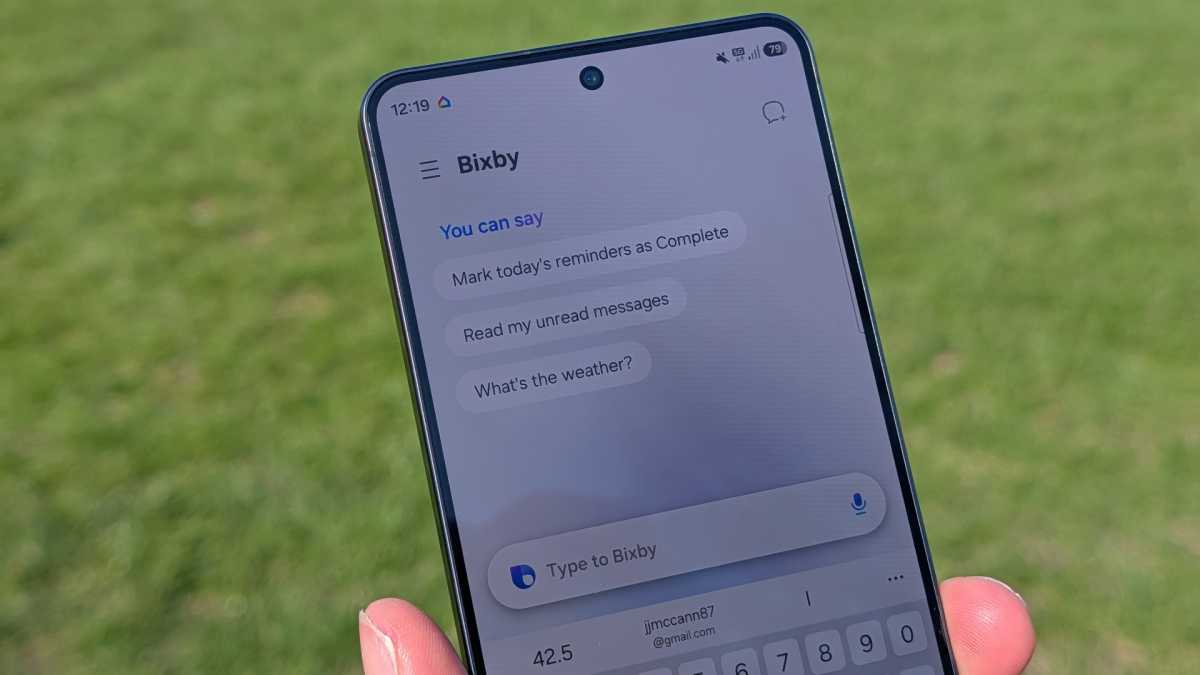
Bixby is at the ready for any device questions you might have (finally making itself genuinely useful)
Another AI inclusion that I like is the reinvigorated Bixby assistant. Samsung now bills Bixby as a ‘personal device controller’, and you can ask it various things about your phone.
Finding the text size a little small on your S26+? Just ask Bixby to increase the size and it’ll oblige. It saves you having to trawl through sub-menus in the Settings app, or try and remember the specific name Samsung gave to a feature. Bixby can understand conversation text or speech, and can teach you how to use features as well as make adjustments for you.
So you’ve got Galaxy AI powering the intelligence behind the scenes, and Bixby is at the ready for any device questions you might have (finally making itself genuinely useful), but there’s another AI at play too.
John McCann / Foundry
Google’s Gemini is ready to chat with you, helping you research, learn and work. Google is also offering its updated Circle to Search feature first on the Galaxy S26 series.
Now, when you circle something on screen, it can find multiple items at the same time. I tried this out on a picture of a male model sitting on a bike. While it did a reasonable job at identifying various clothing items, it did get confused between the shirt and shorts the model was wearing, and their shoes.
The feature will likely improve with time, and I can see the value for those looking to mirror a fit they like the look of.
As usual, Samsung offers long software support with seven years of OS and security updates. This is class-leading, along with the likes of Google Pixel.
Price & Availability
The Samsung Galaxy S26+ price starts at £1,099/$1,099 for the 256GB storage model. If you want more internal space, the 512GB configuration will set you back £1,269/$1,299.
That’s more than the Galaxy S25+ it replaces, with an increase of £100/$100 on the 256GB model, and an extra £170/$100 for 512GB. It’s also widely available on contract from major carriers, if you’d prefer to spread the cost.
While you can, you should take up Samsung’s offer of double storage for free, getting you the 512GB model for the price of the base edition. It’s also available at retailers such as Amazon.
Check out our current recommendations for the best phones.
$1,099.99
Should you buy the Samsung Galaxy S26+?
The Samsung Galaxy S26+ is a solid flagship device delivering what you’d expect, without rewriting the rule book or offering anything particularly unique.
If you’re after a large-screen flagship that’s great for gaming and video streaming, but don’t want to stretch to the S26 Ultra’s asking price, the Galaxy S26+ fits the bill well.
You’ll get one of the best AI implementations, too, with the blend of Galaxy AI, Bixby, and Google Gemini providing a comprehensive suite of tools to dig into.
However, if you want a big-screen flagship which gives you serious bang-for-buck, the OnePlus 15 would be the better choice with more power under the hood, fantastic battery life, and a lower price tag.
Luke Baker
And while the camera setup on the S26+ holds its own in a crowded marketplace, the similarly priced (but admittedly smaller-screened) Pixel 10 Pro and iPhone 17 Pro have stronger photography chops.
With no major advancements over previous generations, owners of the Galaxy S25+ or S24+ should stick to what they currently have in hand, but if you have anything older, you’ll definitely feel the difference.
In all, the Samsung Galaxy S26+ has everything you’d want from a flagship; big screen, plenty of power, capable cameras, and some of the best AI on a phone. It’s worth considering, especially if you’re a Samsung fan.
Specs
- One UI 8.5, based on Android 16
- 6.7-inch, 1440 x 3120, AMOLED, 120Hz
- Ultrasonic fingerprint scanner
- Samsung Exynos 2600 (2nm) (Snapdragon in USA)
- 12GB RAM
- 256/512GB
- Cameras:
- 50Mp main sensor
- 12Mp ultrawide
- 10Mp 3x telephoto
- 12Mp selfie camera
- Up to 8K @ 30fps rear video
- Stereo speakers
- SIM 1 + eSIM / Dual eSIM
- Wi-Fi 7
- Bluetooth 6.0
- 4900mAh battery
- 45W wired charging
- 20W wireless charging
- 158.4 x 75.8 x 7.3mm
- IP68 certified
- 190g
- Colours: Cobalt Violet, Sky Blue, Black, White
- Samsung.com exclusive colours: Silver Shadow, Pink Gold