Any links to online stores should be assumed to be affiliates. The company or PR agency provides all or most review samples. They have no control over my content, and I provide my honest opinion.
I reviewed the superb Ugreen NASync DXP4800 Plus back in November. I was already using the Ugreen NASync DH4300 Plus with the stock UGOS software, so I wanted to migrate my old TerraMaster F4-421 running Unraid to the Ugreen.
The Ugreen has a substantially more powerful CPU with Intel QuickSync support. It also has dual M.2 NVMe drives for caching, and a 10GbE port. This makes it ideal as a media server for Plex or Jellyfin.
While I could have used Docker to set UGOS with the applications I use, it made more sense to use Unraid. All my files were on an existing Unraid array, so all I needed to do was swap the disks over, and Unraid supports a huge number of applications via the Community Apps Store, which is much easier to use than manually setting up Docker containers.
Ugreen NASync DXP4800 Plus Specification
| Model | DXP4800 Plus |
| Price | £539.99 |
| Drive Bays | 6 (4+2) |
| SATA Hard Drive Slots | SATA 4-Bays |
| M.2 NVMe Drive Slots | 2x M.2 Slots |
| Maximum Storage Capacity | 136T (30T4+8T2) |
| CPU | Intel Pentium Gold 8505 5 Core 1 Performance Core 4 Efficient Core 6 Total Threads Intel Quick Sync Video |
| RAID Mode | JBOD/Basic/RAID0/RAID1/RAID5/RAID6/RAID10 |
| HDMI | 4K 60Hz |
| Standard Memory | 8GB DDR5 |
| Maximum Memory Expansion | 64GB |
| LAN Port | 1x 2.5GbE, 1x 10GbE |
How to install Unraid on the Ugreen NASync DXP4800 Plus
It is quite a simple process, albeit a touch more involved than converting TerraMaster to Unraid.
Unraid USB Dongle
You don’t install Unraid like a normal OS. It is installed on a USB drive and boots from this. When booted, the OS itself resides in the RAM.
There are some quirks with this installation, though.
The standard installation process is to use the USB Creator for your chosen OS. But, the USB drive needs to have a unique GUID (Globally Unique Identifier).
When I came to doing the reinstall, it didn’t recognise my old drive, so I had to redo the install and transfer my licence. However, I quickly found that many of the spare USB drives I had lacked a GUID.
I also experienced some issues transferring my licence. When you transfer a licence, it blacklists the old GUID. So, I ended up making two USB drives incompatible with Unraid as the GUID became blacklisted.
On a positive note, when I did have issues with my licence, I had to contact the customer support, and they resolved the issue within a couple of hours. This was surprisingly efficient considering how dreadful customer support is with most companies nowadays.
BIOS Changes
Disable Watchdog
One important change you must make is to disable the watchdog within the BIOS. If you do not do this, Unraid will randomly reboot
The watchdog service is a low-level safety feature that automatically reboots the system if the operating system stops responding. This is handy for unattended use as it helps prevent you from being locked out of the NAS if the system freezes.
However, when you boot into a new OS, the watchdog mistakenly thinks there is an error and reboots.
To disable this service, you will want to hook up the NAS to a monitor and keyboard, then you can access the BIOS by pressing CTRL + F12 when you see the Ugreen logo.
It was likely user error, but when I did this initially, I found that my NAS still rebooted, only to find that Watchdog was still enabled in BIOS. I probably didn’t save it properly, but if you experience unexpected reboots, then this will likely be the cause.
Disable Ugreen Boot SSD
Additionally, I’d recommend disabling the NVMe drive that is associated with the Ugreen OS. This will help prevent it from showing up in the Unraid if you have the unassigned disks function and reduce the risk of accidental deletion. In my case, my Unraid licence only allows 6 disks, so I had to disable it if I wanted to use the other 2 NVMe slots.
As I had already installed my NVMe drives, I had to experiment with which slot was the Ugreen OS by disabling and booting the OS. For me, I think it was SSD2.
Change Boot Order
Finally, you will want to change the boot order to boot from the USB first.
Unraid Set Up
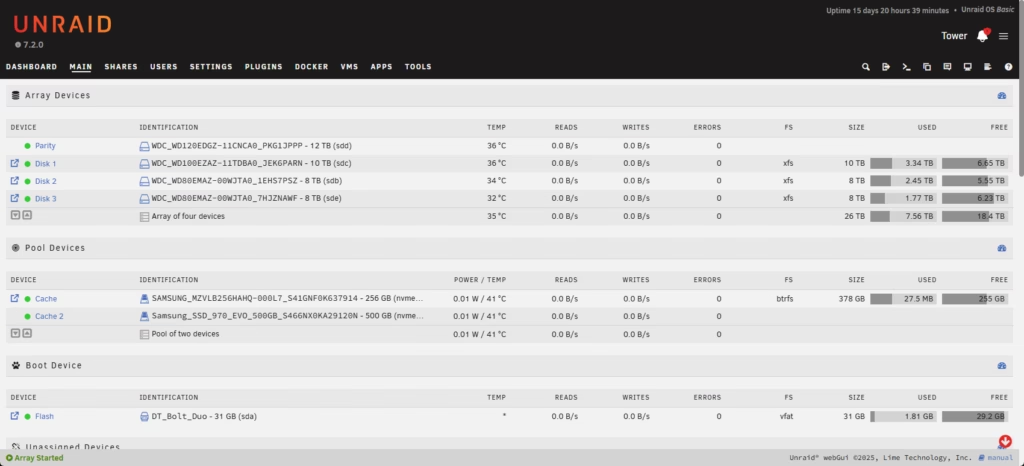
I won’t cover this extensively; the process is quite simple.
The Unraid setup is typically set up to run one or two parity drives and use cache drives for improved performance. One reason I like Unraid is that their version of RAID is power efficient; the drives work more like JBOD, with data written to each drive individually, rather than using all drives at once. You can then set the other drives to spin down when not in use.
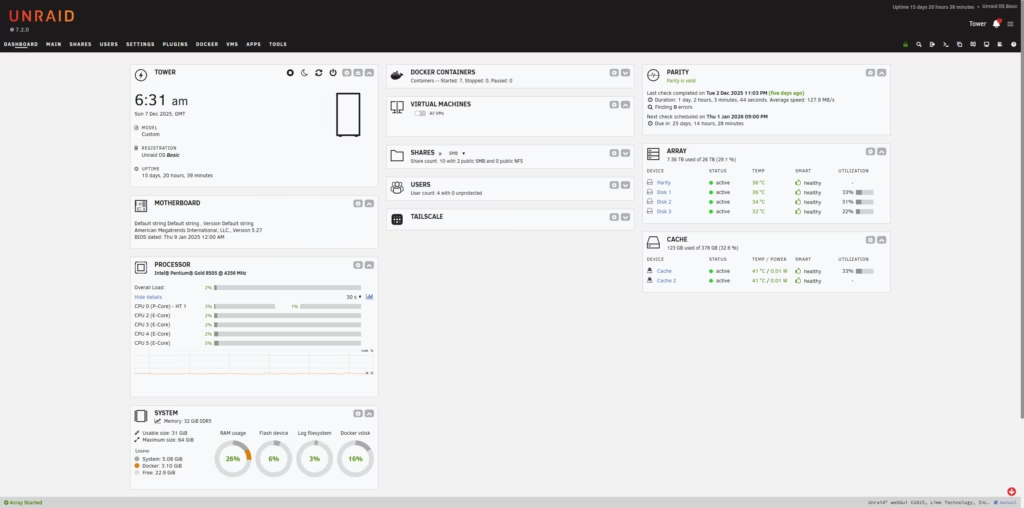
Using NVMe cache drives will make the user experience much better; all the app data will be stored on here, making the system much more responsive. Things like downloads will go here initially before being moved over to the array (depending on how you set the system up.
As for Apps, the community app store has a huge number of apps, including pretty much every popular app that a home user would want.
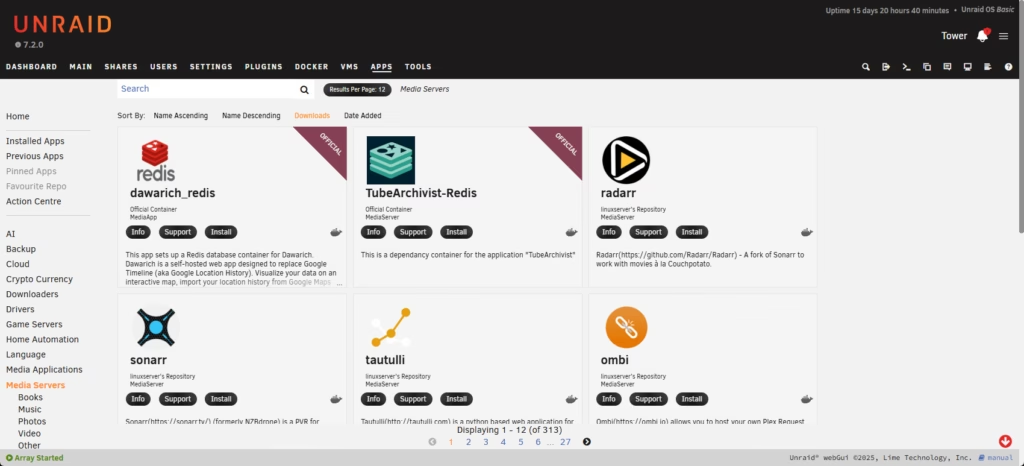
For me (and most others), this includes:
- Plex
- Arr Apps – Sonarr/Radarr/Lidarr/Overseerr
- Sabnzbd
- AdGuard Home or PiHole
- Native Tailscale support
Overall
Converting the Intel-based Ugreen NASs to Unraid is a relatively simple process, and these are a perfect system for NAS with superb hardware for the price and in a nice form factor.
Last update on 2025-12-24 / Affiliate links / Images from Amazon Product Advertising API

I am James, a UK-based tech enthusiast and the Editor and Owner of Mighty Gadget, which I’ve proudly run since 2007. Passionate about all things technology, my expertise spans from computers and networking to mobile, wearables, and smart home devices.
As a fitness fanatic who loves running and cycling, I also have a keen interest in fitness-related technology, and I take every opportunity to cover this niche on my blog. My diverse interests allow me to bring a unique perspective to tech blogging, merging lifestyle, fitness, and the latest tech trends.
I’m proud to share that Vuelio has consistently ranked Mighty Gadget as one of the top technology blogs in the UK. With my dedication to technology and drive to share my insights, I aim to continue providing my readers with engaging and informative content.