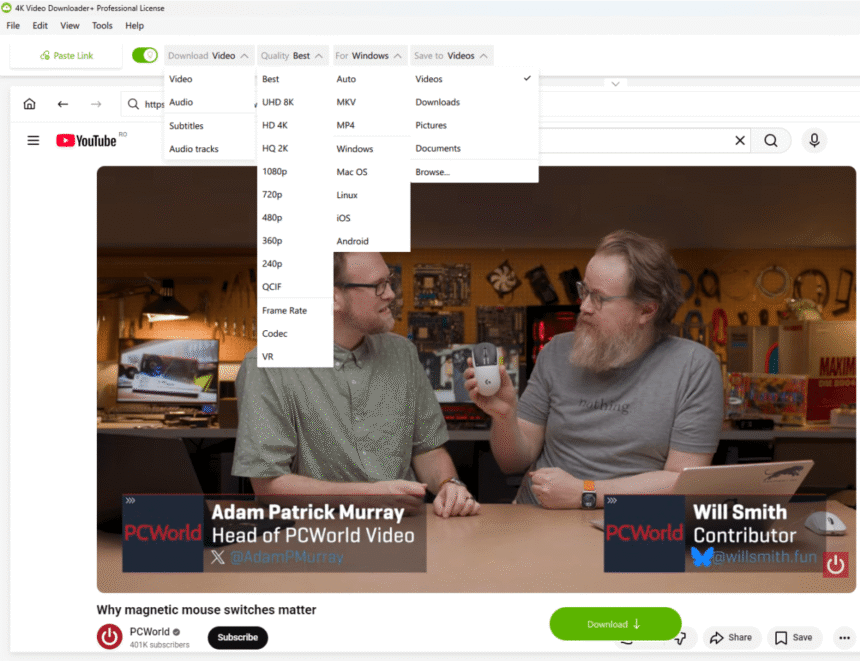
People all over the world are watching more than 1 billion hours of content every day on YouTube. 1 billion! You’re probably “guilty” of a few of those yourself, even if you are just listening to the content in the background.
Sometimes you need to access that content outside YouTube. There are several legitimate reasons to download video: perhaps you want to save content you own and previously uploaded, material where the creator has explicitly granted you permission to use it but distributes it only via YouTube, or maybe it’s for an internal presentation – a training video, a product demo, or a conference talk you need to play in a room without reliable Wi-Fi.
What about YouTube Premium? YouTube does offer offline access as part of its Premium subscription, but the cost has been climbing steadily. As of April 2026, the individual plan in the US costs $15.99/month – up from $13.99. The family plan has risen to $26.99/month, and even the limited Premium Lite tier, which does not include offline downloads or background play, now costs $8.99/month. In the UK, the individual plan currently sits at £11.99/month. For users who want offline access specifically, paying a recurring subscription that bundles in YouTube Music and other features you may not want represents poor value. If offline viewing is the primary reason you’re considering Premium, there’s a better option.
In this article we will explain how to download YouTube video and make it available anywhere, without you spending a dime.
Make sure you have permission from the content owner. Downloading content without authorization may violate YouTube’s Terms of Service and applicable copyright laws.
Download Everything from YouTube with 4K Video Downloader Plus
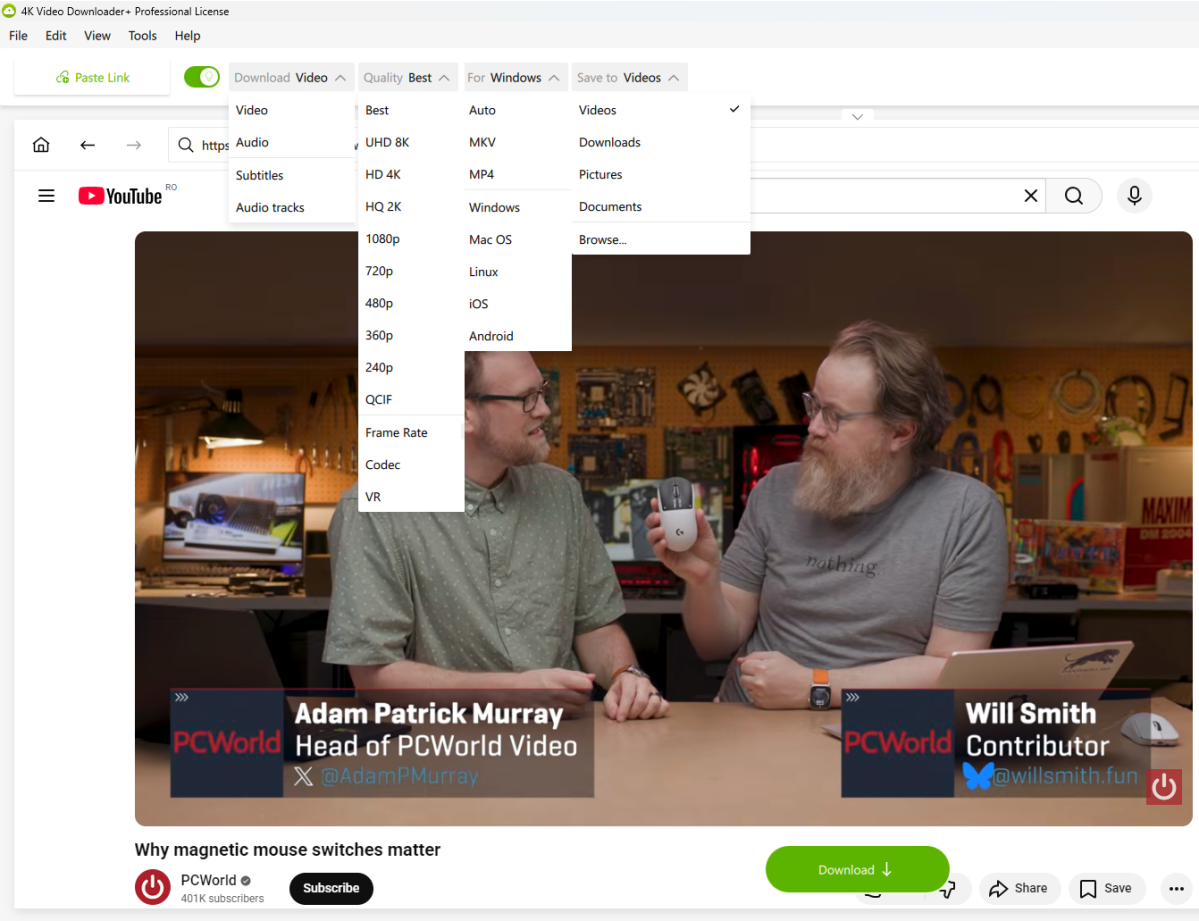
4K Video Downloader Plus is a free desktop app available for Windows, macOS, and Linux. It has been designed to make it extremely easy to download YouTube videos from platforms like YouTube, TikTok, Facebook, Vimeo, and Twitch. The tool comes with support for MP4 and MKV formats, and you can even pick the resolution you want to download the content in, from as low as 240p all the way up to 8K. If your knowledge about videos expands beyond file format and resolution, the app even lets you customize codecs, pick frame rates, and add subtitles.
This is an easy-to-use app that features a built-in browser which you can use to search for content, so you won’t even have to switch between platforms. You can download full playlists just as easily as individual videos. If you have your eye on age-restricted videos or you want to download videos from your Watch Later or Liked playlists, you’ll simply need to log in to YouTube through the app’s built-in browser.
The app works with all sorts of content, from regular videos to Shorts, 3D, 360-degree videos, live VODs, and more – and it’s all free. There are some limitations built into the free tier: you can download only 10–15 videos per day without upgrading. If that’s not enough for your needs, paid subscription options are available for 4K Video Downloader Plus with higher limits and additional features.
New: AI-powered audio processing. Recent versions of 4K Video Downloader Plus have added built-in AI processing tools, letting you remove background noise, eliminate echo, or isolate vocals from any downloaded file – all without leaving the app. What previously required a separate audio editor can now be done in the same workspace where you manage your downloads, via a dedicated “Process with AI” button that appears next to any downloaded file.
4K Video Downloader Plus
How to download a YouTube video
Using 4K Video Downloader Plus to download YouTube videos is simple. Here’s how to get started:
- Download 4K Video Downloader Plus from the official website.
- Run the installer, follow the instructions to complete each step, and launch the app.
- Copy the link to the YouTube video you want to download.
- Click “Paste Link” in the app – it will automatically detect the URL from your clipboard.
- Alternatively, use the built-in search bar to find the video without leaving the app.
- Adjust your preferences – set the video quality and choose the folder where the clip should be saved.
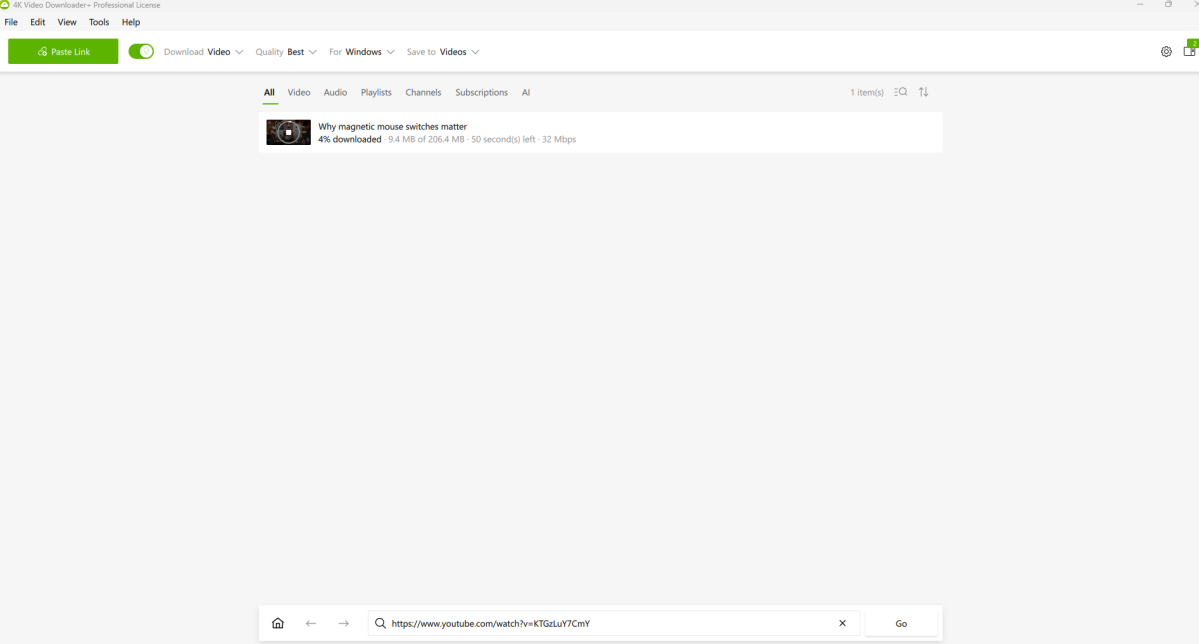
- Click Download and wait for your file to appear in the destination folder.
For playlists, the process is identical: paste the playlist URL instead of an individual video link, and the app will queue every video in the playlist for download in one session.
4K Video Downloader Plus
Why choose 4K Video Downloader Plus?
The main reason to choose 4K Video Downloader Plus is simple – it just works. While YouTube Premium has seen repeated price hikes, 4K Video Downloader Plus offers a generous free plan that will cover the needs of most users.
Other YouTube downloading tools often provide limited-quality output, are littered with ads, or feature misleading “Download” buttons that don’t behave as expected. 4K Video Downloader Plus offers a clean, ad-free interface that’s easy to navigate and does exactly what it promises. With support for resolutions up to 8K, full playlist downloads, subtitle support in multiple languages, and now AI-powered audio processing built in, it covers far more ground than most alternatives – all without a monthly fee.
FAQ
Is 4K Video Downloader Plus really free?
Yes. The core app is free to download and use. The free plan allows you to download 10–15 videos per day. Paid subscription tiers are available if you need higher download limits or additional features.
What video quality can I download in?
You can choose anything from 240p up to 4K and 8K, depending on the quality available on the original video. Unless you specify otherwise, the app defaults to the highest quality available.
Can I download entire YouTube playlists?
Yes. Paste the playlist URL and the app will queue all videos for download in one go. It also supports automatic downloading of new videos as they are added to a playlist – useful for keeping a regularly updated channel or course library up to date offline.
Does it work on Mac, Windows, and Linux?
Yes. 4K Video Downloader Plus is available for all three platforms.
Can I download private or age-restricted videos?
You can, provided you log in to your YouTube account through the app’s built-in browser. This also gives you access to your Watch Later and Liked Videos playlists.
Is it safe to use?
The app is free of adware and malware. User privacy and device safety are a stated priority of the developer, and the installer is verified clean by independent security tools.
Can I extract just the audio from a video?
Yes. You can download the audio track only, saving it as an MP3 or in other audio formats. This is handy for podcasts, lectures, or music you want to listen to on the go.
Does it support subtitles?
Yes. You can download subtitles in all languages available on the original video, either as separate SRT files or embedded directly into the video file.
Does it work for content on platforms other than YouTube?
Yes. In addition to YouTube, 4K Video Downloader Plus supports TikTok, Facebook, Vimeo, Twitch, and a range of other platforms.