

At a glance
Expert’s Rating
Pros
- Good value for money
- Great performance and hardware specs
- Useful range of accessories
- Good battery life and fast charging
Cons
- Display glare and limited brightness
- Inconvenient camera bump
- No IP rating
Our Verdict
The Xiaomi Pad 8 Pro is an amazing premium Android tablet, with flagship specs offering good value for money. There’s impressive performance and battery life, useful software features and a range of accessories to get the tablet experience that you want. The display is high spec, but the glossy finish is a downside, while the software support isn’t as long as some rivals.
Price When Reviewed
This value will show the geolocated pricing text for product undefined
Best Pricing Today
Price When Reviewed
Unavailable in the US
Best Prices Today: Xiaomi Pad 8 Pro

Xiaomi is taking tablets seriously as the Xiaomi Pad 8 Pro lands alongside the Xiaomi Pad 8, offering slightly uprated specs. It’s one of a recent wave of premium Android tablets, looking to challenge Apple’s iPad along with the Honor MagicPad 4 and OnePlus Pad 3.
Where many Android tablets have offered cheaper prices and lower-grade hardware, the likes of the Xiaomi Pad 8 Pro come in as a flagship device, better suited to challenge Samsung’s dominance of Android tablets.
Offering better value for money, the Xiaomi Pad 8 Pro offers a compelling Android tablet experience. I’ve been testing the tablet for the last month to see if it’s the new Android tablet to beat.
Design & Build
- Premium metal design
- Slim 5.75mm profile
- No IP rating
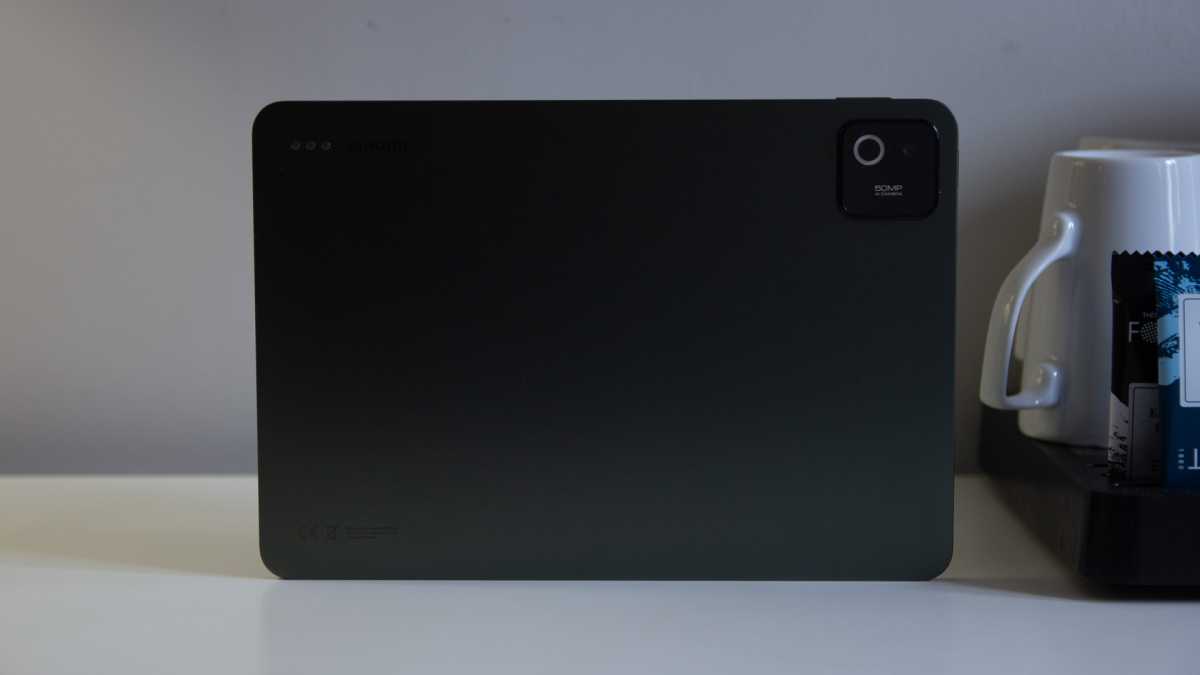
The Xiaomi Pad 8 Pro updates the Xiaomi Pad 7 with a similar metal body design with flat edges and a near-uniform bezel around the display. It comes in three colours – Pine Green (pictured here), Blue and Gray – and it weighs in at 485g.
The 5.75mm thickness means it’s thinner than the Apple iPad Air, although it’s a little heavier, but only marginally so. If you’re looking for something even thinner and, check out the Honor MagicPad 4 at 4.8mm and 450g.
The only big downside of the design is the raised camera housing
Chris Hall / Foundry
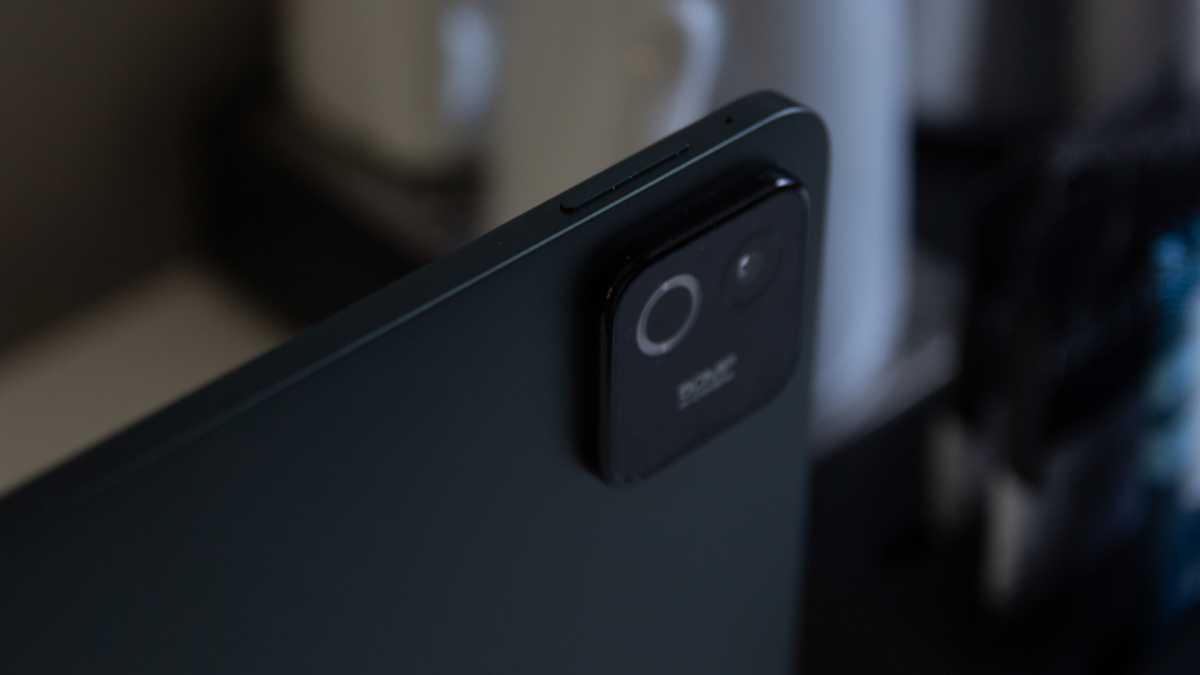
The only big downside of the design is the raised camera housing on the rear of the tablet. Although just sporting one lens, it’s a big blob, which I suspect was designed to look a bit more like the all-encompassing camera systems on the back of a phone – or perhaps the iPad Pro.
The downside of this bump is that the tablet doesn’t sit flat on its back, rocking around if you lay it down on a surface and start poking the screen. If you choose to use any of the range of accessories, then that problem is diminished, but it’s an irritation to bear in mind.
There’s no IP rating given for this device, something that you’ll get from the latest Samsung tablets, making them safer from dirt and accidental splashes.
There’s a fingerprint scanner built into the power button, as well as face unlocking. I found both of these to be reliable and make for seamless access to the device.
Accessories
- Focus Pen
- Keyboards and cases
- Premium prices
One of the things that adds to the appeal of the Pad 8 Pro is the ecosystem of accessories which Xiaomi offers.
First of all, none of these are included in the box – there’s not even a charger, but the firm gives you plenty of options and you’ll likely find them discounted when buying the tablet on the official store.
The Focus Pen feels great to use, offering squeeze functions and gestures
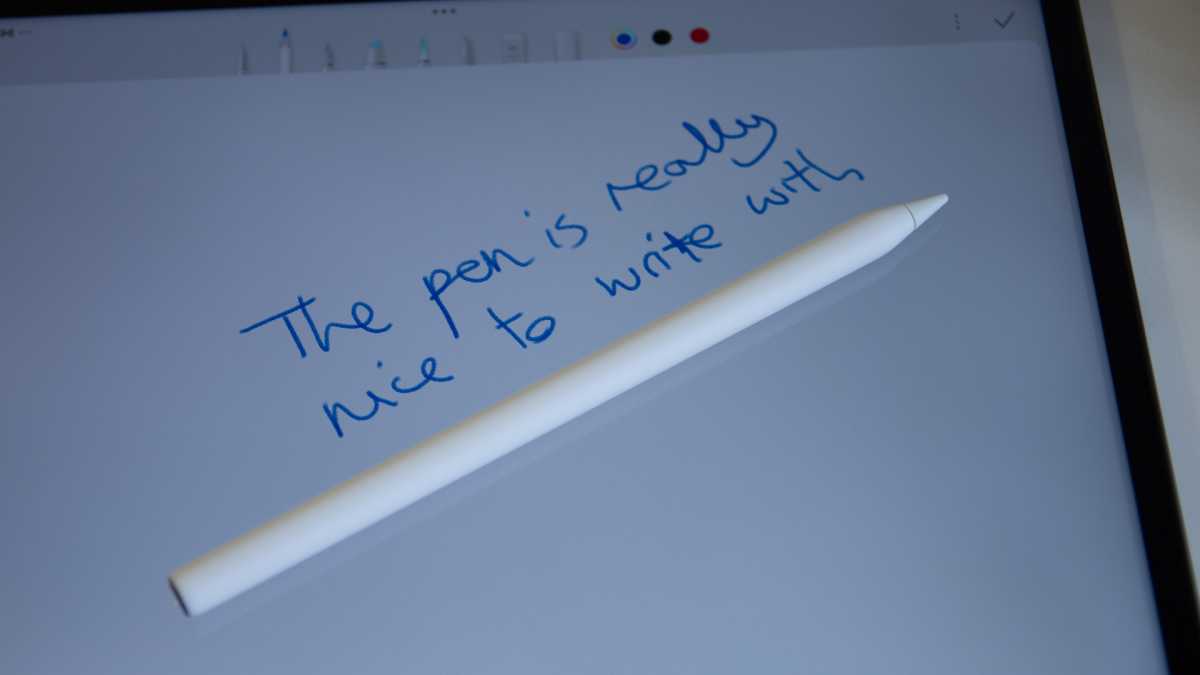
The Focus Pen allows writing and sketching, connecting via Bluetooth and charging when magnetically attached to the side of the tablet. This is a convenient home for the Pen, but it’s not strong enough to keep the Focus Pen in place when slipping the tablet into a bag. The Focus Pen feels great to use, offering squeeze functions and gestures.
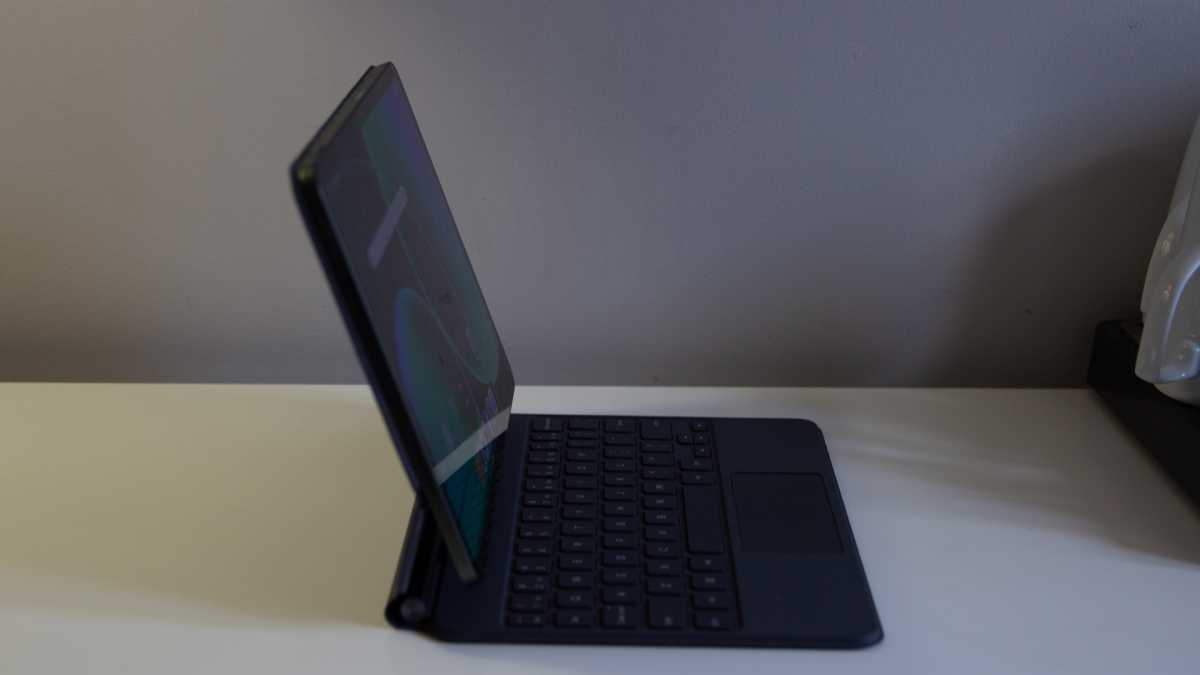
The Focus Keyboard (pictured) is similar to the iPad’s Magic Keyboard, offering a trackpad and hinge at the rear, with the tablet floating above the keys. It allows some angle adjustment and I found it convenient for light working – although it does make the tablet rather bulky.
Chris Hall / Foundry
Power is drawn from the tablet itself via pogo pins on the back and there’s a backlit keyboard.
There’s a cheaper standard keyboard that lacks a hinge and trackpad, instead relying on propping the screen up on the case. Finally, there’s a simple folio case, which can also be folded to make a stand for the tablet.
Screen & Speakers
- 11.2in LCD screen, Dolby Vision
- Quad speakers, Dolby Atmos
- Matte Glass Version
The screen on the Xiaomi Pad 8 Pro sticks to LCD tech rather than the superior OLED that defines the iPad Pro and the Samsung Galaxy Tab S11. That doesn’t mean that it’s a write-off.
Quite the contrary: it’s nice and colourful, packing in a high 3200 x 2136 pixel resolution (345ppi, higher than the iPad) so nicely detailed.
It’s also capable of 144Hz refresh rates, which while sounding impressive might be of limited real use. I found the scrolling around on the tablet was nice and smooth and while some games support higher refresh rates, whether it’s a useful feature will depend on what you’re using the tablet for.
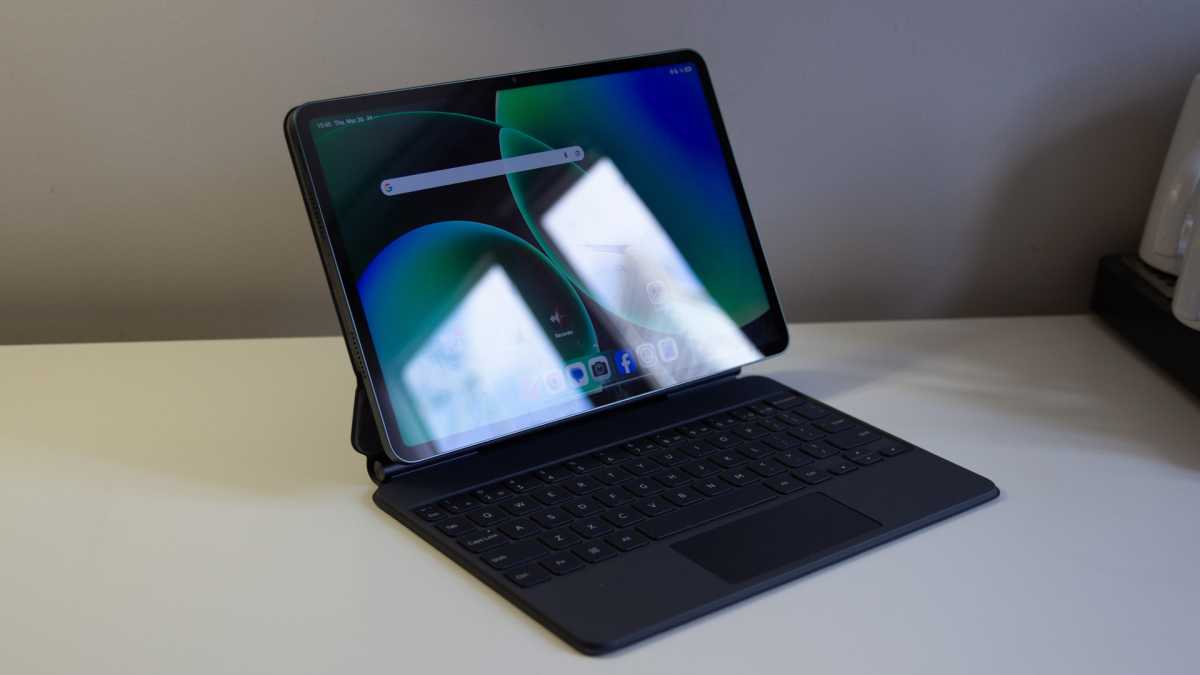
the display and speakers make for a great tablet for entertainment on the move
Chris Hall / Foundry
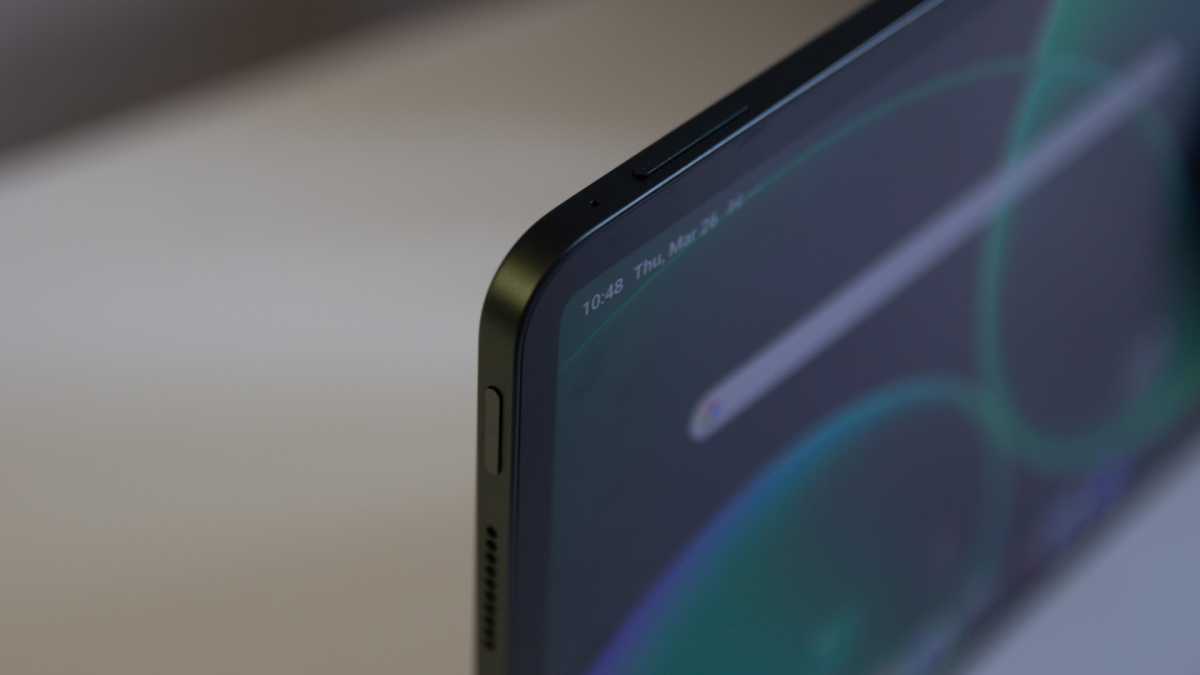
But let’s talk about brightness and glare. The biggest downside of the Xiaomi 8 Pro’s display is how reflective it is. Use it under bright lights or next to a window and you might find the reflections overwhelm the display, making it hard to see content. There isn’t quite the brightness to cut through these reflections at 800 nits peak.
Xiaomi perhaps knows this, hence the existence of a version with a Matte Glass display which costs a little more (£629) – but could be worth the investment if you’re planning to use it on the move. I found that the auto brightness was a little keen to dim the display, even while I was sitting right in front of it – it’s worth manually changing the brightness to get your content to look its best.
Otherwise, this is a great display at a great size and I really enjoyed using it to watch movies and downloaded TV while travelling. It supports Dolby Vision and HDR 10, but with that slightly conservative peak brightness, HDR highlights don’t really pop as you might want them to.
Chris Hall / Foundry
There are four speakers positioned around the body, notionally supporting Dolby Atmos. Diving into the settings, it’s definitely worth avoiding the default Xiaomi Sound, which is a little flat and lacklustre. Beyond Atmos, there’s further setting called “immersive sound” which really makes a difference, so turn it on.
Together, the display and speakers make for a great tablet for entertainment on the move.
Specs & Performance
- Snapdragon 8 Elite
- 8/12GB RAM
- 256/512GB storage
- No 5G option
One of the changes that outlines this as a ‘Pro’ tablet is the upgrade in the core hardware compared to the Xiaomi Pad 8. There’s a Snapdragon 8 Elite powering this slate and, and although it’s a year old, it’s still flagship-level hardware powering many of the best phones of the last 12 months.
This tablet is equally well appointed with RAM and storage, but there’s no option for SD card expansion and no option for 5G – instead maxing out with WiFi 7.
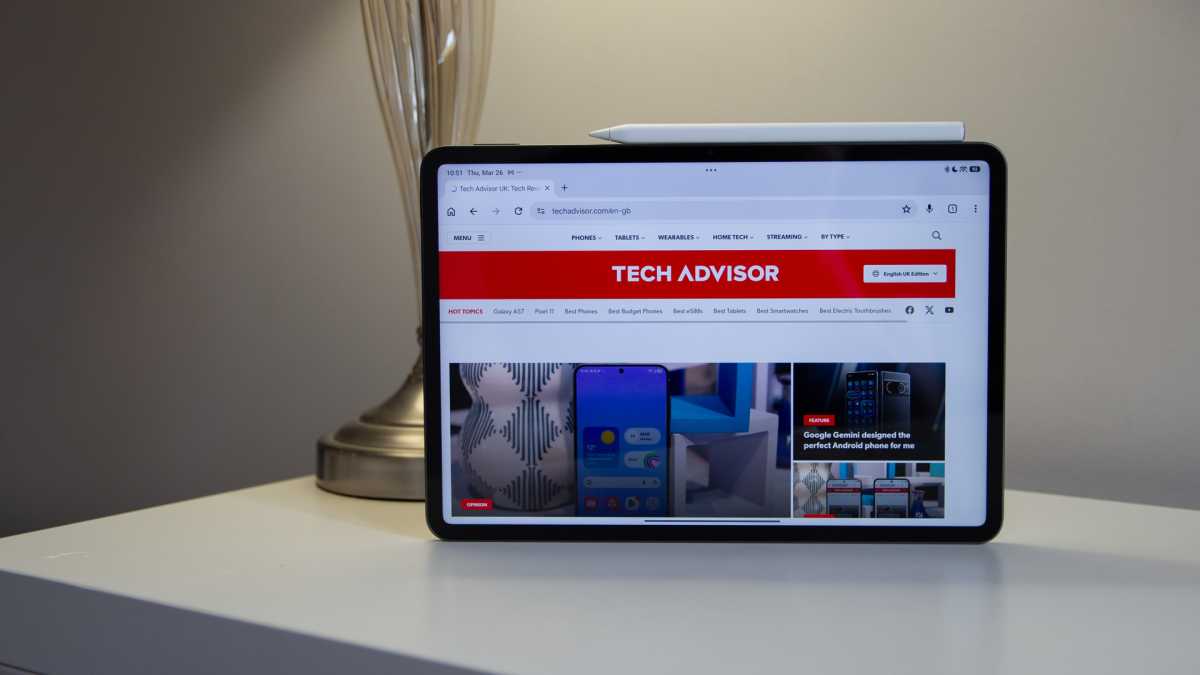
it’s no surprise that this tablet is a solid performer
Chris Hall / Foundry
With that powerful hardware onboard, it’s no surprise that this tablet is a solid performer. I found it ran smoothly and I was able to play the games I tested on higher settings, while handling multitasking with ease.
That’s important because once paired with a keyboard, the Xiaomi Pad 8 Pro is an efficient mobile workstation. Indeed, it has a Workstation mode that can be toggled, making it behave a little more like a desktop, opening apps in windows like Samsung’s DeX feature.
I did see a little stutter while dragging some of these windows over each other, but nothing that concerned me in daily use. The Xiaomi Pad 8 Pro can get a little warm under load, which I found sometimes when gaming and streaming, but not to a worrying degree.
Cameras
- 50Mp, f/1.8 main camera
- 32Mp, f/2.2 front camera
I’m not a huge user of cameras on tablets but if you are then the 32Mp camera on the front of the tablet makes for good video call quality. However, the 50Mp snapper on the rear doesn’t justify the large housing that it sits in.
On paper, the 50Mp camera with f/1.8 aperture is above average for a tablet. Look a little closer and you’ll discover that the sensor is really small and that’s evident in the results. The cameras are fine for casual snapping, but the phone in your pocket will be better.
Chris Hall / Foundry
Rear camera photos are noisy and dull in low light, lack any real dynamic pop in good light and easily over-expose in bright conditions.
The front camera isn’t good for photos, with even a slight dip in light conditions bringing noise into shadow areas. It is really wide, though, so video calling will reveal a lot of the room around you – it’s great for group video calls.
Battery Life & Charging
- 9200mAh battery
- 67W charging
The battery life of the Xiaomi Pad 8 Pro is impressive, thanks to the 9200mAh cell that’s packed into the frame. I found the stamina of the Xiaomi Pad 8 Pro to be great, lasting through a couple of days of regular use before I needed to recharge.
I was also impressed that the tablet managed to hang onto this charge when in standby in my bag for over a week. That sets this up as a solid choice for those who want a productivity device on the move, or just those who want to load it with content and then board a long-haul flight.
There’s no charger in the box, just a cable, but I paired it up with the 100W Anker Prime charger I carry around with me and found it would charge from empty to 53% in 30 minutes, thanks to the advertised 67W charging support.
This is another area where you get a little more than the regular Xiaomi Pad 8, which tops out at 45W.
Software & AI
- HyperOS 3 based on Android 16
- Workstation mode
- 4 OS updates and 6 years of security updates
The Xiaomi Pad 8 Pro launches on Android 16, with Xiaomi’s HyperOS skin layered over the top.
This will be familiar to anyone who uses a Xiaomi, Redmi or Poco phone and it’s great this premium tablet sits on the latest version of this software, as some cheaper Xiaomi devices don’t.
While I have been critical of the over-reaching changes that HyperOS makes on phones, I feel differently about tablets, because the core functions of this tablet aren’t obstructed by the changes.
Indeed, Xiaomi has some great features specifically for tablet users in HyperOS.
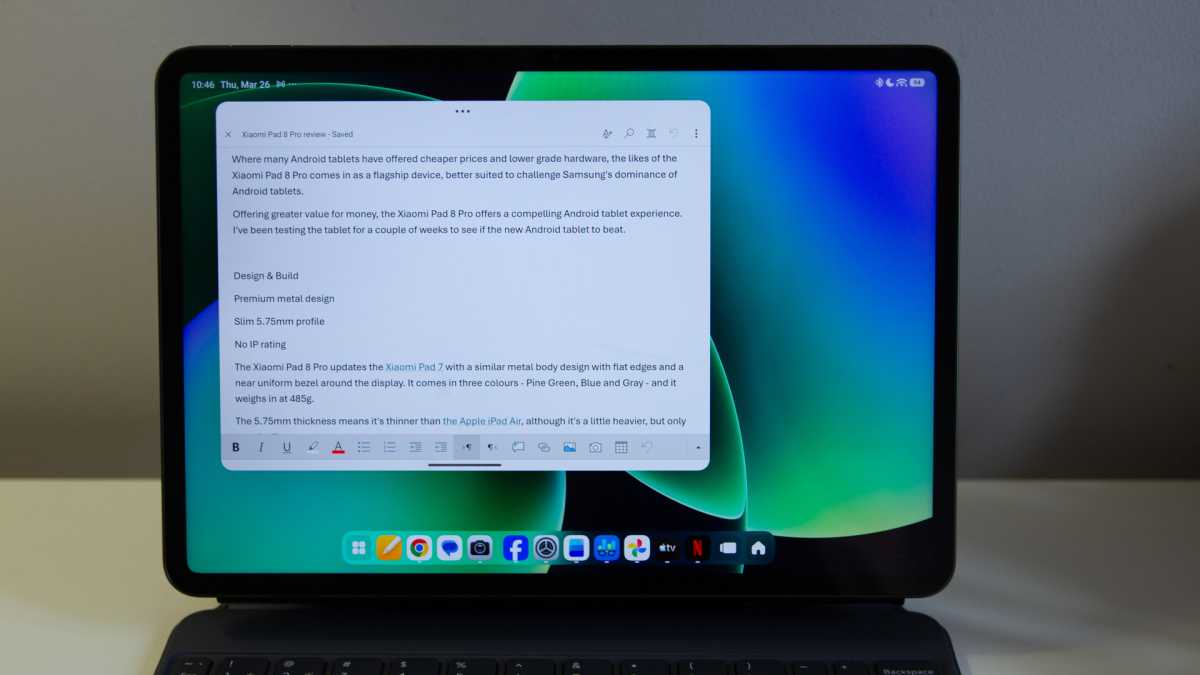
the piece de resistance is the workstation mode
Chris Hall / Foundry
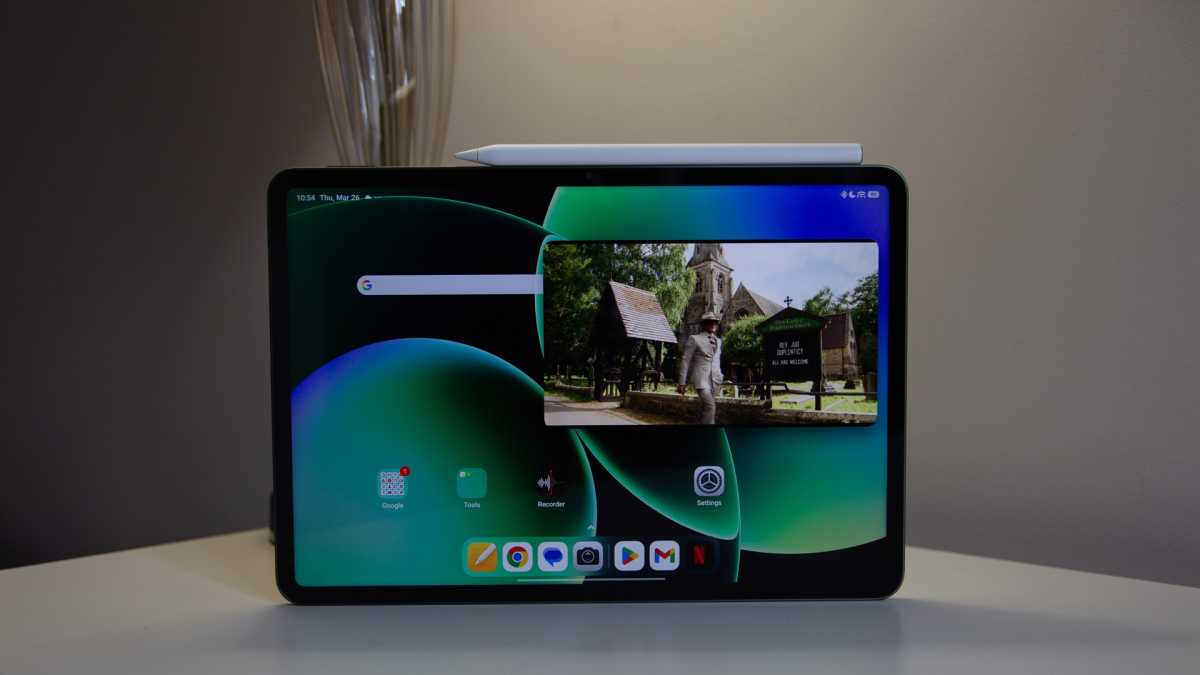
There’s a dock on the home page for starters, with the option to launch apps full screen or windowed, which is great. Then there’s simple split-screen functionality, but the piece de resistance is the workstation mode that’s similar to Samsung DeX and offers a desktop experience.
This pulls up a much longer dock across the bottom of the screen that looks, believe it or not, like the home screen in macOS. If you’re using a wide range of apps, it makes it easy to access them without constantly swiping open the apps tray. Indeed, the swipe is then removed, with the apps tray opening with a button press instead, so it lends itself well to working with a keyboard and mouse.
Where HyperOS is often full of bloat and duplication on phones, it doesn’t feel quite as bad on this Xiaomi tablet. Xiaomi’s Mi Browser is a bit of a bore, regularly sending notifications for a full range of things, but it’s easy enough to silence. Indeed, when I encountered some website elements not loading properly in Chrome, I found them to work in Mi Browser, so it’s worth keeping.
There are some Hyper AI features, but first and foremost is Gemini, present and correct. Beyond that, Xiaomi offers AI writing, image creation, translation and so on, mostly through its own apps. Like many AI solutions, I didn’t find these to add much, but they are easy enough to ignore.
Chris Hall / Foundry
Android has improved the experience on tablets over the past few years, but still doesn’t offer parity with the experience on an iPad. There are apps in Android that aren’t well-suited to big screen use, despite the efforts of Google to improve things – even something as mainstream as Facebook isn’t good in landscape on a tablet.
Perhaps the biggest software downside is that there are only four years of OS updates. That means no upgrade beyond 2030. However, there are six years of security updates, so while new features might not arrive, at least you’ll be protected.
Price & Availability
The Xiaomi Pad 8 Pro is listed at a £529 price, but it’s available at £449 from Mi.com for the 8/256GB model, which is a good competitive price compared to rivals. The 12/512GB model costs £599 and the Matte Glass Version (which only comes in Graphite Gray and 12/512GB) is £629.
Those discounted prices are also reflected on Amazon if you would rather buy it elsewhere, though, as mentioned earlier, Xiaomi is highly likely to offer discounts on the accessories at checkout along with other perks.
Its key rivals include the latest iPad Air, Honor MagicPad 4 and OnePlus Pad 3.
For those wanting to spend a little less, the £399 Xiaomi Pad 8 offers much the same experience (including accessories) with a couple of hardware changes, slightly less powerful, but potentially even better value.
Check out our list of the best tablets right now for more options.
Should you buy the Xiaomi Pad 8 Pro?
The Xiaomi Pad 8 Pro offers great specs and solid performance for the money, offering a significantly more affordable route to a premium Android tablet than buying from the incumbent segment leader, Samsung. It’s cheaper than Apple’s top devices, although the standard iPad is cheaper and arguably offers a slightly more polished app experience and longer software support.
The accessories that Xiaomi offers are good, but they look a little expensive at full price. The Focus Keyboard is a great pairing for those wanting a compact productivity tablet that’s as good for getting work done as it is for entertainment once you clock off.
Overall, if it ticks the right boxes for you, the Xiaomi Pad 8 Pro is a great Android tablet and comes highly recommended.
Specs
- Qualcomm Snapdragon 8 Elite
- 8/12GB RAM
- 128/256/512GB storage
- 11.2in 144Hz 3.2K (3200 x 2136) IPS LCD display
- Matte Glass Version (optional)
- Quad speakers
- 50Mp main camera, f/1.8
- 32Mp front camera, f/2.2
- USB-C
- WiFi 7
- Bluetooth 6.0
- 9200mAh battery
- Wired charging up to 67W
- 485g
- 251.22 x 173.42 x 5.75mm
- Android 16 with HyperOS 3
- Colours: Gray, Blue, Pine Green, Graphite Gray (Matte Glass Version)