

At a glance
Expert’s Rating
Pros
- Plenty of power
- Very reasonable price
- Improved battery capacity
- Premium and portable design
Cons
- Few software improvements
- Some accessory bugs
Our Verdict
The Xiaomi Pad 8 is the best value Android tablet to beat (again), with specs that far exceed its reasonable price. It has a good-looking screen, plenty of processing power and a nice compact build, so it’s easy to carry around with you. A few rough edges and some areas which don’t show improvements from the Pad 7 should do little to dissuade you if you’re interested in the slate.
Price When Reviewed
This value will show the geolocated pricing text for product undefined
Best Pricing Today
Price When Reviewed
Unavailable in the US
Best Prices Today: Xiaomi Pad 8

I’ve long recommended members of its line as the best Android tablet alternatives to iPads, and the Xiaomi Pad 8 is another solid slate from the Chinese brand – it updates the specs of the Xiaomi Pad 7 and makes a few other improvements.
Released alongside the Xiaomi Pad 8 Pro, this model has a larger battery, thinner frame and more RAM than its predecessor, but the biggest upgrade is the use of the Snapdragon 8s Gen 4 chipset, which provides this entry-level model with near top-end processing.
Beyond the upgrades, it’s still the Xiaomi Pad 7 that we know and love – our favourite value tablet of last year. It offers a relatively compact and portable Android tablet that’ll be great for students, with a good-looking display and reasonable battery life. All for just £399, though you’ll often find it for less.
If any criticisms can be levelled, it’s in departments that haven’t seen wish-list upgrades, and I found the Smart Keyboard had a few problems.
Design & Build
- Compact yet premium
- Camera module protrudes
- Three colour options: green, blue, grey
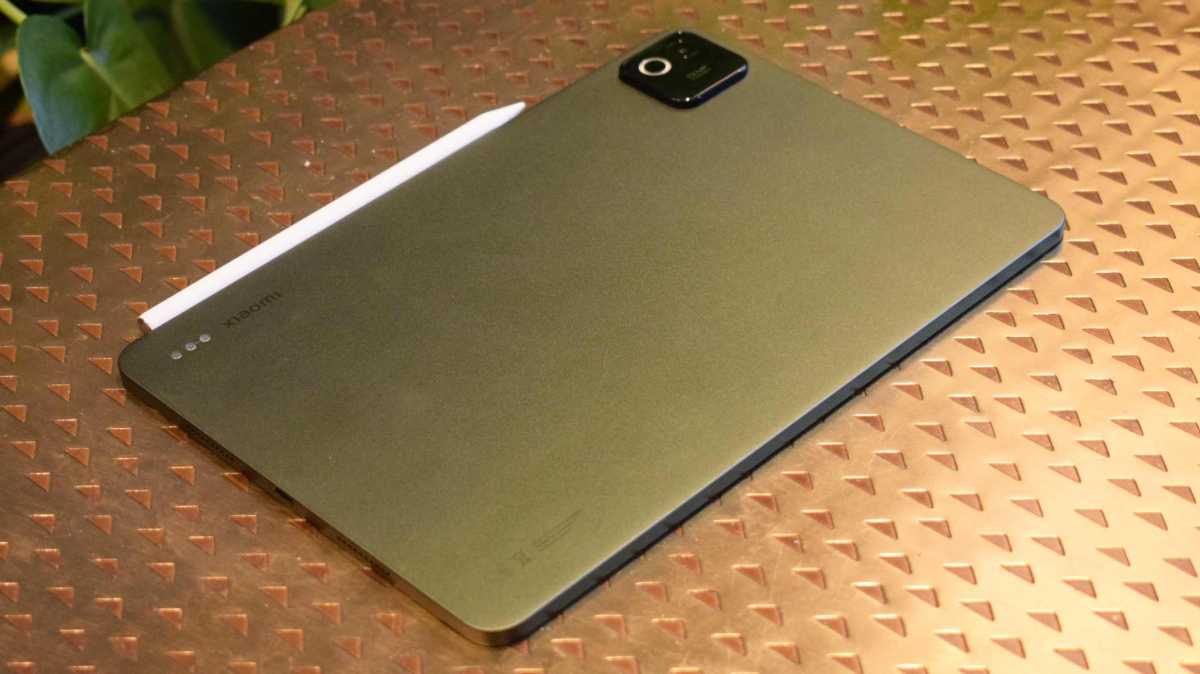
Xiaomi has kept the design language from its previous tablets in place with the Pad 8, but it’s made some small refinements that aren’t revealed at first glance.
The gold rush on thin devices may not be as impassioned in 2026 as it was a year ago (Honor MagicPad 4 aside), but Xiaomi has managed to trim the width of the tablet down to 5.75 inches, and the weight down to 485g (admittedly only a saving of 5g, but better than nothing).
Tom Bedford / Foundry
Those all come together to create a slate that feels a little more compact than many other Androids on the market, and I’ve come to really like the company’s slates as they’ll fit in a bag or on a cramped desk much more readily than alternatives.
Like in its predecessor, Xiaomi hasn’t put a fingerprint scanner in the Pad 8, but having tested the Pro model’s implementation of the power button-mounted sensor, it’s no loss. This button, and the volume rocker, don’t stick out very far from the tablet – I can’t say the same about the giant camera bump, and the few times I didn’t use a case, this made the tablet rock when placed flat on a table.
The tablet comes in Pine Green, Blue or Grey (tested) options, a buying decision which’ll amount to little if you choose to buy a case to clad the slate in.
Accessories
- Focus Pen stylus
- Two keyboard options, one stand
- All sold separately
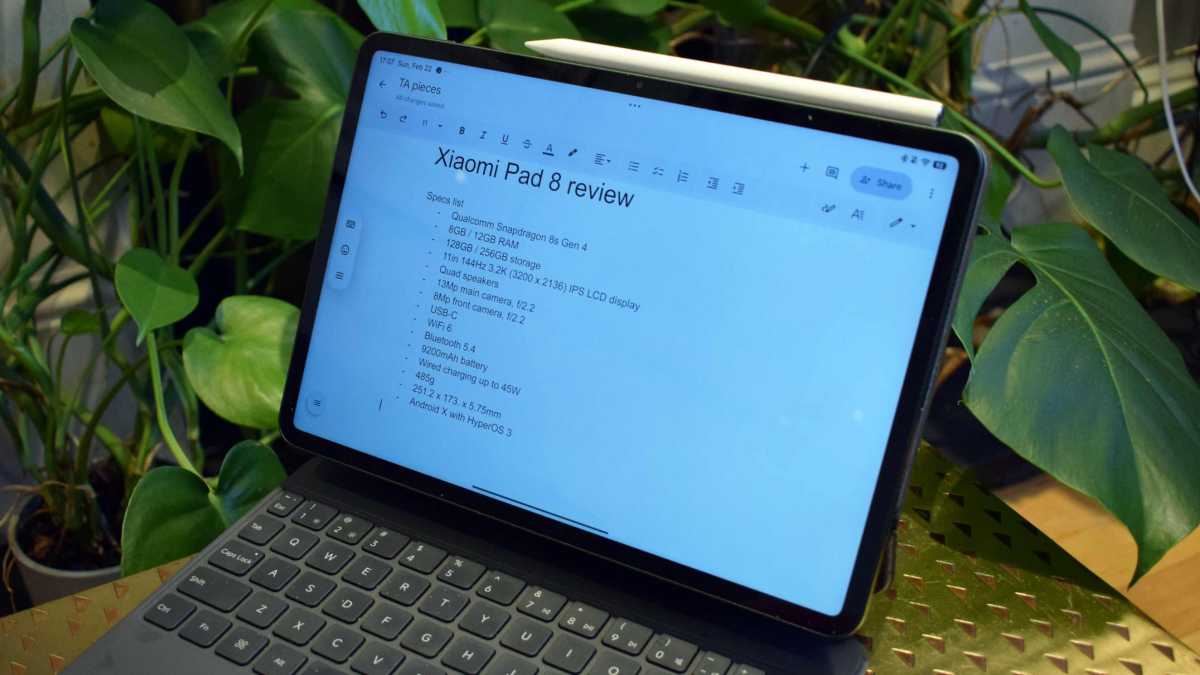
The Xiaomi Pad 8 sells alongside a few different accessories, all of which seem ‘inspired’ by Apple’s equivalents, but they are welcome options nonetheless. I tested them all alongside the tablet, and kept the Focus Pen and Focus Keyboard hooked up to the device for the entire testing period.
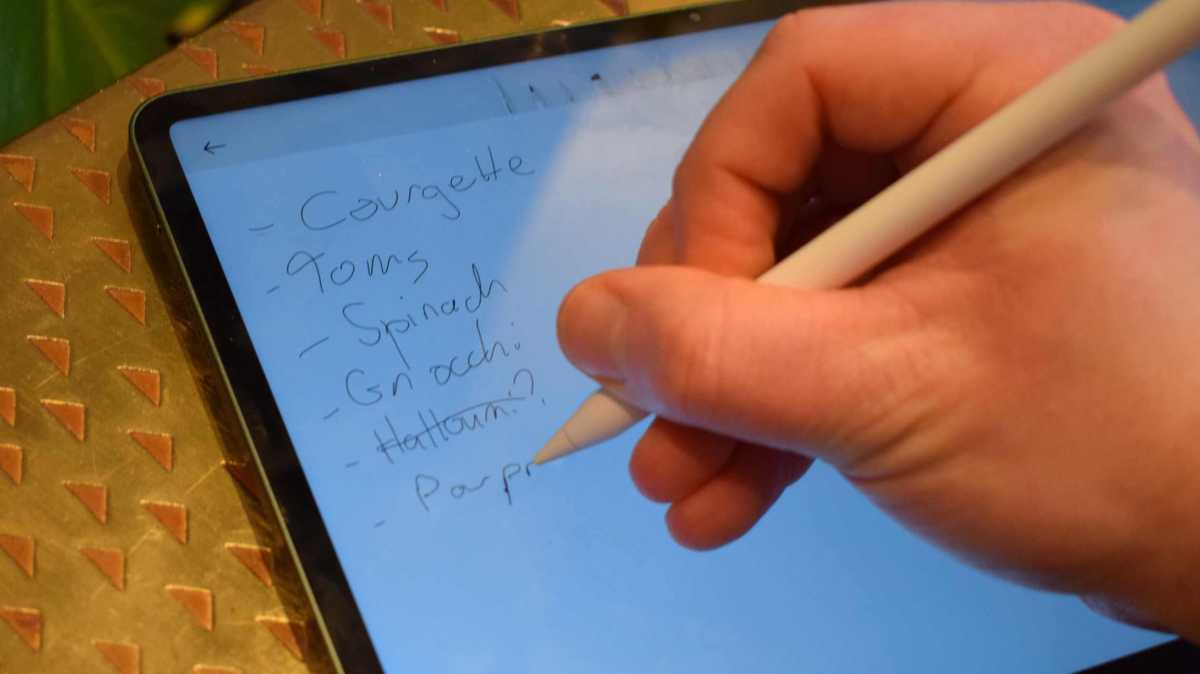
The first is a stylus. It connects to the tablet via a magnetic strip on a long side, and charges when it’s tethered like this – no separate USB charging required.
It connects automatically to the Pad 8, and is just as useful for navigating at a swipe as for drawing or jotting notes. It even has a few gestures, like squeezing to bring up a mini menu to change your pen type, and I prefer it as one of the best Apple Pencil rvials I’ve ever used.
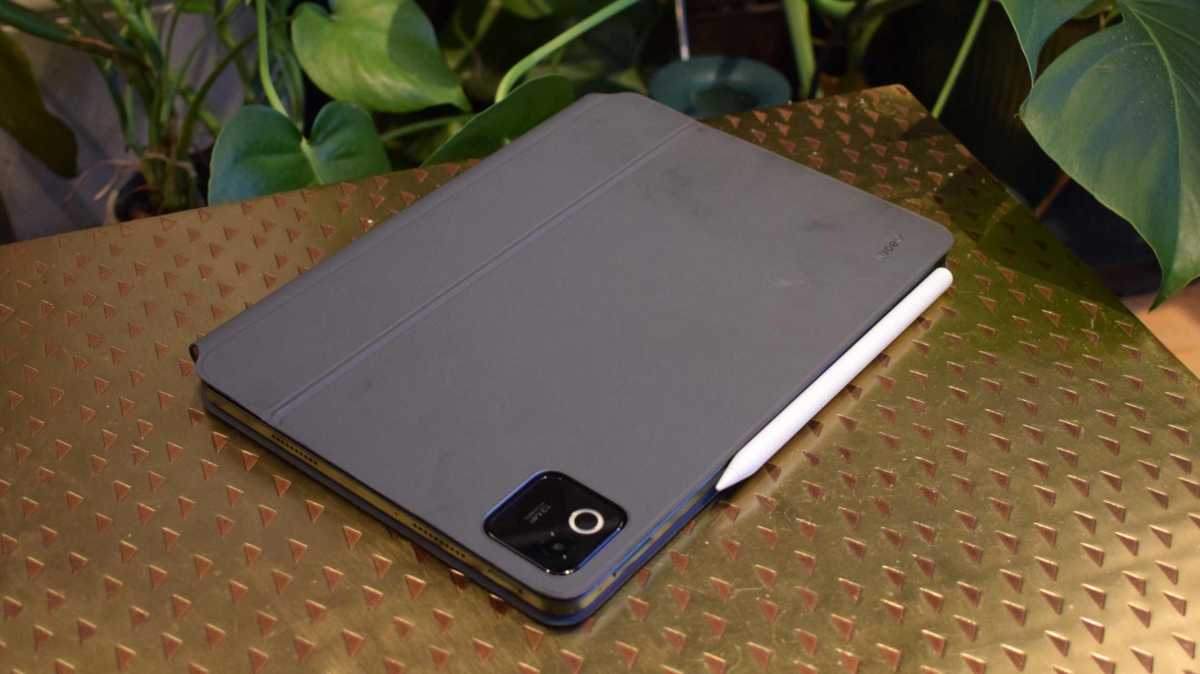
The Focus Keyboard has all the keys you need, as well as a trackpad – I personally don’t use trackpads much on touch-screen devices, but it was useful when I needed precision. The folio feels sturdy and didn’t pick up a mark or dent in many backpack ride-alongs.
One odd issue I found, though, is that when typing with the Keyboard and halfway through a word, the operating system would sometimes auto-complete the word and add in the finished article, yet not remove the half-written one. I’d have to backspace to remove the hanger-on. It didn’t happen all the time, but every few minutes, and it didn’t occur when I typed with the on-screen keyboard.
If you don’t need the trackpad, the Keyboard gives you more space for typing. Want to keep things simple? The Pad 8 cover does what it says on the tin: keeps the thing covered up when it’s in your bag. It can also hold the slate vertically or horizontally, with a little kick-stand-type folding mechanism.
All of these peripherals are designed for the Pad 8 and Pad 8 Pro, so you can use them if you’re on either device.
Tom Bedford / Foundry
Screen & Speakers
- 11.2-inch 3.2K display
- LCD, 144Hz
- Quad speakers and Dolby Atmos sound
Xiaomi has opted for the “if it ain’t broke” mantra when picking screen specs, as the Pad 8 display has seemingly no upgrades over its predecessor – and doesn’t really need it.
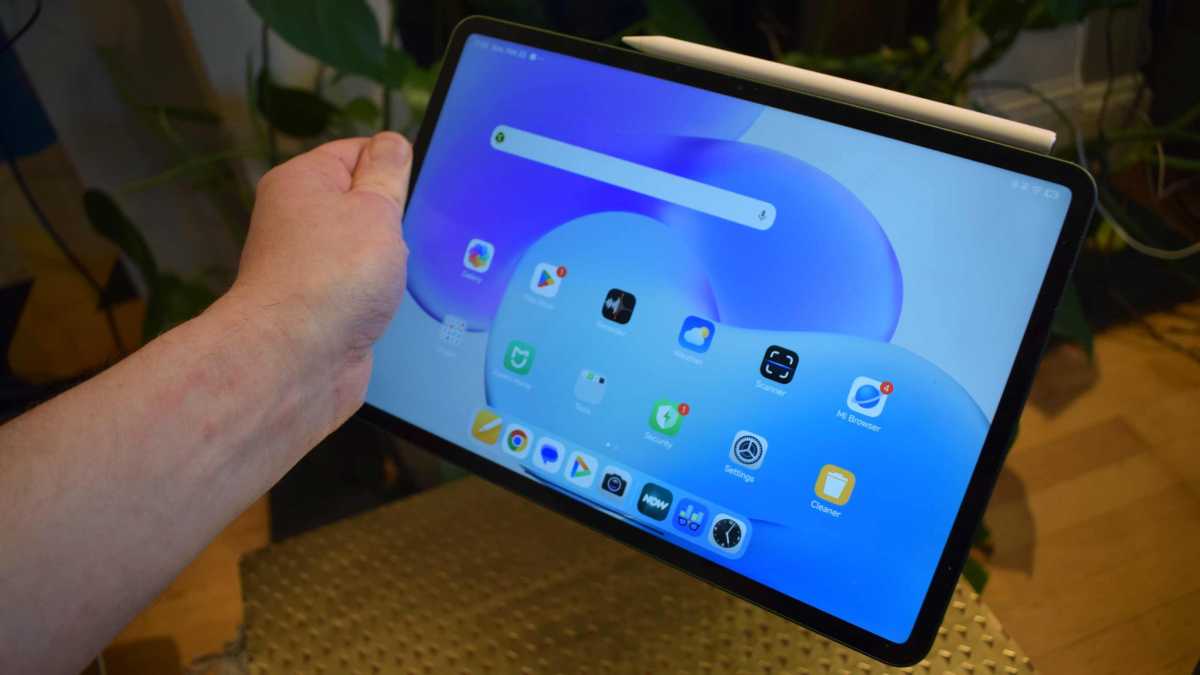
That means it’s an 11.2-inch display, the same as Apple’s entry-level iPad, but at a 3:2 aspect ratio, making it wider. The resolution is 3200 x 2136, or 3.2K, with a pixel-per-inch count of 345, and a refresh rate of 144Hz. Movies, shows and games look great, and I don’t imagine a slate could look better without upgrading to OLED.
This is LCD, but one of the best you’ll find and a reason why Xiaomi is able to hit an affordable price.
The Xiaomi Pad 8 supports Dolby Vision, which boosts HDR in video. However, I often found that when using the tablet’s auto-brightness, it’d make content look way darker than I’d like (or than other slates do). I found myself manually changing brightness as a result, which made my shows look way better.
Tom Bedford / Foundry
It’s not all about entertainment, though, and some handy display modifications make the screen worthy for general use. These include flicker reduction and low-blue-light tools to prevent eye strain over long sessions. There’s also an optional reading mode, which affects the colour scheme and textures of items, and you can schedule this for certain hours.
Four speakers around the tablet allow it to do a decent job in the audio department too, with Dolby Atmos support and a volume boost feature, which ensured I was never reaching for my headphones when watching TV. The device also supports Hi-Res & Hi-Res Wireless Audio, something that you can’t say about many similarly priced alternatives.
If you want to listen via wired headphones, you’ll have to use USB-C ones (or a converter), as there’s no headphone jack. The tablet supports a Bluetooth 6.0 connection, a version of the standard which offers better handling of multiple gadgets and lower-latency connections.
All nice, though minor, upgrades over the Pad 7’s Bluetooth 5.2.
Specs & Performance
- Powerful Snapdragon 8s performance
- Two storage options
- No 4G/5G option
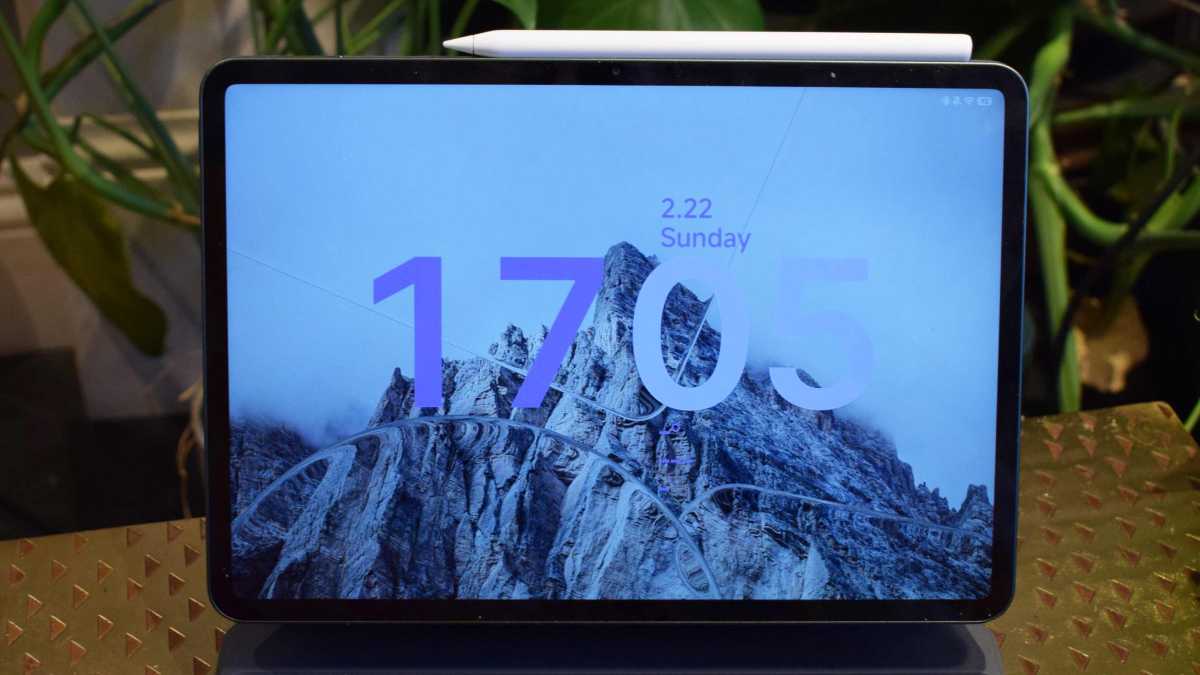
One of the headline upgrades on the Xiaomi Pad 8 is that it offers a more powerful processor than its predecessor – in fact, the company has granted it a higher-end component, which is a big move since the Pad 7 has a mid-range chip.
This is Qualcomm’s Snapdragon 8s Gen 4, which we also saw in the likes of the Nothing Phone (3) and Xiaomi’s own Poco F7; it’s not quite the tip-top chipset Android devices have ever seen, but it’s impressive for this price, with many rivals going as cheap as they can get away with.
Tom Bedford / Foundry
And it shows, because the Pad 8 is a real performance powerhouse, smashing through the games I tested on it. I didn’t see any stutters or lag, plus load times were fast across the board.
Benchmark tests show the Pad 8 as a solid step up from its predecessor, and one of the most powerful mid-range Android slates you can buy right now. Its Geekbench multi-core scores were all between 6,200 and 6,400 (about 1,000 more than the Pad 7), while 3DMark’s Wild Life Extreme Stress Test saw it maintain a framerate between 17- and 32fps.
There are two RAM options with 8- and 12GB models. However, the UK has only been granted the 8GB option as per the Pad 7. This is a shame for anyone wanting as much power as possible, but it should be enough for most people.
You can choose between two storage capacities of 128- and 256GB, with the latter offering faster UFS 4.1 storage too. It’s likely worth the extra £50 depending on how many apps you plan to install and if you use cloud storage.
There’s no expandable storage, though, just as there’s no SIM slot (or support for an eSIM) – it’s Wi-Fi or bust here, so look elsewhere if you need 4G or 5G built in.
Cameras
- 13Mp rear
- 8Mp front
- Camera-on alert LED
Xiaomi has chosen to retain the same camera specs in the Pad 8 as its predecessor, and there are no complaints here, as someone who mainly uses these modules to scan documents or partake in video calls. The 50Mp snappers of the Pro models aren’t in play here, despite the chunky camera bump.
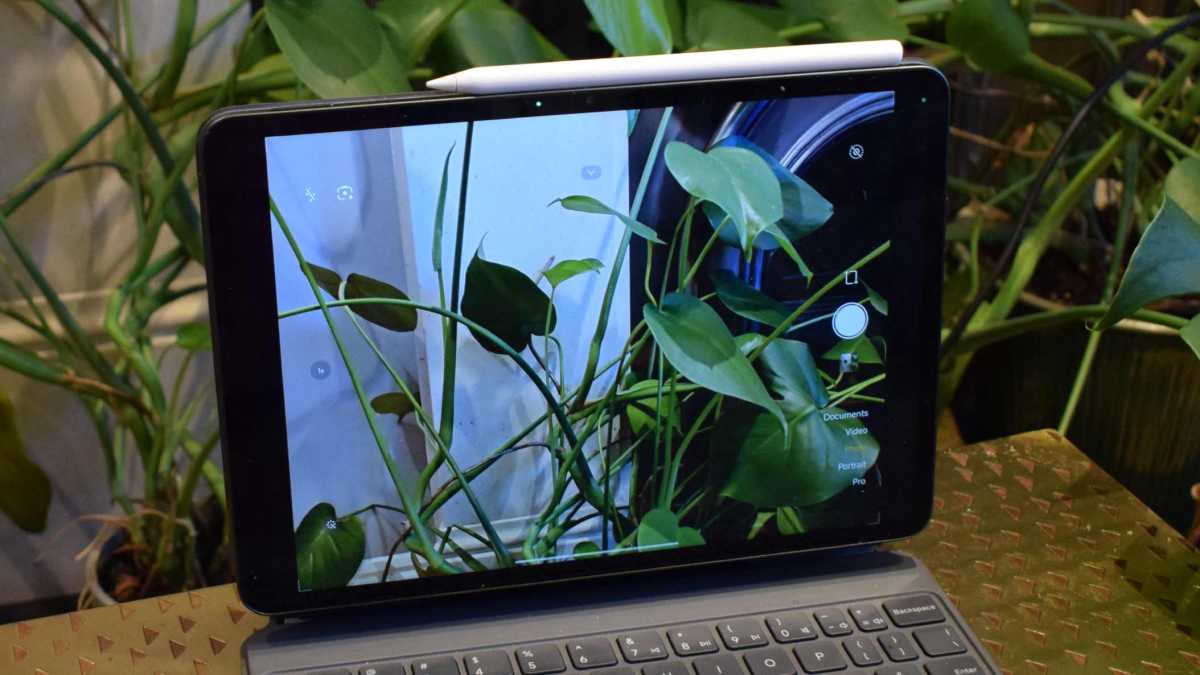
The rear camera is a 13Mp, while the front one is 8Mp, and both are perfectly suited to business tasks. Pictures are fine, though miss the vibrancy or contrast-boosting features of Xiaomi’s smartphones. You can jump into calls at 1080p, and record for yourself at that resolution too.
Tom Bedford / Foundry
I was surprised by how wide the field of view is for the front camera (and by that I mean, people in video calls with me, were surprised by how much of my room they got to see!). It gives a more expansive view than the front cameras on iPads or other tablets I’ve tested, as well as my smartphone.
One neat feature, which I’d love to see on more tablets, is that a little LED lights up on the front of the tablet when the camera is on. It’s a small but appreciated design touch that lets you know when your tablet is looking at you, partly for privacy reasons, and partly so you don’t leave the thing on by mistake.
Battery Life & Charging
- 9200mAh battery
- 45W charging
- USB-A to USB-C cable in box
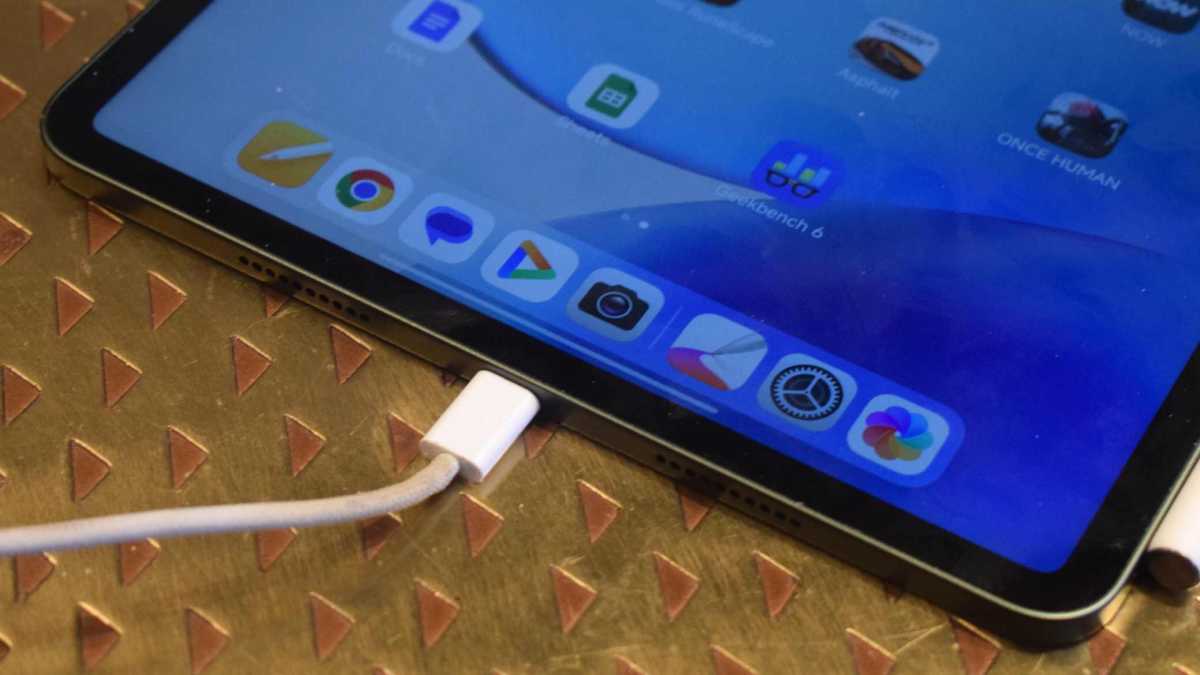
One of the improvements Xiaomi has implemented over previous generations of tablet is a bigger battery than before. It now measures 9200mAh, which brings its capacity close to that of tablets with much bigger screens.
This pool of power is enough to assuage battery anxiety for any user, and it’s just as well, as I didn’t find the past Xiaomi Pads very strong for battery life. Not the case here, though, and I could enjoy much longer coffee shop writing sessions before the battery started to fade.
Likewise, some of the more intensive benchmarking tests I used had noticeably less of an impact on the battery percentage than they had on the 7 Pro, which I tested.
Tom Bedford / Foundry
The tablet’s charging speed hasn’t seen an upgrade from the Pad 7, at 45W, which in effect means that powering takes a small amount longer due to the larger cell.
In theory, you’re looking at 0-100% speeds of over an hour and a half with that kind of wattage, but anecdotally, I feel that charging speed was much faster than this.
You receive a USB-A to USB-C cable in the box with the tablet, but no wall adaptor. Xiaomi recommends using one of its own, but I powered the tablet with about ten different cable and adaptor combinations during testing and never saw any issues.
Software & AI
- Android 16
- HyperOS 3
- Four years of software support
The Xiaomi Pad 8 runs Android 16 by default, with the company’s home-brewed HyperOS 3 laid over the top. I’ve long insisted that HyperOS is one of the most handy Android tablet operating systems, with quick-to-summon split-screening and an interface which uses the space it’s given. It offers a greater degree of theme customisation than many alternatives, and has a few unique animations for simple gestures and tasks that offer the slate its own ‘feel’.
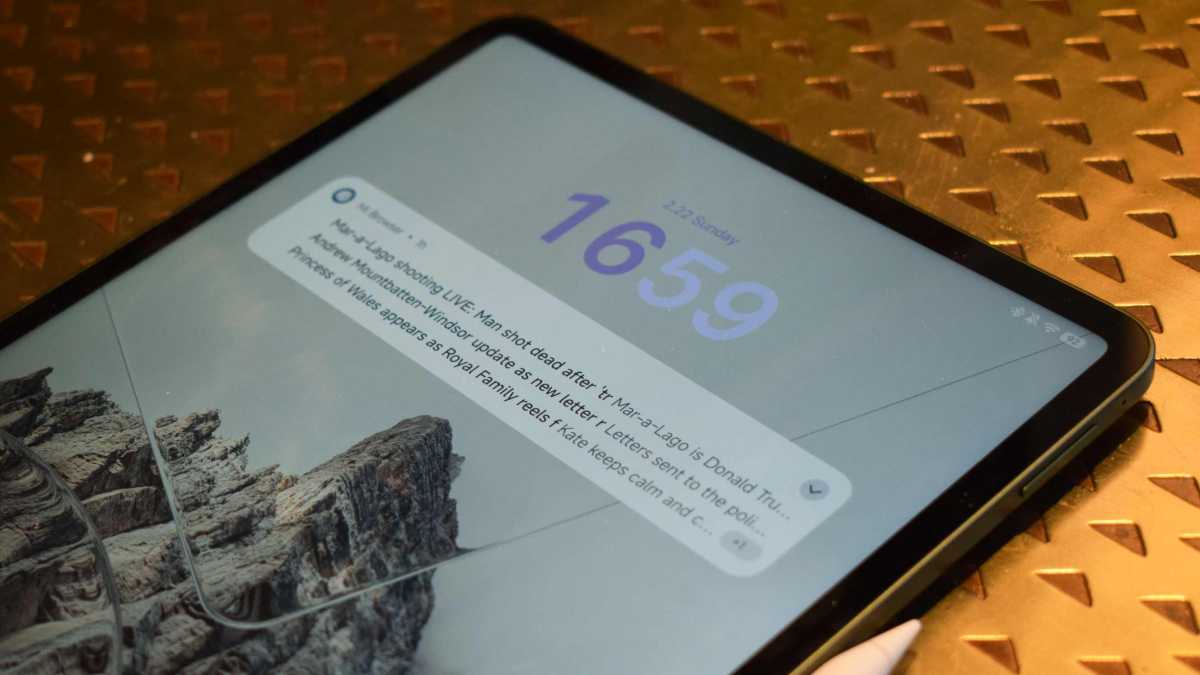
HyperOS, like MIUI before it, isn’t perfect, and my pet peeve is that Mi Browser keeps sending me news stories and adverts, like the ones you can see in the picture below. As I write this paragraph, I’ve received an advert for the launch of this very tablet from the browser, as well as traffic updates (I don’t drive). There are also a fair few more pre-installed apps than some users may like, though Xiaomi’s getting better about this.
HyperOS 3’s headline features are equal parts connectivity tools, which are really handy for gadget owners on various ecosystems, and the suite of AI features which all Android tablets nowadays come with.
Tom Bedford / Foundry
The first of those is called Xiaomi HyperConnect, which lets your tablet work alongside other gadgets seamlessly. In part, this is for smart home kit like lights as well as fitness trackers, and in some ways it’s for Xiaomi phone users – in a meeting, for example, you can switch from your tablet’s camera to your phone’s, to use its different lenses.
However, HyperConnect also has built-in linking tools for Windows PCs and Macs, which let you easily transfer files and images between devices and, in the case of Windows, use your phone via your computer.
Then there’s Xiaomi HyperAI, a suite of AI generation tools that only seem to be available in Xiaomi’s own apps. That makes the useful ones like AI Speech Recognition and AI Interpreter a little finicky to use, but means the iffy gen-AI ones like AI Writing and AI Art aren’t intrusive if you don’t like using this kind of thing. As someone who writes, draws and edits images in third-party apps, I didn’t come across HyperAI tools when I wasn’t hunting them down.
For software support, the Pad 8 will get four years once again. It’s good but you can get longer from the likes of Samsung if this is important.
Price & Availability
The base price of the Xiaomi Pad 8 is £399, which will get you 8GB RAM and 128GB storage. Then there’s a model with 8GB RAM and 256GB storage which will cost you £449.
These prices mark a price hike over the Pad 7’s costs of £30 and £50 respectively, which is a modest increase but worth knowing as the older tablet is naturally a little cheaper now.
You can buy it from Xiaomi as well as the likes of Amazon. It’s not available in the USA.
Tom Bedford / Foundry
The Pad 8 is more expensive than the bigger but weaker OnePlus Pad Go 2, starting at £319, and big-battery Honor Pad 10, starting at £299, but more affordable than the £499-priced Samsung Galaxy Tab S10 FE.
The prices for the accessories are as follows, though Xiaomi will almost always discount them at checkout if you purchase via the official store.
- Cover – £45
- Focus Pen Pro -£89
- Keyboard – £119
- Focus Keyboard – £179
Check out our guide to the best tablets and best budget tablets for more options.
Should you buy the Xiaomi Pad 8?
Tablet buyers who want a solid, mid-range Android tablet, especially one which doesn’t break the bank, will find the Xiaomi Pad 8 a great option.
Its specs show it as a real entertainment, gaming and work powerhouse; you’d struggle to get as powerful a chip on a smartphone at this price, and its display and battery power are just as admirable.
Accessories make it more expensive, but they could be a real game-changer for many users. Once again, you’ll struggle to find a better value tablet on the market with this level of hardware and features.
Specs
- Qualcomm Snapdragon 8s Gen 4
- 8GB / 12GB RAM
- 128GB / 256GB storage
- 11in 144Hz 3.2K (3200 x 2136) IPS LCD display
- Quad speakers
- 13Mp main camera, f/2.2
- 8Mp front camera, f/2.2
- USB-C
- WiFi 6
- Bluetooth 6.0
- 9200mAh battery
- Wired charging up to 45W
- 485g
- 251.2 x 173. x 5.75mm
- Android 16 with HyperOS 3