Any links to online stores should be assumed to be affiliates. The company or PR agency provides all or most review samples. They have no control over my content, and I provide my honest opinion.
Flic Duo Smart Button & Flic Hub Mini Review
Flic Duo Smart Button & Flic Hub Mini Review
Summary
The Flic Duo is a thoughtfully designed smart button with impressive flexibility, combining physical controls, gesture input, and broad native integrations into a single compact device. It works reliably once set up, and the accompanying hubs significantly expand its capabilities, particularly for Sonos, Philips Hue, and other supported platforms. However, its high price and limited interoperability with systems like Home Assistant make it harder to recommend for experienced smart home users who already have established Zigbee or Matter ecosystems. For those seeking a simple, app-driven control solution without running a full automation platform, or for users who value the optional safety features, the Flic Duo remains an appealing if premium choice.
Pros
- Highly flexible controls with gestures and placement awareness
- Excellent native integrations, especially for media and lighting
- Reliable performance with strong range when paired with a hub
Cons
- Significantly more expensive than competing Zigbee buttons
- Limited direct integration with Home Assistant
- Gesture setup and ecosystem constraints may deter advanced users
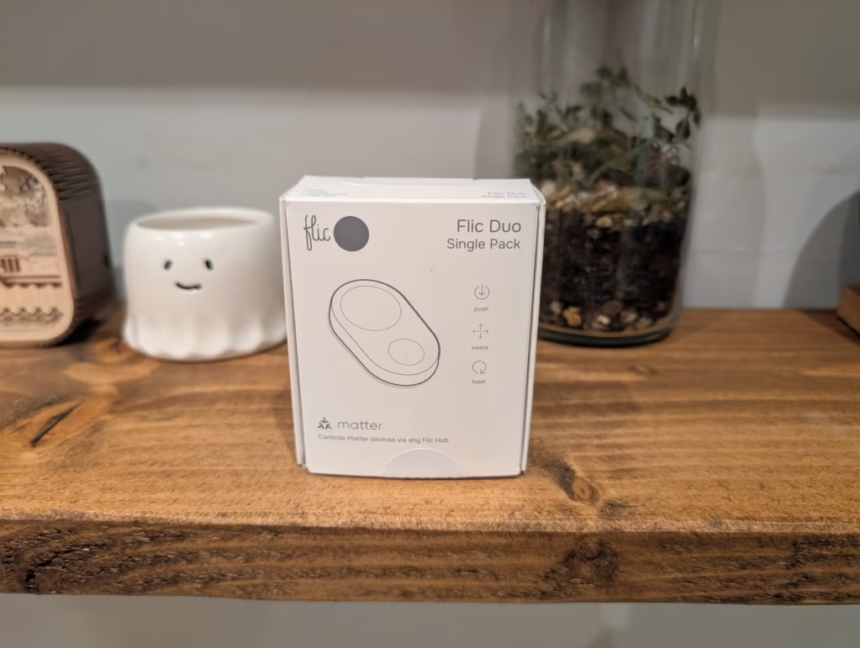
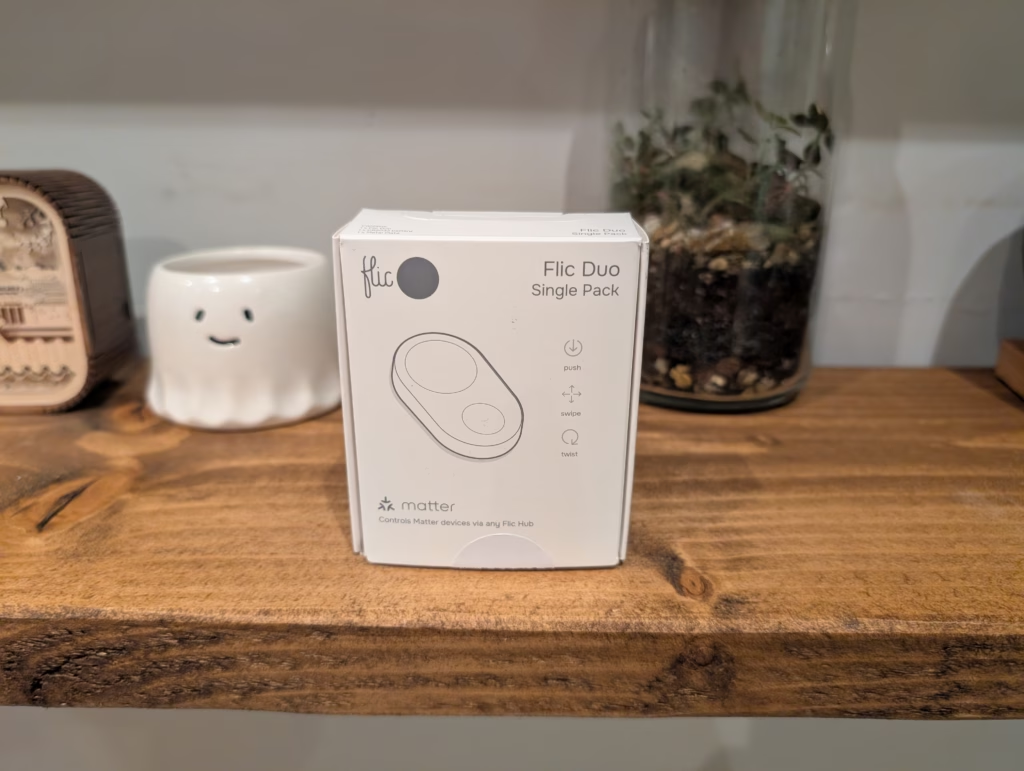
The Flic Duo is a dual-button smart controller that combines traditional button presses with gesture input to drive automations across lights, media, and other connected devices. It is designed to work both as a wall-mounted switch and as a handheld remote, with deeper integration available when paired with a Flic Hub.
Related Reviews
Specification
| Specification | Details |
| Battery Life | Up to 3 years (CR2032 replaceable battery) |
| Dimensions | 51 × 29 × 8mm |
| Indoor Range | Up to 50m |
| LED Indicator | 3-colour LED |
| Compatibility | Flic Hub, Hub LR & Hub Mini, iOS, Android & more |
| Triggers | Push, Double Push, Hold, Hold & Swipe, Hold & Twist |
| Matter Support | Compatible through Flic Hub |
| Apple HomeKit | Push, Double-Push & Hold accessible through Flic Hub LR |
| Customisation | White or black; extra icon stickers included |
| Open SDK | Through Flic Hub LR |
| HID & MIDI | Coming in future update |
Features
Wall Switch and Handheld Modes
Mounted on a wall, the large button on the Flic Duo is well suited to simple on/off or toggle actions such as controlling room lighting or a main scene. In this mode it effectively behaves like a modernised light switch, offering a familiar interaction for people who do not want to open apps or speak to a voice assistant.
When you pick the Duo up, the motion sensor enables swipe and twist gestures that make more sense in the hand, turning it into something closer to a media or scene remote. You can, for example, use swipe‑up or swipe‑down to adjust brightness or volume, and twist gestures to change scenes or dim levels without needing an additional dial product.
Smart Home and Media Control
Out of the box, common use cases include lighting control, heating adjustments, and media playback. A single press can toggle lights, while a long press plus swipe can be used for dimming, although granular dimming and multi‑room scenarios typically require pairing with a Flic Hub. For temperature, one button can be configured to increase set‑point and the other to decrease it, with LED colours used to indicate direction or mode.
For media and TV setups, gesture mappings allow volume up/down, track skip, and replay without needing to reach for a phone. When used with the Flic Hub LR and its IR accessory, the Duo can act as a simple remote for television power and basic AV controls by sending infrared commands to existing equipment.
Safety and Location Features
Beyond smart home control, the onboard accelerometer supports motion‑based safety features such as fall detection. In supported setups, a detected fall can trigger alerts to predefined contacts, which may be useful for elderly users or lone workers when combined with appropriate monitoring workflows.
There is also a configurable SOS or personal alarm function, where a press can send an emergency notification and location data via a paired app or service. A “find my Flic” feature allows the Duo to emit a sound when triggered from the app, which is practical if the unit is frequently used as a portable remote.
Integrations and Hubs
Flic Duo integrates with a range of platforms and services including Amazon Alexa, Apple Home (via HomeKit), Matter ecosystems, Philips Hue, Sonos and other common smart home brands. Some of these can be addressed directly via a phone, but broader and more reliable integrations generally depend on using a Flic hub as the always‑on bridge.
The Flic Hub LR adds Ethernet, 5 GHz Wi‑Fi and an IR port, and acts as a Matter controller, while the more compact Flic Hub Mini focuses on Bluetooth long‑range and Matter controller functionality for simpler environments. For Apple users, only button presses (not gestures) are currently exposed into HomeKit, so advanced gesture logic needs to be handled inside the Flic ecosystem or via other supported services.
Accessories and Mounting Options
Flic offers a set of optional accessories to adapt the Duo to different use cases. A sticker sheet with iconography for lighting, music, security and other functions is available to label buttons and make multi‑button or multi‑room deployments easier to remember, which is relevant in shared households or office environments.
A metal clip with lanyard attachment lets you carry the Duo on a belt, bag or around the neck, which aligns with use in care settings or mobile work scenarios. There are also silicone and metal mounting options, including a more rugged weather‑resistant case for outdoor or semi‑exposed installations and a metal plate for stable mounting on walls, desks or car dashboards while retaining magnetic detachability.
Design
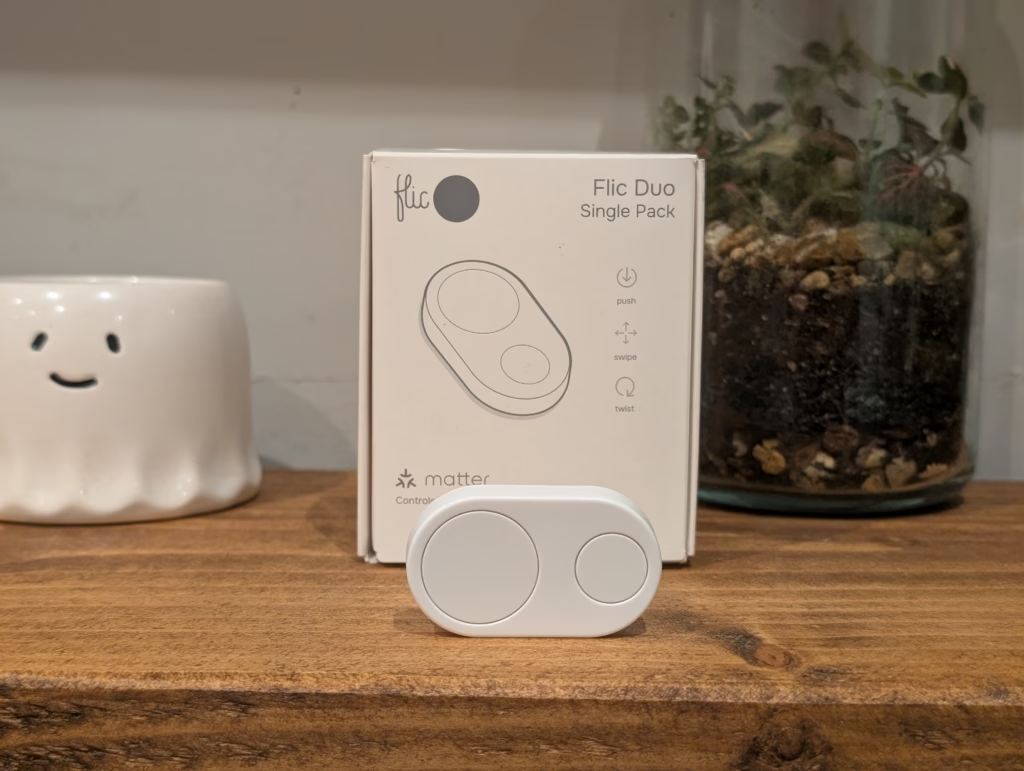
Flic Duo uses two physical buttons and an integrated motion sensor to support five generic triggers: single press, double press, long press, long press with swipe, and long press with twist. Between those triggers and the two buttons, the device can be configured with more than 20 distinct actions per Duo, and over 30 commands when placement-aware behaviour is used. A built‑in buzzer and three LEDs provide audio and visual feedback so you can confirm actions without checking a phone or display.
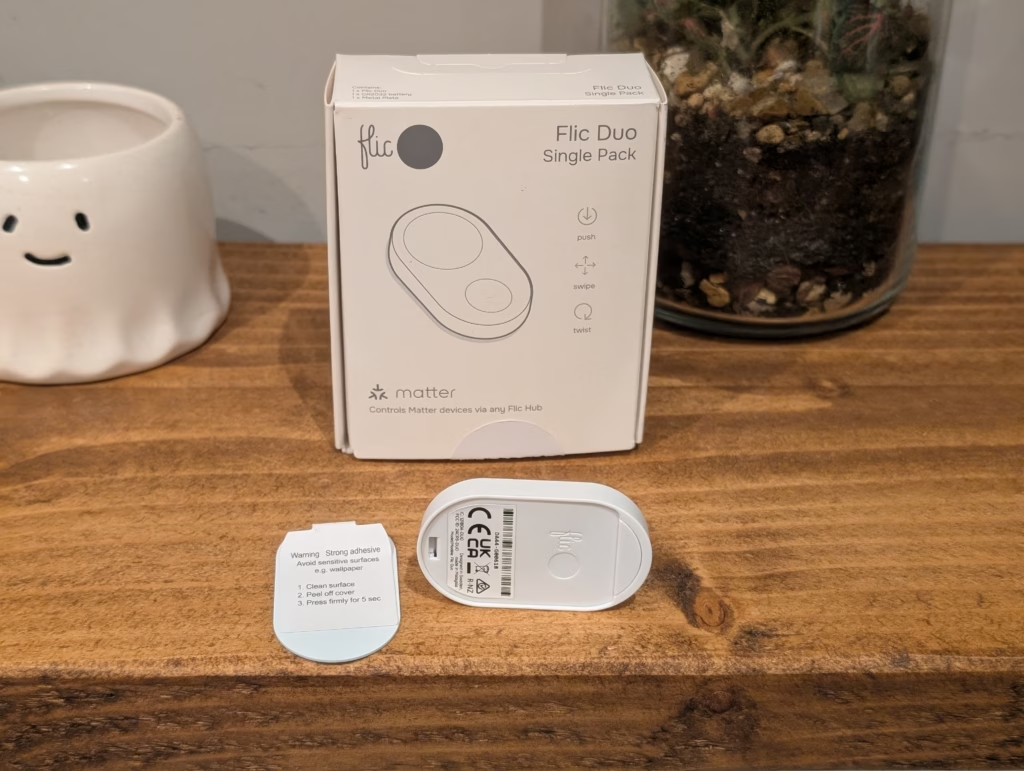
The unit has a compact, minimalist form factor with a magnetic mounting plate so it can live on a wall but be removed and used in the hand as required. Power comes from a CR2032 coin cell that is quoted for up to around three years of typical use before replacement.
The physical design is one of the Flic Duo’s strengths. The buttons have a satisfying tactile click, and the device feels well-built despite its compact size. Both black and white colour options are available, so you can choose whichever best suits your interior. The slim profile means it does not look out of place when mounted next to a traditional light switch.
Flic App & Set Up
Setting up the Flic Duo is handled entirely through the Flic app on iOS or Android. The process is generally seamless: you select “Add Flic to Hub” in the app, then press and hold the button on the device until it connects. The app then guides you through naming the device and assigning triggers.
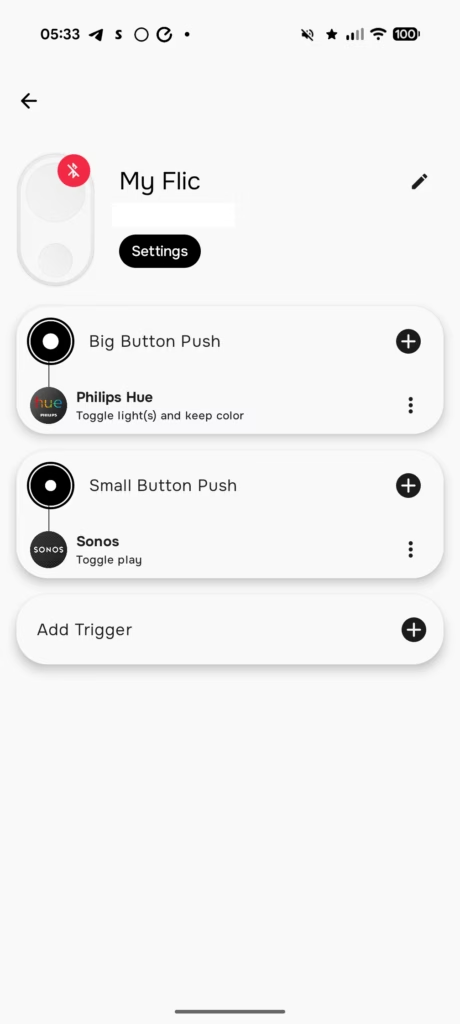
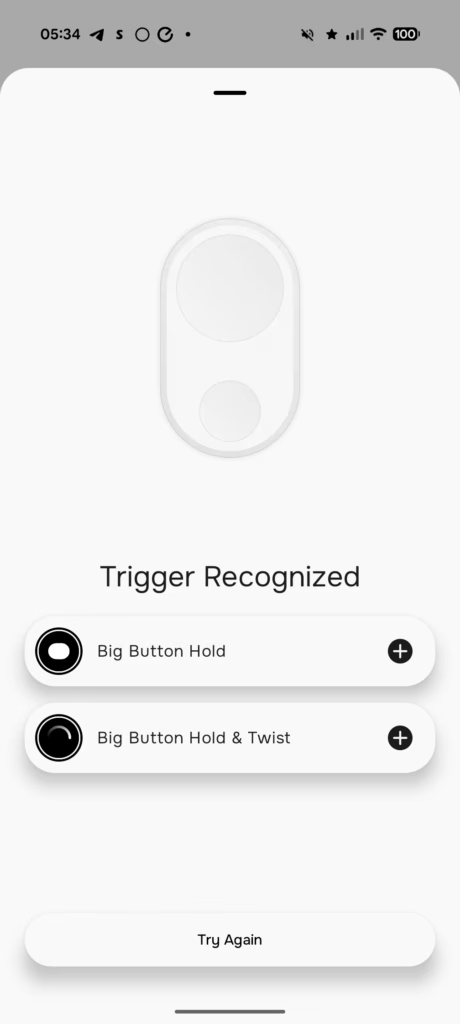
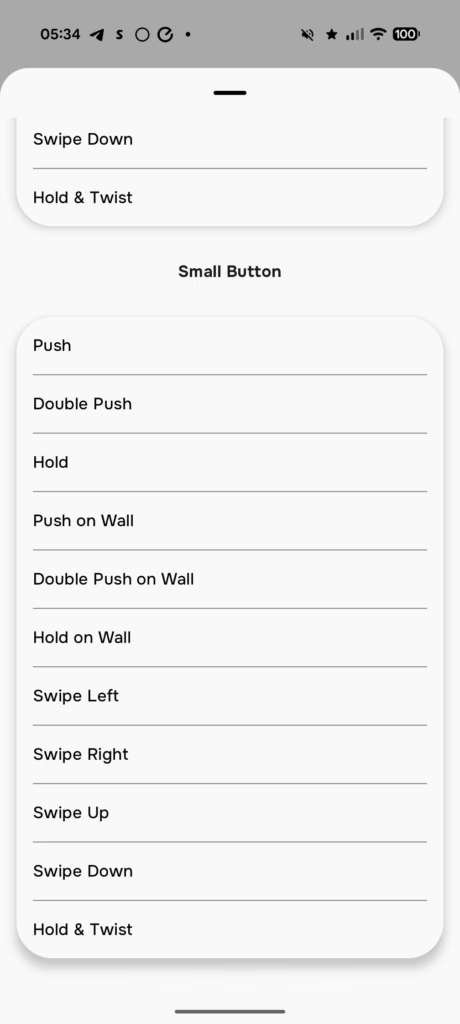
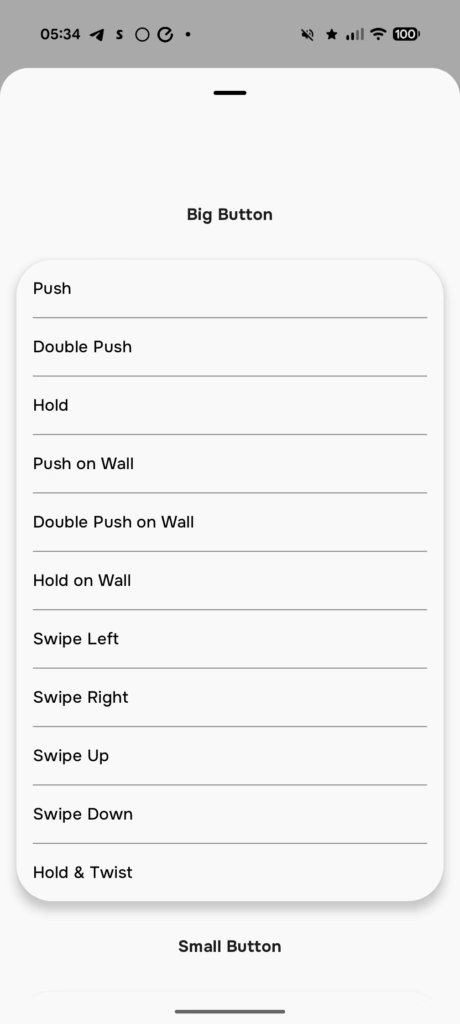
The interface for assigning actions is powerful but can be overwhelming due to the sheer number of options. You can select a specific trigger (e.g., “Small Button Double Push”) and then browse a list of integrations like Sonos, Hue, or generic HTTP requests. For gestures, the app provides a visual guide, though mastering the “hold and twist” requires some practice to get the timing right.
The app also handles the logic for the “Scene Blender” mode, which allows the twist gesture to transition smoothly between different lighting scenes, for example, rotating from a bright “Work” scene to a warm “Relax” scene.
Flic Mini Hub
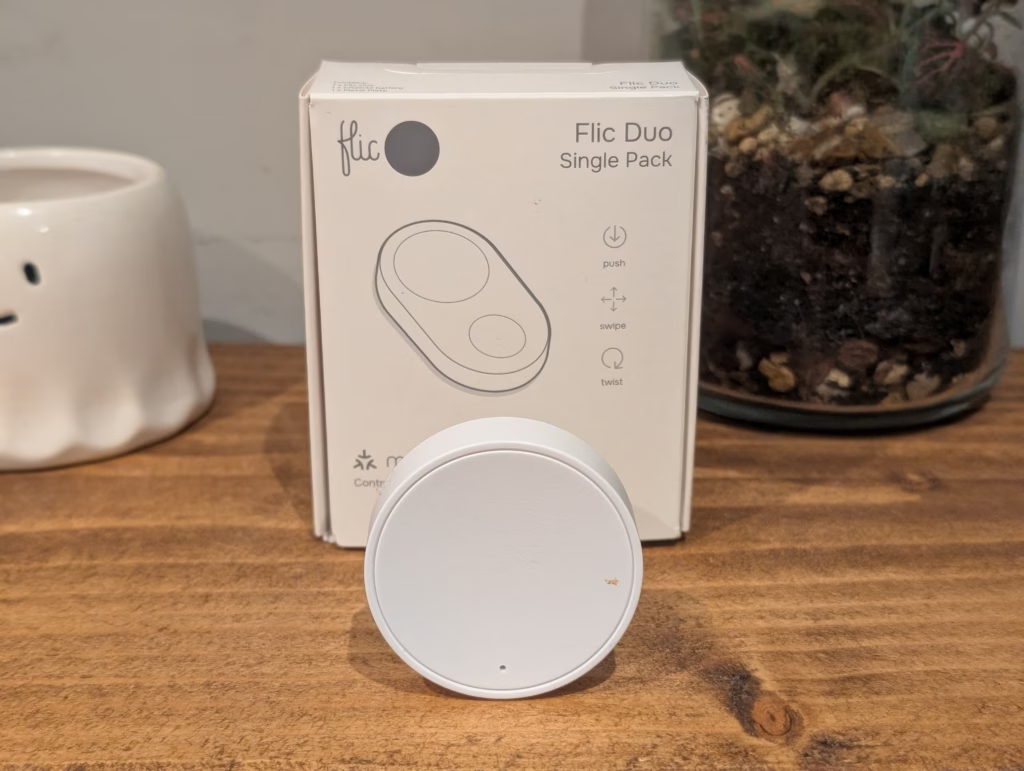
The Flic Hub Mini is a compact puck-shaped device that connects to your home network via 2.4 GHz Wi-Fi and provides the always-on bridge that allows your Flic buttons to function without relying on your smartphone being in Bluetooth range. It is powered via USB-C, so you can plug it into any available USB port or wall adapter.
With the Hub Mini, your Flic buttons can trigger automations even when your phone is not at home. This is essential for multi-user households where you want the buttons to work for anyone, not just the person who set them up. The hub also provides better range than phone-based operation, with Flic claiming up to 45 metres of coverage.
The Hub Mini lacks some of the advanced features of the Flic Hub LR, notably the 5 GHz Wi-Fi support, Ethernet connectivity, and IR blaster. For most household use cases, these omissions are not significant. However, if you want Apple HomeKit support with gesture control, SDK access for custom programming, or IR control of your TV and AV equipment, you will need to opt for the Hub LR instead.
Compatible Services / Providers
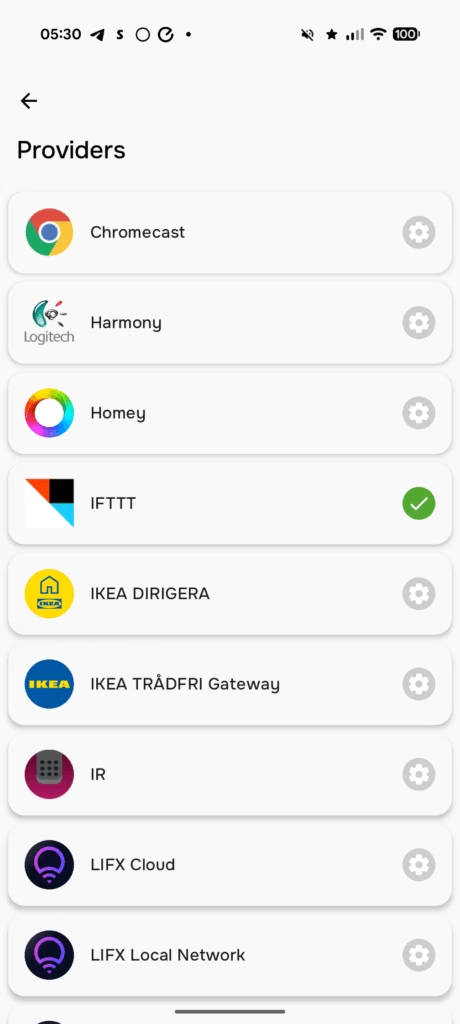
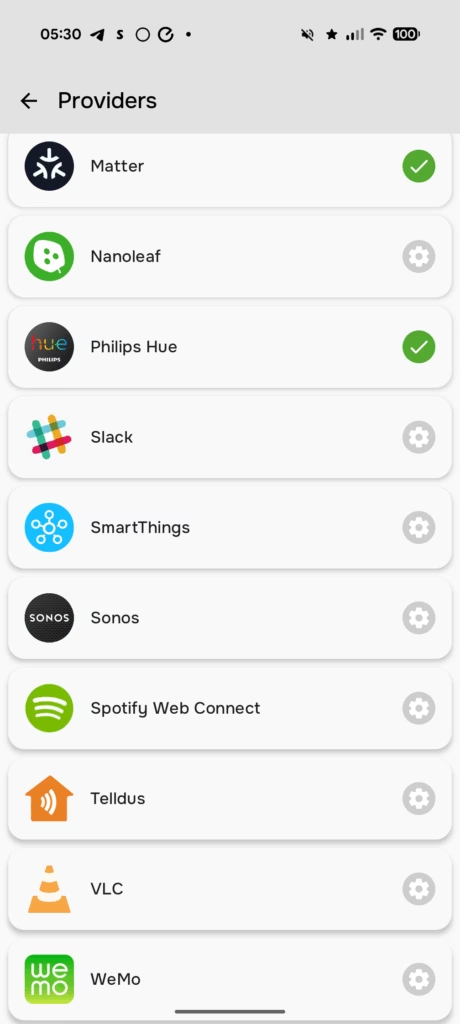
Flic supports a wide range of services by default, including:
- Philips Hue: Direct control of scenes, brightness, and colour temperature.
- Sonos: Volume, track skipping, and playlist selection.
- Spotify: Playback control on connected devices.
- LIFX & Nanoleaf: Lighting control via local network or cloud.
- Generic Smart Home: SmartThings, Alexa, and IFTTT integration allows the button to trigger virtually any connected device, albeit with potential cloud latency.
- Matter: As a controller for Matter-enabled lights, blinds, and switches.
Home Assistant & Matter
With Home Assistant being so popular and Flic supporting so many services, plus Matter, I initially thought it would be a simple process to integrate Flic into Home Assistant.
Sadly, this is not the case. Flic acts as a Matter hub that you integrate other Matter devices into. So I could easily add my TP-Link Tapo P110M Smart Plug into Flic, but I can’t add Flic into a different Matter controller.
The process to add Flic to Home Assistant is much more complicated. I found this comment on Reddit:
Adding Flic buttons to Home Assistant with webhooks (Works best with Flic hub)
- Make an automation and add three triggers of type “Webhook”
- For each Webhook click the three dots at the right and “Edit ID”
- Name them something like Single, Double, and Hold. To correspond to the actions that Flic buttons can do.
- Save the automation, we’re going to come back to it.
- Now we need to get the Flic hub to send those hooks to home assistant. This is easier if you do this part on your phone.
- Open the home assistant app or webpage on your phone and go to the automation we just made.
- Go to the webhook trigger that you named “Single” and press the copy button on the right side of the Webhook ID box to copy the whole URL for that trigger.
- In the Flic app open up the hub and go to the button you want to add. Add an action for single press and add type “Internet Request”.
- Delete the placeholder “http://” that’s there in the URL line and then paste the URL we just copied into the URL spot here.
- Change the type from “GET” to “POST” and tap “Add” at the top right to save it.
- Go back to Home assistant and look at the automation, click the Flic button and it should show that it triggers.
- Repeat those steps for “Double” and for “Hold”
- Now we have an automation that will trigger for type of press on that Flic button. Never delete this automation.
- Add an action at the bottom of the automation and search for “Choose”.
- In the Choose action go to Option 1 and make the condition “Triggered By” and choose Single as the ID.
- add options 2 and 3 with the “Double” and “Hold” as the Triggered By.
- Now you can add whatever real actions you want in those three options.
An alternative option is the Home Assistant addons by Philipp Schmitt, which uses Bluetooth on the device, so presumably bypasses the need for a hub. Unfortunately, I had issues getting this to work as Home Assistant struggled to initialise Bluetooth.
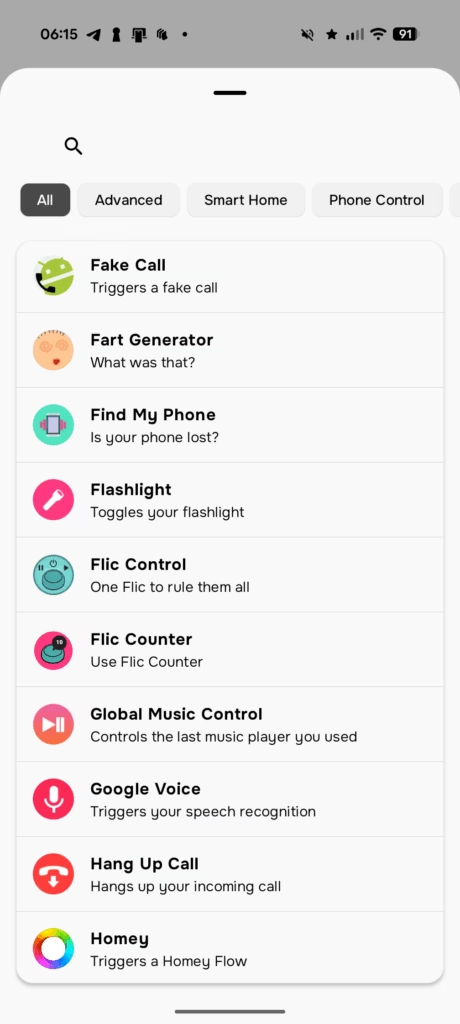
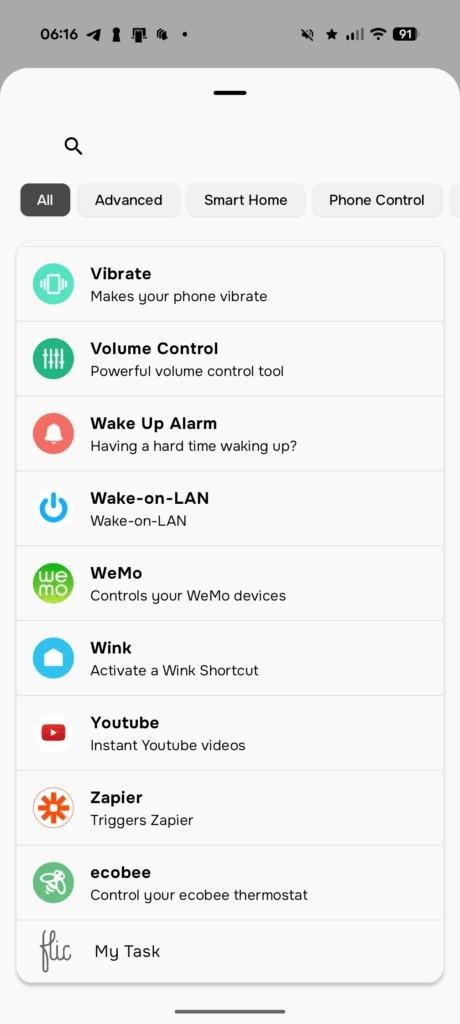
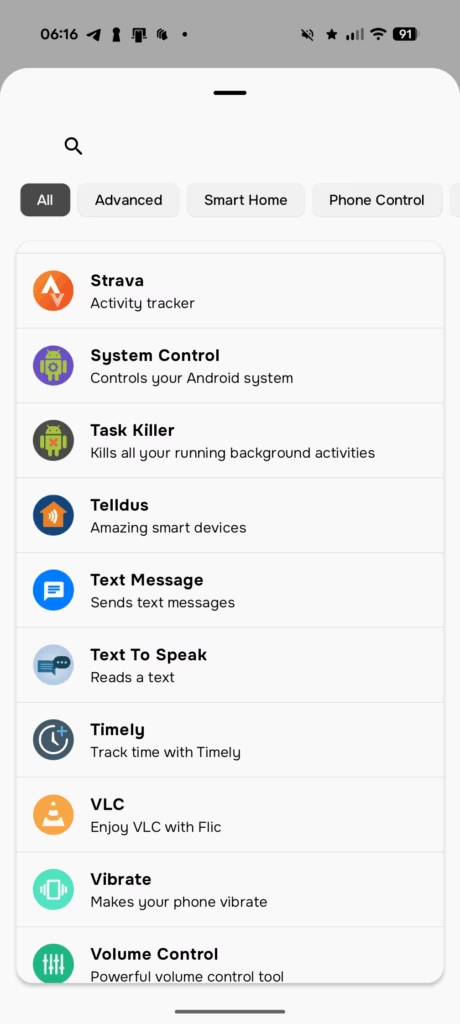
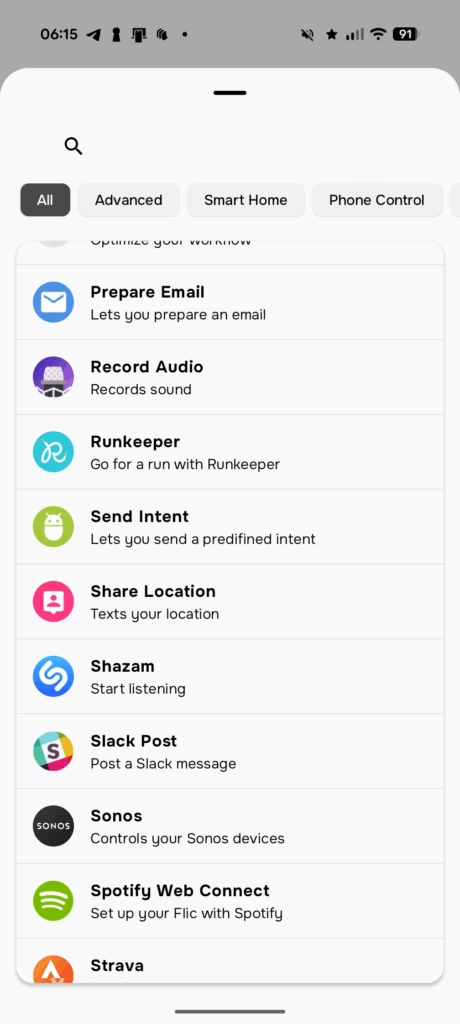
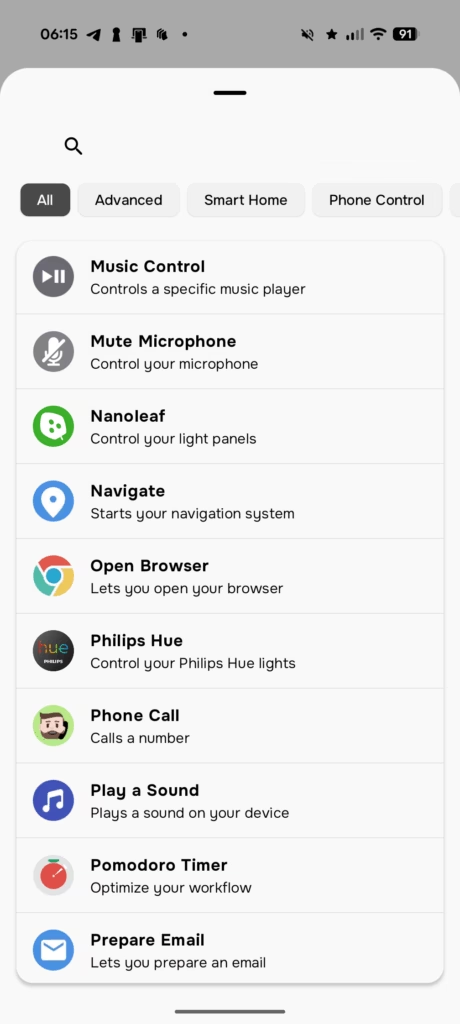
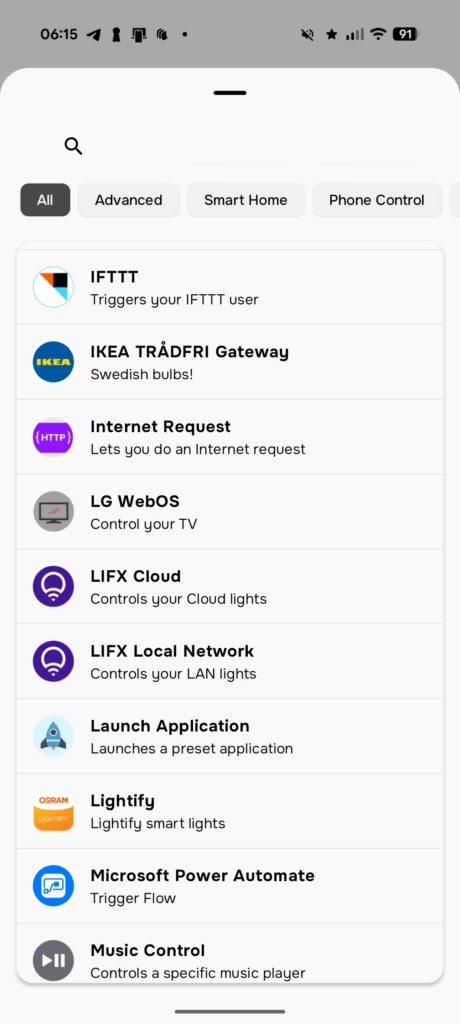
Available Actions
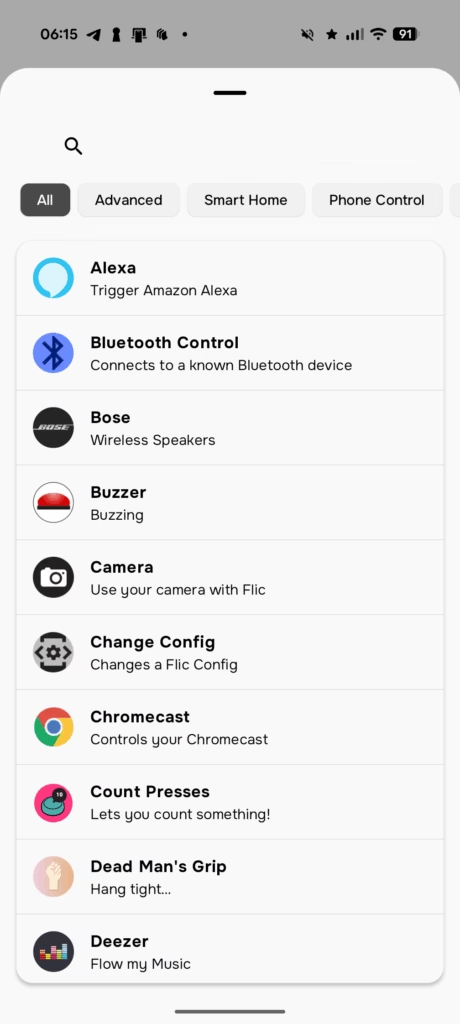
Flic has an extensive range of actions available, which is even more comprehensive than the providers.
Performance


In daily use, the Flic Duo is generally reliable, but its performance is heavily dependent on the connection quality of the devices it controls. When controlling Matter devices paired directly to the Flic Hub, the response is near-instant. The twist and swipe actions work surprisingly well, though there can be a slight delay depending on wireless interference or the distance from the hub.
For Sonos control, the experience is excellent. The volume adjustments are responsive, and the ability to set a maximum volume limit in the app prevents accidental deafness if you twist too enthusiastically. However, when moving the button to areas with poorer signal, such as a garage, the gesture recognition can become spotty.
Battery life appears consistent with claims, thanks to the use of Bluetooth Low Energy. The range is impressive for a coin-cell device, covering most average-sized homes without issue, provided the Hub is centrally located.
The Bluetooth range with the Hub Mini was adequate for my testing, covering a typical semi-detached house without significant issues. However, if you have a larger property or particularly thick walls, the Hub LR with its extended range might be worth the additional investment.
Price and Alternative Options
The Flic Duo has an RRP of £50 and the Flic Hub Mini is £21.
Flic also has:
- Flic Hub LR (£62) – The Flic Hub LR is ideal for advanced users, offering Apple HomeKit support, an audio jack, Ethernet, 5GHz WiFi, and an IR port for controlling TVs and other IR devices. Fully programmable with our SDK, it also functions as a Matter controller, expanding compatibility with all Matter-enabled devices.
- Flic Button (£30) – A simple single-button Flic
- Flic Twist (£67) – Designed to work as a smart dimmer
Competing options include:
- Philips Hue Smart button (£18) – Uses Zigbee and is obviously designed to use with Hue, but can be integrated with other ecosystems, with Matter being the easiest option.
- Aqara Wireless Mini Switch (£18) – Single-button controller.
- Ikea RODRET (£5) – Zigbee Wireless dimmer/power switch, larger and less attractive.
- Ikea STYRBAR (£12) – Zigbee remote control which has more features but is even larger.
- Ikea SOMRIG (£7) – A simple shortcut button
Overall
I have mixed feelings towards the Flic Duo, and the whole Flic concept.
The concept is great, and I love the extensive range of integrations that are available and the simplicity of getting these native integrations working. And, when set up, it has performed reliably.
However, I am someone who is very price sensitive. I am happy to spend a premium on a product if it is worth it; my love of Philips Hue is a testament to that. But, with Flic, it is hard to claim that this provides good value for money.
The Flic Duo, may be a little different from your generic smart buttons, but Philips Hue and Aqara have options that are less than half the price. IKEA has options even cheaper than that. Then, they all use Zigbee, which is a superior smart home protocol than Bluetooth.
You can easily integrate these alternative options with ecosystems like Home Assistant, Aqara, and Homey, either directly, or through Matter, which will then allow you to perform actions outside of their native environment.
So, for existing smart home enthusiasts who already have Home Assistant, Homey, or a similar platform running, I find it hard to see the appeal of Flic at this price point. The webhook integration method is clunky compared to native Zigbee support, and the gesture features, while interesting, do not fundamentally change what you can achieve with a well-configured automation system.
That being said, if you do not have Home Assistant/Homey/Aqara and want to be able to control one of the supported systems, then Flic does offer an appealing option. The native integrations with services like Sonos, Spotify, Philips Hue, and Alexa are genuinely straightforward to set up, and the app-based configuration is more accessible than programming automations in Home Assistant.
The safety features also deserve recognition. For elderly care applications or lone worker scenarios, the fall detection and SOS functionality, combined with the lanyard accessory, create a compelling safety device that happens to also control your smart home. This is a use case where the premium pricing might be easier to justify.
If you value the specific combination of features that Flic offers – gesture control, placement awareness, broad native integrations, and safety features – and you are not already running a sophisticated automation platform, the Flic Duo is worth considering. Just be aware that you are paying a significant premium compared to simpler alternatives, and plan your budget accordingly if you intend to deploy multiple units around your home.
Flic Duo Smart Button & Flic Hub Mini Review
Flic Duo Smart Button & Flic Hub Mini Review
Summary
The Flic Duo is a thoughtfully designed smart button with impressive flexibility, combining physical controls, gesture input, and broad native integrations into a single compact device. It works reliably once set up, and the accompanying hubs significantly expand its capabilities, particularly for Sonos, Philips Hue, and other supported platforms. However, its high price and limited interoperability with systems like Home Assistant make it harder to recommend for experienced smart home users who already have established Zigbee or Matter ecosystems. For those seeking a simple, app-driven control solution without running a full automation platform, or for users who value the optional safety features, the Flic Duo remains an appealing if premium choice.
Pros
- Highly flexible controls with gestures and placement awareness
- Excellent native integrations, especially for media and lighting
- Reliable performance with strong range when paired with a hub
Cons
- Significantly more expensive than competing Zigbee buttons
- Limited direct integration with Home Assistant
- Gesture setup and ecosystem constraints may deter advanced users

I am James, a UK-based tech enthusiast and the Editor and Owner of Mighty Gadget, which I’ve proudly run since 2007. Passionate about all things technology, my expertise spans from computers and networking to mobile, wearables, and smart home devices.
As a fitness fanatic who loves running and cycling, I also have a keen interest in fitness-related technology, and I take every opportunity to cover this niche on my blog. My diverse interests allow me to bring a unique perspective to tech blogging, merging lifestyle, fitness, and the latest tech trends.
I’m proud to share that Vuelio has consistently ranked Mighty Gadget as one of the top technology blogs in the UK. With my dedication to technology and drive to share my insights, I aim to continue providing my readers with engaging and informative content.