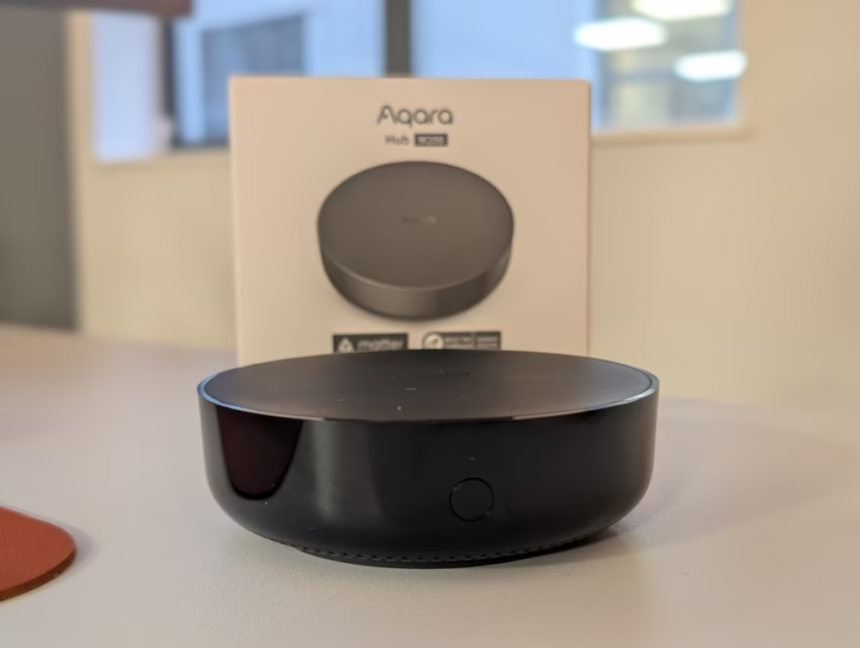
Any links to online stores should be assumed to be affiliates. The company or PR agency provides all or most review samples. They have no control over my content, and I provide my honest opinion.
Aqara Smart Hub M200 Review
Aqara Smart Hub M200 Review
Summary
The Aqara Smart Hub M200 is a well-balanced and thoughtfully updated successor to the M2, offering modern features such as Thread, Matter, dual-band Wi-Fi, USB-C power and PoE support at a very reasonable price. While it lacks the advanced processing and higher device limits of the M3, it delivers excellent day-to-day performance, especially when wired via PoE, and is arguably the best option for most users building or expanding an Aqara-based smart home. As a secondary hub, it is superb—quietly improving range, stability and automation responsiveness without any fuss.
Pros
- Affordable upgrade with Thread, Matter and PoE
- Strong stability and instant local automations
- Excellent as a secondary hub within a cluste
Cons
- Lower Zigbee capacity than the M2
- Not as feature-rich as the M3
I have previously reviewed the Aqara Hub M3 and also had the M2 prior to that, which I turned into a secondary hub when I moved to the M3.
Aqara has now released the Smart Hub M200, presumably the successor to the M2.
With an RRP of £60, it provides a more affordable alternative to the M3 while retaining many of its features. In particular, both the M3 and M200 are Matter controllers and Thread Border Routers, providing you with greater compatibility with different ecosystems.
Related Reviews
Specification
| Specification | Details |
| Dimensions | ⌀100.5 × 30.75 mm (⌀3.96 × 1.21 in) |
| Power Input | 5V⎓2A |
| PoE Input | 48V⎓0.25A |
| Wireless Protocols | Wi-Fi IEEE 802.11 a/b/g/n/ac/ax (2.4 GHz / 5 GHz), Zigbee / Thread IEEE 802.15.4, Bluetooth |
| Speaker | 90 dB (10 cm) |
| Ports | RJ45 PoE × 1, USB-A × 1, USB-C × 1 |
| Operating Temperature | -10°C to 50°C (14°F to 122°F) |
| Operating Humidity | 0–95% RH, no condensation |
| What’s in the Box | Hub M200 × 1, User Manual × 2, USB-A to USB-C Cable × 1 |
Design
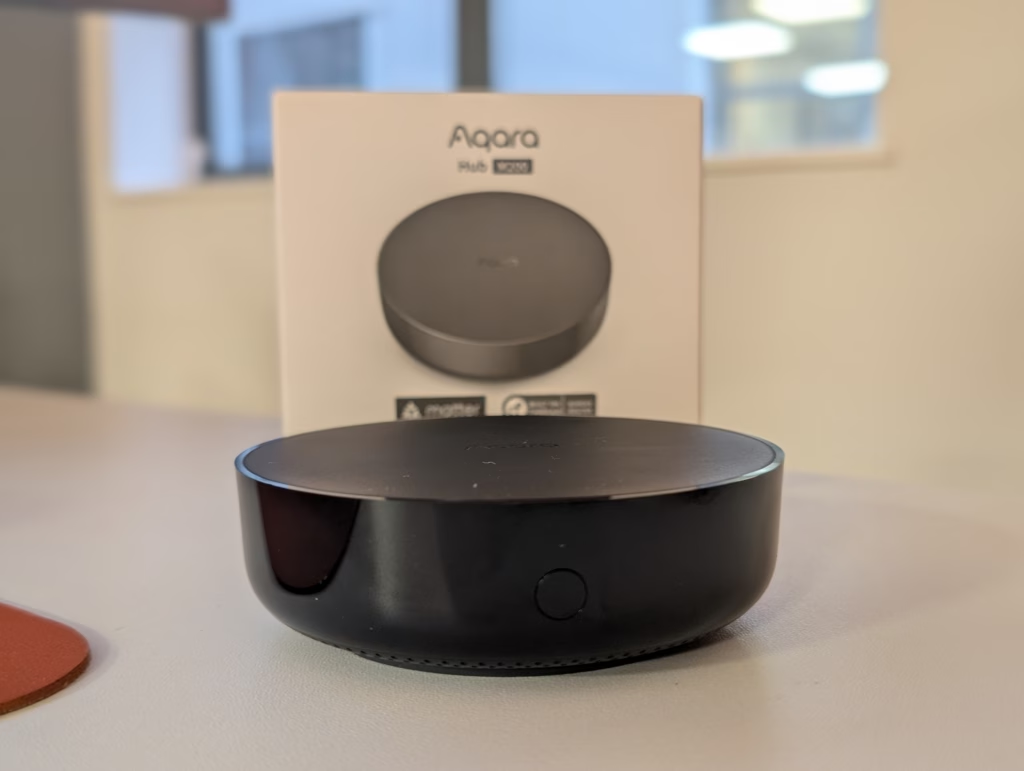
At first glance, you might mistake the M200 for the M2. They share the same “puck” form factor—a circular, black device that is unobtrusive enough to sit on a media unit but functional enough to be wall-mounted. However, placing them side-by-side reveals subtle but distinct differences.
The older M2 features a glossy, shiny black border around the top edge. While this looked premium out of the box, it was a magnet for dust and fingerprints. The M200 rectifies this with a matte black finish that matches the top surface. It is a small change, but one that makes the device look cleaner over time. The text on the underside and rear has also been improved; on the M2, regulatory text was printed around the circular edge, requiring you to rotate the device to read it. On the M200, the text is linear and includes multiple languages (English, Korean, Russian), making it far more legible.
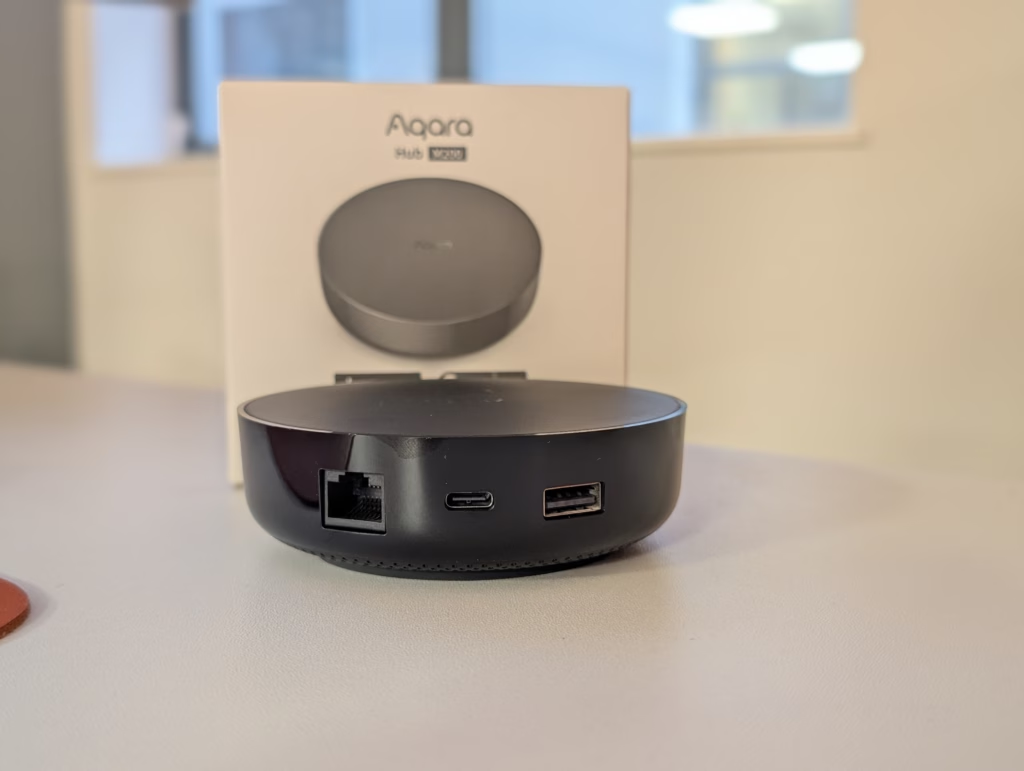
The rear port layout has also been adjusted. The PoE port on the M200 is rotated 180 degrees compared to the M2, likely to accommodate internal board changes. The most significant physical upgrade is the USB-C port. In a world where micro-USB cables are becoming scarce, having a standard USB-C power input is excellent for longevity.
Set Up
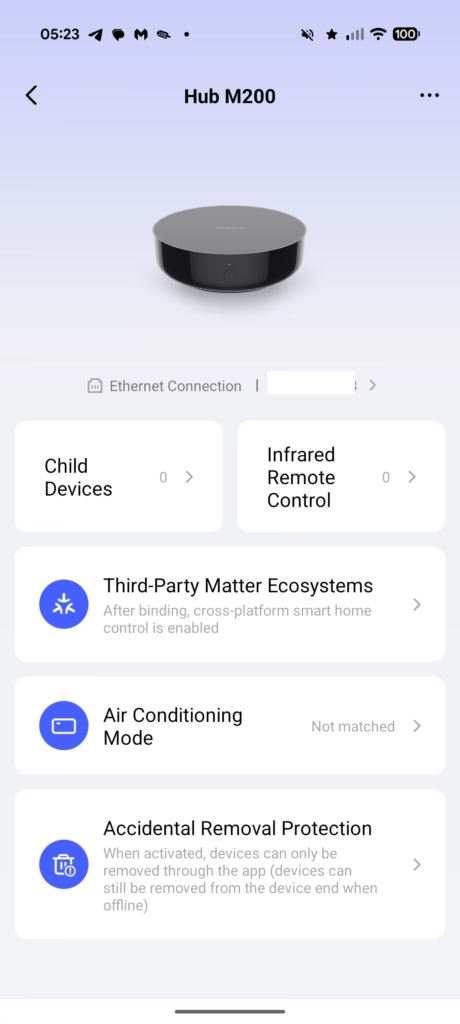
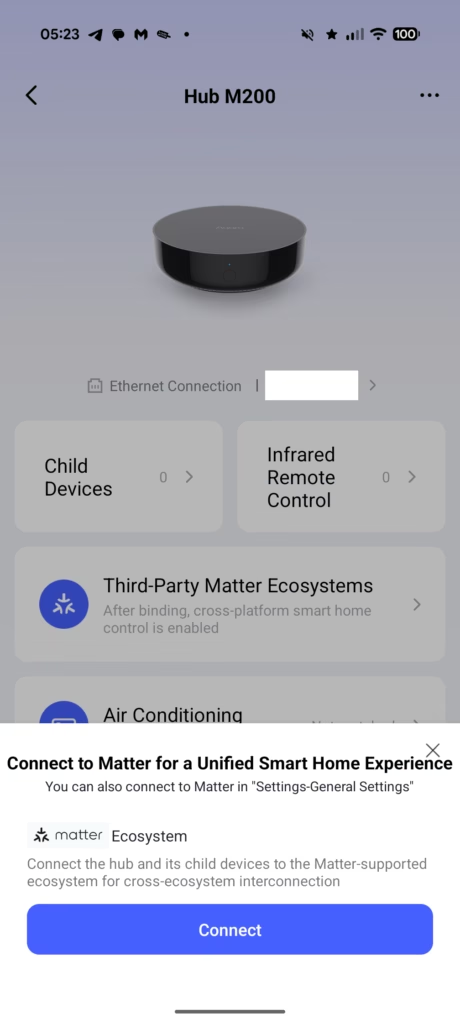
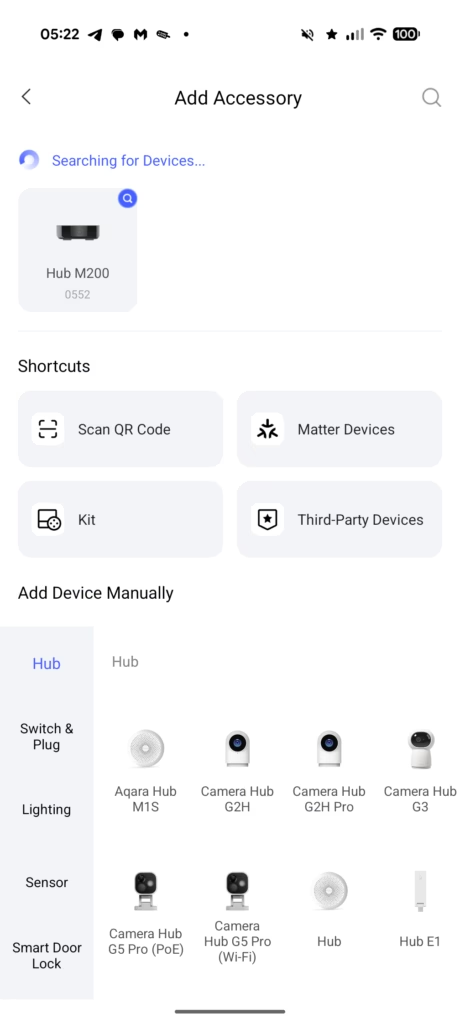
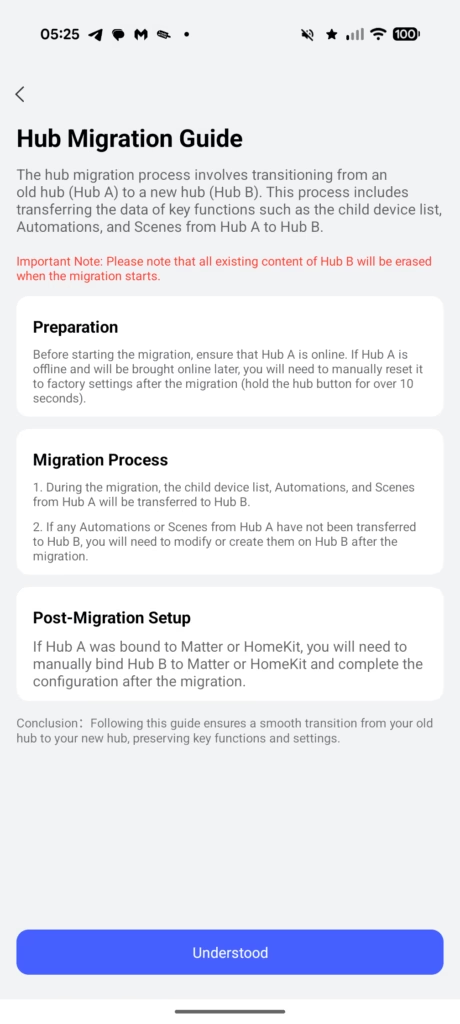
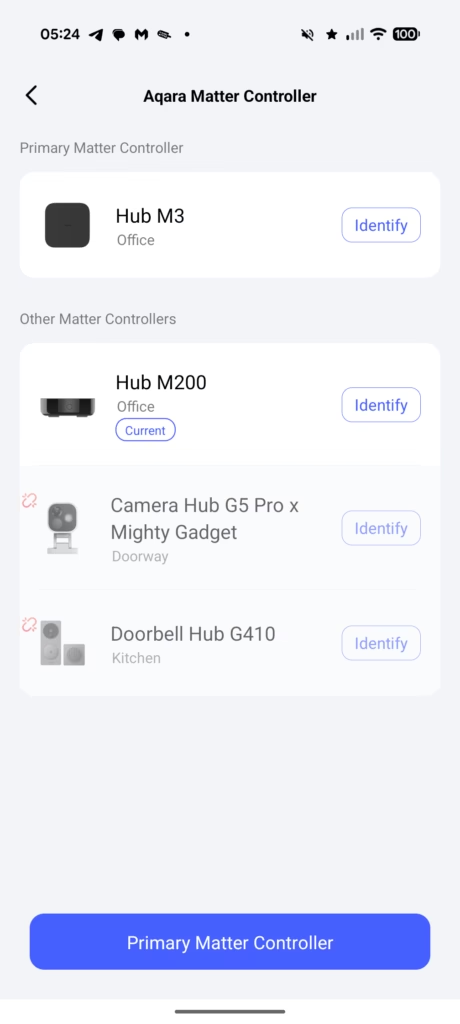

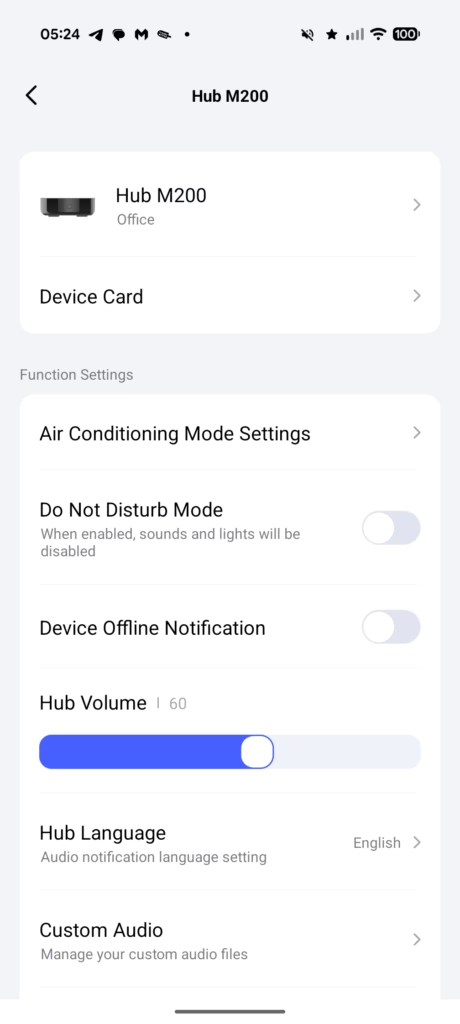
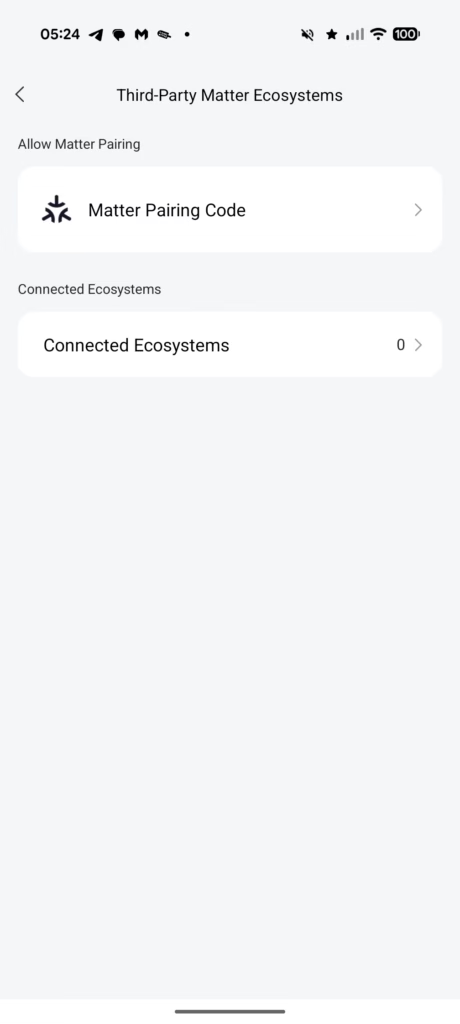
Setting up the M200 follows the standard Aqara procedure, but with more flexibility thanks to the connectivity options. You can power it via the USB-C port or via an Ethernet cable connected to a PoE switch.
If you use PoE, the setup is incredibly clean—just one cable for both power and data. This is my preferred method as it guarantees network stability, freeing up Wi-Fi bandwidth and ensuring the hub doesn’t drop offline due to wireless interference.
Once powered, the built-in speaker announces, “Ready to connect. Please open the app.” This voice prompt is a helpful reassurance that the device is booting correctly.
In the Aqara Home app, you select “Add Accessory” and scan the QR code located on the bottom of the unit. The process is swift. If you are using Wi-Fi, the M200 supports both 2.4 GHz and 5 GHz bands. This is a substantial upgrade over the M2, which was limited to 2.4 GHz. While 2.4 GHz is generally better for range and wall penetration, 5 GHz offers higher speeds and less interference in crowded urban environments. Having the option allows you to optimise based on your specific home network environment.
Hub Cluster
With the launch of the M3, Aqara introduced hub clusters. The M3 is designed to be a leader and takes the lead over other Aqara Zigbee hubs, aiming to improve the smart home experience. It converts the automations that involve multiple hubs and child devices connected to them, from Cloud to Edge automations, which are more stable and fast, and coordinates other Aqara Zigbee hubs.
While I did some testing of the M200 independently from the M3, my full-time setup uses the M3 as a leader and the M200 as a secondary device.
The M3 is located on my ground floor, while the M200 is on the first floor, providing a superior range. Both are wired with POE, so I have a more reliable connection in comparison to the Aqara Panel Hub S1 Plus, which I have in my office.
I only had a small number of devices paired with the Panel Hub S1 Plus, so I migrated these to the M200.
This cluster architecture is where Aqara is trying to differentiate itself. By linking hubs, you avoid the “silo” effect where devices on one hub react slowly to triggers on another hub because the signal has to go via the cloud. With the cluster, and specifically the M3 at the helm, these cross-hub automations become local “Edge” automations. If your internet goes down, your upstairs motion sensor (on the M200) can still trigger the downstairs lights (on the M3) instantly.
Aqara App & Settings
As far as the Aqara app and settings are concerned, there is very little difference between the other Aqara hubs. The interface remains clean, if occasionally dense with options.
You can view the network strength of connected Zigbee devices, manage the Matter bridging settings, and configure the built-in alarm system. The M200 appears as a standard hub tile. One limitation to be aware of compared to the M2 is the device capacity.
The older M2 supported up to 128 Zigbee devices (with the use of repeater devices like smart plugs). The M200, however, has a split limit: it supports 40 Zigbee devices and 40 Thread devices. While 80 devices total is substantial, it is technically a reduction in pure Zigbee capacity compared to the M2. If you have a massive legacy Zigbee installation, you might find the M200 fills up faster if you aren’t using Thread devices. For new users building a mixed network, the split is logical, but for upgraders with 100+ Zigbee sensors, the M2 might actually remain the better “pure Zigbee” choice unless you split them across multiple hubs.
Home Assistant & Matter

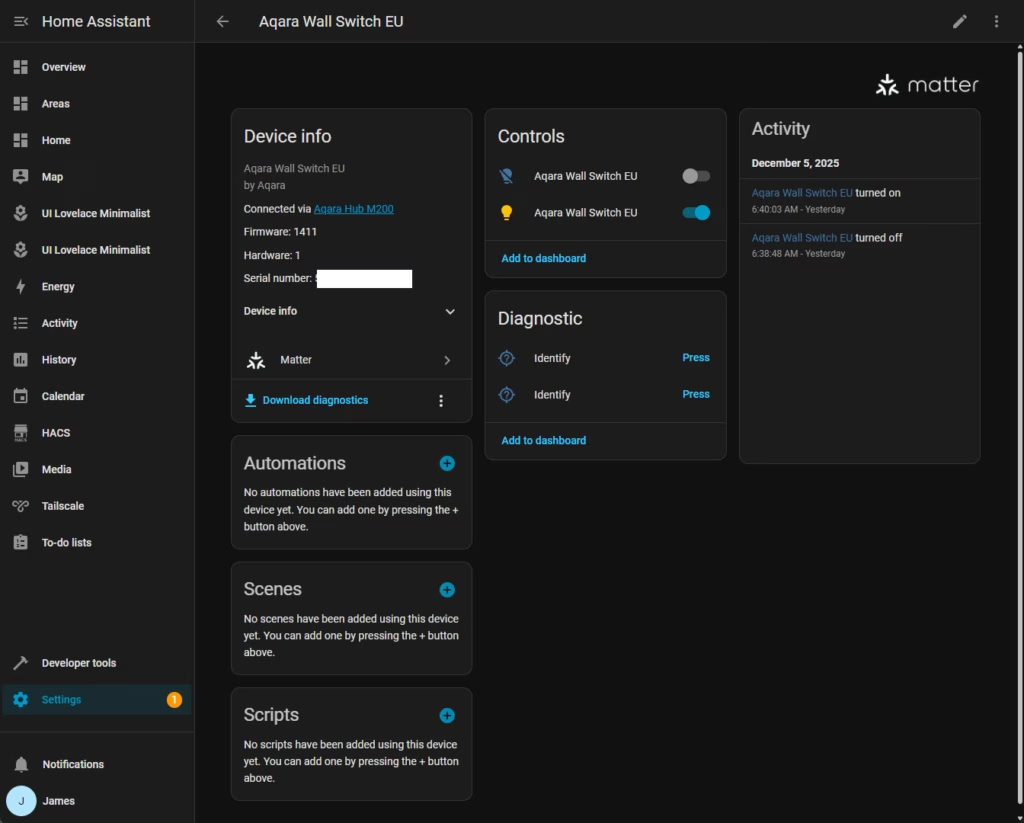
This is perhaps the most debated area for advanced users. While most people who use Home Assistant seem to favour integrated Zigbee and Thread devices directly into Home Assistant using the Home Assistant ZBT-1 or the new ZBT-2, I have always used hubs as a bridge to Home Assistant.
As much as I love Home Assistant, I have a bad habit of tinkering and breaking things. I also recently had an NVMe die on me which wiped out my HA installation and didn’t have a recent backup. Using the Aqara hub as an intermediary provides a safety net. If my Home Assistant server goes down, my Aqara lighting automations and alarm systems continue to function because they are handled by the hub locally.
Additionally, with Aqara, some features are walled off within the Aqara ecosystem. For example, the precise “ghosting” calibration of the FP2 presence sensor or specific energy monitoring logs often do not fully expose over generic Zigbee coordinators. By keeping the devices on the M200 and bridging them via Matter to Home Assistant, you get the best of both worlds: the granular hardware control of the native app and the broad automation power of Home Assistant.
The downside to this approach is that if you connect Aqara to HA via Matter, you may find you are missing even more features. Matter is a unifying standard, but it is currently a “lowest common denominator” standard. It does not yet support every unique feature of every device. For instance, specialised power consumption graphs or complex multi-click actions on switches might not pass through the Matter bridge as cleanly as they would through a direct Zigbee integration. It is a trade-off between stability and feature depth.
Thread Border Router & Mesh Extender
The inclusion of a Thread Border Router is the M200’s trump card over the M2. Thread is a mesh networking protocol that is self-healing and low latency. However, for Thread devices (like the new Aqara Door and Window Sensor P2) to talk to the internet or your phone, they need a Border Router.
Previously, you needed the M3 or Aqara Camera Hub G5 Pro for this functionality. The M200 can now fulfil this role at a much lower price point.
And, if, like me, you already have the M3, then the M200 acts as a Thread Mesh Extender. It strengthens the signal, ensuring that Thread devices at the far end of your house have a reliable path back to the network. In my testing, placing the M200 on the first floor significantly improved the response time of Thread devices in the bedrooms.
Universal IR Remote
Like its predecessors, the M200 includes a 360-degree Infrared (IR) blaster. This allows you to control “dumb” devices like televisions, air conditioners, and fans.
The M200 features an upgrade in how it handles IR state synchronisation. One of the biggest frustrations with smart IR blasters is that if you use the physical remote to turn on the TV, the smart hub thinks the TV is still off. The M200 attempts to solve this with better learning capabilities, trying to keep the state in sync by listening for the physical remote’s commands (though this requires the hub to be in line-of-sight of the remote).
In practice, this is still imperfect, but it is better than the blind-fire method of the M2. You can expose these IR devices to Matter.
Built-in Speaker
The built-in speaker is a useful addition on this hub (and the M2/M3). It assists with the set-up process, both the initial set-up of the hub and the addition of devices to the hub.
However, it can also be used for automations. In particular, I have used these hubs as chimes for doorbells such as the Aqara Doorbell Camera Hub G410 and Smart Video Doorbell G4.
The speaker is not as loud as a doorbell dedicated chime, but I have the hubs located in my office and living room, where I spend most of my time, so they help avoid missing people at the door.
The speaker is rated at 90 dB. It is loud enough to be heard within a room or an adjacent hallway, but it will not replace a proper chime. It is distinct from the M3’s speaker, which feels slightly richer, but for simple beeps, alarm chimes, and voice prompts, it is perfectly adequate.
I have the hubs located in my office and living room, where I spend most of my time, so they help avoid missing people at the door. You can also upload custom ringtones (MP3s) via the app, allowing for specific sounds for specific events—for example, a gentle chime when a window is opened, versus a blaring siren if a water leak is detected.
Day to Day Use
Living with the M200 is a largely “invisible” experience, which is the highest compliment you can pay a hub. Once set up, it simply works.
Because the M200 supports local automation, basic rules (like “Motion Detected -> Turn on Light”) execute instantly. There is no perceptible lag, unlike cloud-based systems where the signal has to travel to a server and back. This local processing ensures that even if your internet connection drops, your smart switches and sensors keep talking to each other.
The stability provided by the PoE connection cannot be overstated. Wi-Fi based hubs are prone to interference, especially in the 2.4 GHz band which is shared with microwaves and Bluetooth. Since wiring the M200 via Ethernet, I have had zero “Device Offline” notifications.
The 40-device limit will likely be restrictive to anyone heavily invested in Aqara. If you have invested that much in devices, it would be wise to pair them up with the M3 (and perhaps the M200 as a secondary hub).
Price and Alternative Options
The Aqara Smart Hub M200 has an RRP of £60, and there have been no discounts on Amazon yet.
The older Hub M2 has an RRP of £55, and at the time of writing was available for £42.33 while the M3 has an RRP of £130 and was discounted to £110.49.
Aqara also has the new M100, which is even more affordable at just £20, and this is a great option for anyone just getting into Aqara products, but it is quite limited, only supporting 20 ZigBee devices and 20 Thread devices. I also much prefer to have my hubs wired into Ethernet, for a more reliable connection.
Overall
Aqara has so many hubs, it is hard to get excited about a new one. This particular hub doesn’t do anything groundbreaking, but it is a logical product to launch. It effectively upgrades the M2 to have all the latest features you would want from a smart home hub, which is basically a Thread Border Router and a Matter Controller.
While it may not be a groundbreaking new product, I’d argue that it is the best hub for most people. The M3 is obviously superior and has some interesting features like hub clusters and edge computing (moving automations from cloud to local) but the price is high for anyone getting into smart homes or with a modest set-up.
For people like myself, who have a growing number of smart devices, the M200 is an appealing option as a secondary hub. I much prefer using POE or USB and Ethernet, rather than relying on WiFi, and the M200 does a good job at extending the network and improving range, reliability and responsiveness.
Aqara Smart Hub M200 Review
Aqara Smart Hub M200 Review
Summary
The Aqara Smart Hub M200 is a well-balanced and thoughtfully updated successor to the M2, offering modern features such as Thread, Matter, dual-band Wi-Fi, USB-C power and PoE support at a very reasonable price. While it lacks the advanced processing and higher device limits of the M3, it delivers excellent day-to-day performance, especially when wired via PoE, and is arguably the best option for most users building or expanding an Aqara-based smart home. As a secondary hub, it is superb—quietly improving range, stability and automation responsiveness without any fuss.
Pros
- Affordable upgrade with Thread, Matter and PoE
- Strong stability and instant local automations
- Excellent as a secondary hub within a cluste
Cons
- Lower Zigbee capacity than the M2
- Not as feature-rich as the M3
Last update on 2025-12-07 / Affiliate links / Images from Amazon Product Advertising API

I am James, a UK-based tech enthusiast and the Editor and Owner of Mighty Gadget, which I’ve proudly run since 2007. Passionate about all things technology, my expertise spans from computers and networking to mobile, wearables, and smart home devices.
As a fitness fanatic who loves running and cycling, I also have a keen interest in fitness-related technology, and I take every opportunity to cover this niche on my blog. My diverse interests allow me to bring a unique perspective to tech blogging, merging lifestyle, fitness, and the latest tech trends.
I’m proud to share that Vuelio has consistently ranked Mighty Gadget as one of the top technology blogs in the UK. With my dedication to technology and drive to share my insights, I aim to continue providing my readers with engaging and informative content.